SQL Server Build Info
SQL Server Build Info
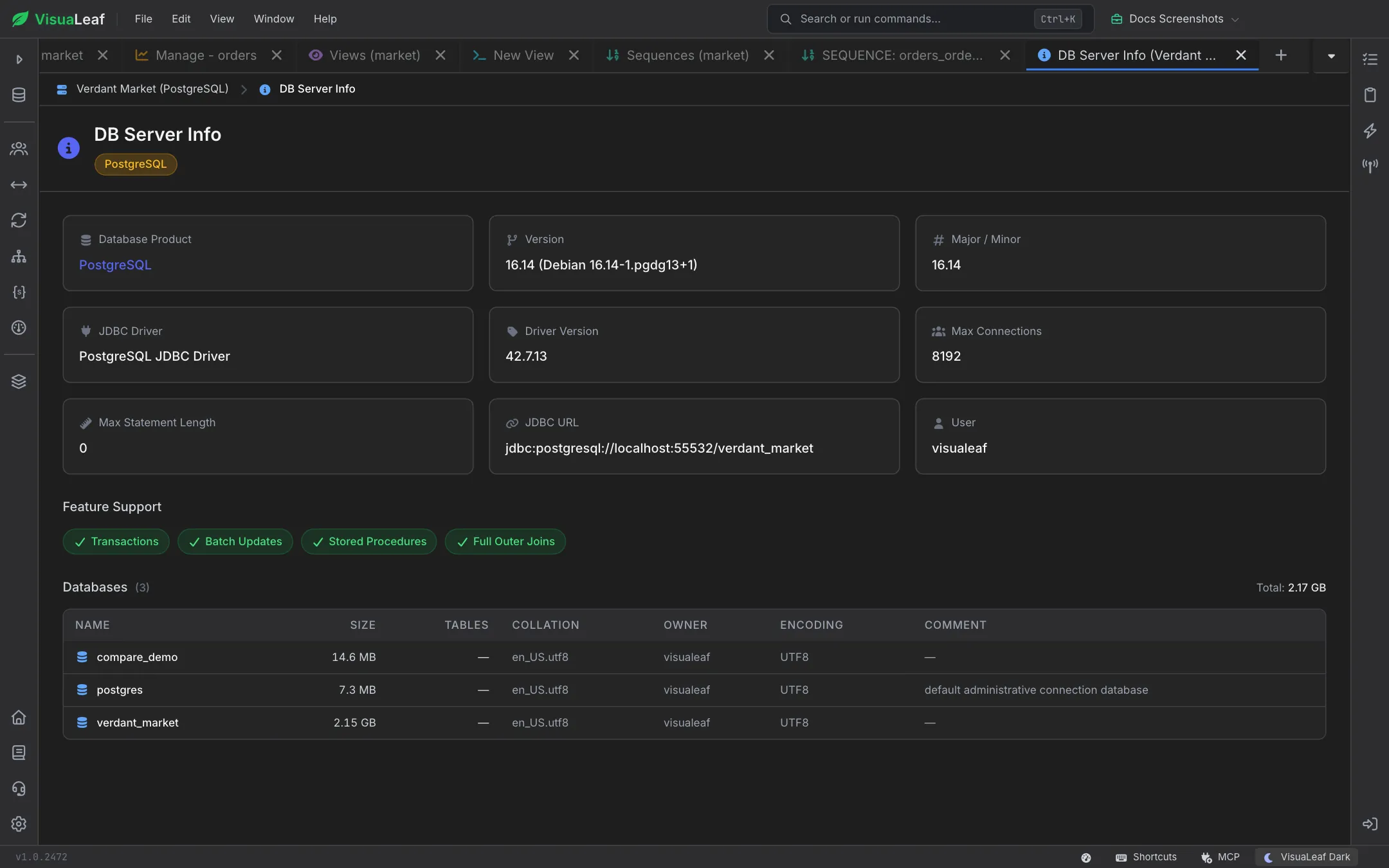
The DB Server Info activity is a one-page dashboard that tells you exactly what you are connected to. It reports the product name, version, JDBC driver, connection URL, feature support flags, and a per-database size table — enough to answer "which server is this?" and "what does it support?" without leaving VisuaLeaf.
Quick Start
- Right-click a SQL connection in the sidebar and choose DB Server Info.
- Review the info cards: Database Product, Version, JDBC Driver, User, Max Connections, etc.
- Scan the Feature Support chips for capabilities like Transactions and Stored Procedures.
- Inspect the Databases table for size, table counts, and per-database metadata.
Info Cards
A grid of nine cards summarizes the server. Each card has an icon, a label, and a value:

| Card | What it shows |
|---|---|
| Database Product | e.g. PostgreSQL, MariaDB, Microsoft SQL Server. Highlighted in accent color. |
| Version | Full product version string reported by the driver. |
| Major / Minor | Parsed major.minor version numbers. |
| JDBC Driver | Driver name (e.g. PostgreSQL JDBC Driver). |
| Driver Version | Driver's own version string. |
| Max Connections | Server-side connection ceiling. |
| Max Statement Length | Maximum size of a single SQL statement the driver will accept. |
| JDBC URL | The exact JDBC URL VisuaLeaf used to connect. |
| User | The authenticated username reported by the server. |
Feature Support
Below the cards, a row of chips answers common capability questions at a glance:

- Transactions — supports
BEGIN/COMMIT/ROLLBACK. - Batch Updates — supports batched execution via
addBatch()/executeBatch(). - Stored Procedures — supports
CALL/EXEC. - Full Outer Joins — supports
FULL OUTER JOIN.
Green chips indicate supported features, red chips indicate unsupported ones.
Databases Table
The lower table enumerates every database (or schema, depending on dialect) accessible on the server. Columns are shown or hidden based on whether the driver returns data for them:
| Column | Meaning |
|---|---|
| Name | Database identifier. |
| Size | Human-readable size (B/KB/MB/GB). |
| Tables | Count of tables in the database. |
| Charset | Default character set (MySQL/MariaDB). |
| Collation | Default collation. |
| Owner | Owning role (PostgreSQL). |
| Encoding | Storage encoding (PostgreSQL). |
| Comment | Free-form description. |
The header shows the aggregated total size across all databases.
Reading the JDBC URL
A typical JDBC URL looks like:
jdbc:postgresql://db.internal:5432/analytics?sslmode=require&ApplicationName=VisuaLeafUse it to confirm which host, port, and default database you are actually connected to — especially handy when juggling multiple environments with similar aliases.
Common Use Cases
- Confirming the running server version before filing a bug against a specific patch level.
- Answering "does this server support stored procedures?" without
SELECT version(). - Identifying the biggest databases on the server at a glance.
- Verifying you are pointed at the intended environment before running destructive DDL.
Related Features
- SQL Editor - Run queries against the discovered databases.
- System Monitor - Live server metrics beyond static build info.
- SQL Profiling - EXPLAIN plans backed by the same connection.
- User Management - Manage the accounts that show up under the User card.
Ready to try VisuaLeaf?
Download and start managing your MongoDB and SQL databases with ease.
Download Free Trial