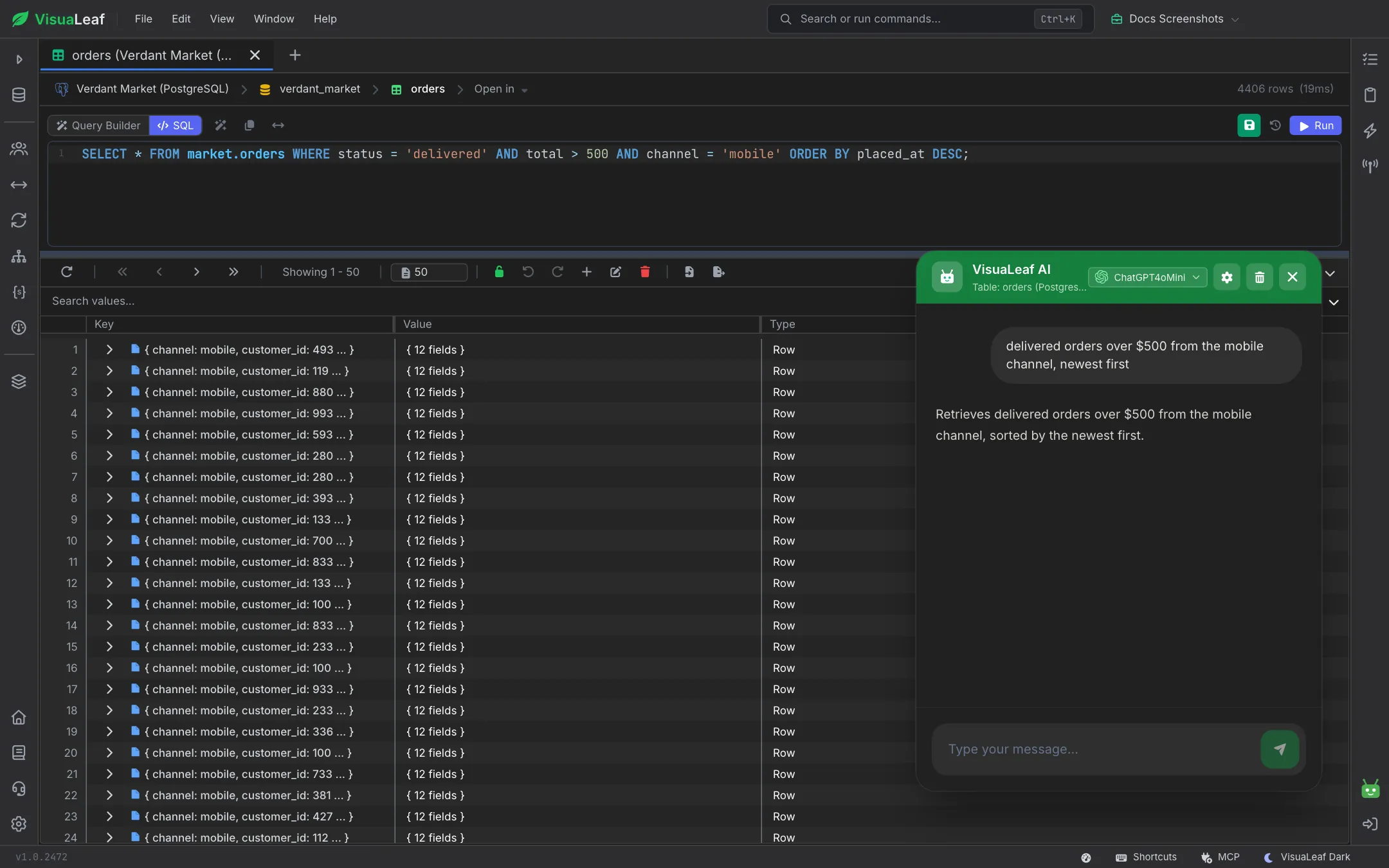
Describe what you need in plain English and let AI write the query or full aggregation pipeline. AI also reads your collections and reports field types, nested structures, and data patterns. Already use Claude or another assistant? Connect it through the MCP server and it works inside VisuaLeaf with you.
Describe what you want in plain English and let AI write the MongoDB query. Type requests like "Find all users registered in the last 30 days with verified emails" and get instant, valid MongoDB queries. Perfect for complex queries, learning MongoDB syntax, or speeding up query development without memorizing operators.
Transform natural language into complete aggregation pipelines. Describe complex data transformations like "Group orders by customer, calculate total spent, and show top 10 spenders" and let AI build the multi-stage pipeline with $match, $group, $project, $sort, and other operators automatically. Visualize stage-by-stage results instantly.
AI automatically analyzes your MongoDB collections and provides detailed schema insights. Identifies field types, nested structures, data patterns, and field occurrence percentages without manual inspection. Detects nested documents, arrays, and provides human-readable schema summaries with optimization recommendations and data type validation.
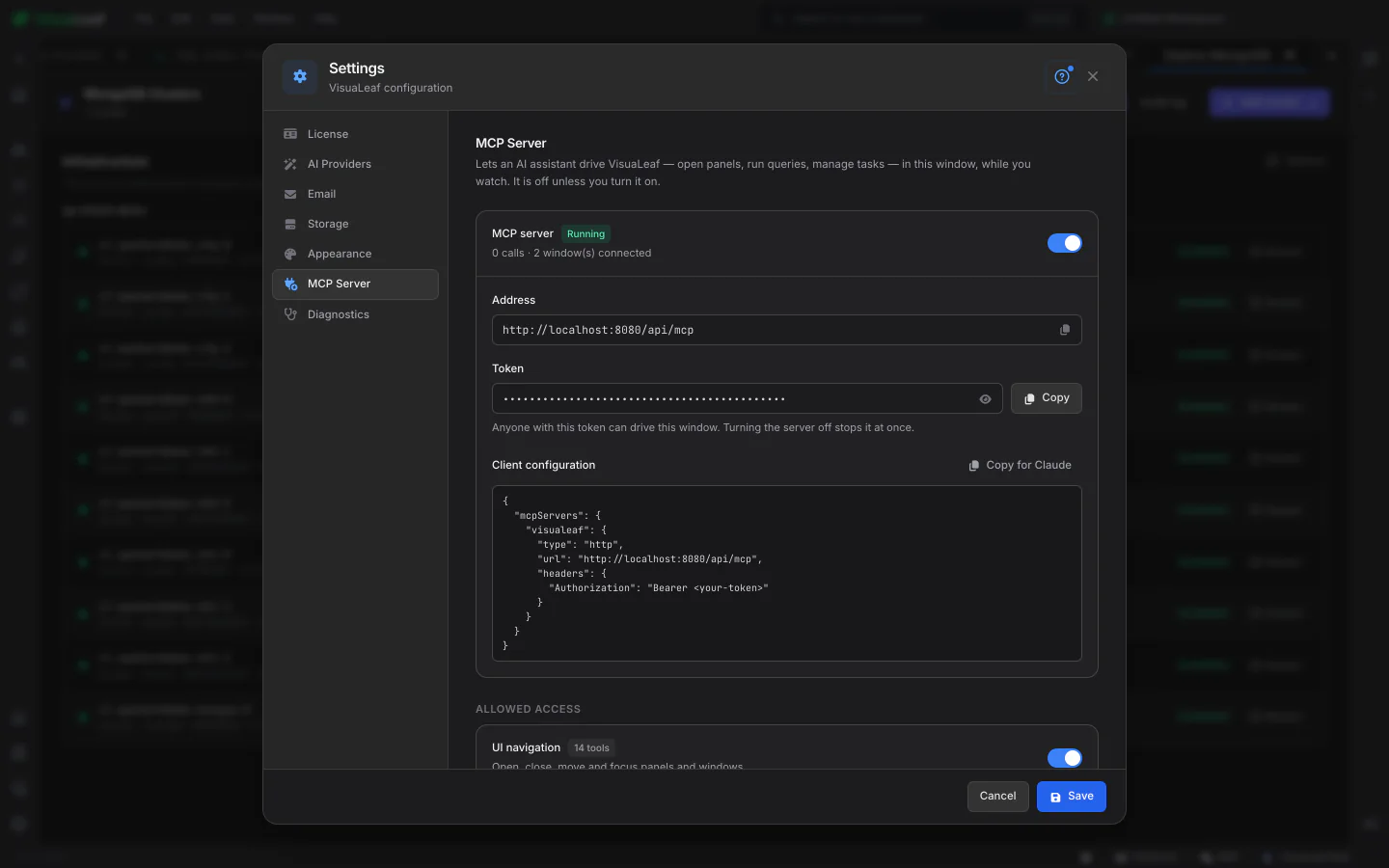
Prefer Claude or another assistant you already use? Turn on VisuaLeaf's MCP server and it can work in the app while you watch: open collections and tables, run queries, and build Data Transfer tasks and jobs for you to check before anything runs. It's off until you switch it on, it only listens on your own computer, and you choose what it's allowed to do. Copy for Claude gives you the setup to paste, and turning the server off stops it at once. Professional plan, desktop app.
Combine AI-generated queries with visual editing for the best of both worlds. Use AI Assistant to generate a starting query from natural language, then refine it visually with drag-and-drop conditions and real-time previews.
Let AI generate complex aggregation pipelines from plain English descriptions, then visualize and edit each stage in the pipeline builder. Perfect for learning aggregation syntax or quickly prototyping data transformations.
Check out the documentation to explore all the details about the AI Assistant and the MCP server, and discover more VisuaLeaf features.
Read the DocumentationGet started free with our Community Edition. Includes a 14-day trial of Pro features.