Get Started Free

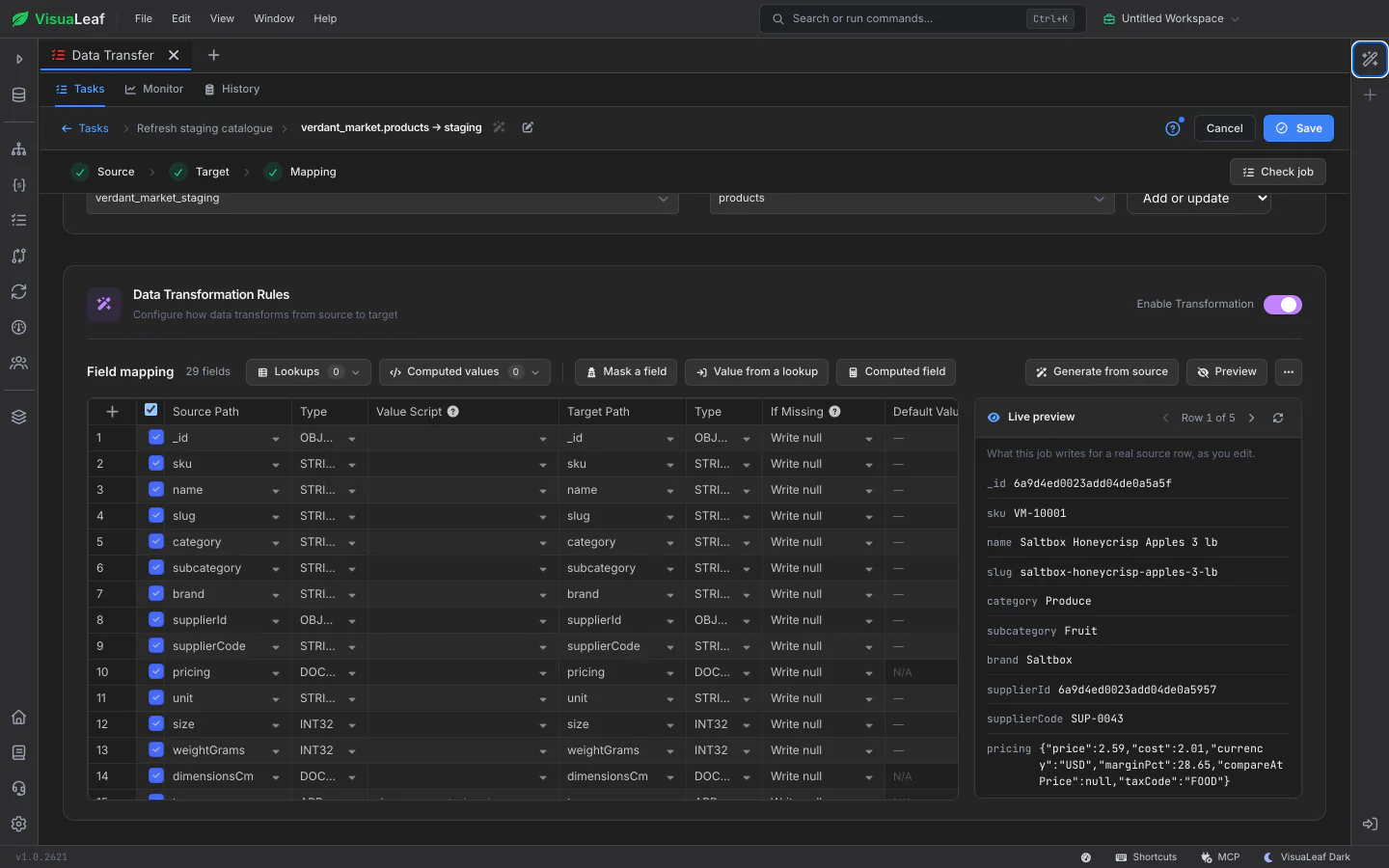
Edit Jobs With a Live Preview

The job editor opens right in the page. Pick a source and a target, map the fields, and a live preview shows what the job will write for a real source row, updated as you change the mapping. Quick actions add a masked field, a value from a lookup or a computed field in one click, and Check job reads sample rows, runs your mapping and tests every connection without writing anything, listing anything missing or failing with a link to fix it.

Job editor with the field mapping on the left and the live preview of a real row on the right

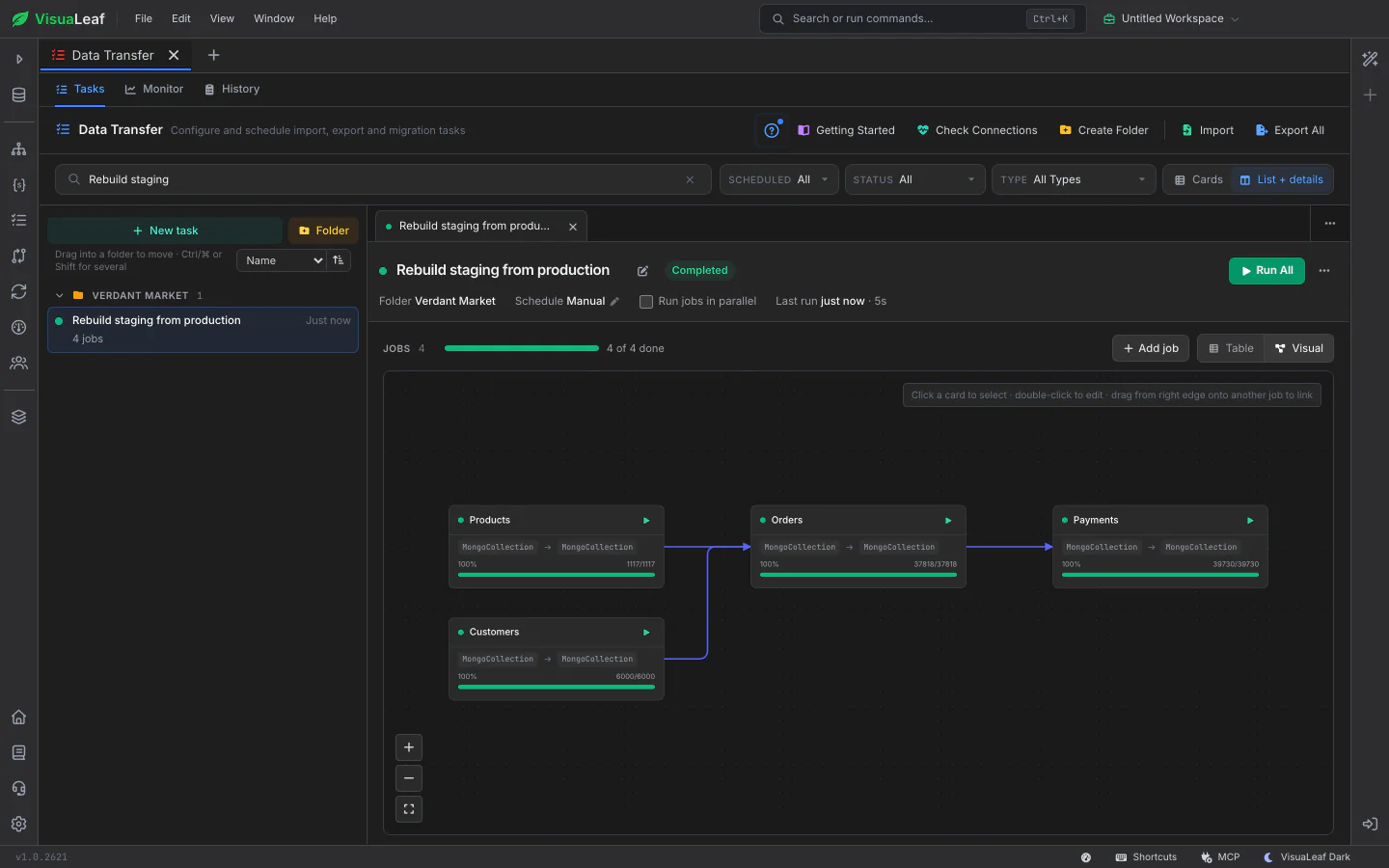
See the Order Jobs Run In

Switch a task from Table to Visual to see its jobs as a diagram, with an arrow from each job to the ones that wait for it. Load products and customers first, then orders, then payments: drag from one card's edge onto another to make a job wait, and Run All follows the arrows. Each card shows its own progress and row count while the task runs.

Data Transfer Visual view: four jobs linked by dependency arrows, each with a full progress bar and its row count

Copy Whole Databases Between Engines

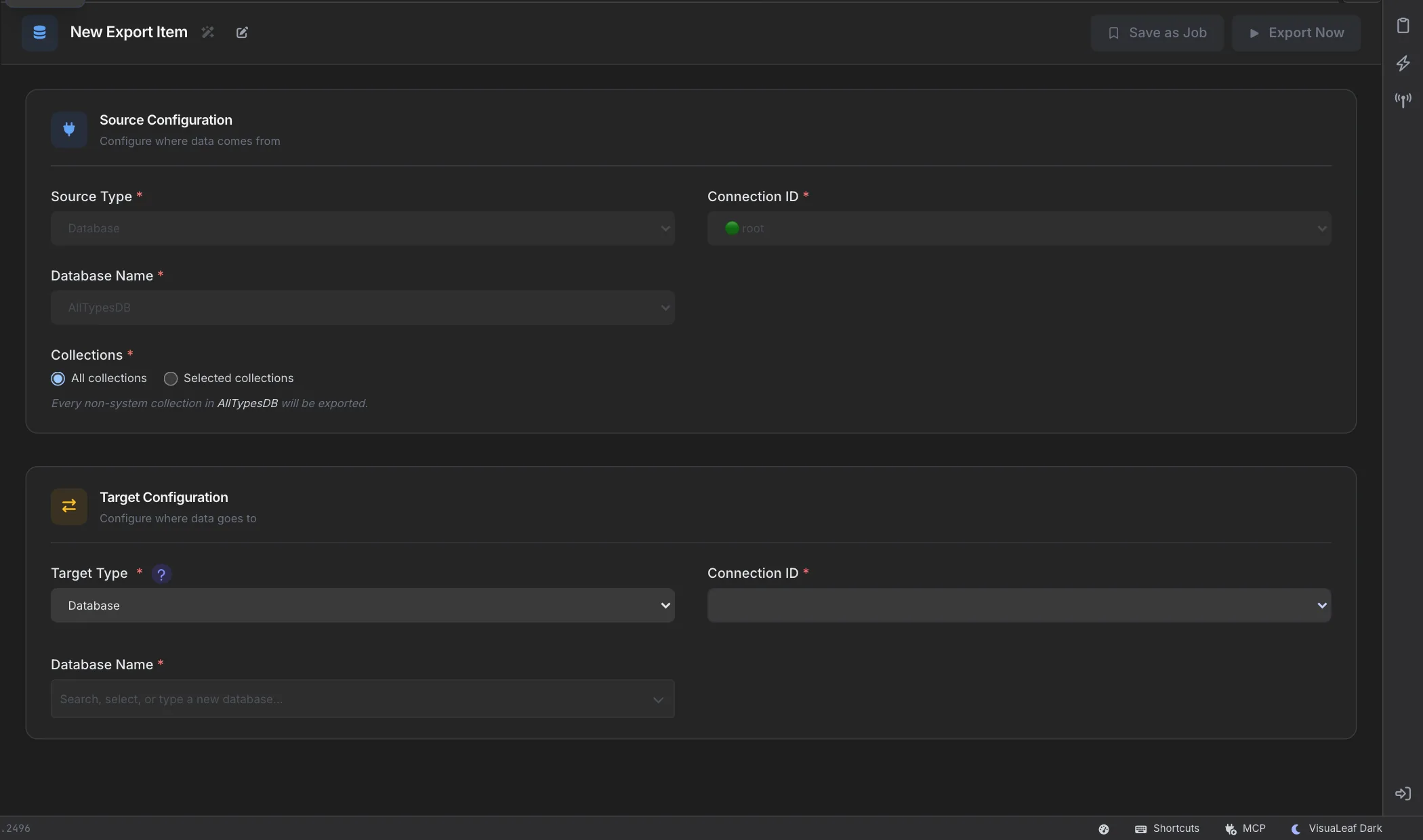
Right-click a database, collection or table and choose Migrate to Another Database to copy it to another server, MongoDB or SQL. Copies between SQL databases keep real column types, primary and foreign keys and ENUM columns, and a copy into a database that doesn't exist stops before writing anything instead of landing somewhere else. See export and import and MongoDB to SQL migration in the docs.

Migrate to another database wizard choosing the target for a database copy

Follow Every Run

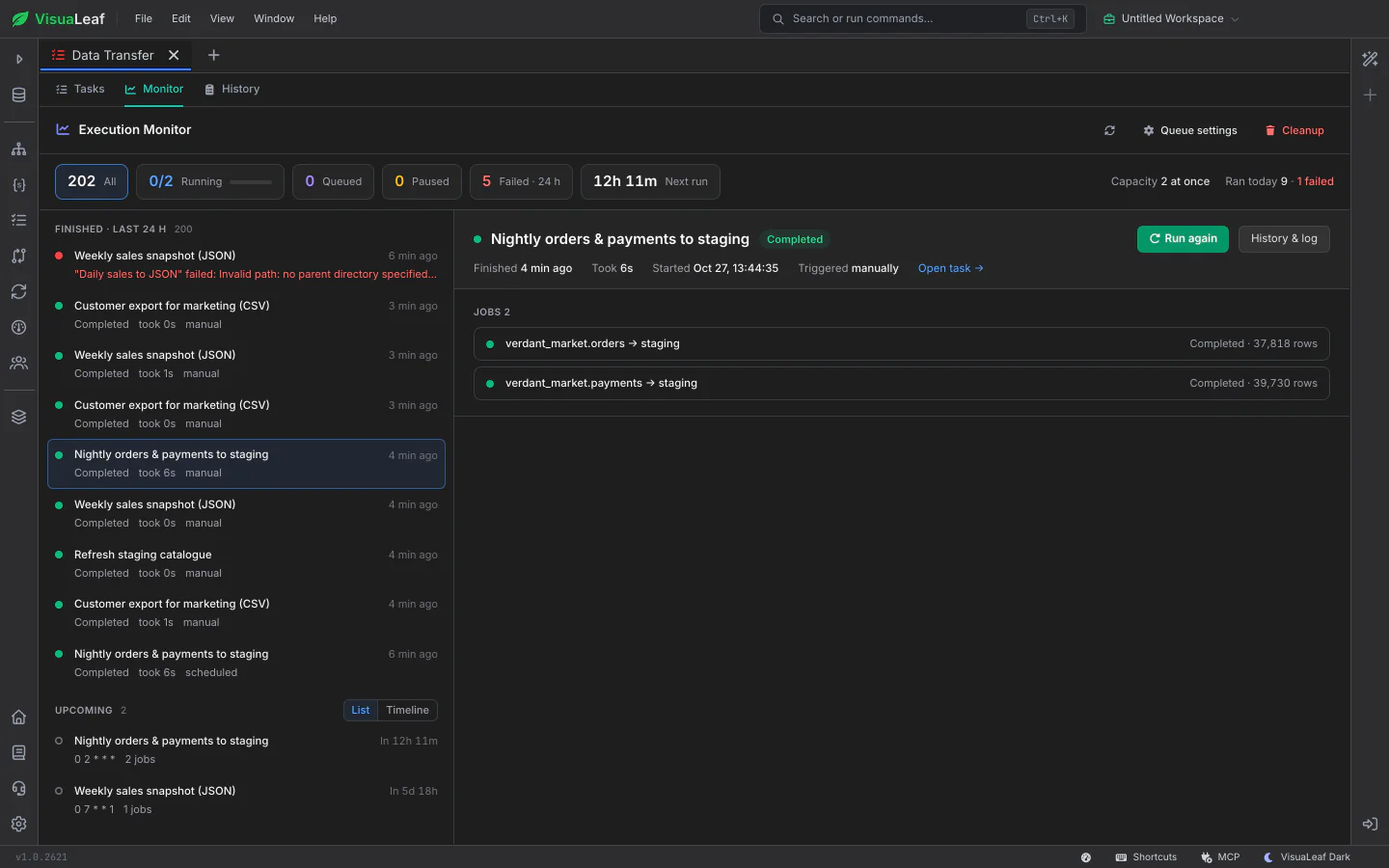
Monitor lists running, paused, queued, recently finished and upcoming runs in one list ordered by urgency, with the selected run's progress, jobs and failure reason beside it. When a run fails, the task says why in plain words, such as a missing table or a rejected login.

Monitor with runs ordered by urgency and the selected run's progress and jobs in the details pane

See How Tasks Perform Over Time

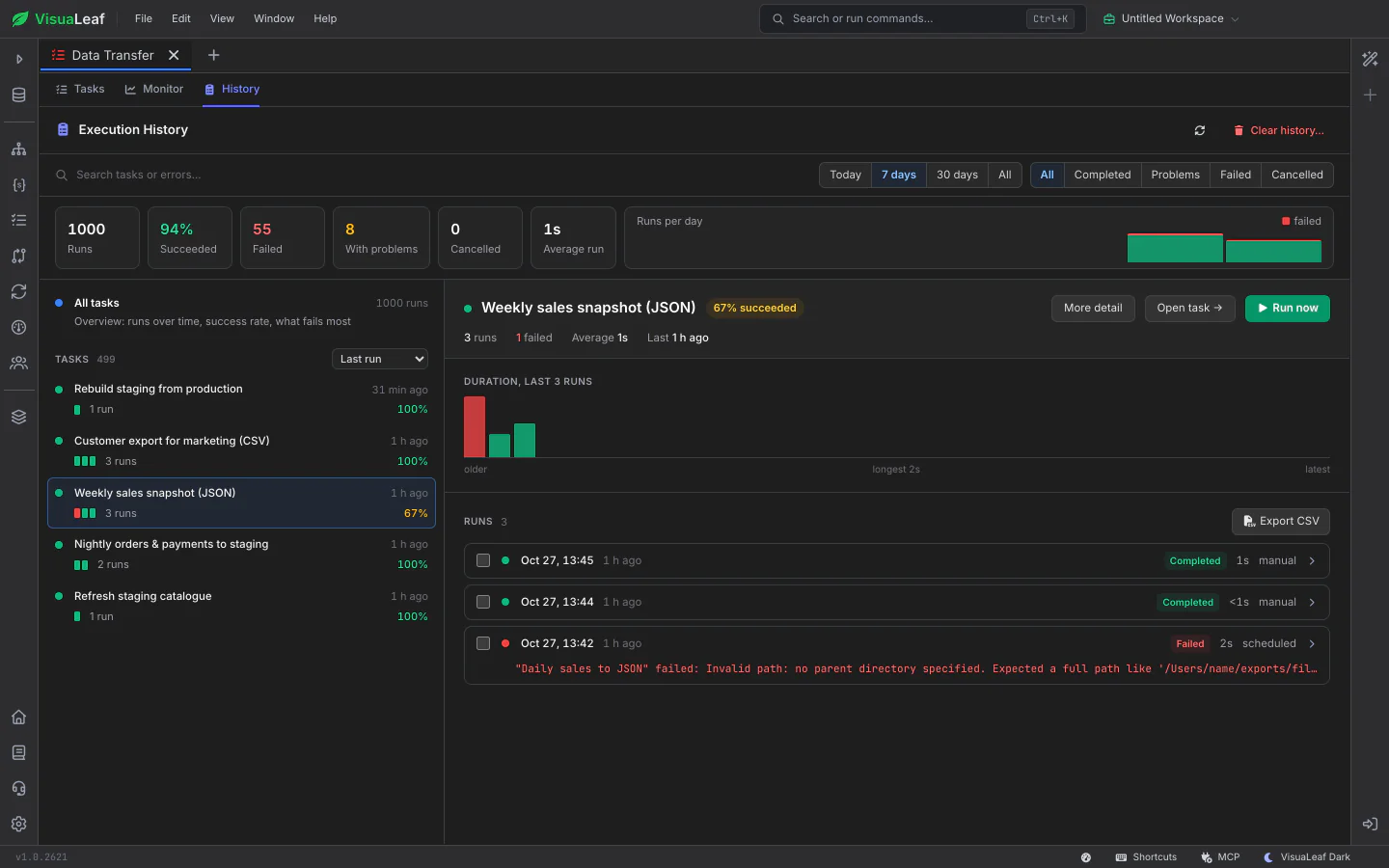
History shows each task's recent runs and success rate, a duration chart, and which tasks fail most and run slowest. Search covers errors as well as task names, and run history can be exported to CSV.

Data Transfer History with totals across every run, the task list with each task's success rate, and one task's duration chart and runs, including a failure and its reason
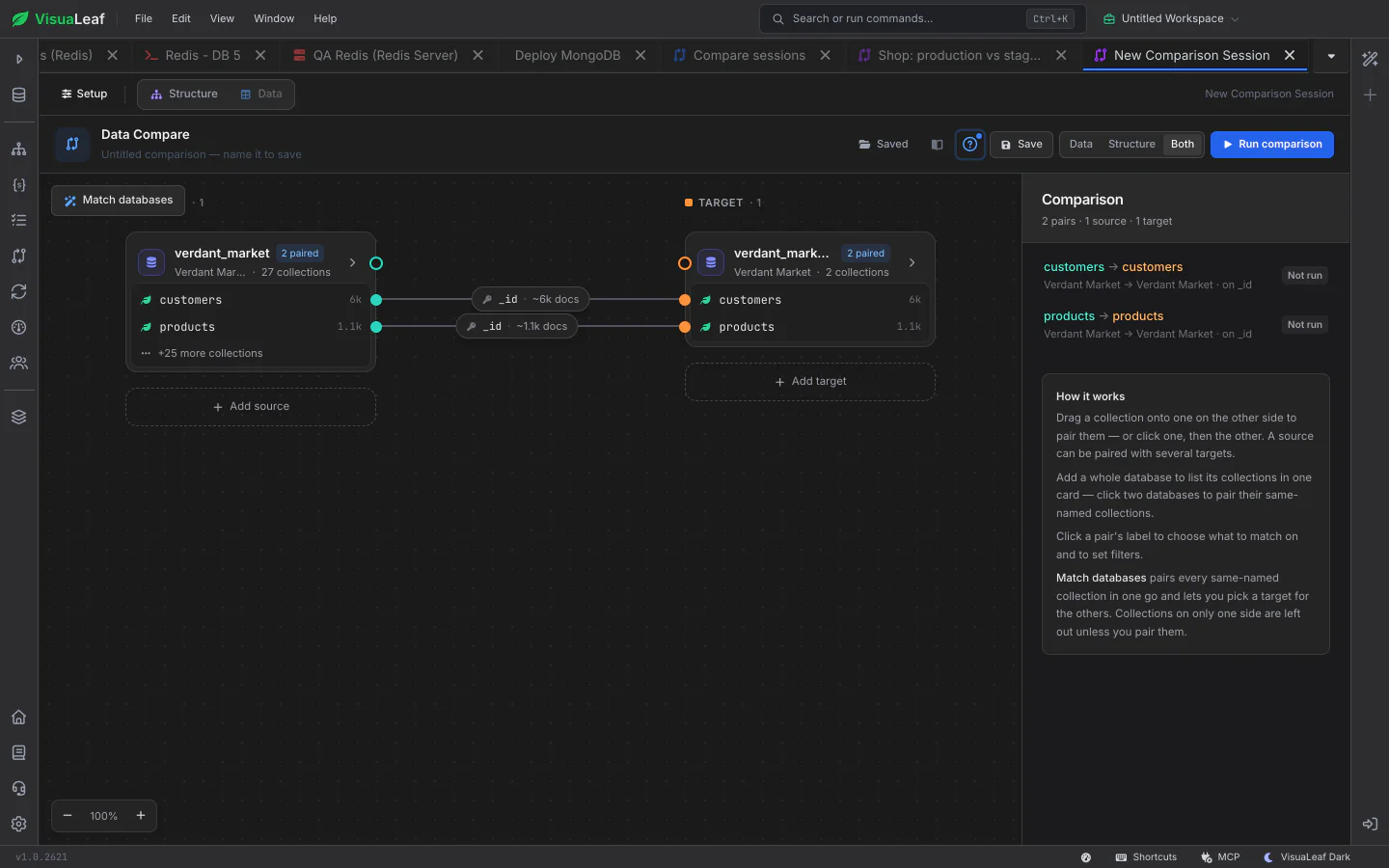
Data Compare canvas pairing source and target collections

Data Compare

After a copy, compare the source and target to confirm they match, rows and structure, and sync any differences that remain.

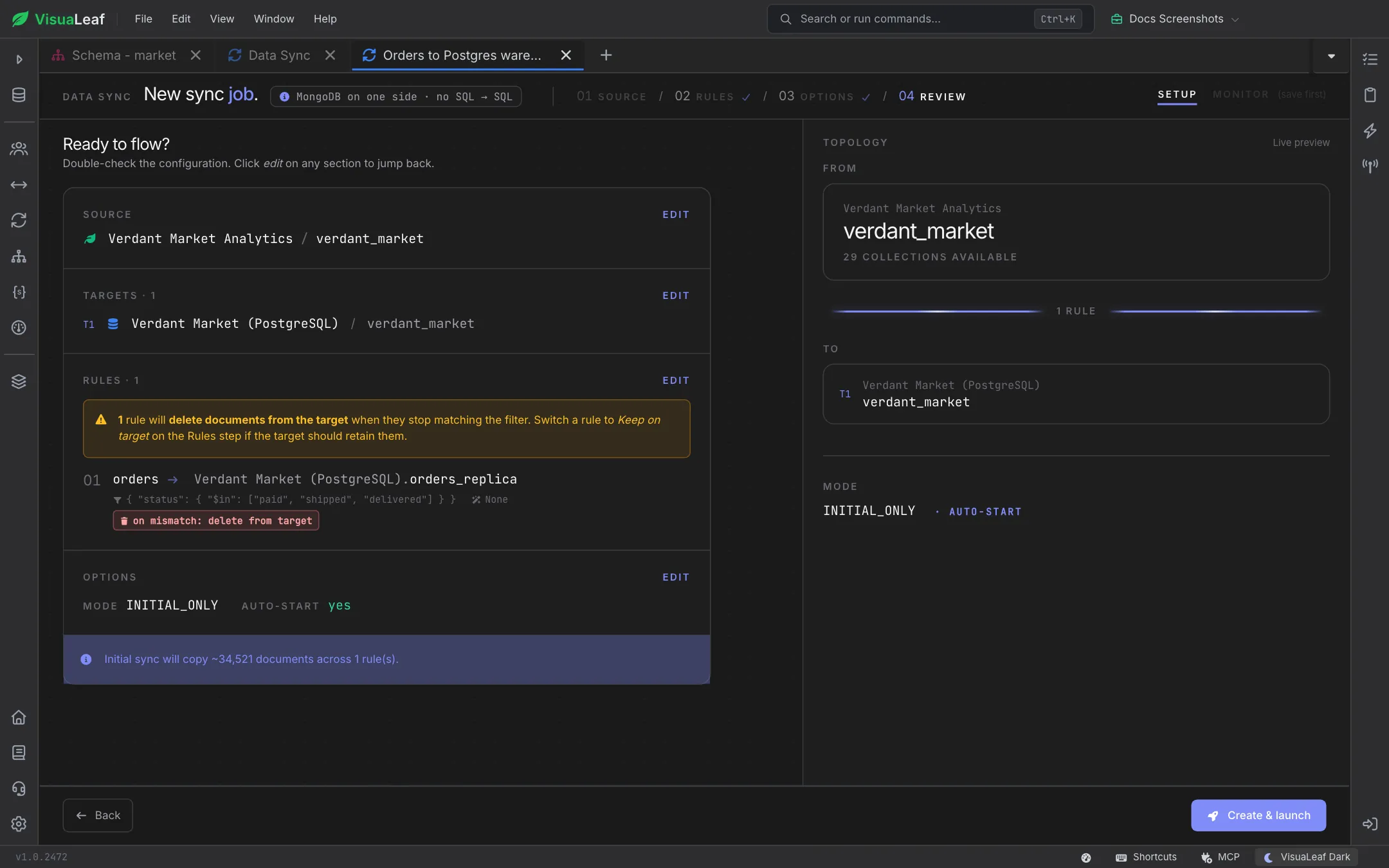
VisuaLeaf Data Sync jobs

Data Sync

Keep a copy up to date after the first transfer. Data Sync follows changes on the source and applies them to the target, between MongoDB and SQL databases.

Want to Learn More?

Check out the documentation to explore all the details about Data Transfer and discover more VisuaLeaf features.

Read the Documentation

Ready to move data between MongoDB and SQL?

Get started free with our Community Edition. Includes a 14-day trial of Pro features.

macOS Windows Linux