SQL Manage Sequences
SQL Manage Sequences
The Sequences activity manages number-generator objects on PostgreSQL, MariaDB, SQL Server, and Oracle (SQLite is intentionally unsupported and shows an empty state). Use it to create, edit, drop, and audit sequences with a dual form/script editor and a live CREATE SEQUENCE preview.
Quick Start
- Open the Sequences activity from the database context menu.
- Browse existing sequences; click a row to preview the DDL, or double-click to edit.
- Click New Sequence to open the editor. Set Name, Start With, and Increment By.
- Configure Min Value, Max Value, Cache, and Cycle as needed.
- Review the auto-generated preview and click Apply.
List Mode
The default view lists every sequence in the current schema, with the database type and the connection, database, and schema in the header:
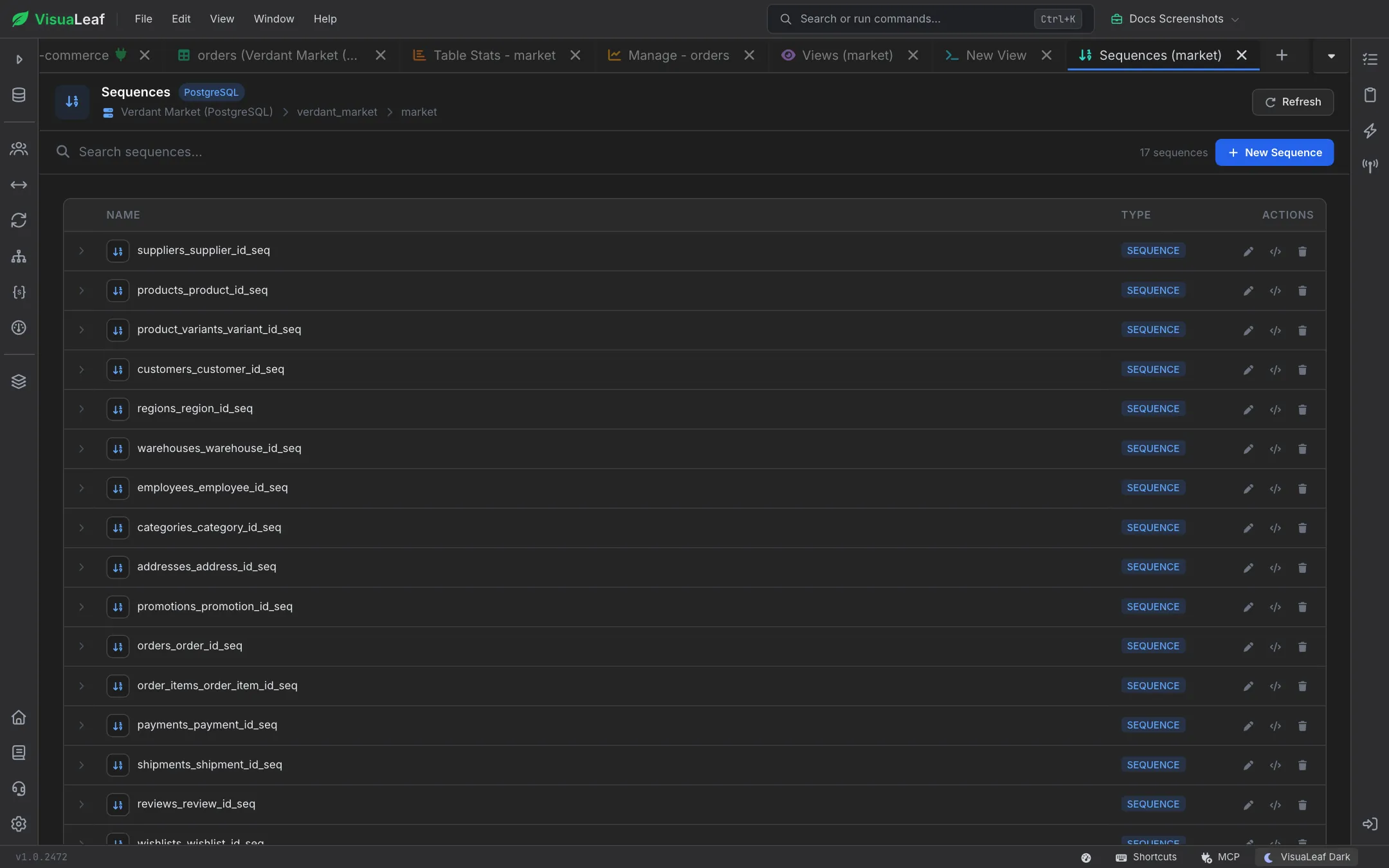
- Search sequences… filters by name; the count beside it shows how many there are.
- Refresh re-queries the server.
- New Sequence switches to the editor (hidden on SQLite).
- Each row has Edit, Show DDL, and Drop buttons at the end. Double-click opens the editor; right-click opens a context menu with the same actions.
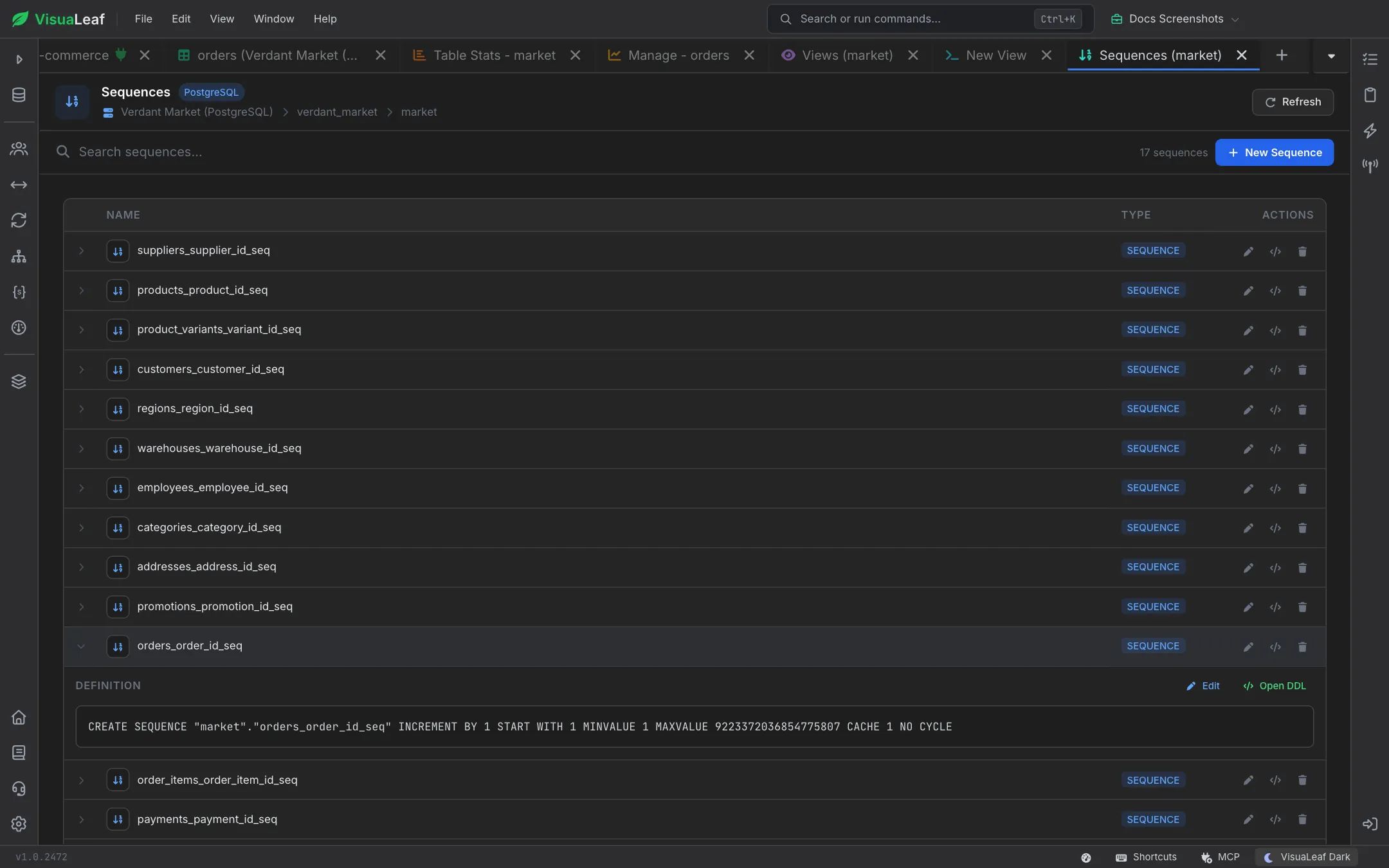
- Clicking a row expands it and loads the sequence's full
CREATE SEQUENCEdefinition, with Edit and Open DDL shortcuts.
Editor Mode
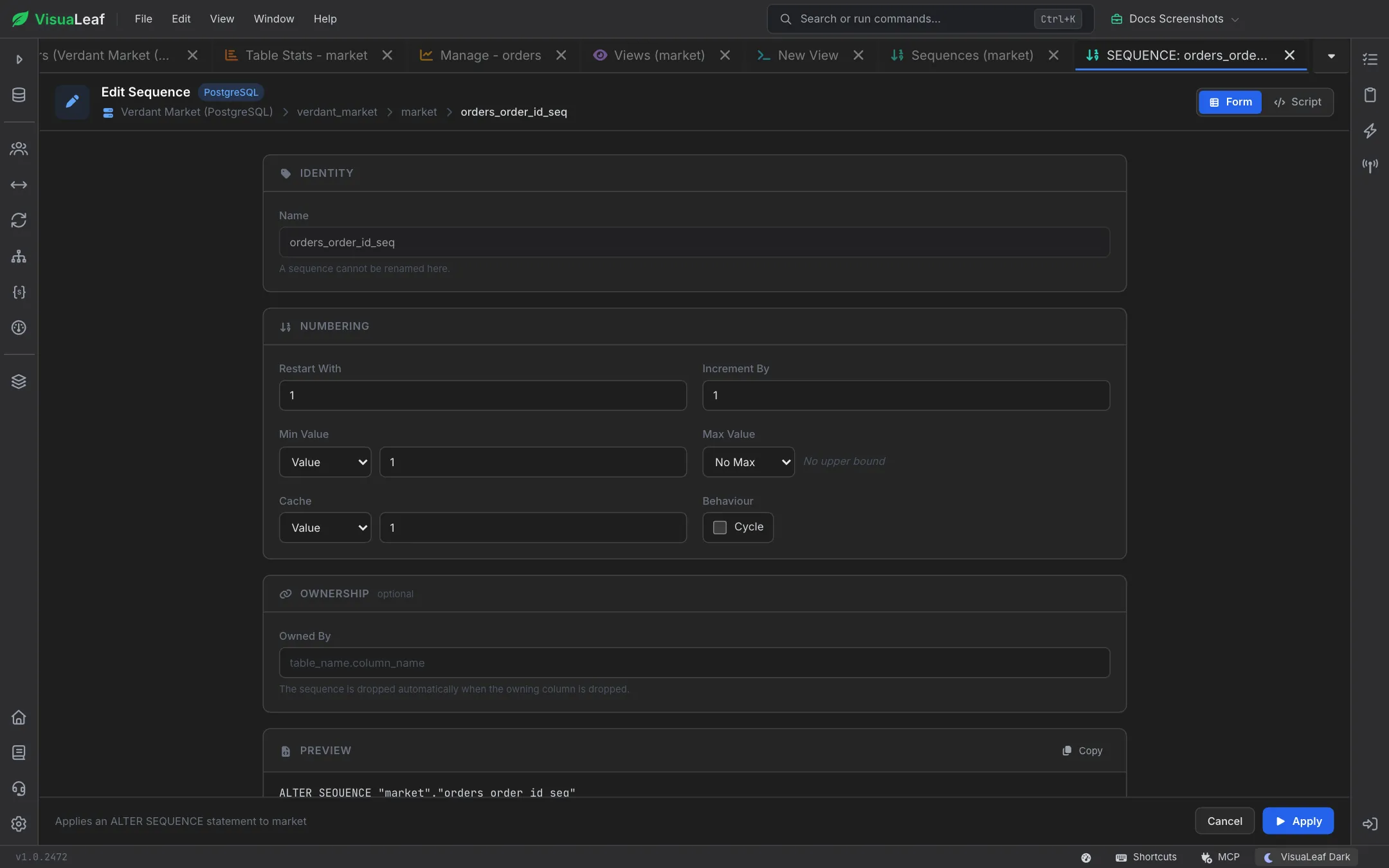
The editor toggles between Form and Script in its top-right corner. Form mode groups the options into Identity, Numbering, and Ownership sections, followed by a Preview, and surfaces every option the target dialect supports. Min Value, Max Value, and Cache each have a dropdown to choose between an explicit value and the dialect's "no limit" setting. The bottom bar says which statement will run, with Cancel and Apply buttons.
| Field | Meaning | Dialects |
|---|---|---|
| Name | Sequence identifier (read-only when editing — a sequence cannot be renamed here). | All |
| Data Type | SMALLINT, INT, BIGINT, NUMERIC, etc. | PostgreSQL, SQL Server |
| Start With / Restart With | Initial value on create; re-anchor point on edit. | All |
| Increment By | Step between generated values (may be negative). | All |
| Min Value | NO MINVALUE or explicit lower bound. | All |
| Max Value | NO MAXVALUE or explicit upper bound. | All |
| Cache | Number of values pre-allocated per session for performance. | All |
| Cycle | Wrap around after hitting max/min. | All |
| Order | Guarantee ordered allocation across RAC nodes. | Oracle |
| Owned By | Bind the sequence's lifecycle to table.column. | PostgreSQL |
Live Preview
Every change updates the read-only preview at the bottom of the form; Copy puts the statement on your clipboard. A typical PostgreSQL sequence:
CREATE SEQUENCE public.invoice_number_seq
    AS BIGINT
    START WITH 1000
    INCREMENT BY 1
    MINVALUE 1
    NO MAXVALUE
    CACHE 20
    NO CYCLE
    OWNED BY invoices.number;
Editing an existing sequence emits ALTER SEQUENCE statements:
ALTER SEQUENCE public.invoice_number_seq
    RESTART WITH 5000
    INCREMENT BY 1
    CACHE 50;
Script Mode
Paste a hand-written CREATE SEQUENCE or ALTER SEQUENCE statement, then hit Apply. Use script mode when the form does not cover a niche clause (e.g. schema-qualified owners or dialect-specific extensions).
Dropping a Sequence
Use the row's Drop action or right-click menu. VisuaLeaf confirms, then issues DROP SEQUENCE. On PostgreSQL, sequences bound via OWNED BY are dropped automatically when their owning column is dropped.
Dialect Notes
- PostgreSQL — supports
SERIAL/BIGSERIALshortcuts andOWNED BY. - Oracle — offers
ORDER(RAC-safe ordering) and supportsNOCACHE. - SQL Server — sequences are first-class objects; combine with
NEXT VALUE FORinDEFAULT. - MariaDB — sequences are storage-engine objects; the editor emits the correct
ENGINE=SEQUENCEclause. - SQLite — not supported; the activity shows an inline notice.
Related Features
- SQL Create Table - Reference a sequence from a column's default.
- SQL Table Info - Attach an existing sequence to an existing column.
- SQL Editor - Test
NEXTVAL()/NEXT VALUE FORqueries. - User Management - Grant
USAGEorSELECTon sequences.
Ready to try VisuaLeaf?
Download and start managing your MongoDB and SQL databases with ease.
Download Free Trial