Get Started Free

Any Direction, Between Your Saved Connections

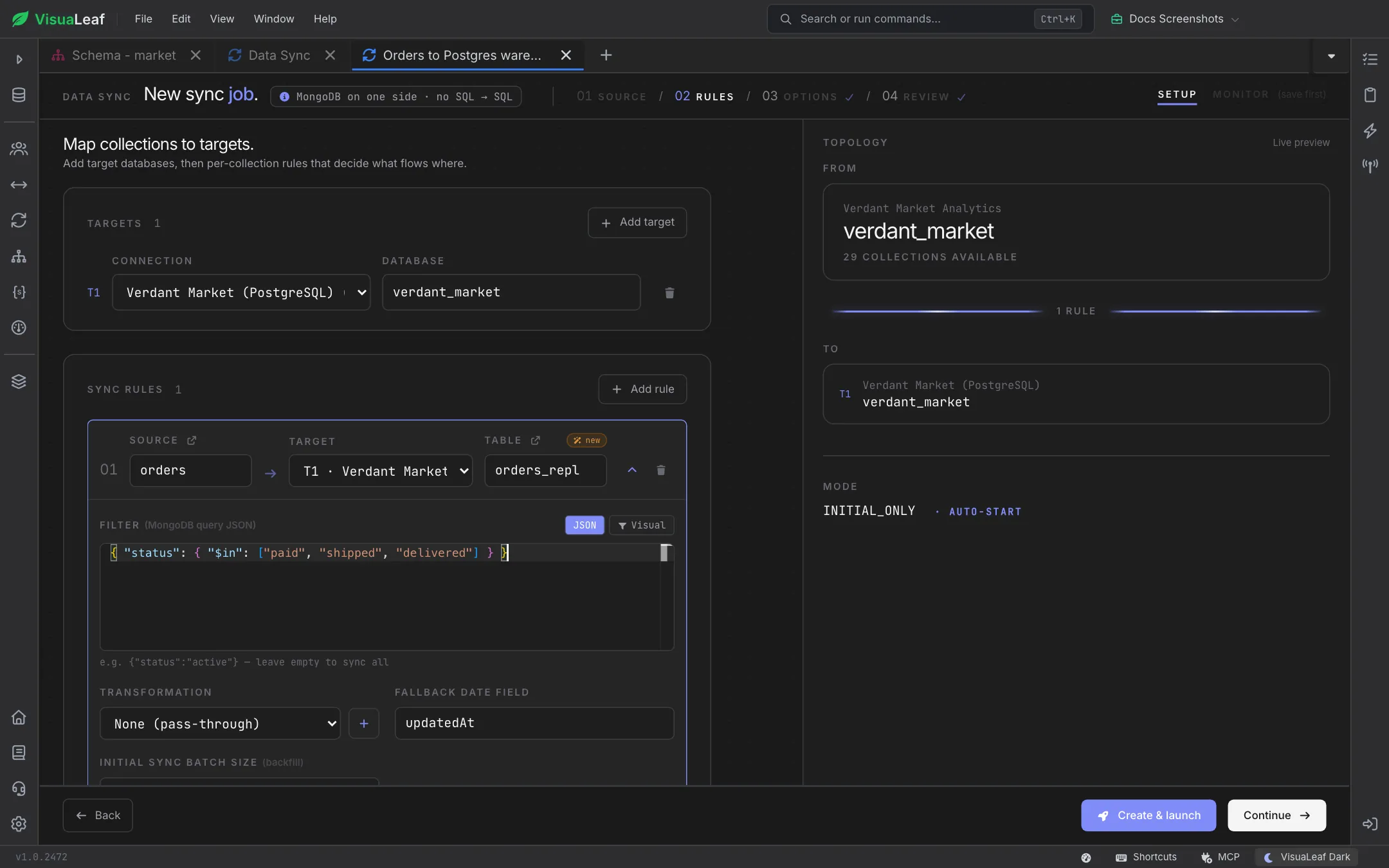
Promote local data to Atlas, keep dev, staging and production aligned, feed a PostgreSQL or MySQL reporting warehouse from your application database, or move relational data into documents. Pick a source connection and database, and VisuaLeaf checks it right away: it tells you whether MongoDB can stream live changes, and whether a SQL database is ready for log-based change capture. Settings the app can enable are switched on only after you approve the exact statements; the rest come with steps you can pass to your database administrator.

Data Sync Source step for a job named Orders to Postgres warehouse, with the source connection and verdant_market database selected and a warning that a standalone instance only supports Initial only

Rules That Decide What Flows Where

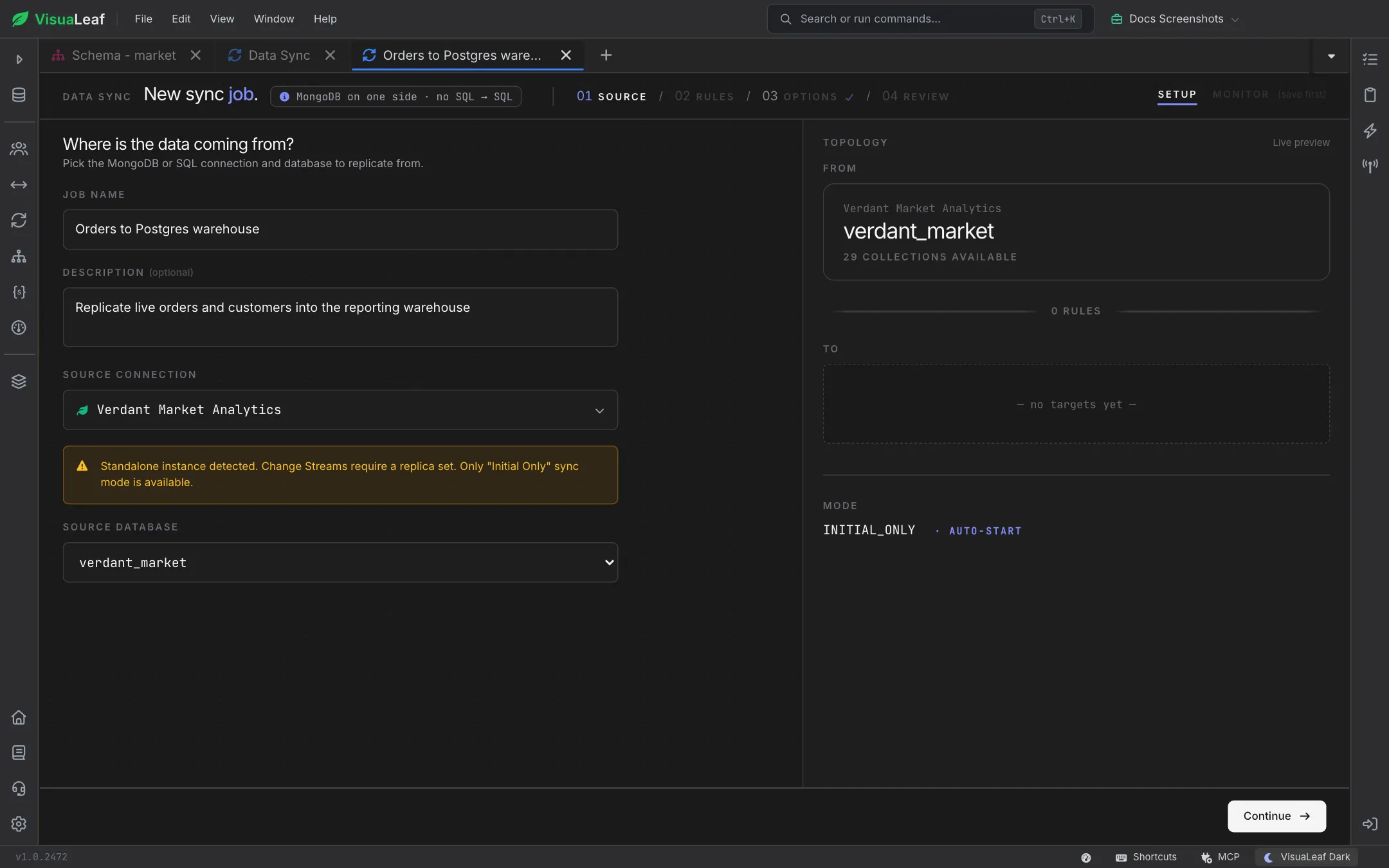
Add one or more targets, then one rule per collection or table. Each rule picks its destination (a new badge shows when it will be created), an optional filter written as JSON, with the Visual builder, or as a SQL WHERE predicate, and an optional saved transformation that renames, casts or computes fields on the way. Decide what happens when a copied row stops matching the filter: keep it on the target, or delete it.

Rules step with a PostgreSQL target and a rule copying the orders collection to a new orders_repl table, filtered to paid, shipped and delivered orders

Copy Once, or Keep Streaming

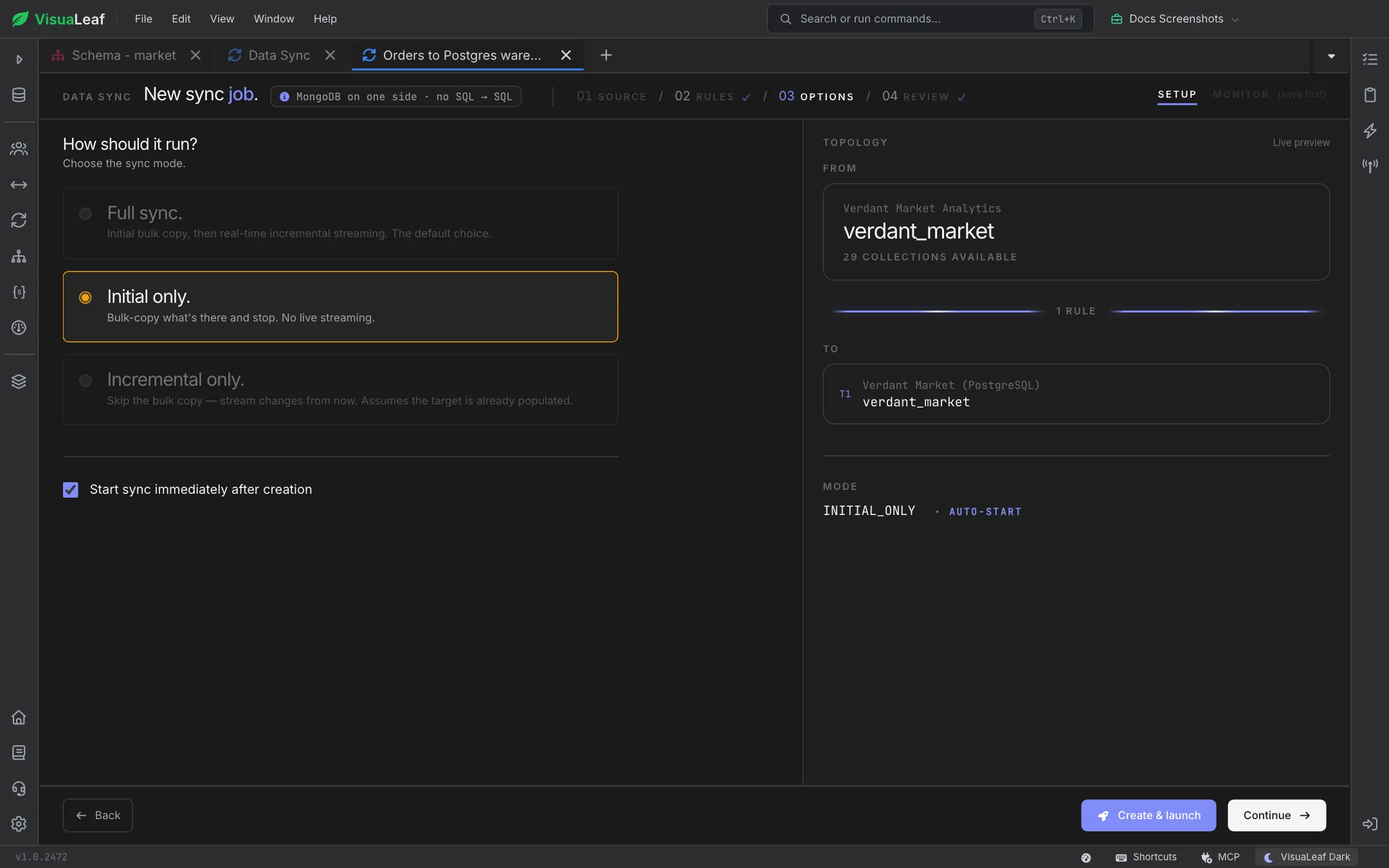
Full sync copies everything, then keeps streaming changes as they happen. Initial only takes a one-time copy and stops, which is ideal for testing a tight slice before going live. Incremental only skips the copy and streams changes from now on, for targets that are already populated. Modes your source can't support are greyed out, so you never launch a job that can't run.

Options step with the Full sync, Initial only and Incremental only modes, Initial only selected, and Start sync immediately after creation ticked

Review Before Launch, Monitor After

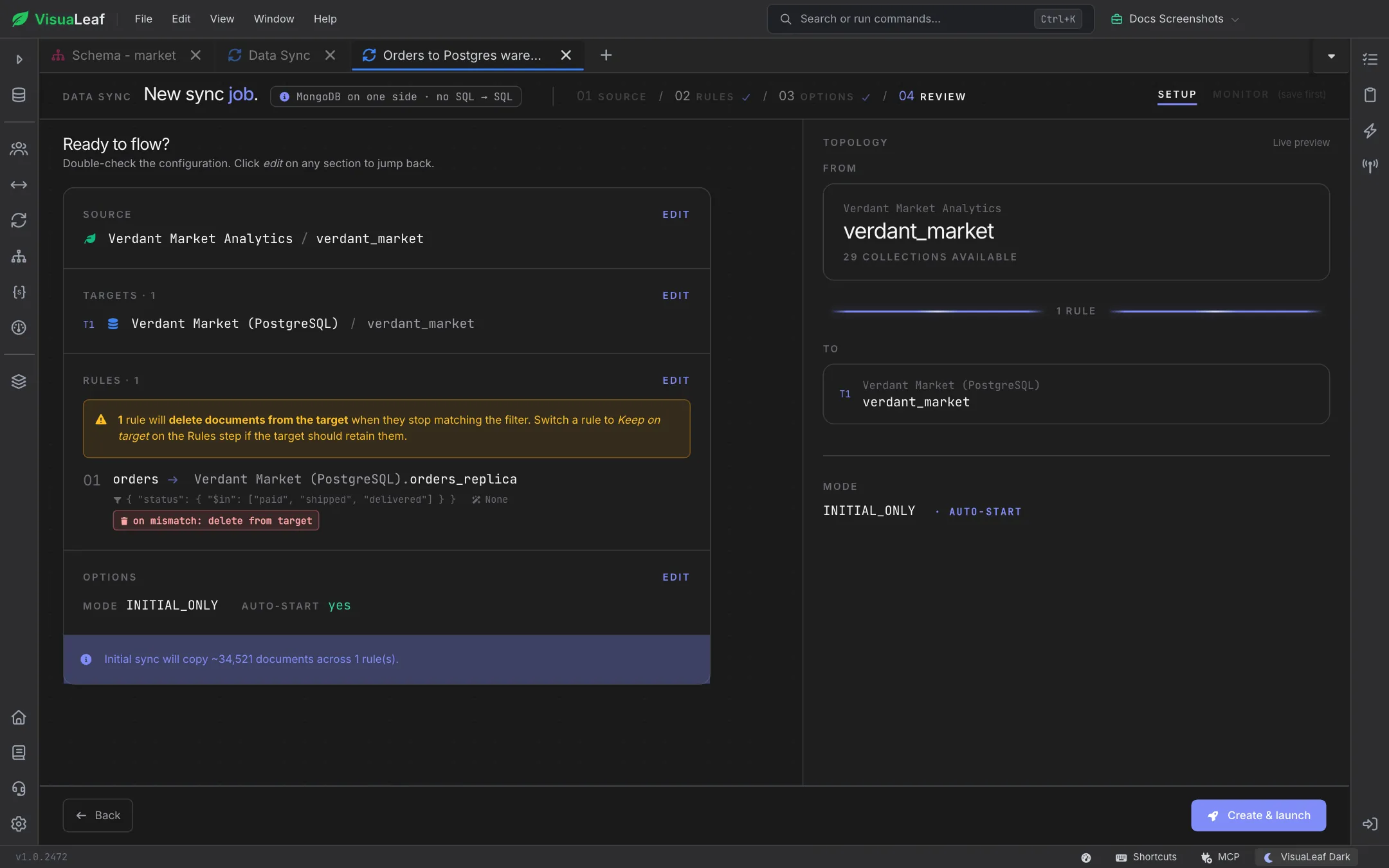
The review page summarizes the source, every target, each rule and the options, warns you if a rule will delete rows from the target, and estimates how many documents the initial copy will move. Once launched, the monitor shows total events, replication lag, latency and per-rule insert, update and delete counts. Rows that couldn't be written land in Dead Letters with their error, ready to replay once you've fixed the cause. Jobs keep running in the background, so you can close the tab and come back later.

Review step summarizing the source, the PostgreSQL target, one orders rule set to delete from target on mismatch, Initial only mode with auto-start, and an estimate of about 34,521 documents
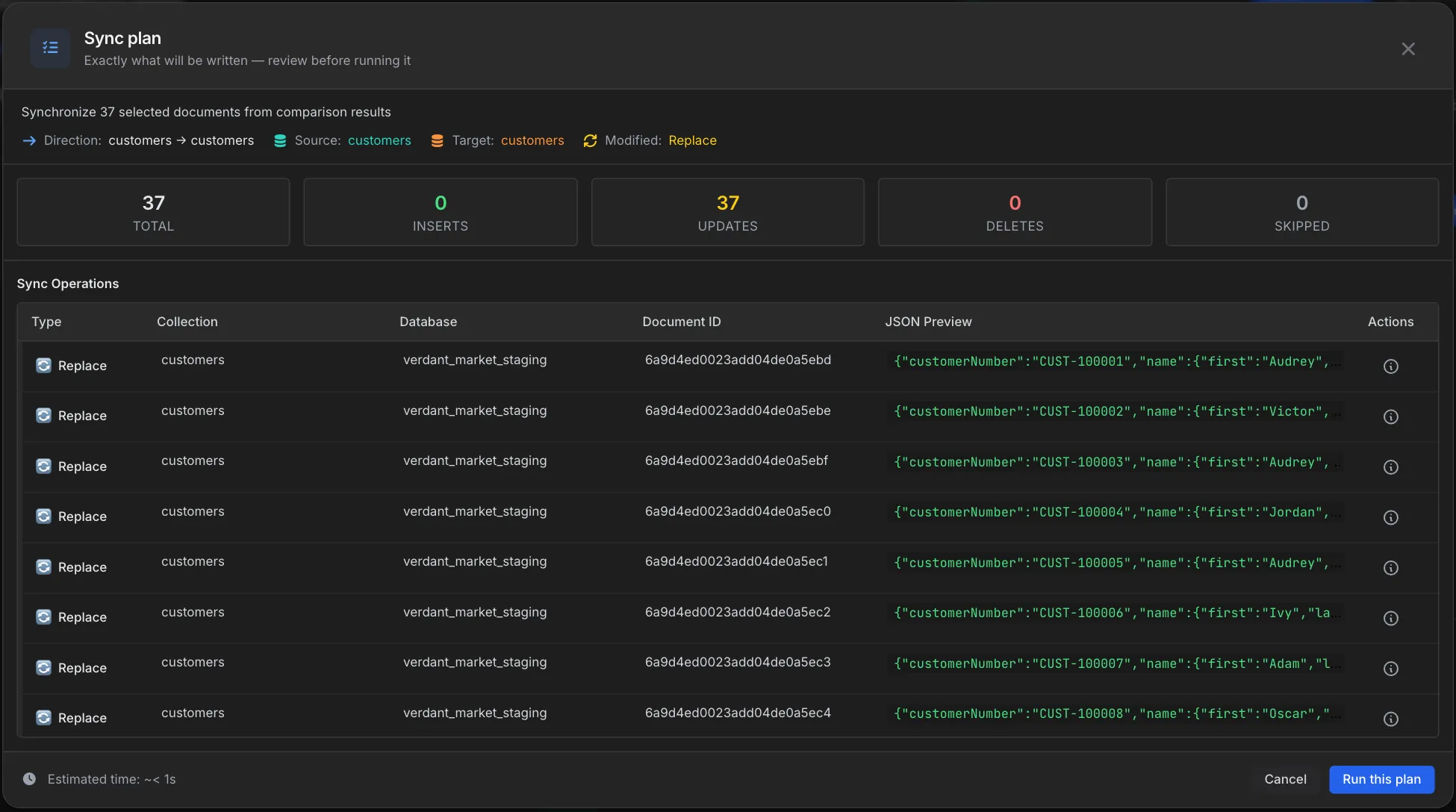
Data Compare sync plan listing every operation with its collection, document ID and JSON preview before running

Data Compare

Pairs well with Data Sync. Compare two collections to see exactly which documents are missing or modified, and preview a sync plan of every insert, update and delete before anything is written.

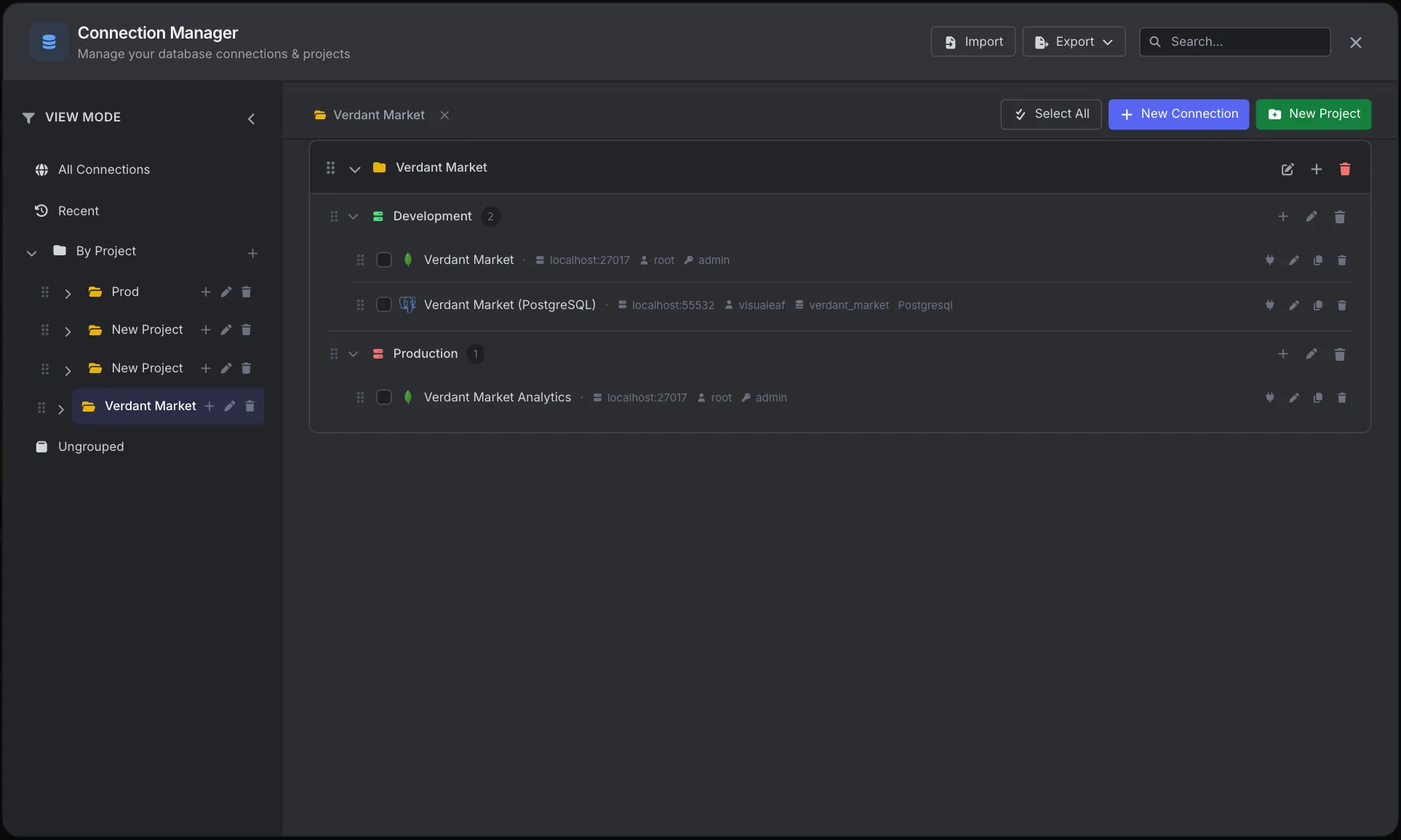
VisuaLeaf Connection Manager with connections organized into projects and environments

Connection Manager

Every sync job moves data between connections you've already saved. Organize MongoDB and SQL connections by project and environment, and pick any of them as a source or target.

VisuaLeaf task manager tracking long-running database operations

Task Manager

Keep track of running, scheduled and completed jobs in one place, alongside your exports, imports and other long-running operations.

Want to Learn More?

Check out the documentation to explore all the details about Data Sync and discover more VisuaLeaf features.

Read the Documentation

Ready to keep your databases in sync?

Get started free with our Community Edition. Includes a 14-day trial of Pro features.

macOS Windows Linux