SQL Manage Views
SQL Manage Views
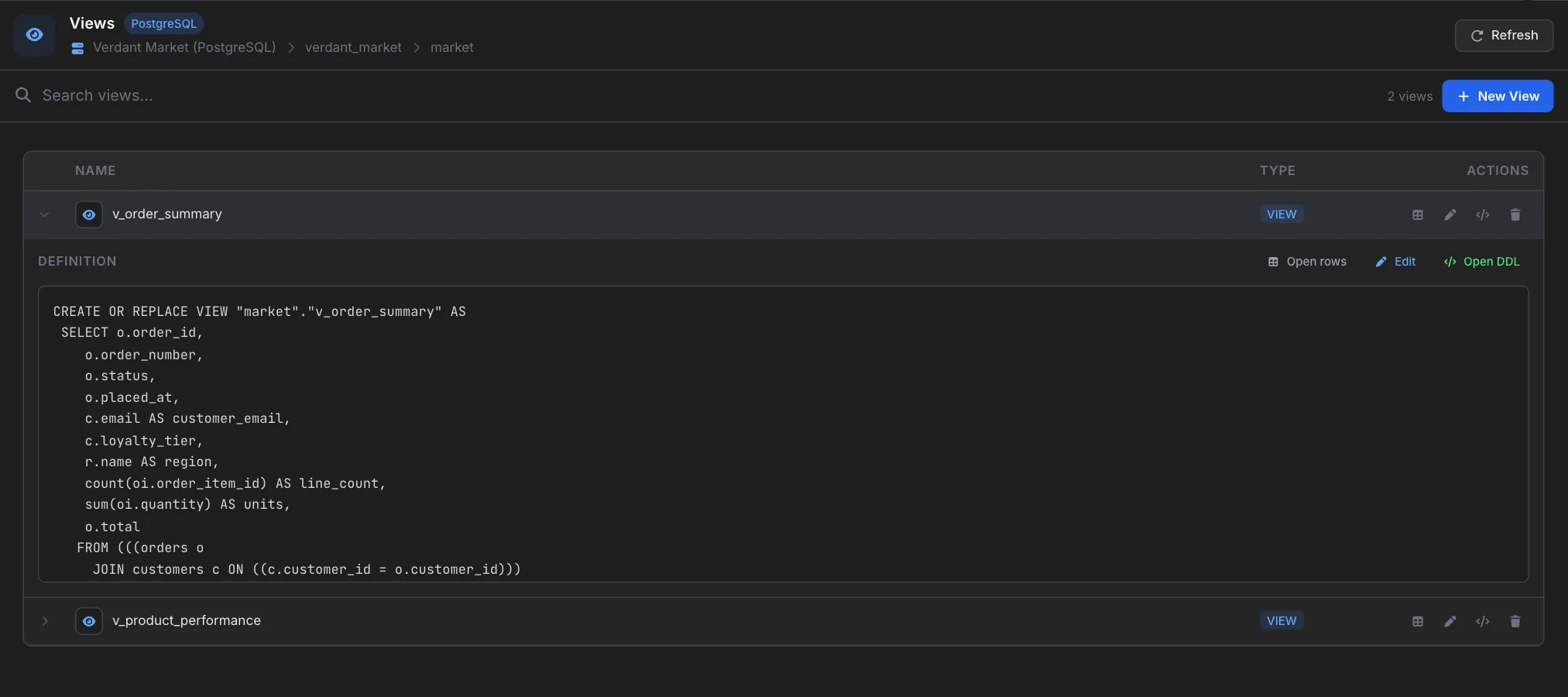
The Views activity lists every view in the current database and lets you preview definitions, edit them in the SQL Editor, or drop them — all without leaving the workspace. A search box filters the list live, and an inline DDL preview means you can audit view bodies without opening a separate dialog.
Quick Start
- Open the Views activity from a database's context menu.
- Scan or search the list; the count next to the search box shows how many views there are.
- Click a view row to expand it and inspect the
CREATE VIEWdefinition. - Use the row actions to open the view's rows, Edit it, show its DDL, or Drop it.
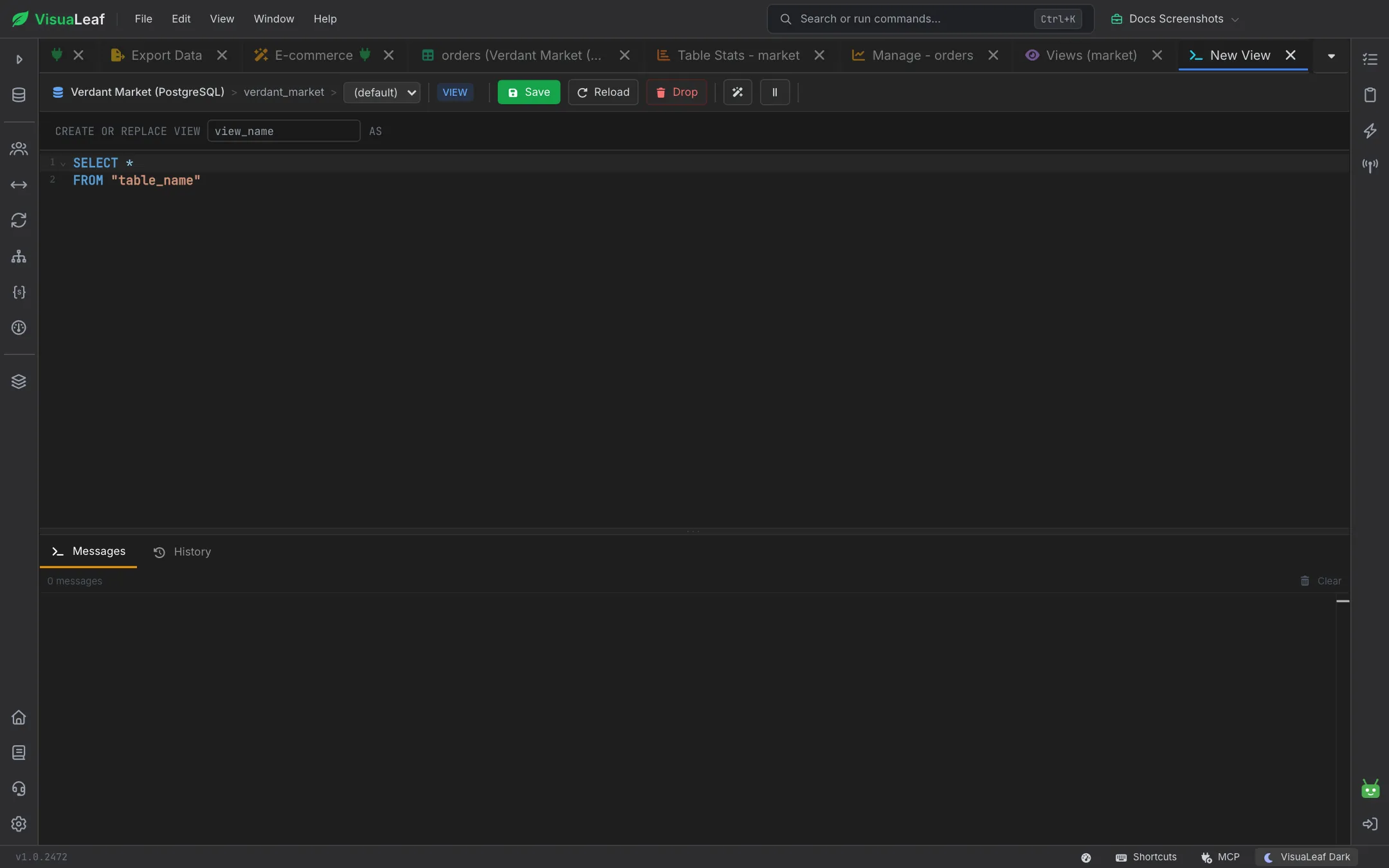
- Click New View to open a view editor with a starter definition.
Toolbar
The header shows the database type and the connection, database, and schema the list belongs to.
- Search views… — case-insensitive substring match against view names, with the number of views beside it.
- Refresh — reloads the list from the connected server.
- New View — starts a new view (opens a view editor pre-filled with a starter definition).

The View List
Each row shows the view icon, the name, a VIEW badge, and a set of actions at the end:
| Action | Effect |
|---|---|
| Open rows | Opens the view as a browsable dataset in the SQL Table activity. |
| Edit | Loads the view's definition into the SQL Editor as an ALTER VIEW / CREATE OR REPLACE VIEW template. |
| Show DDL | Opens the DDL viewer with the full CREATE VIEW statement. |
| Drop | Confirms, then issues DROP VIEW. |
Additional interactions:
- Click a row to expand or collapse the inline DDL preview.
- Double-click to open the view as a browsable dataset in the SQL Table activity.
- Right-click for a context menu with the same actions.
Inline DDL Preview
Expanding a row loads the definition and renders it in a monospace Definition block, with Open rows, Edit, and Open DDL shortcuts above it:
Another example of what a definition looks like:
CREATE OR REPLACE VIEW active_users AS
SELECT u.id, u.email, u.created_at
FROM   users u
WHERE  u.deleted_at IS NULL
  AND  u.tenant_id = current_setting('app.tenant_id')::int;
If the driver cannot return the source (for example, encrypted views on SQL Server), the preview displays No definition available.
Creating a New View
The New View button opens a New View tab. Type the name into the CREATE OR REPLACE VIEW … AS line at the top, pick the schema in the toolbar, write the query in the editor below, and click Save. Reload discards unsaved edits, Drop removes an existing view, and the Messages and History tabs underneath report what ran.
For example, a finished view might look like:
CREATE VIEW monthly_revenue AS
SELECT date_trunc('month', paid_at) AS month,
       SUM(amount)                  AS revenue
FROM   payments
WHERE  status = 'paid'
GROUP  BY 1
ORDER  BY 1;
Dialect Notes
- PostgreSQL supports
CREATE OR REPLACE VIEWand materialized views (REFRESH MATERIALIZED VIEW). - MySQL / MariaDB supports
ALGORITHMandSQL SECURITYclauses. - SQL Server requires
ALTER VIEWfor updates and does not allowORDER BYwithoutTOP. - SQLite has read-only views; use
DROP VIEW+CREATE VIEWto modify.
Related Features
- SQL Editor - Write and run the underlying SELECT for a new view.
- SQL Query Builder - Build the SELECT visually, then paste it into a
CREATE VIEW. - SQL Table - Browse the view like any table once created.
- Procedures & Functions - Manage stored routines alongside views.
Ready to try VisuaLeaf?
Download and start managing your MongoDB and SQL databases with ease.
Download Free Trial