SQL Create Table
SQL Create Table
The Create Table activity is VisuaLeaf's guided DDL wizard for building brand-new tables against any supported SQL connection (PostgreSQL, MariaDB/MySQL, SQL Server, Oracle, or SQLite). It offers a form-based designer and a raw script editor that stay in sync via a live CREATE TABLE preview, so you can define columns, foreign keys, indexes, and table options without leaving the workspace.
Quick Start
- Right-click a database in the sidebar and choose New Table (or open the activity from the palette with Ctrl+Shift+P).
- Type a Table Name at the top of the form.
- On the Columns tab, add or edit columns — set the type, PK, nullability, default, and (where applicable) auto-increment.
- Switch to Foreign Keys, Indexes, and Options to complete the schema.
- Open the SQL Preview tab to review the generated
CREATE TABLE. - Click Create Table in the bottom bar to execute against the target database.
Form vs. Script Mode
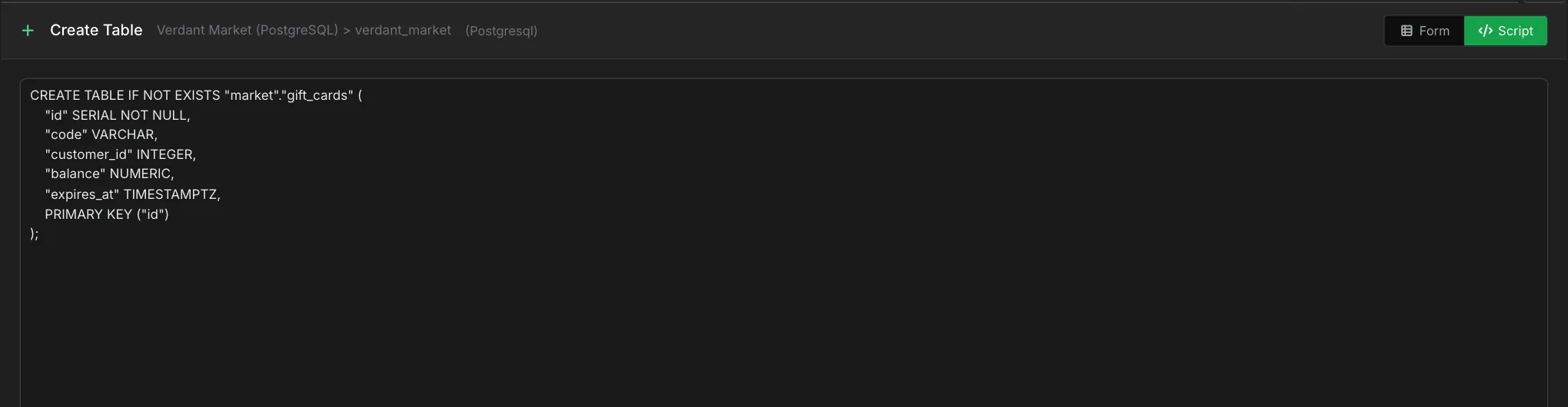
The Form / Script toggle in the top-right corner switches between authoring modes:
- Form mode — a tabbed designer with structured inputs for columns, FKs, indexes, and options. Every change updates the live
CREATE TABLEpreview. - Script mode — a raw SQL textarea for pasting or hand-writing a DDL statement. Use this to import an existing script or add dialect-specific clauses the form does not surface.
The bottom bar always shows a single Create Table button; it executes whichever mode is currently active.
Columns Tab
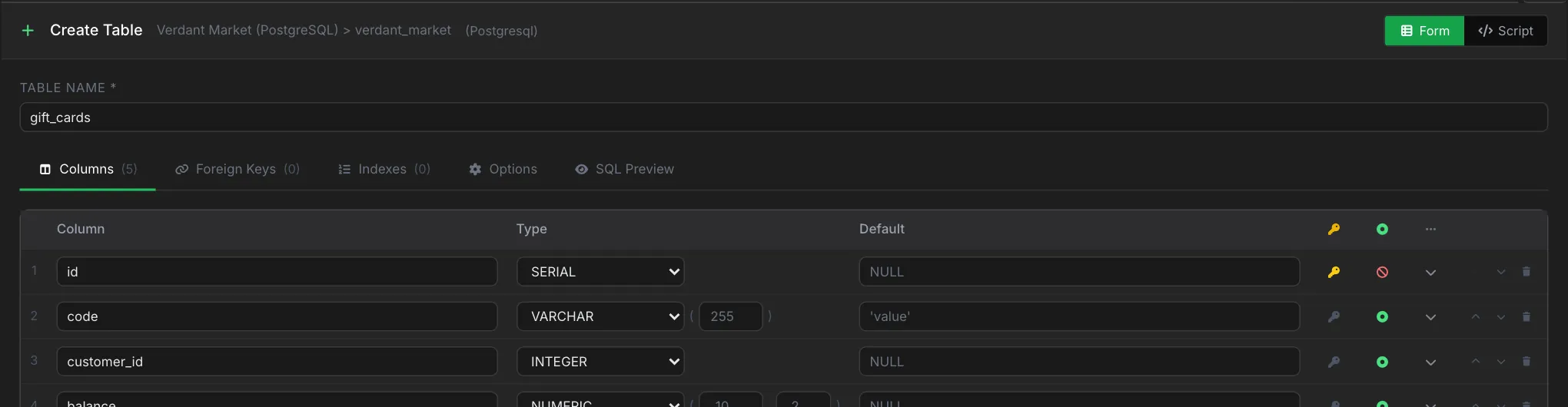
Columns are the heart of the wizard. When you open the activity, VisuaLeaf inserts a sensible default id primary key for the dialect (SERIAL on Postgres, INT AUTO_INCREMENT on MariaDB, INTEGER on SQLite, IDENTITY on Oracle, INT identity on SQL Server).
| Field | Purpose |
|---|---|
| Column | The identifier. Highlighted in red if it fails the COLUMN_NAME regex or is a duplicate. |
| Type | Dialect-aware dropdown (INT, VARCHAR, NUMERIC, JSONB, etc.) plus optional size(1) and size(2) inputs (precision/scale). |
| Default | Free-form literal or expression. A placeholder suggests a sensible default for the chosen type (e.g. 0 for INT, CURRENT_TIMESTAMP for TIMESTAMP). |
| PK | Toggle primary-key membership. Multiple columns can be flagged for a composite key. |
| Nullable | Green dot = NULL allowed, red ban = NOT NULL. |
| More | Expands an inline detail row for auto-increment / sequence / identity settings and a column comment. |
| Reorder / Delete | Arrow buttons move a row up or down; the trash icon removes it. |
Auto Increment, Sequences, and Identity
The expandable row surfaces the identity strategy that matches your dialect:
- MariaDB / SQL Server / SQLite — an Auto Increment toggle with optional
SeedandStepinputs (Step is hidden for MariaDB). - PostgreSQL — a Sequence / Auto ID selector:
None,SERIAL (auto), orUse existing sequence(paired with a dropdown of sequences in the current database). - Oracle — an Identity selector:
NoneorGENERATED AS IDENTITY. - MariaDB numeric columns also expose an inline
unsignedchip.
Foreign Keys Tab
Add composite foreign keys with per-pair source and target column selectors. A new table starts with none:
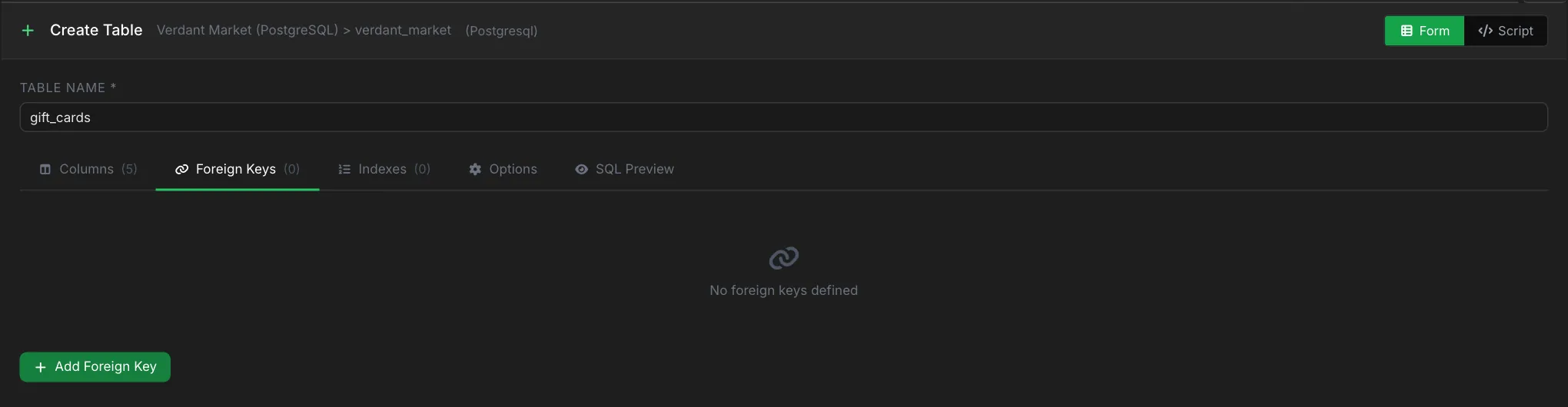
- Click Add Foreign Key.
- Pick a Ref. Table from the dropdown — VisuaLeaf reads the current database schema.
- Map local column → referenced column pairs. Add extra pairs with Add column pair.
- Choose ON DELETE and ON UPDATE actions (
NO ACTION,CASCADE,SET NULL,SET DEFAULT,RESTRICT).
Indexes Tab
Primary key indexes are created automatically. Use Add Index on this tab to add secondary indexes:
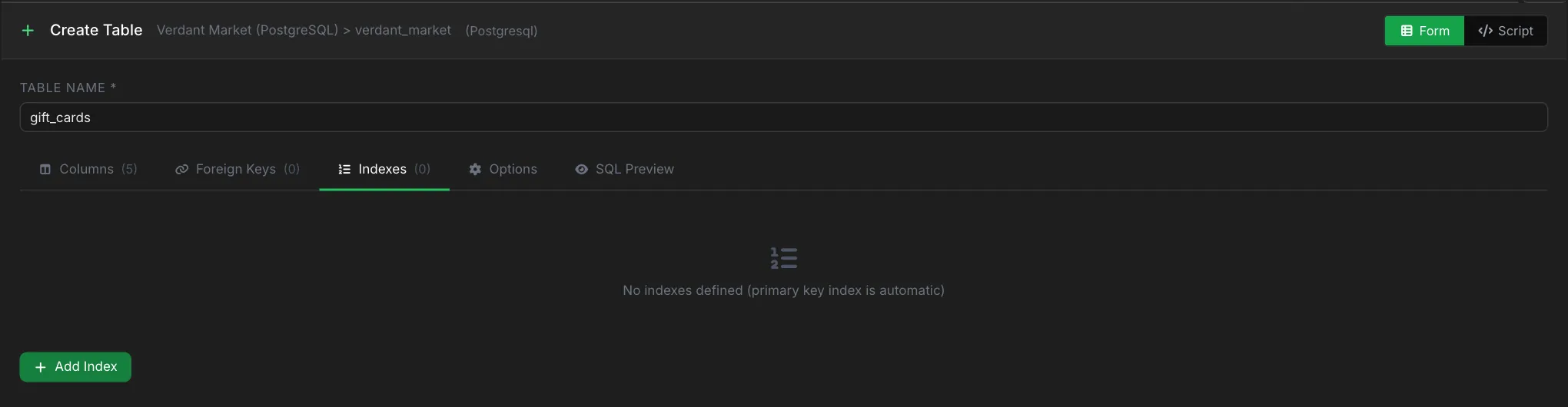
- Name — the index identifier (e.g.
idx_users_email). - UNIQUE — toggle for a unique index.
- Columns — one or more columns; use Add column for composite indexes.
Options Tab
Table-level options depend on the connection's dialect. On PostgreSQL you get IF NOT EXISTS and a table comment:
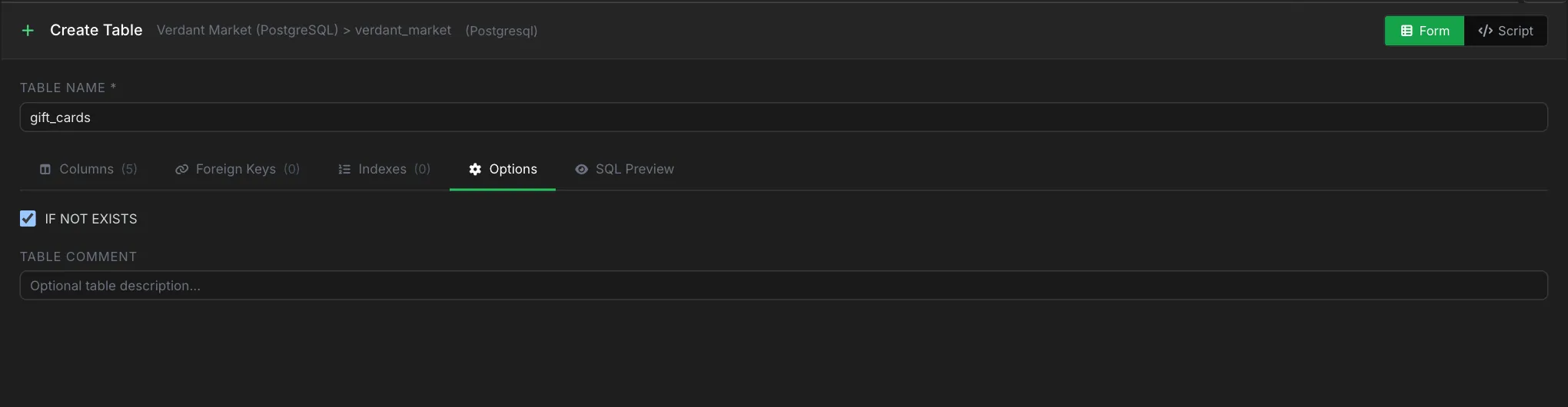
- IF NOT EXISTS — appended for dialects that support it. SQL Server and Oracle silently omit the clause with an inline warning.
- Engine — MariaDB only; choose from
InnoDB,MyISAM,Memory,Archive, etc. - Table Comment — free-form description emitted as a table-level comment or
COMMENT ON TABLEstatement, depending on dialect.
SQL Preview Tab
Every keystroke re-renders the full CREATE TABLE statement in a read-only monospace block.
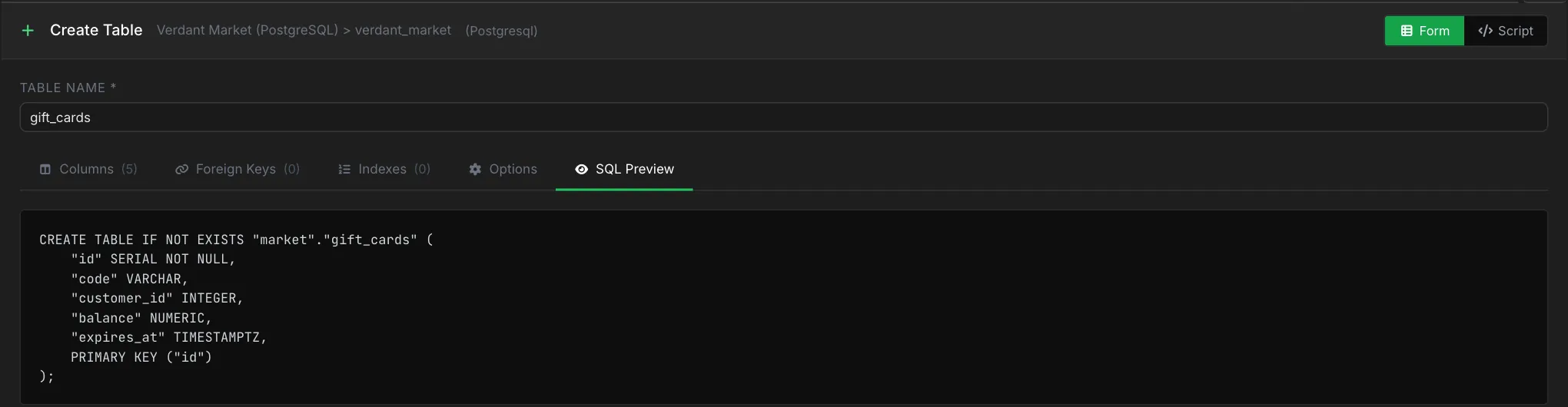
A fuller example (PostgreSQL), with a foreign key, a unique index, and a table comment:
CREATE TABLE IF NOT EXISTS users (
    id         SERIAL PRIMARY KEY,
    email      VARCHAR(255) NOT NULL,
    name       VARCHAR(120),
    is_admin   BOOLEAN NOT NULL DEFAULT false,
    tenant_id  INTEGER NOT NULL,
    created_at TIMESTAMP NOT NULL DEFAULT CURRENT_TIMESTAMP,
    CONSTRAINT fk_users_tenant FOREIGN KEY (tenant_id)
        REFERENCES tenants (id) ON DELETE CASCADE
);

CREATE UNIQUE INDEX idx_users_email ON users (email);
COMMENT ON TABLE users IS 'Application users';
Executing the Statement
Click Create Table in the bottom bar. The button is disabled until the table name is set (form mode) or the script is non-empty (script mode). If execution fails, the error is inlined next to the button; fix the issue and re-run.
Tab Persistence
Switching between activities preserves the entire editor state — table name, columns, foreign keys, indexes, options, and the active tab — so you can jump to the SQL Editor to prototype a fragment and come back without losing work.
Related Features
- SQL Editor - Prototype the DDL by hand, then paste into script mode.
- SQL Table - Browse data once the table is created.
- SQL Table Info - Modify columns, constraints, and indexes on an existing table.
- SQL Manage Sequences - Create the PostgreSQL sequence referenced by an auto-ID column.
- SQL Query Builder - Explore the new table visually.
Ready to try VisuaLeaf?
Download and start managing your MongoDB and SQL databases with ease.
Download Free Trial