Get Started Free

Start From Your Schema or a Ready-Made Dataset

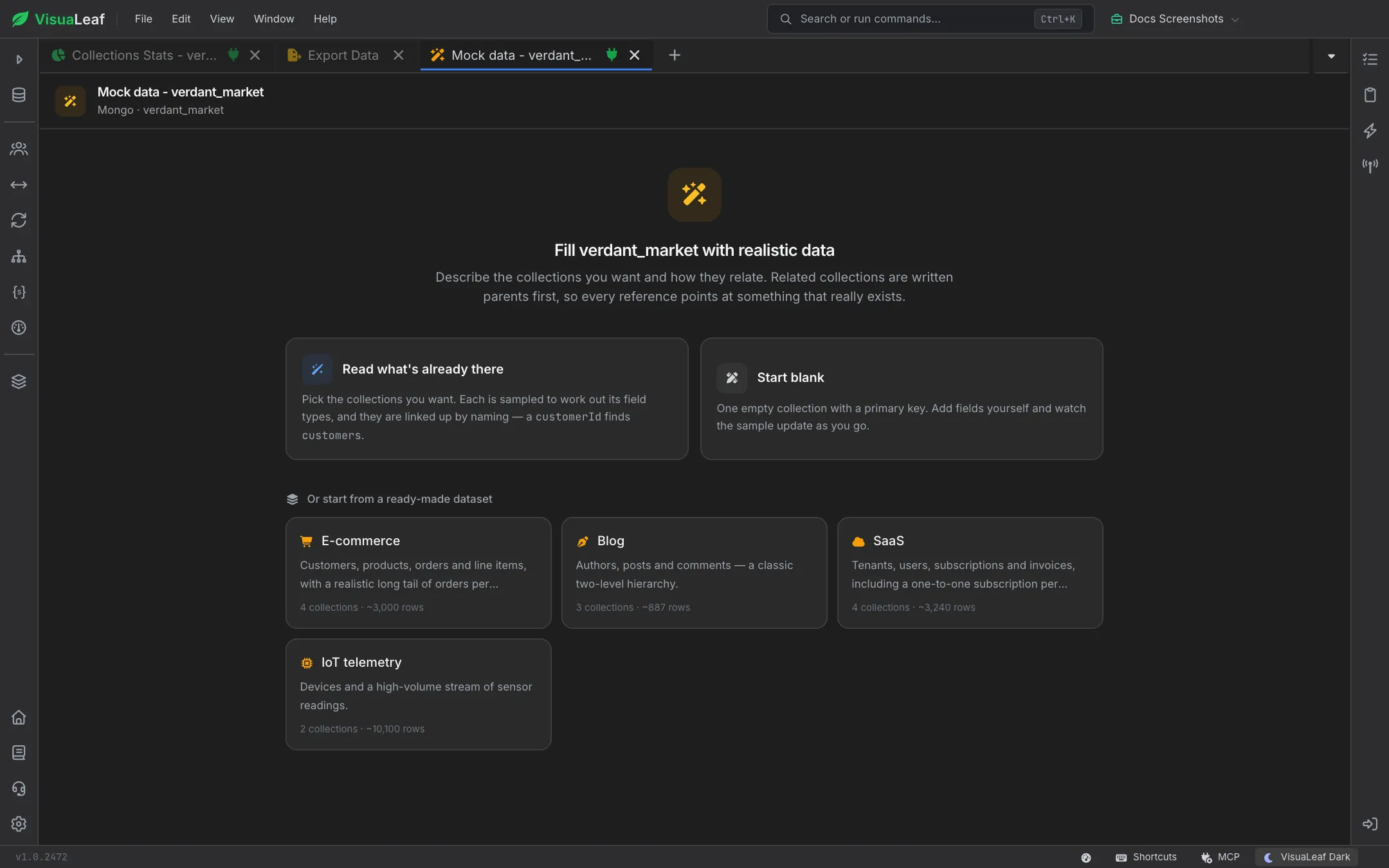
Right-click a database, a SQL schema or a table and choose Generate Mock Data. Read what's already there samples your existing collections or tables to work out field types and links them by naming, so a customerId field finds customers. Or start blank, or pick a ready-made dataset: E-commerce, Blog, SaaS or IoT telemetry, each showing how many collections and roughly how many rows it creates.

Mock Data Generator start screen offering Read what's already there, Start blank, and E-commerce, Blog, SaaS and IoT telemetry datasets

Realistic Values, Field by Field

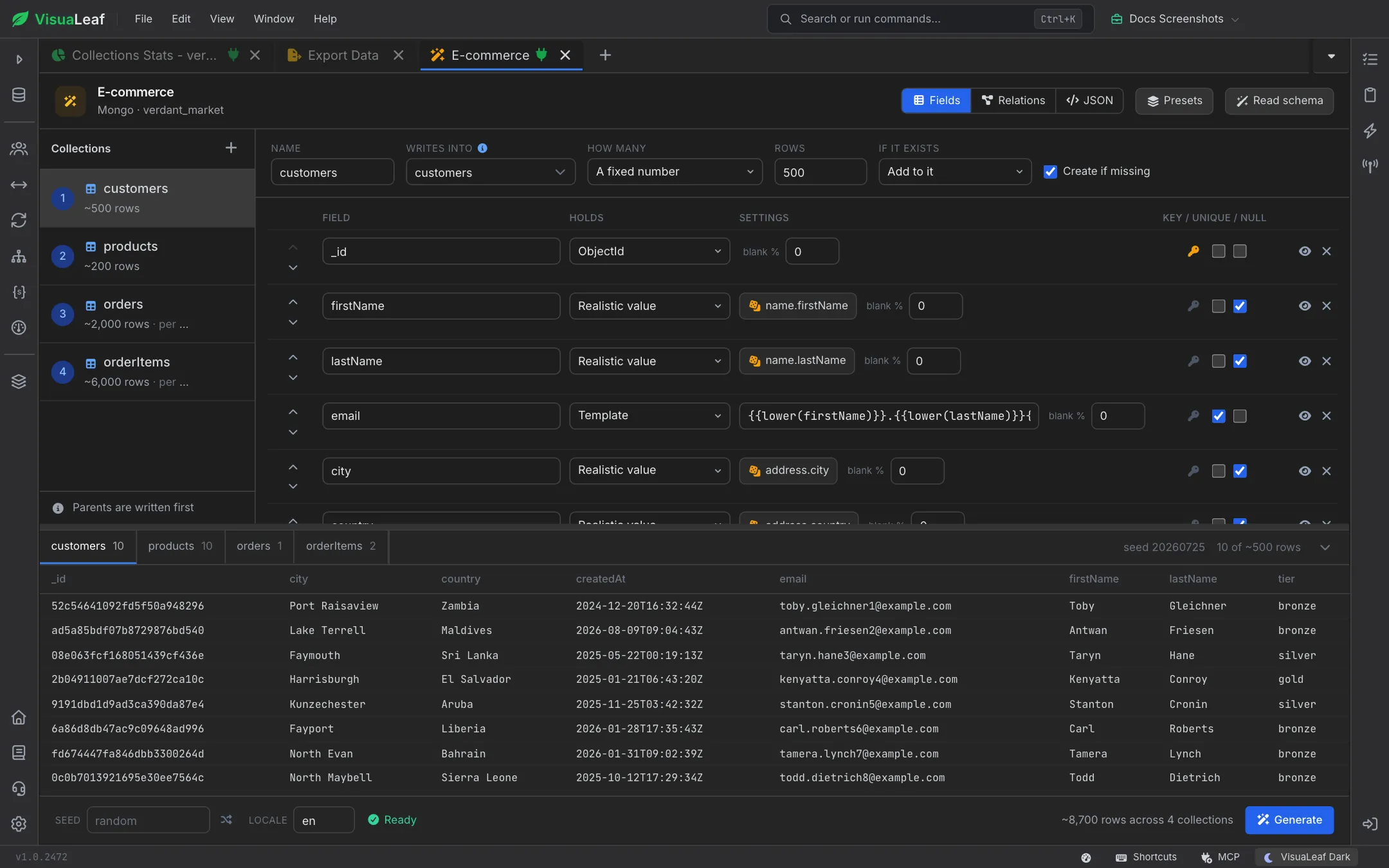
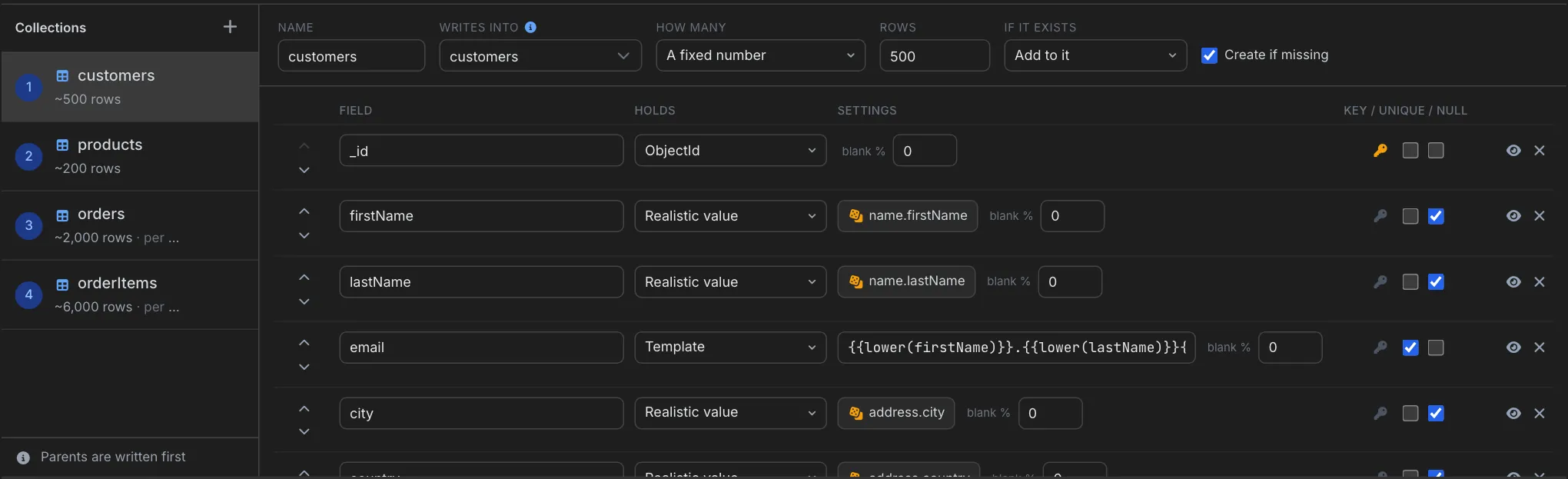
Pick what each field holds: realistic names, emails, addresses, companies and prices, text templates built from other fields, weighted lists of values like order statuses, or plain numbers, dates and IDs with your own ranges. Set how often a field is left blank, mark keys and unique fields, and choose a locale so names, addresses and phone numbers fit the region.

Field editor for the customers collection: 500 rows, with firstName, lastName and city as realistic values and email built from a template

Relations That Keep References Valid

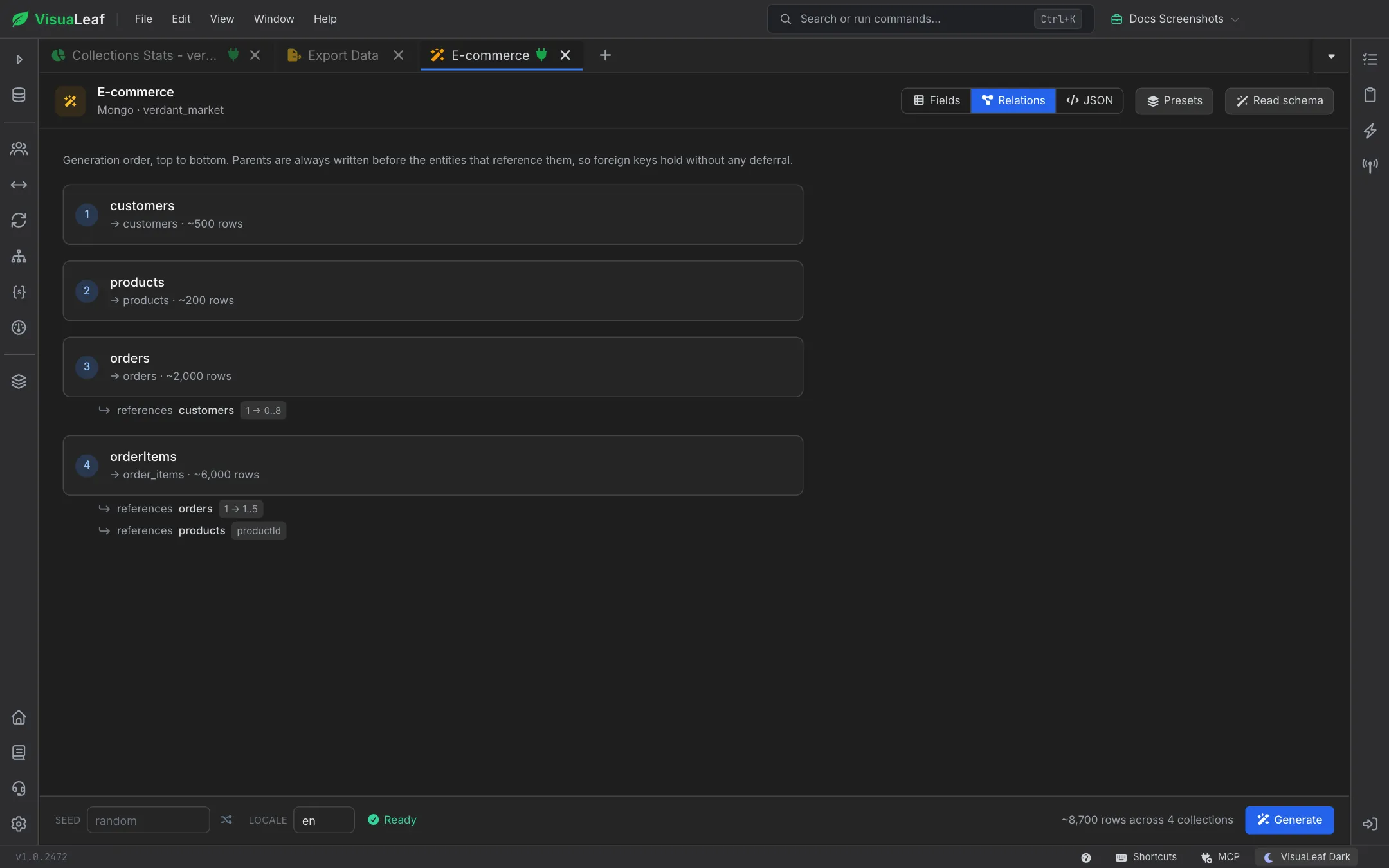
Parents are always written first, so every reference points at a row that really exists. The Relations view shows the generation order and how many children each parent gets, such as 1 to 5 order lines per order. Spread child counts evenly, around the middle, or with a long tail where a few parents get most of them, just like production data.

Relations view listing customers, products, orders and orderItems in generation order, with orders referencing customers and order items referencing orders and products

Preview Live, Generate Repeatably

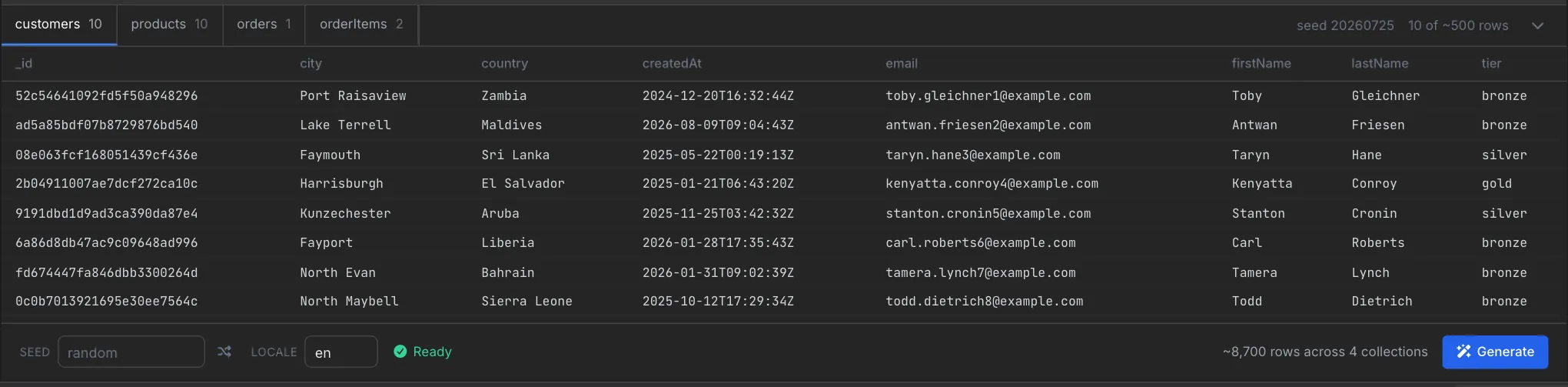
A sample of every collection updates as you type, with borrowed keys highlighted, so you see the data before anything is written. Enter a seed to get exactly the same dataset every time, and keep the whole plan as a JSON blueprint you can copy between environments. When a run finishes, reuse its seed to reproduce the same data later.

Live sample of generated customers with names, emails, cities and tiers, above the seed, locale, Ready status and Generate button
VisuaLeaf schema diagram with collection cards linked by relationship lines

Visual Schema

Design your collections and tables in a diagram, then fill them with mock data to see the model with real-looking rows. After generating, open the diagram to check how the related data fits together.

VisuaLeaf JSON Schema validation editor with validation rules

Schema Validation

Check generated documents against your MongoDB validation rules. Generate a test dataset, then confirm your schema accepts the data your app will really write before it reaches production.

Want to Learn More?

Check out the documentation for every field type, collection setting and tip for building test data with the Mock Data Generator.

Read the Documentation

Ready to fill your database with test data?

Get started free with our Community Edition. Includes a 14-day trial of Pro features.

macOS Windows Linux