SQL User Management
SQL User Management
The SQL User Management activity is a UI for the day-to-day DBA loop: creating and dropping users, defining roles, assigning role membership, locking or unlocking accounts, changing passwords, and inspecting each user's inherited grants — all without hand-crafting CREATE USER / ALTER USER / GRANT statements.
Quick Start
- Open a connection with sufficient administrative privilege.
- Click User Management in the activity bar. The header shows the database type and which connection you're managing.
- Land on the Dashboard tab for an at-a-glance summary, or switch to Users or Roles for full management.
- Every mutating action confirms before executing and surfaces any driver error inline.
Dashboard Tab
Landing view when you open the activity. It gives a fast read on the server's user population without loading the full user list.
- Insufficient-privileges banner — if the connected account can't manage users, an amber warning appears at the top with the current username, so you know to switch accounts or ask an admin to grant the required admin privileges.
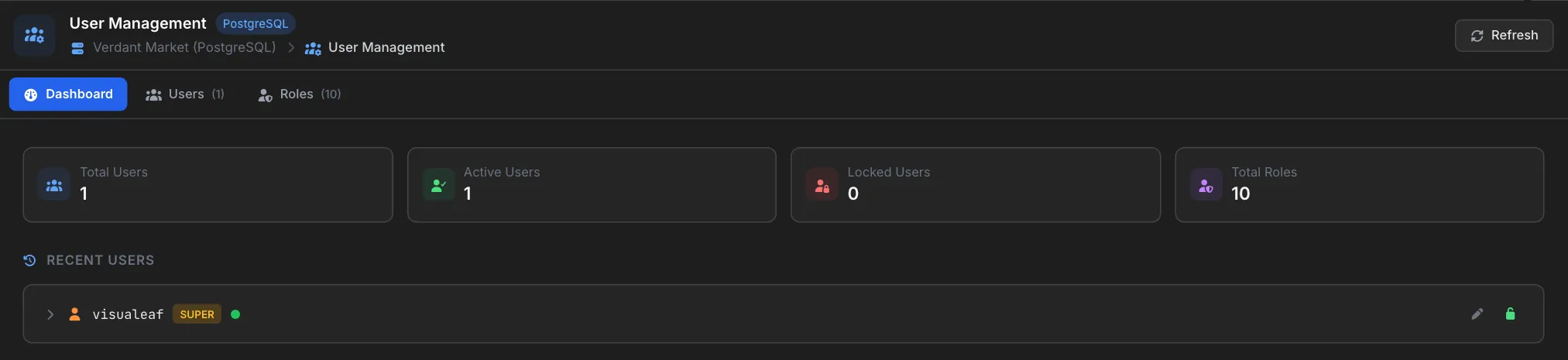
- Stat cards — Total Users, Active Users, Locked Users, Total Roles.
- Recent Users — a short list of the most recently active users. Each row expands to show the roles the user is a member of and their current grants (privilege type, target schema/object, and a
WITH GRANTflag when applicable). Row-level Edit and Lock/Unlock buttons work directly from here.
Users Tab
Full list of every login role (Postgres) or user (MySQL) on the server. Rows show the username (with host mask on MySQL), a colored status dot (active / locked / disabled), and a SUPER chip for superusers. A search box above the list filters by name.
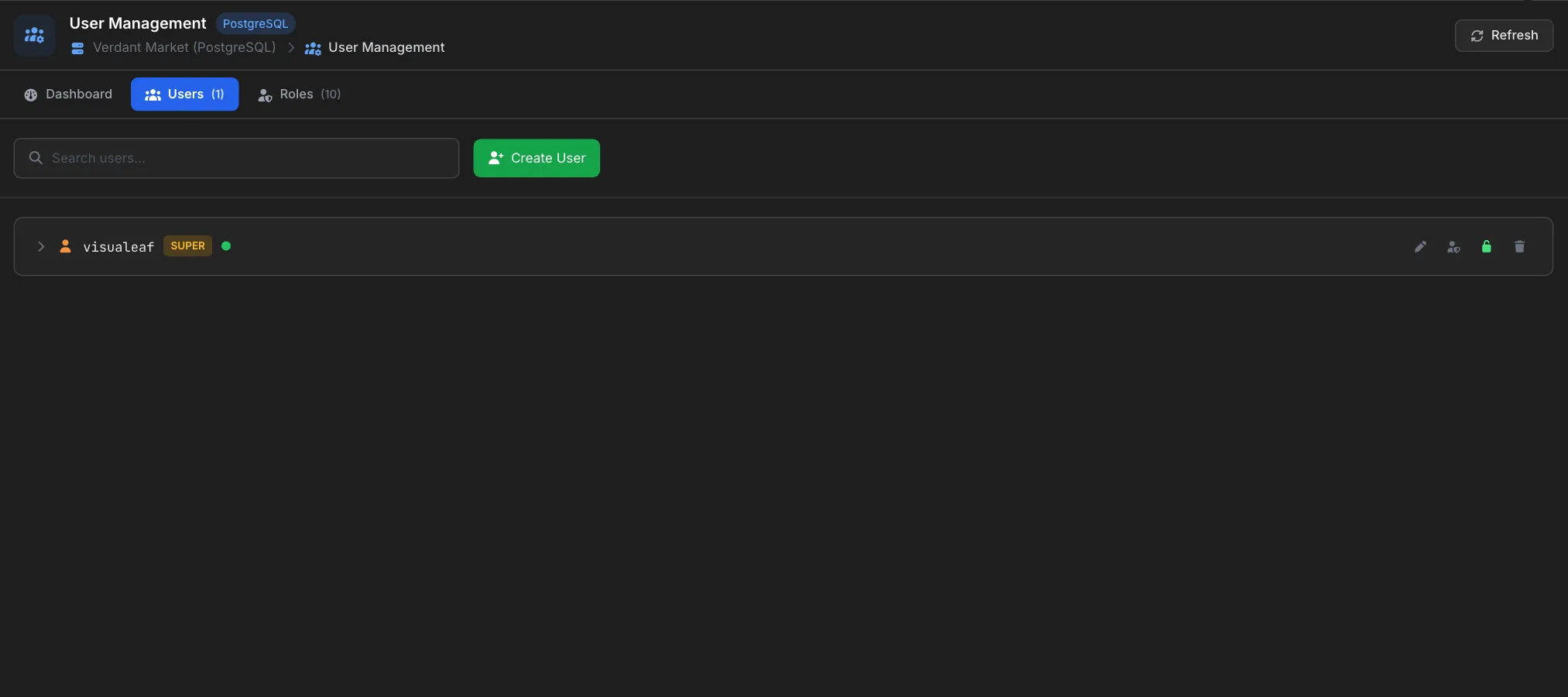
- Create user — modal captures name, password, host mask, default schema, default tablespace, profile, valid-until, and flags (
SUPERUSER,CREATEROLE,CREATEDB). Roles can be assigned in the same modal. - Edit user — reopen the modal on an existing user to change any of the same fields.
- Change password — an inline form on the expanded user row updates the password via the driver's native mechanism (e.g.
ALTER USER ... PASSWORD). - Lock / Unlock — the row-level lock button toggles login state without dropping the user.
- Drop user — deletes the user; the server-side error is surfaced inline if the user still owns objects.
- Inline privileges — expand any user row to see the full grant list (privilege, target schema.table, and
WITH GRANTchip). There is no separate privileges tab; grants live where they're most useful.
Roles Tab
Roles are groups of privileges that can be granted to users (Postgres) or approximated with role-like GRANT chains (MySQL 8+). The layout mirrors the Users tab: a list of roles, each expandable to reveal its grants and members. Roles that come with the server are marked Built-in, and each row shows how many members it has.
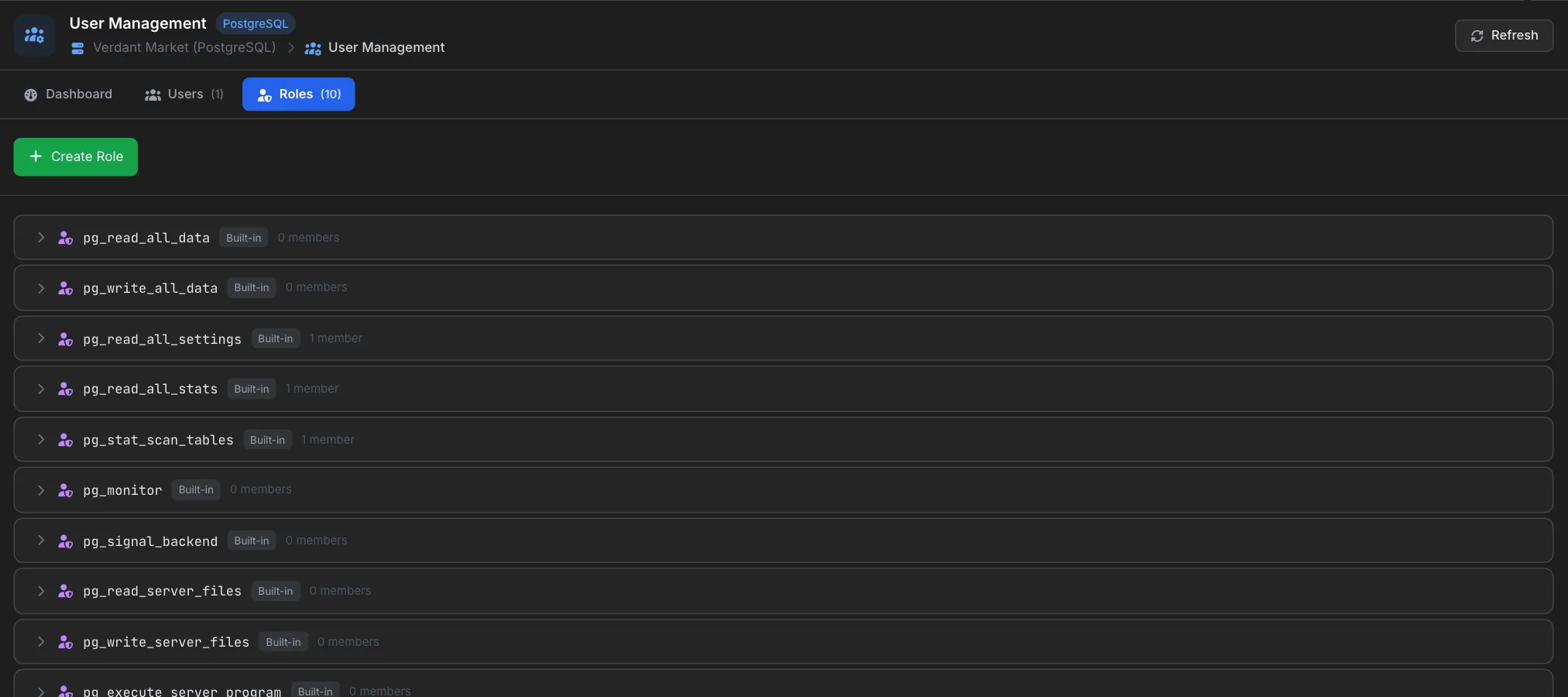
- Create role —
CREATE ROLE <name>. - Assign a role to a user — done from the Create/Edit User modal on the Users tab.
- Inline privileges & members — expand a role to see its grants and the users who inherit it.
Connection-Level Read-Only Mode
Every VisuaLeaf connection has a read-only toggle in its settings. When enabled, the client refuses to send any statement outside a strict allowlist (SELECT, EXPLAIN, SHOW, and a few catalog reads). This is belt-and-braces — it does not replace server-side REVOKE, but it stops accidental writes from a UI slip on a hot connection. Use it in tandem with proper privileges on high-risk production accounts.
Pro Tips
- Prefer roles to per-user grants: Grant privileges to a role, then assign the role to users. Rotating who has what access becomes a one-line change.
- Start on the Dashboard: If the Insufficient-Privileges banner shows, don't fight it — switch to an admin account. Most driver errors on subsequent actions trace back to this.
- Lock instead of drop when in doubt. Locking is reversible and preserves the user's grants and ownership; dropping isn't.
- Pair read-only mode with read-only credentials: Client-side and server-side belt-and-braces catch different classes of mistake.
Related Features
- SQL System Monitor - Watch the current-queries feed after locking or dropping a user.
- SQL Table - The activity most sensitive to write privileges and read-only mode.
- Access Control - App-level roles that govern who can even see the SQL activities.
Ready to try VisuaLeaf?
Download and start managing your MongoDB and SQL databases with ease.
Download Free Trial