MongoDB 9.0 in Practice: Query Settings, Validation, and Resource Limits
What changed in MongoDB 9.0, and how can it help in everyday database work? Practical examples in VisuaLeaf show the new behavior and compare results with MongoDB 8.2.5.


A new database release is easier to understand when you run the same command on the old and new versions. Does it accept an option that was previously rejected? Does it enforce a rule differently? Can you complete a task that previously needed a workaround?
For this article, I used MongoDB 9.0.2 in Docker and kept my MongoDB 8.2.5 instance available for comparison. I connected to both through VisuaLeaf and used a streaming-platform dataset for the query examples.
This article covers the following changes.
| Change | Before 9.0 | What changed | Useful example |
|---|---|---|---|
| Query settings | Query settings were stored for matching query shapes. | Pass settings directly to one command. | Try an index choice for one execution, then inspect the Explain plan. |
| Constraint validation | Adding strict validation did not check existing documents retroactively. | Upgrading to constraint checks existing data against the validator. |
Enforce valid subscription plans, prices, and currencies. |
| Query timeout | Timeouts could be supplied with individual commands. | Store a timeout for matching query shapes. | Put a time budget on a recurring reporting query. |
| Memory limit | Queries had individual stage limits, but no overall query memory cap. | An overall memory limit applies to a query operation. | Inspect the configured limit and memory-limit failure counter. |
| Time-series rename | renameCollection did not support time-series collections. |
Rename a time-series collection directly. | Rename playback metrics and verify the settings and documents. |
Reported performance improvements
MongoDB reports the following improvements in its internal benchmarks comparing 9.0 with 8.0:
- Up to 35% faster find-one queries.
- Up to 30% faster update-one queries.
- Up to 20% higher throughput for transactional workloads.
- Up to 2× throughput on large instances.
Results vary by workload, hardware, deployment, and configuration. My local tests below explore feature behavior; they do not measure these performance gains.
Connect to the test instance
I used a separate Docker container and data volume for the test. The original database stayed available on port 27017, while the test instance used port 27021.
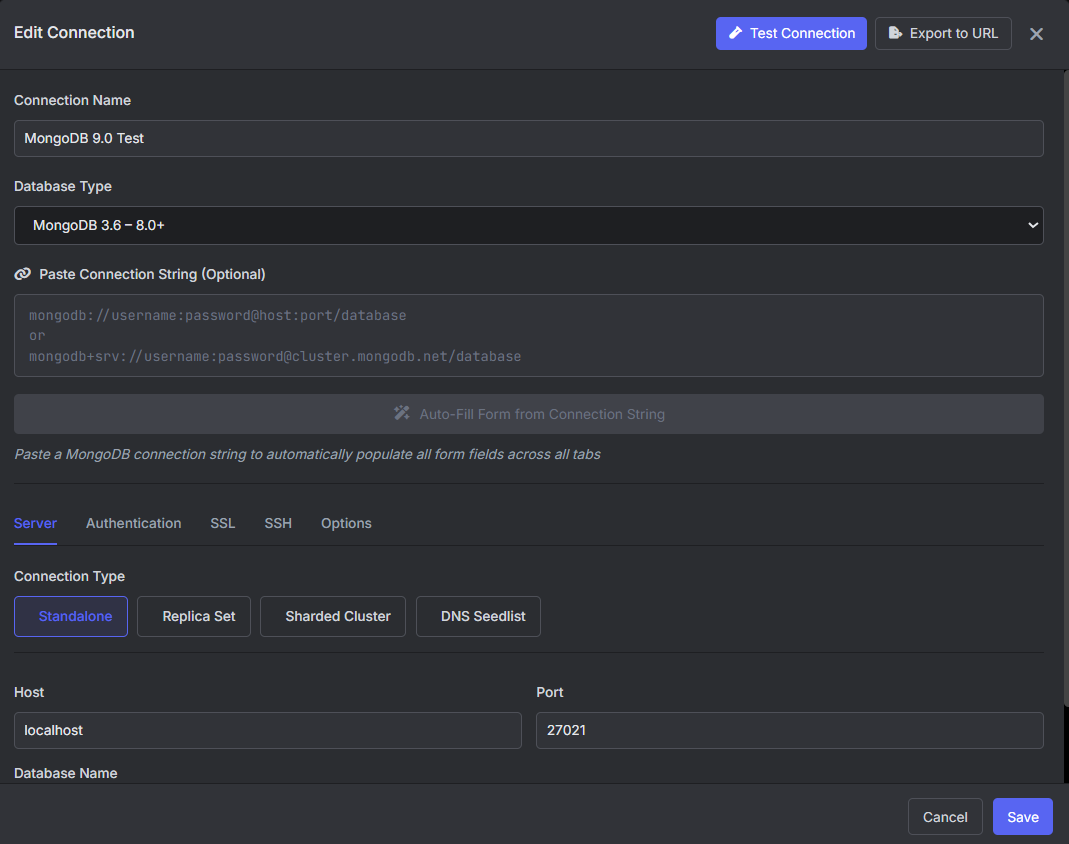
In VisuaLeaf, I created a connection named MongoDB 9.0 Test, with host 127.0.0.1 and port 27021. This local test instance had authentication disabled. Use the authentication settings configured for your own server.
Before running the examples, I checked the server version and feature compatibility version:
db.version()

db.adminCommand({
  getParameter: 1,
  featureCompatibilityVersion: 1
})
The server returned 9.0.2 and feature compatibility version 9.0.
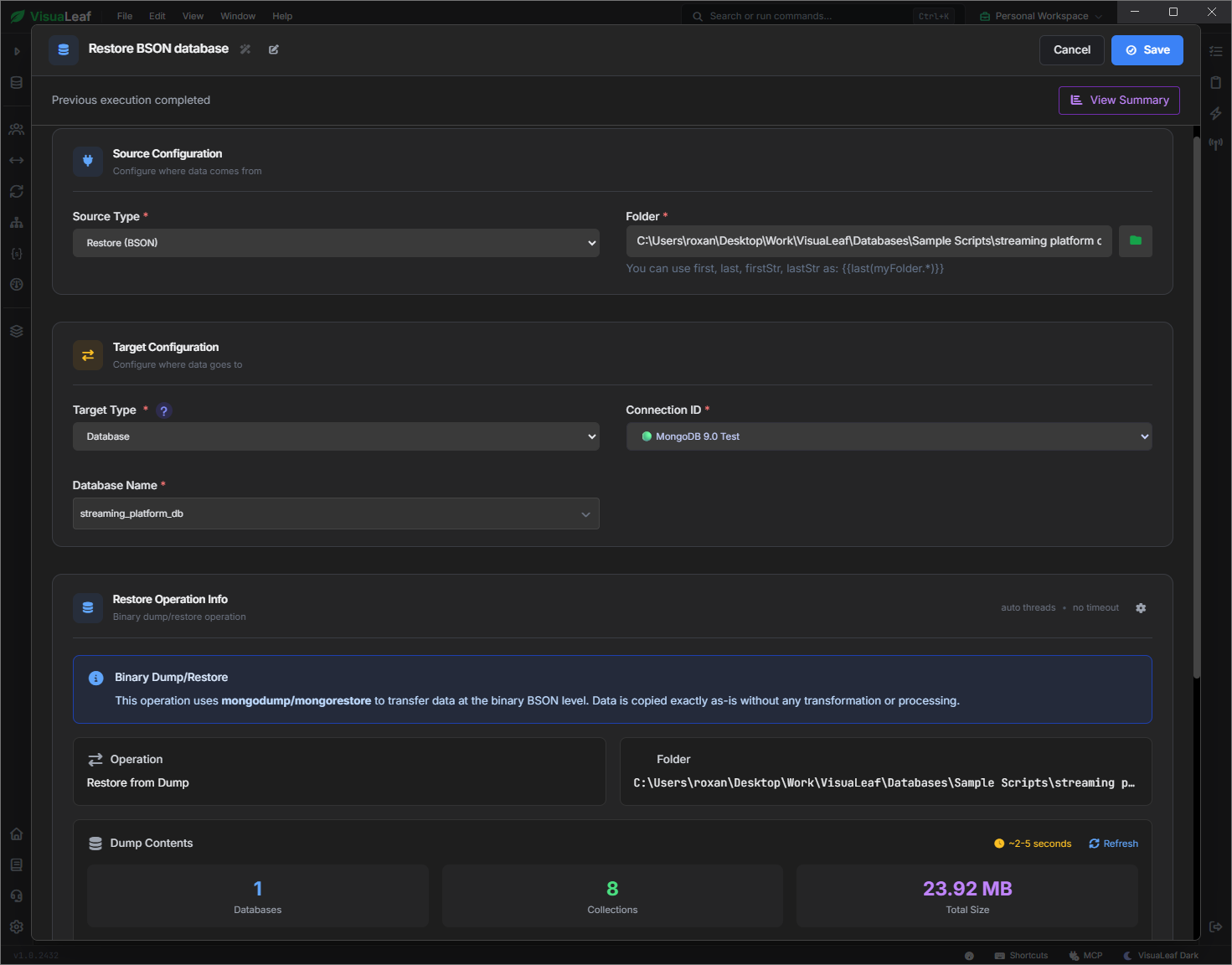
I also restored a BSON dump through VisuaLeaf's Task Manager. The restore job completed, and the streaming-platform database was available for the query tests. Restoring data is part of the test setup, rather than a new MongoDB 9.0 feature.
Try an index choice for one query
Let's suppose you want to check how a reporting query behaves with a particular index. You want to inspect that execution before deciding whether to apply a setting more broadly.
MongoDB 9.0 accepts querySettings directly in find, distinct, and aggregate commands. These settings apply to that execution and are not saved for future matching queries. Existing stored settings take precedence when both specify the same field.
For the first test, I queried paid payments in EUR with an amount of at least 10, sorted by payment date. The command allowed MongoDB to use the existing status_1 index:
db.getSiblingDB("streaming_platform_db").runCommand({
  find: "payments",
  filter: {
    status: "paid",
    currency: "EUR",
    amount: { $gte: 10 }
  },
  sort: { paid_at: -1 },
  limit: 5,
  singleBatch: true,
  querySettings: {
    indexHints: {
      ns: { db: "streaming_platform_db", coll: "payments" },
      allowedIndexes: ["status_1"]
    }
  }
})
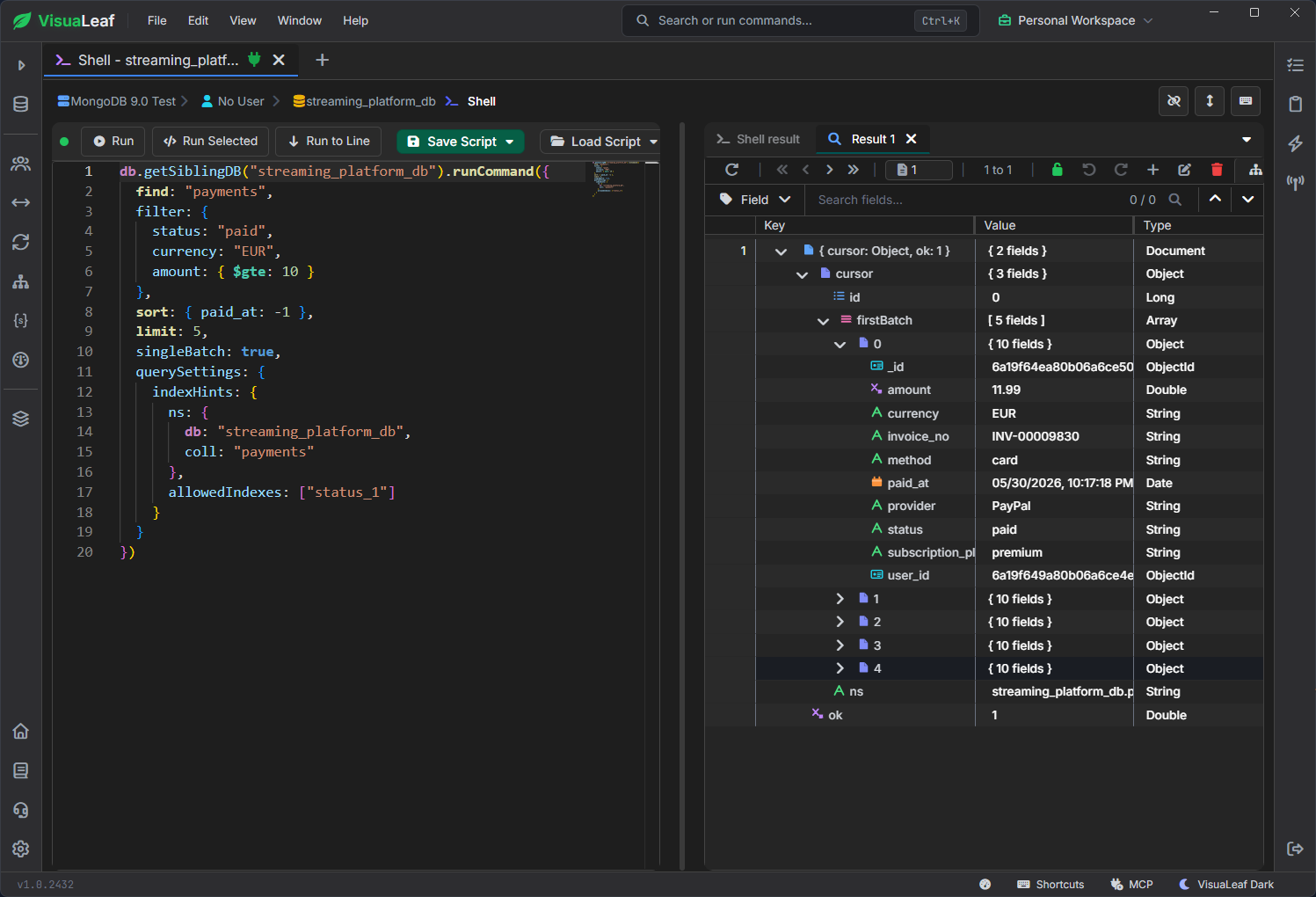
On MongoDB 9.0.2, the command returned ok: 1 and five documents.
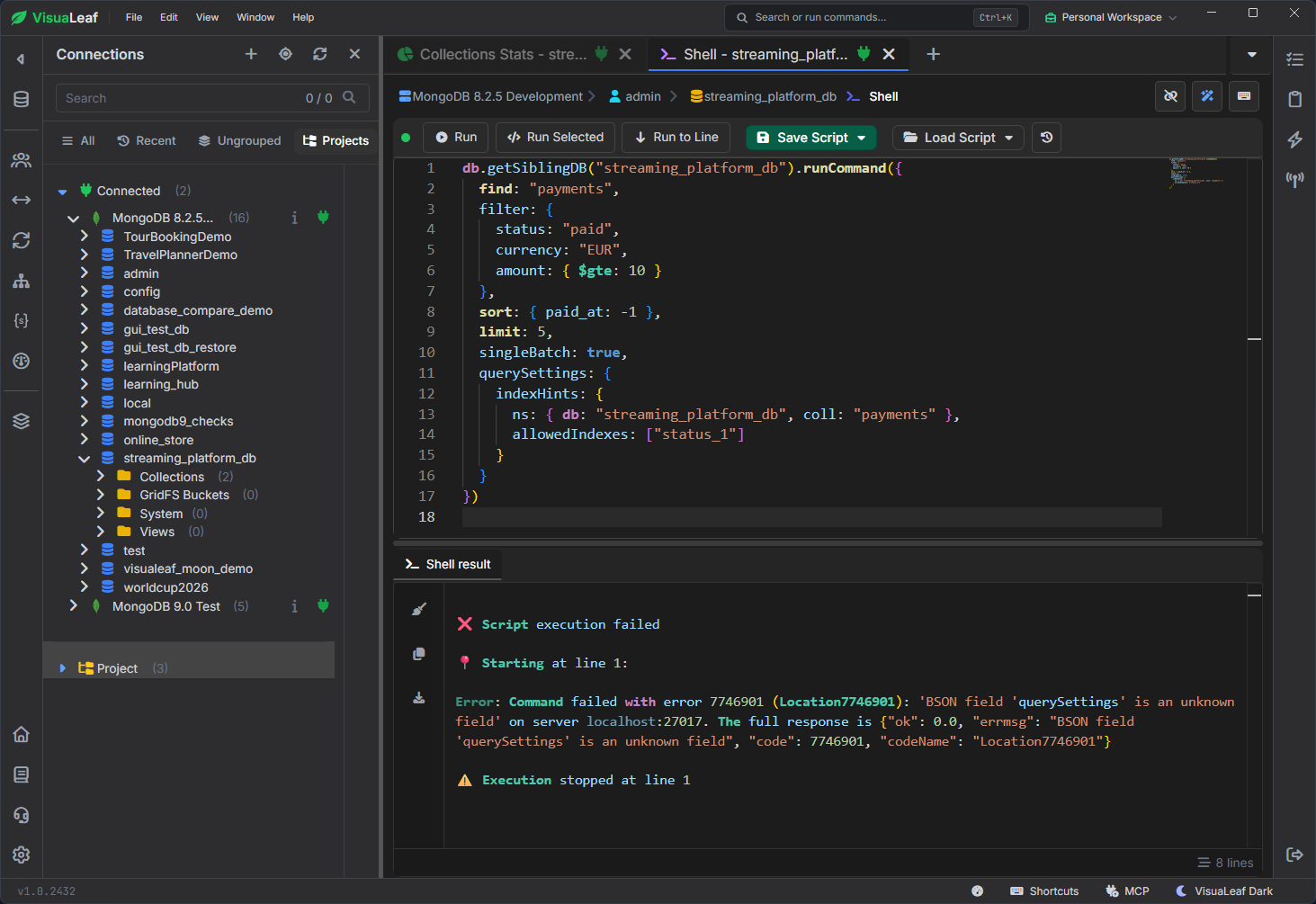
On 8.2.5, it failed because the command did not recognize the querySettings field.
querySettings passed directly to a find command.To check the index selection, I wrapped the same find command in explain and requested executionStats. VisuaLeaf displayed an IXSCAN using status_1, followed by FETCH and SORT.
The separate sort made sense: status_1 indexes the payment status, not the payment date. MongoDB examined roughly 5,900 keys and documents to return five results. This confirmed the index choice, but it did not establish that this was the best index for the query.
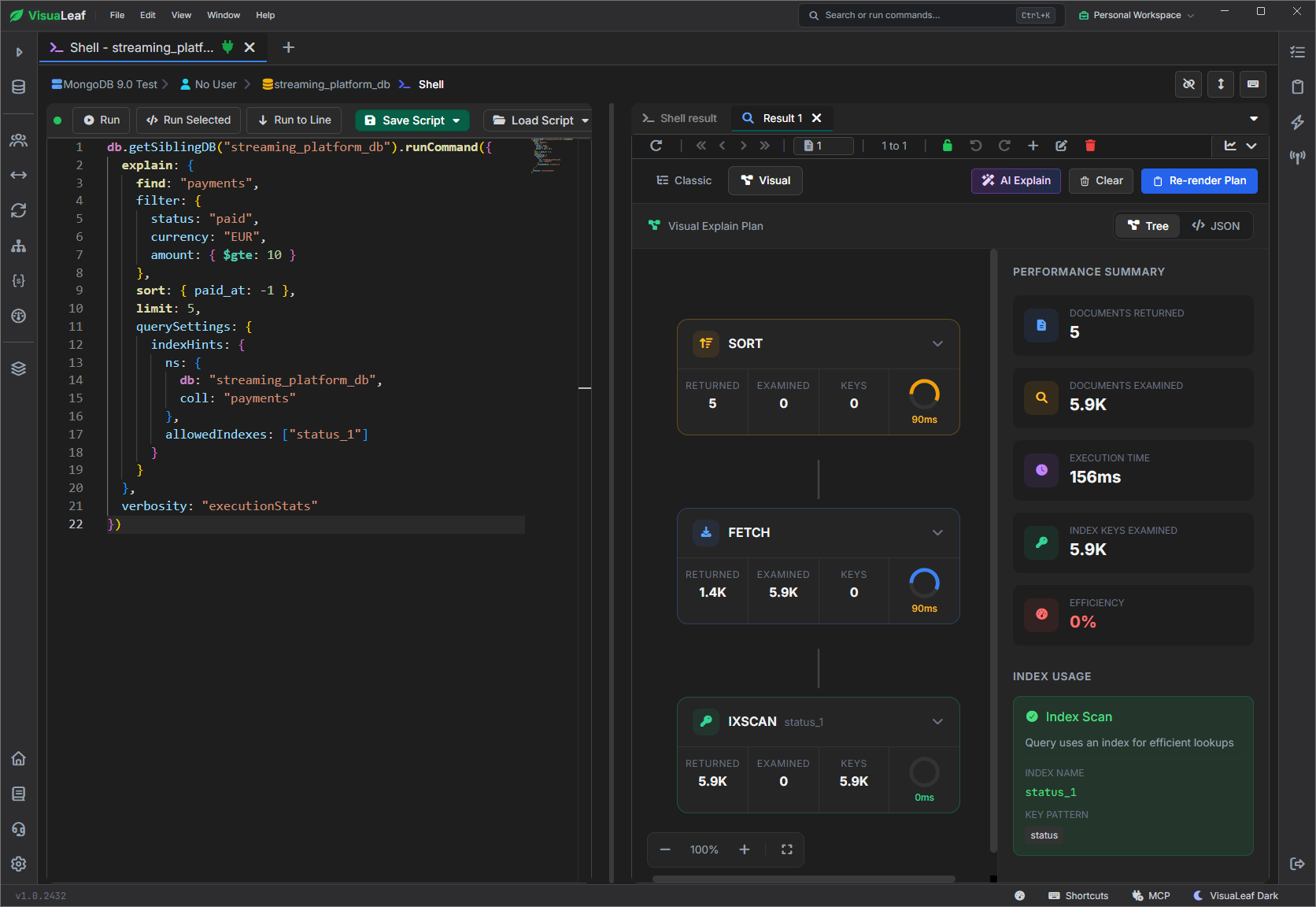
status_1, followed by FETCH and SORT.The useful part is being able to test a choice and inspect its consequences. A successful command alone does not tell you whether the query is efficient.
Use the same option in an aggregation
I also tested a five-stage aggregation: filter the payments, group by plan and payment method, calculate revenue, sort the groups, and return the top ten.
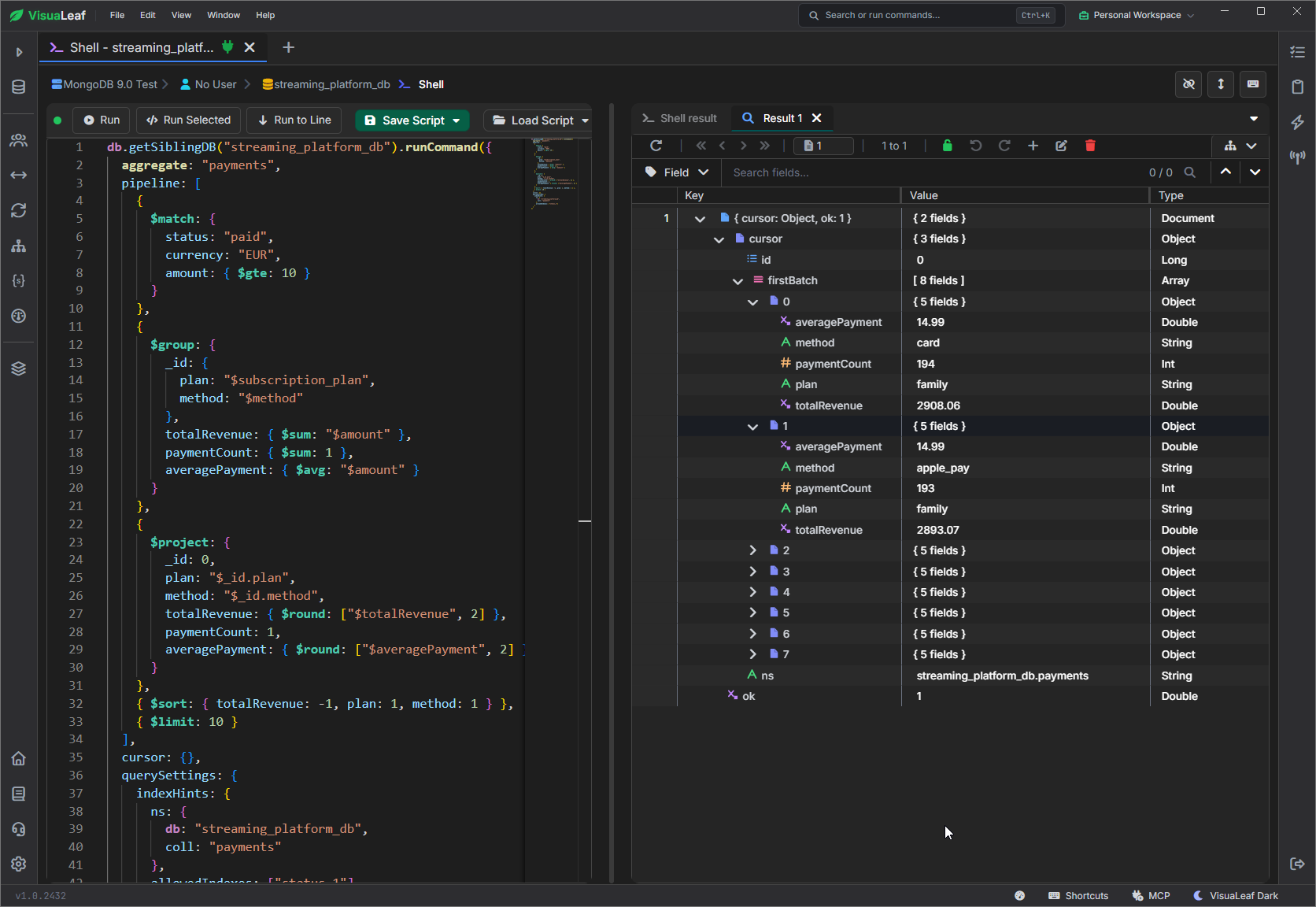
The 9.0.2 command returned eight groups. The family/card group contained 194 payments, with an average of EUR 14.99 and total revenue of EUR 2,908.06. The family/Apple Pay group contained 193 payments and EUR 2,893.07 in revenue.
The pipeline stages themselves work in older MongoDB versions. The change demonstrated here is the command-level querySettings option.
MongoDB 9.0: The new constraint validation level
Schema validation already existed before MongoDB 9.0. You could require fields, restrict values, and reject invalid inserts or updates.
The new constraint level addresses existing data too. Adding strict validation does not retroactively check old documents. Upgrading an existing collection to constraint scans them and fails if any violate the validator.
For the test, I created mongodb9_checks.validated_plans with three requirements: a supported plan, a non-negative double price, and EUR currency.
db.getSiblingDB("mongodb9_checks").createCollection(
  "validated_plans",
  {
    validator: {
      $jsonSchema: {
        bsonType: "object",
        required: ["plan", "monthlyPrice", "currency"],
        properties: {
          plan: { enum: ["basic", "premium", "family"] },
          monthlyPrice: { bsonType: "double", minimum: 0 },
          currency: { enum: ["EUR"] }
        }
      }
    },
    validationLevel: "constraint",
    validationAction: "error"
  }
)
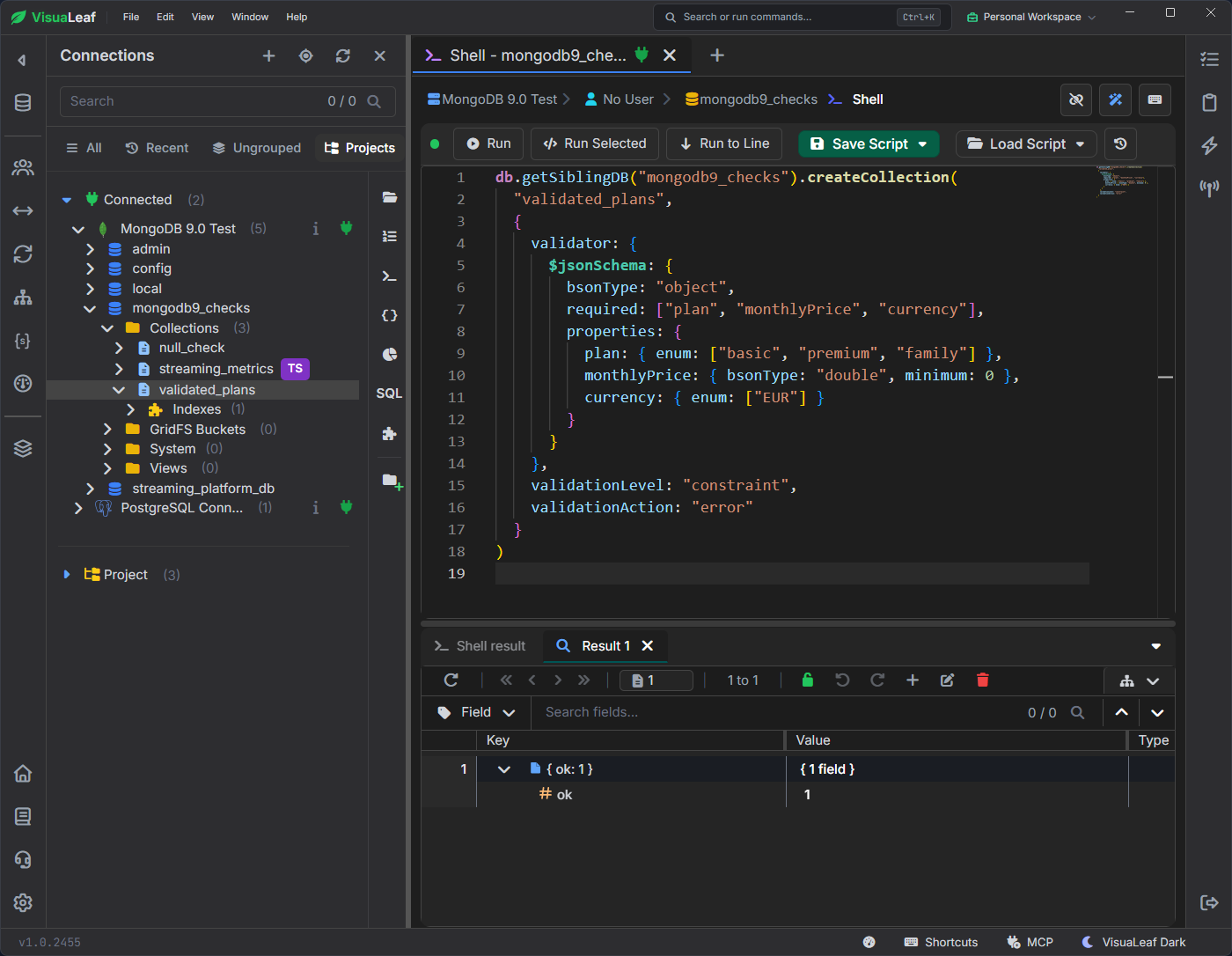
validated_plans with constraint validation in MongoDB 9.0 returns ok: 1.Creating a new collection with this level is straightforward. An existing collection needs MongoDB’s preparation procedure before upgrading.
A valid document looks like this:
{ plan: "family", monthlyPrice: 14.99, currency: "EUR" }A negative price would fail validation under either strict or constraint. The difference concerns documents already stored: strict can leave old invalid documents in place, while upgrading to constraint cannot succeed until they satisfy the validator.
Inspect the rules in Schema Manager
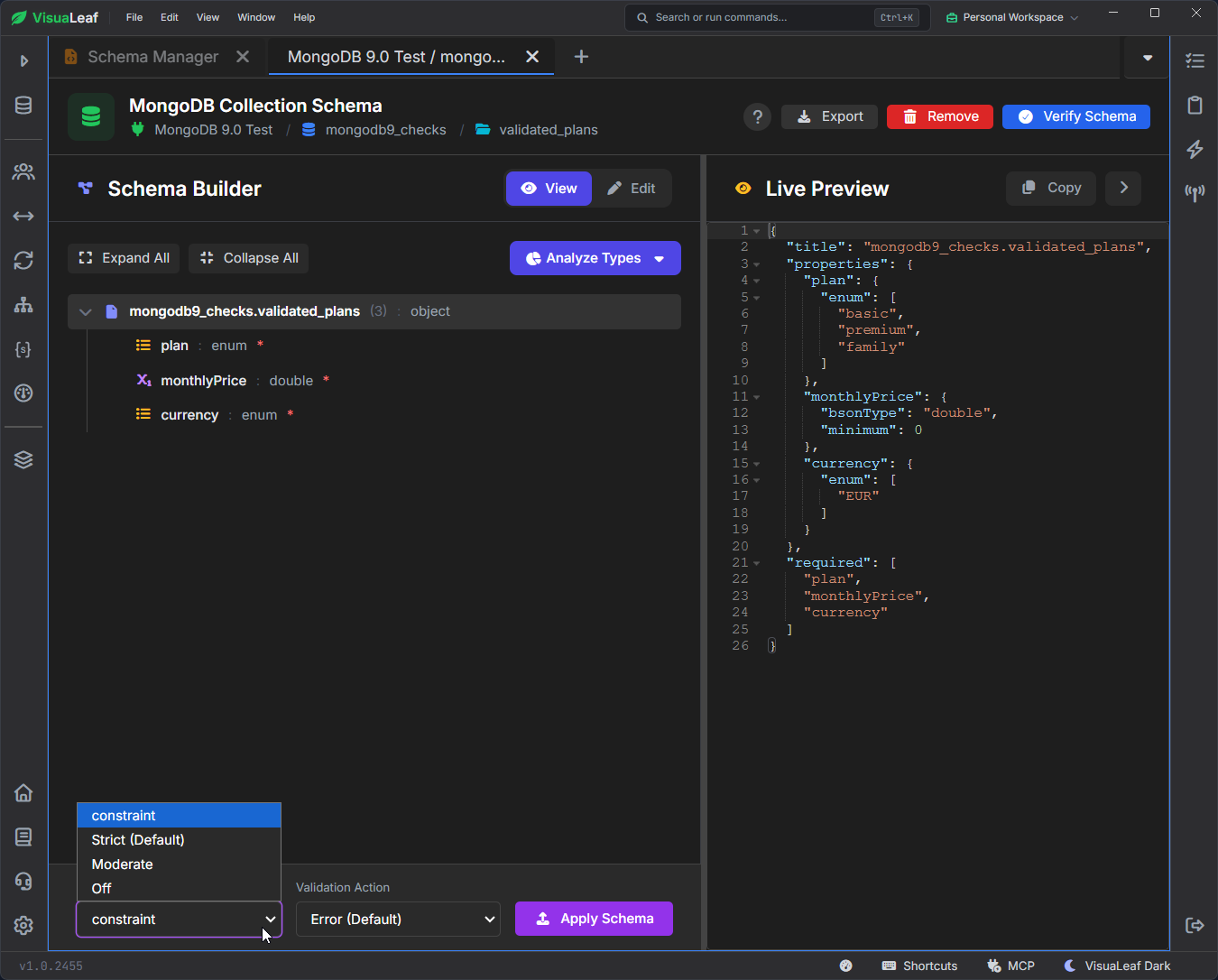
I opened validated_plans in VisuaLeaf’s Schema Manager to inspect the saved validator. It displays the plan and currency enums, the price minimum, the required fields, and the active constraint level.
Change the rules after leaving constraint mode
I also tried changing the validator with collMod while constraint was active. MongoDB rejected the command, and VisuaLeaf displayed:
Validator cannot be changed when Validation level is 'constraint'.
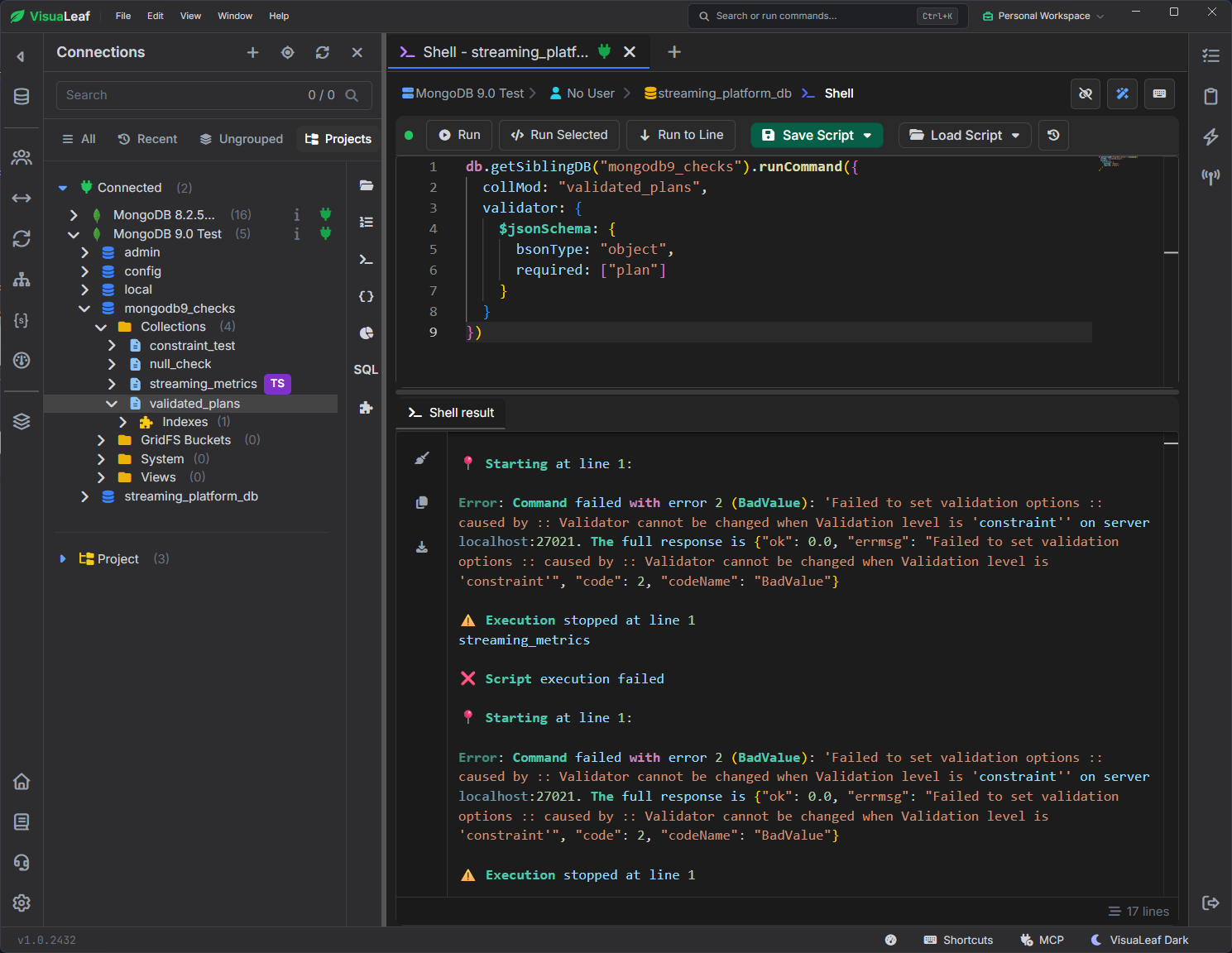
collMod while constraint validation is active.To change the rules, first switch the collection to strict and apply that change separately. Then update the validator. Before returning to constraint, prepare the collection again; the upgrade will fail if any existing documents violate the updated rules.
Set a timeout for a recurring query
Before 9.0, you could pass maxTimeMS with an individual query. You can now save a timeout for a query shape, the query’s structure, so it applies to matching queries even when filter values change. The stored timeout takes precedence over one supplied in the command.
This gives a recurring payment report a shared time limit without every caller adding it. It stops queries that exceed the limit; it does not make them faster.
Stored query settings require a replica set or sharded cluster. I used a single-node Docker replica set named rs9.
I saved a 1 ms timeout for this payment report. This deliberately small limit demonstrates enforcement; for a real report, choose a timeout based on its normal execution time.
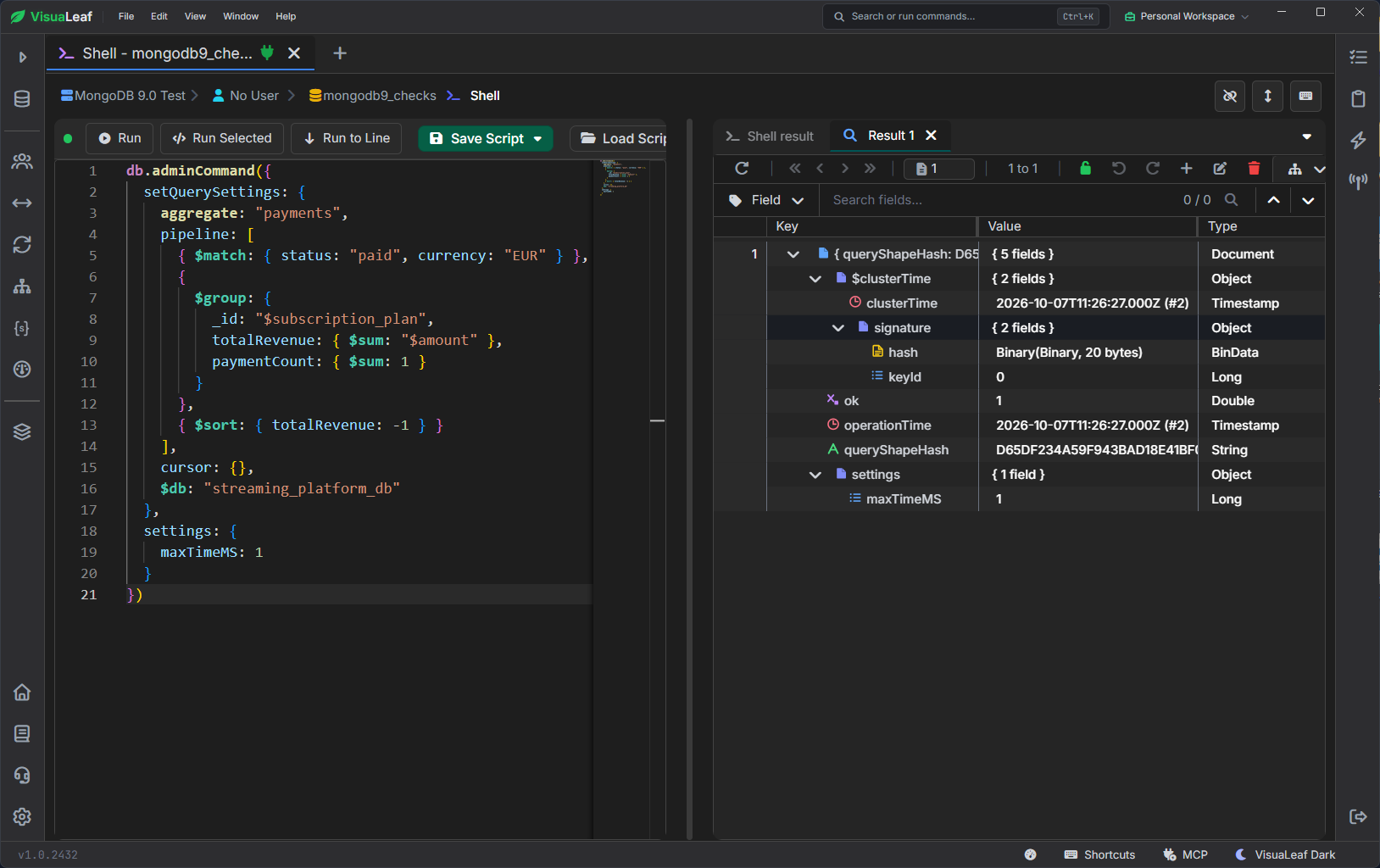
Run the report without adding a timeout
I then ran the matching aggregation with no maxTimeMS in the command:
db.getSiblingDB("streaming_platform_db").payments.aggregate([
  { $match: { status: "paid", currency: "EUR" } },
  { $group: {
    _id: "$subscription_plan",
    totalRevenue: { $sum: "$amount" },
    paymentCount: { $sum: 1 }
  } },
  { $sort: { totalRevenue: -1 } }
]).toArray()
MongoDB stopped the operation, and VisuaLeaf displayed:
operation exceeded time limit
The report inherited the stored budget from its matching query shape.
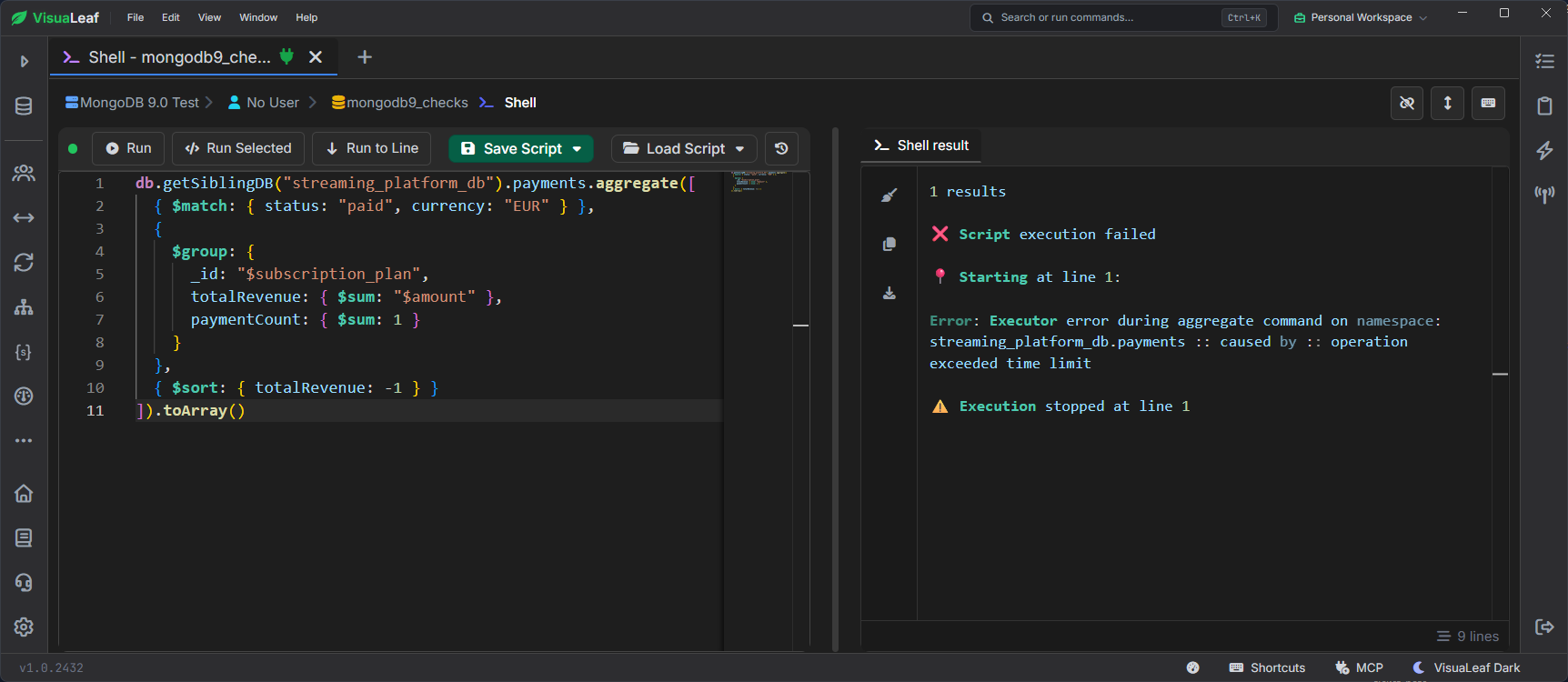
maxTimeMS in the command.Remove the setting and rerun the same report
After capturing the error, I removed the test setting:
db.adminCommand({
  removeQuerySettings: {
    aggregate: "payments",
    pipeline: [
      { $match: { status: "paid", currency: "EUR" } },
      { $group: {
        _id: "$subscription_plan",
        totalRevenue: { $sum: "$amount" },
        paymentCount: { $sum: 1 }
      } },
      { $sort: { totalRevenue: -1 } }
    ],
    cursor: {},
    $db: "streaming_platform_db"
  }
})
After removing the setting, I reran the same aggregation, and it returned the revenue result.
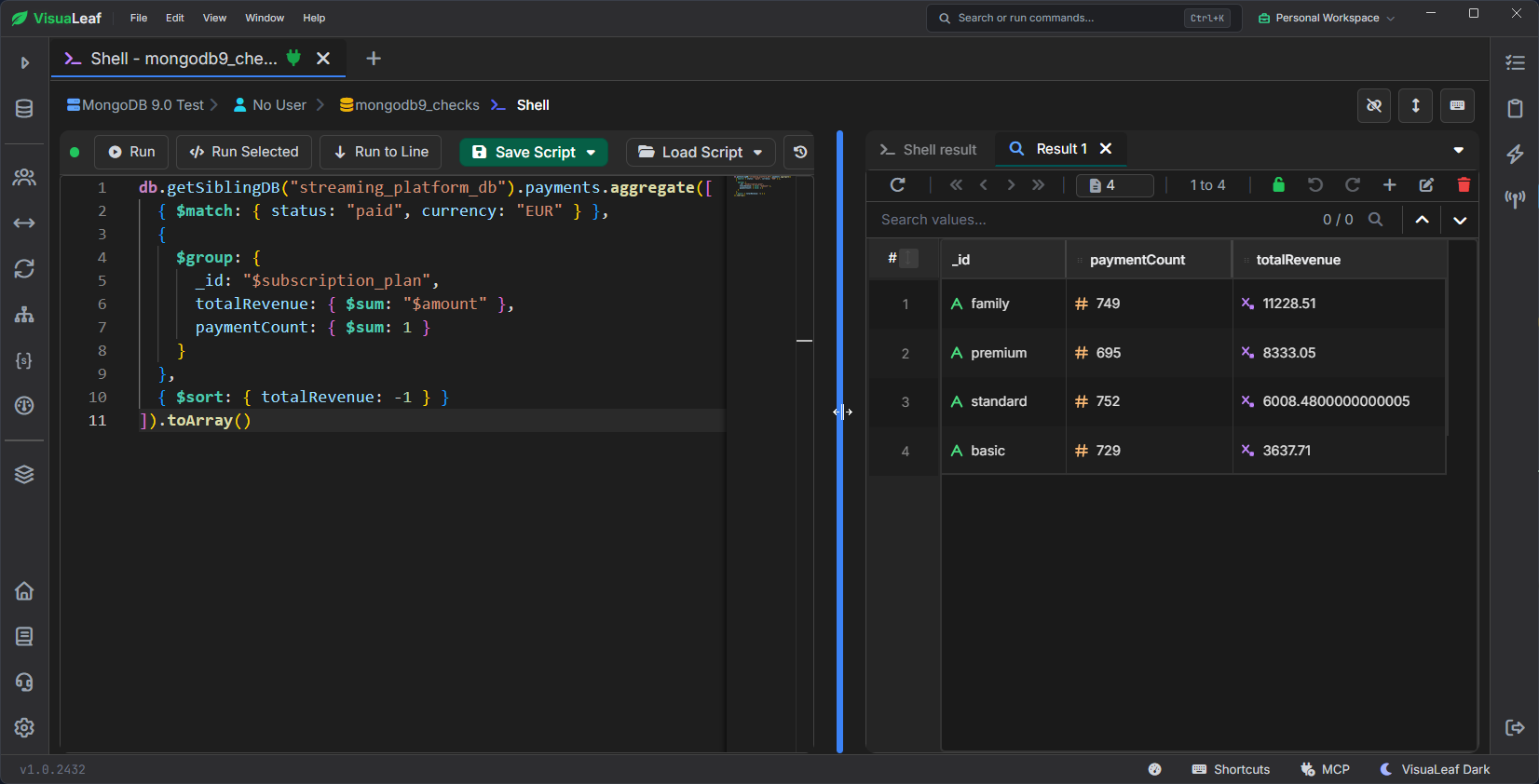
The report did not change between executions. The stored time budget changed whether it could complete.
Inspect the overall query memory limit
MongoDB 9.0 adds a total memory limit for a query operation. Its default is the greater of 1 GB or 20% of the memory available to the server process. The existing 100 MB per-stage limit and stage spill behavior remain unchanged.
I inspected two server metrics through VisuaLeaf:
var queryMetrics = db.getSiblingDB("admin")
  .runCommand({ serverStatus: 1 }).metrics.query;

({
  memoryLimitBytes:
    queryMetrics.configuredMaxMemoryUsageBytesPerOperation,
  operationsFailedDueToMemoryLimit:
    queryMetrics.operationsFailedDueToMemoryLimit
})
| Result | MongoDB 9.0.2 | MongoDB 8.2.5 |
|---|---|---|
| Configured limit | 1,608,660,582 bytes, approximately 1.50 GiB | Metric unavailable |
| Operations rejected for exceeding the limit | 0 | Metric unavailable |
VisuaLeaf displayed the unavailable values on 8.2.5 as Null.
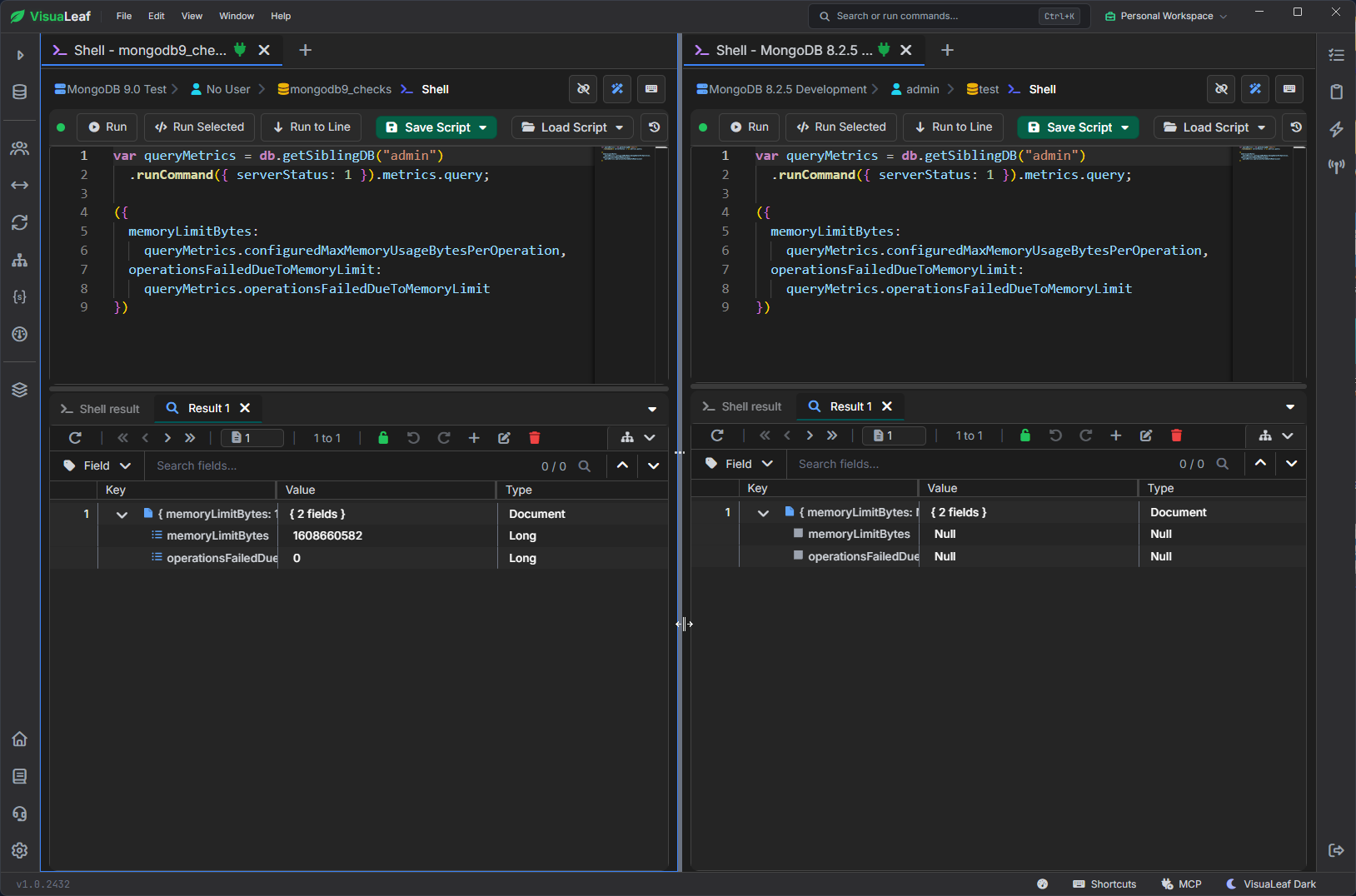
This is useful when investigating expensive reports or aggregations: you can see the configured cap and whether operations have hit it. The number belongs to this Docker setup, so do not expect every server to report the same limit.
This test checked the metrics. It did not deliberately run a query that exceeded the cap.
Rename a time-series collection without rebuilding it
MongoDB 9.0 adds support for renaming time-series collections with renameCollection.
I tested this with a small playback metrics collection. It used recorded_at as its time field, metadata as its meta field, and minutes granularity. The two documents recorded active stream counts and buffering rates for smart TVs in the EU.
The rename command was:
db.getSiblingDB("admin").runCommand({
  renameCollection: "mongodb9_checks.playback_metrics",
  to: "mongodb9_checks.streaming_metrics"
})
After renaming it, I checked both the collection settings and its documents:
db.getSiblingDB("mongodb9_checks")
  .getCollectionInfos({ name: "streaming_metrics" })

db.getSiblingDB("mongodb9_checks")
  .streaming_metrics.find().toArray()
The collection still reported type timeseries with the same time field, meta field, and granularity. Both documents remained: 1,250 and 1,320 active streams, with buffering rates of 0.8 and 0.6. VisuaLeaf also identified the collection with its TS badge.
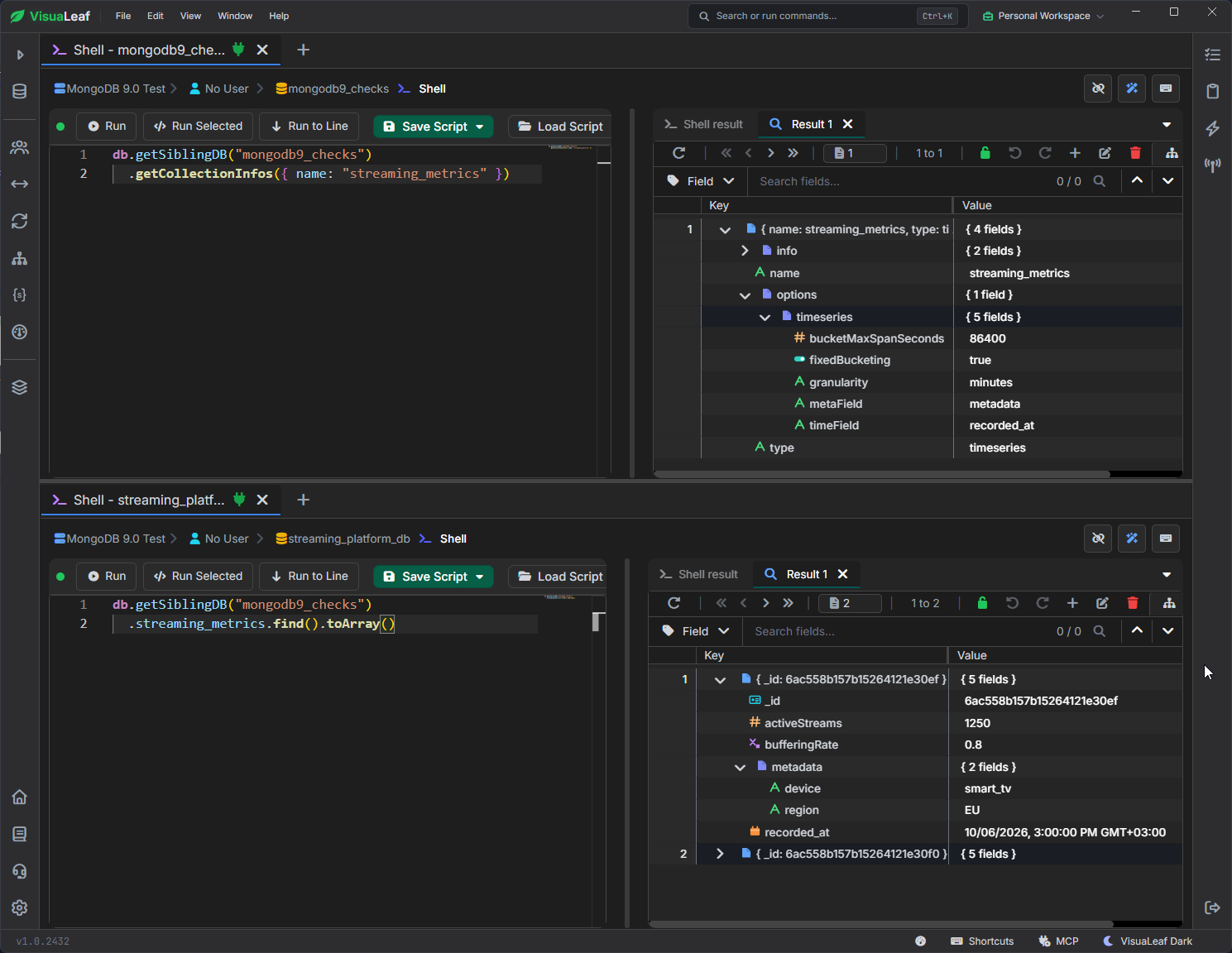
This is useful when a collection name no longer describes its purpose. Here, you can rename the collection, and follow-up checks confirmed that its settings and data remained available.
Other MongoDB 9.0 changes
MongoDB 9.0 also expands query monitoring and encrypted searches. $queryStats collects statistics for both reads and writes by default, sampling 1% of operations.
Queryable Encryption now supports generally available prefix, suffix, and substring searches on encrypted strings. These features weren’t part of my local tests, but they are worth exploring for workload monitoring and applications that need searchable encrypted data.
Which changes are worth trying first?
If you troubleshoot queries, start with per-command query settings and inspect the Explain plan. If you need a guarantee about existing data, look at constraint validation. For reporting workloads, the timeout and memory controls are useful additions to understand. Time-series rename solves a smaller but concrete maintenance task.
These tests used MongoDB 9.0.2, feature compatibility version set to 9.0, and VisuaLeaf 1.0.2432 on a local Docker deployment. They demonstrate specific commands and results, not a performance benchmark or full compatibility certification.
Before upgrading a production deployment, review MongoDB’s compatibility changes and known issues for your target patch version.