Get Started Free

Create Tables With a Live Preview

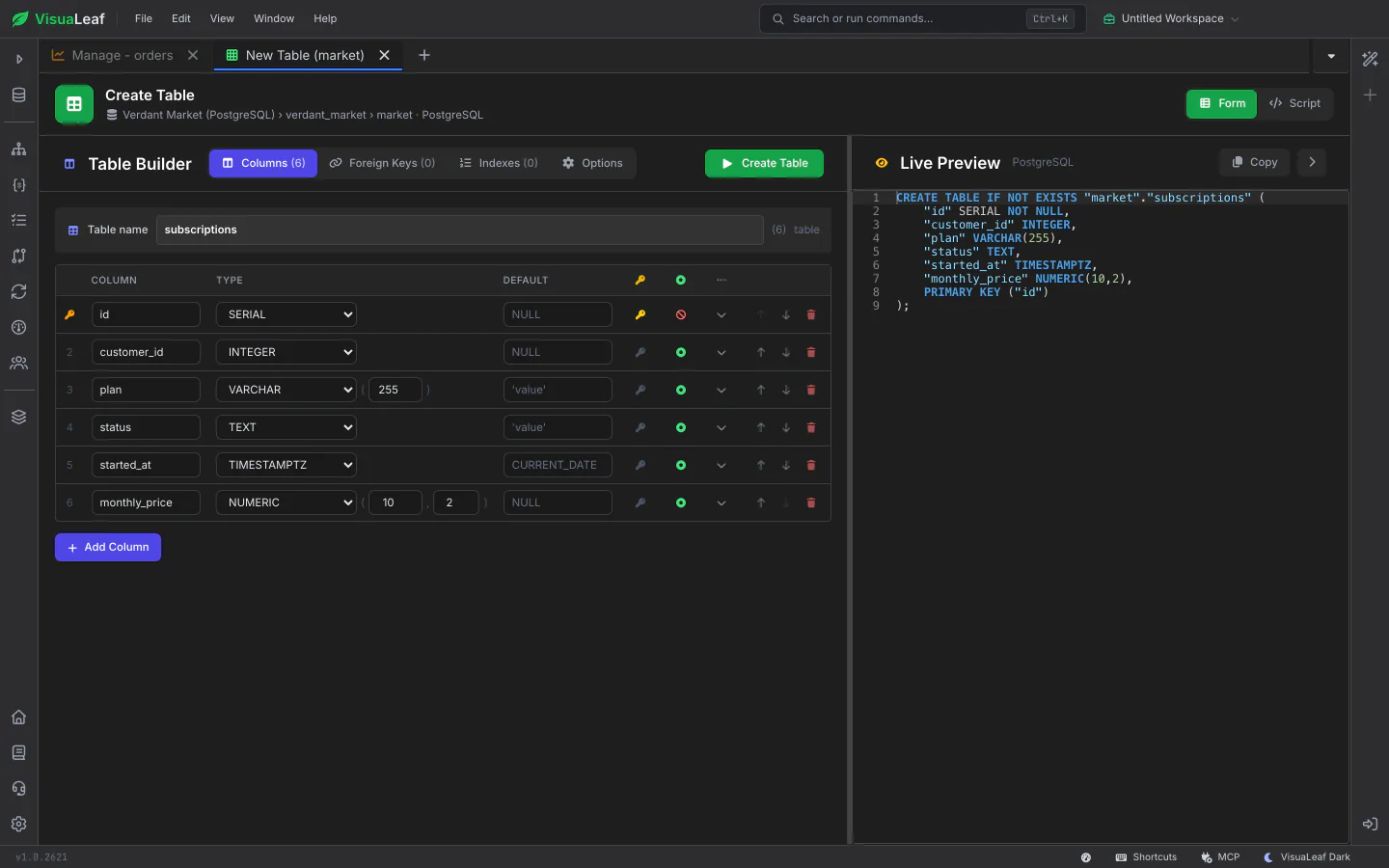
Add columns with the types your database offers, set lengths and defaults, choose the primary key, and add foreign keys and indexes in their own grids. The live preview shows the CREATE TABLE as you go, and Script mode lets you write it yourself. After you create it, the new table opens in the same tab and is highlighted in the sidebar.

Create Table form with columns on the left and the live SQL preview on the right

Change Columns, Keys and Indexes

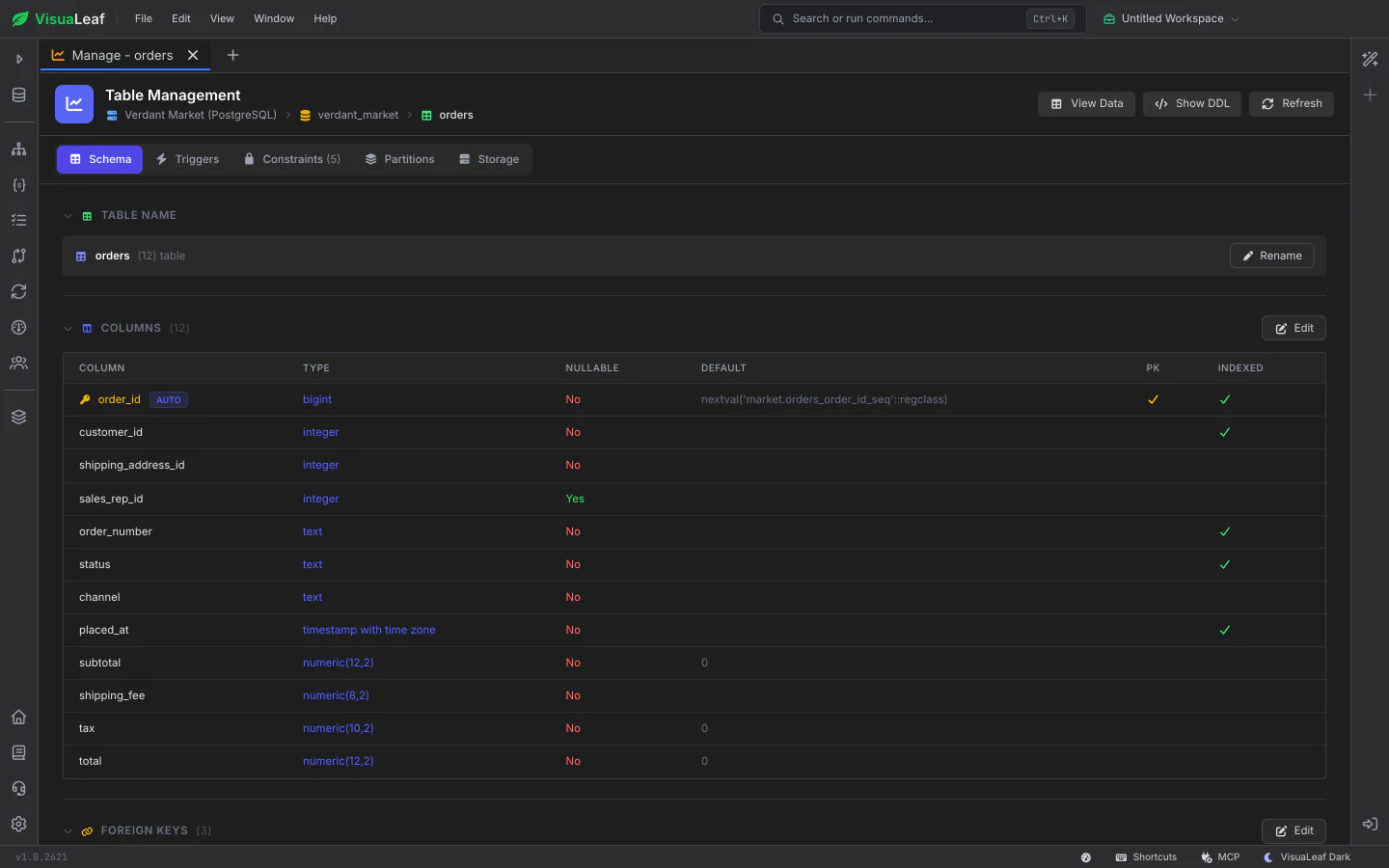
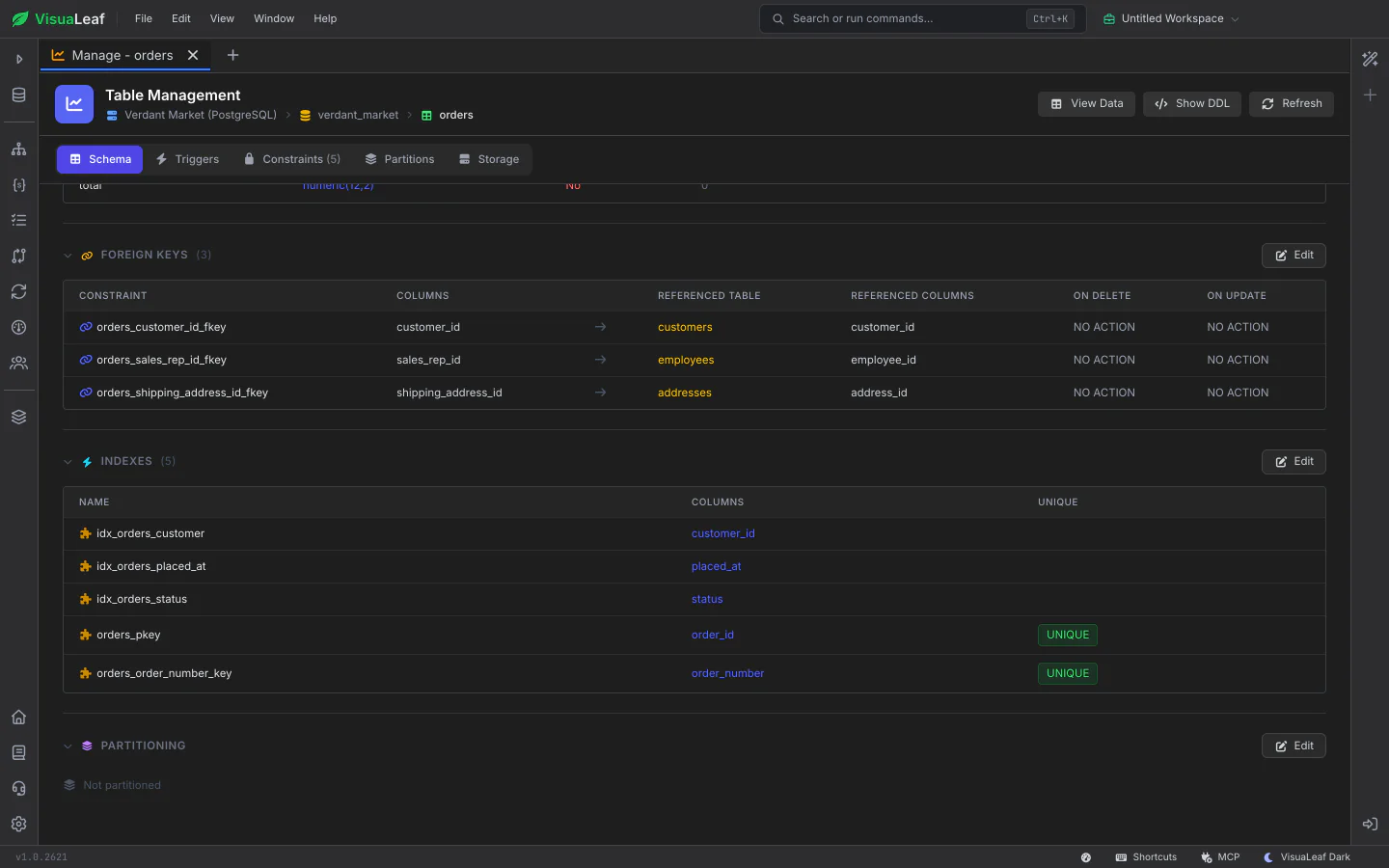
Open an existing table to rename it, edit or add columns, and manage its foreign keys and indexes. Edits keep each column's size, and VisuaLeaf sends only what changed, so a small change stays a small change.

Table Management listing a table's foreign keys, with the tables they point to, and its indexes with the unique ones marked

Triggers and CHECK Constraints

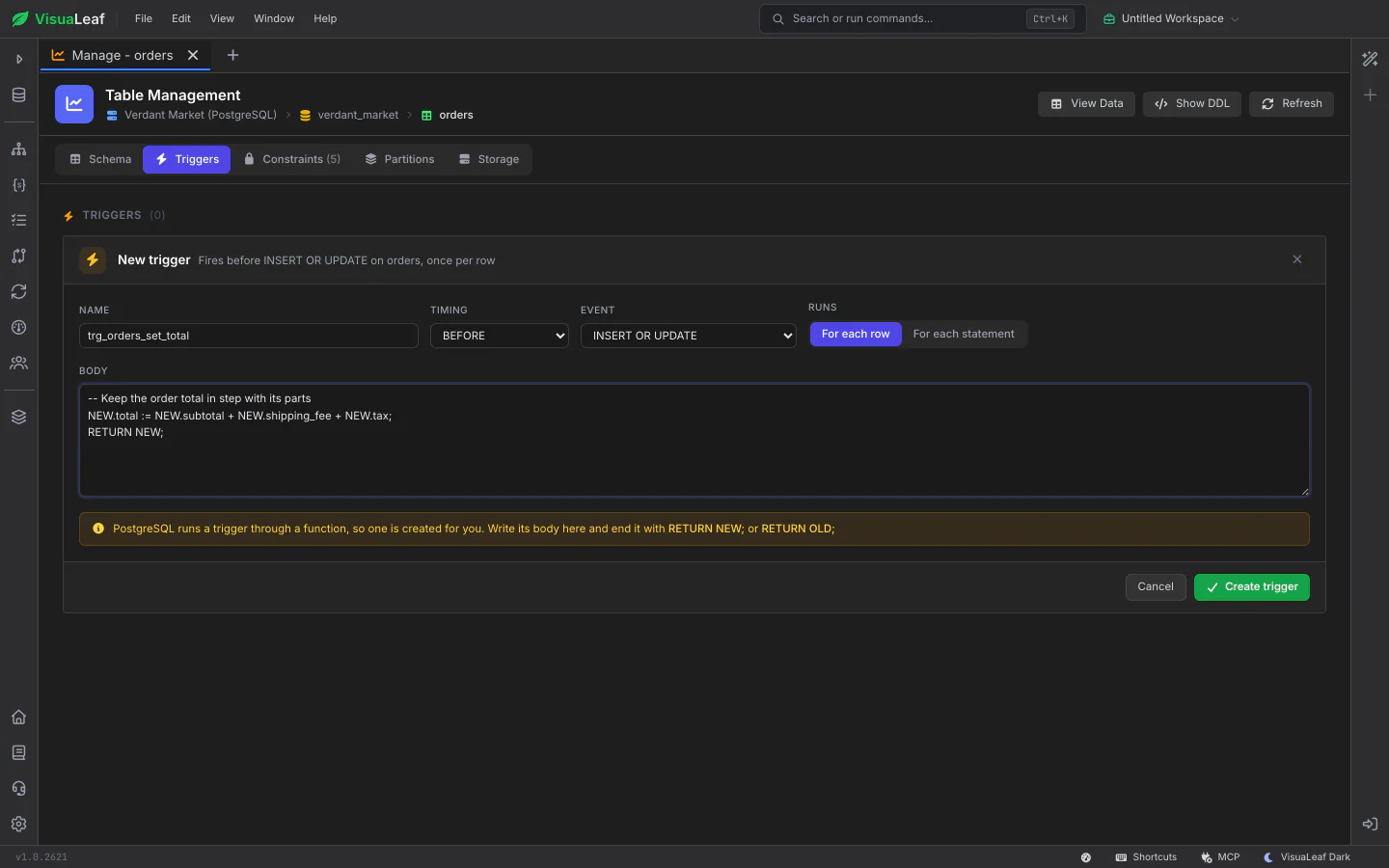
Create and drop triggers and CHECK constraints from forms that say what you are about to create, in plain words, before you create it: "Fires before INSERT OR UPDATE on orders, once per row". Pick the timing and event, choose once per row or once per statement, and write the body. On PostgreSQL the trigger function is created for you.

New trigger form on a PostgreSQL table with its name, timing, event, once-per-row switch, body and a live summary of what it will do

See What a Table Costs

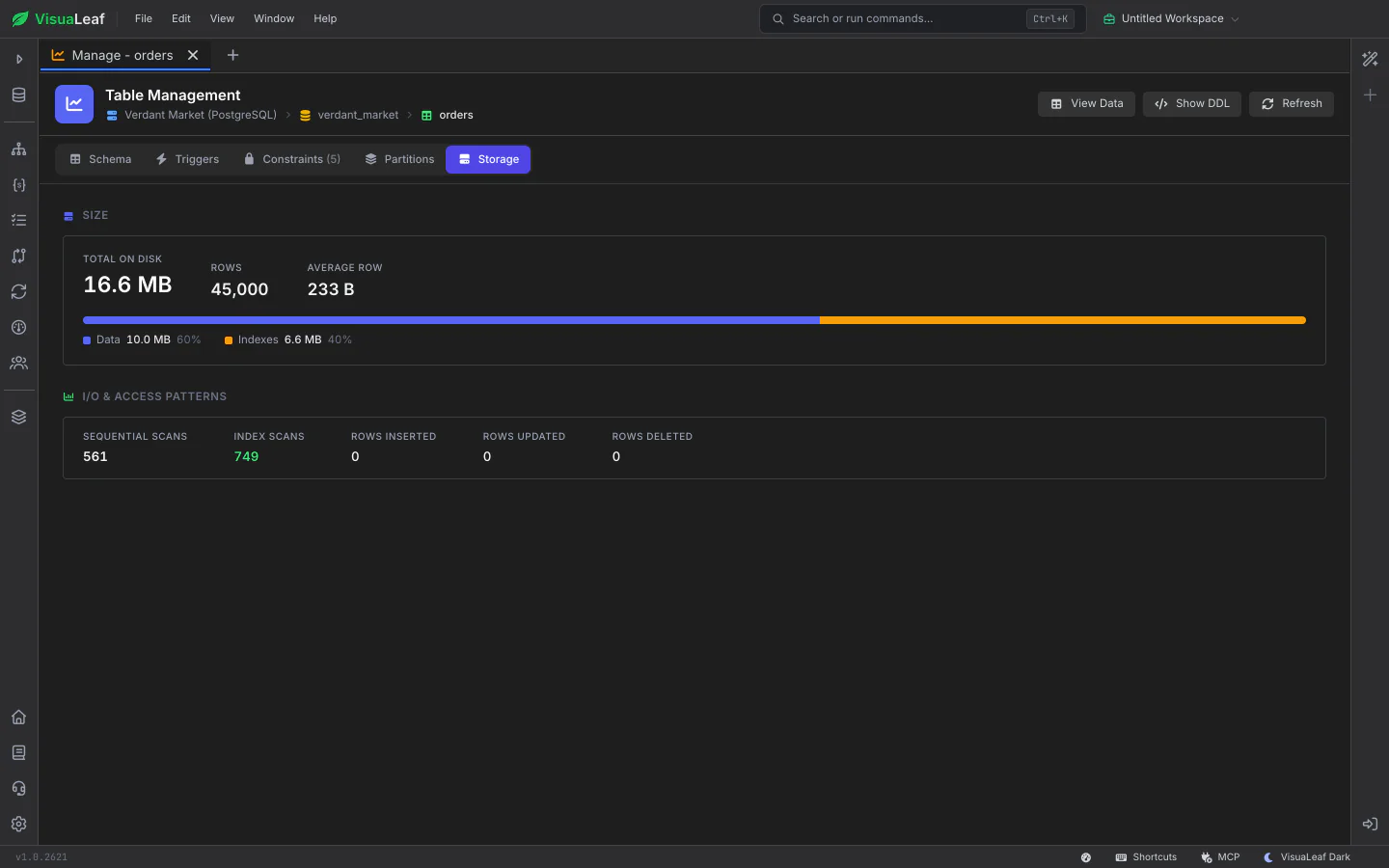
The Storage tab shows how much space the table takes, split into data and indexes, with its row count and average row size. On PostgreSQL it also shows how the table is read: sequential scans against index scans, and the rows inserted, updated and deleted. Show DDL gives you the full definition to copy.

Storage tab for a PostgreSQL table: total size on disk split into data and indexes, row count, average row size and sequential versus index scans
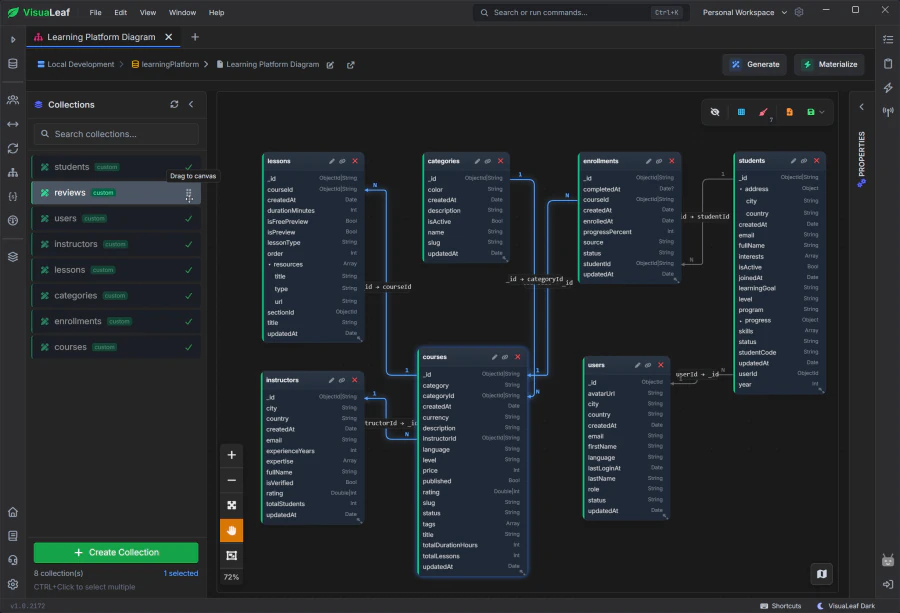
VisuaLeaf ER diagram of related tables

ER Diagrams & Visual Schema

See how your tables relate in an ER diagram, design new ones on the canvas, and turn the diagram into real tables, including adding missing columns and foreign keys to tables that already exist.

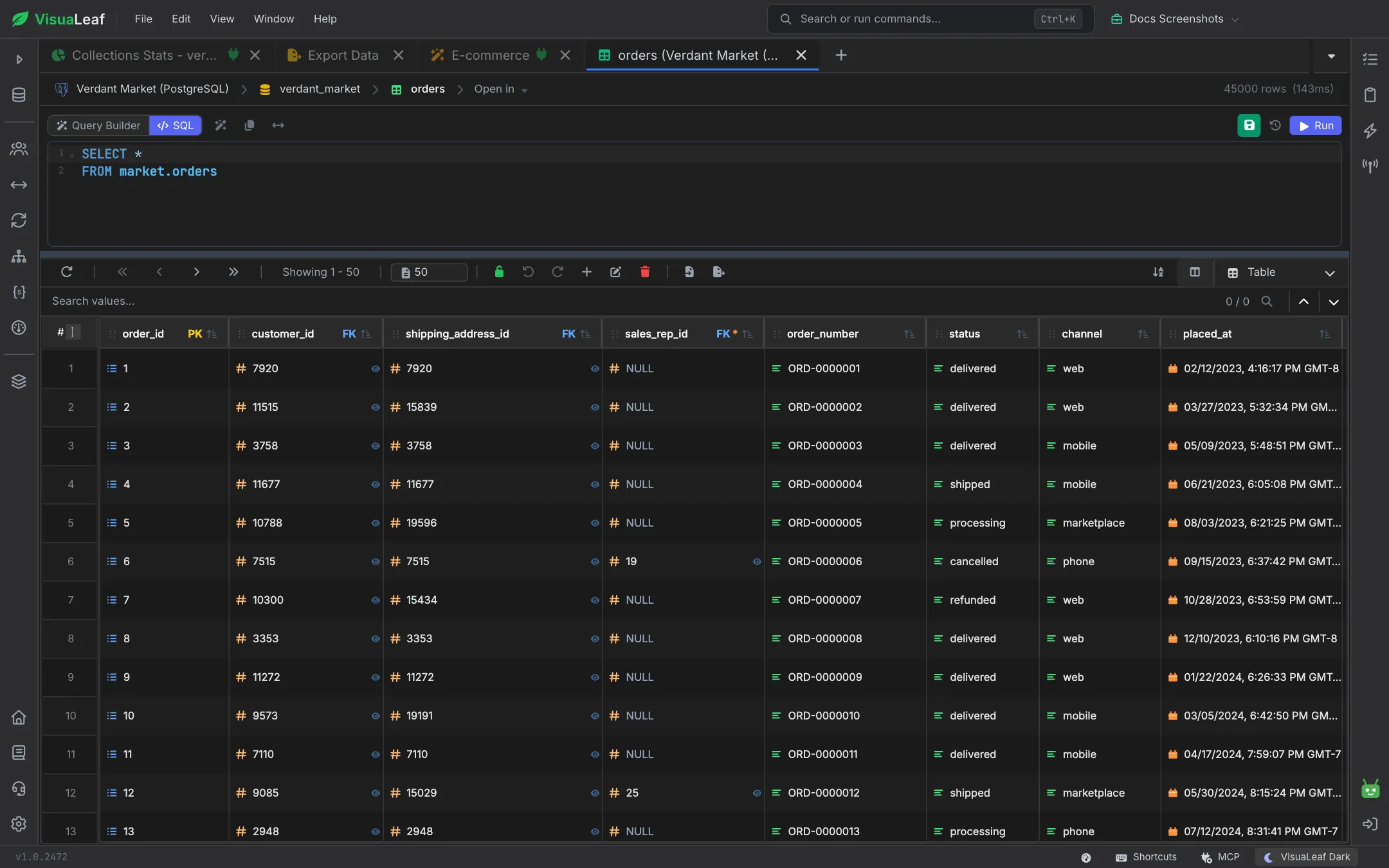
SQL table rows in the VisuaLeaf table view

Browse Collections & Tables

Edit rows right in the grid. Turn on commit mode to hold your edits, review every change field by field, and commit them together, on SQL tables and MongoDB collections.

Want to Learn More?

Check out the documentation to explore all the details about Table Management and discover more VisuaLeaf features.

Read the Documentation

Ready to manage your tables visually?

Get started free with our Community Edition. Includes a 14-day trial of Pro features.

macOS Windows Linux