Get Started Free

Move It, Resize It, Make It Yours

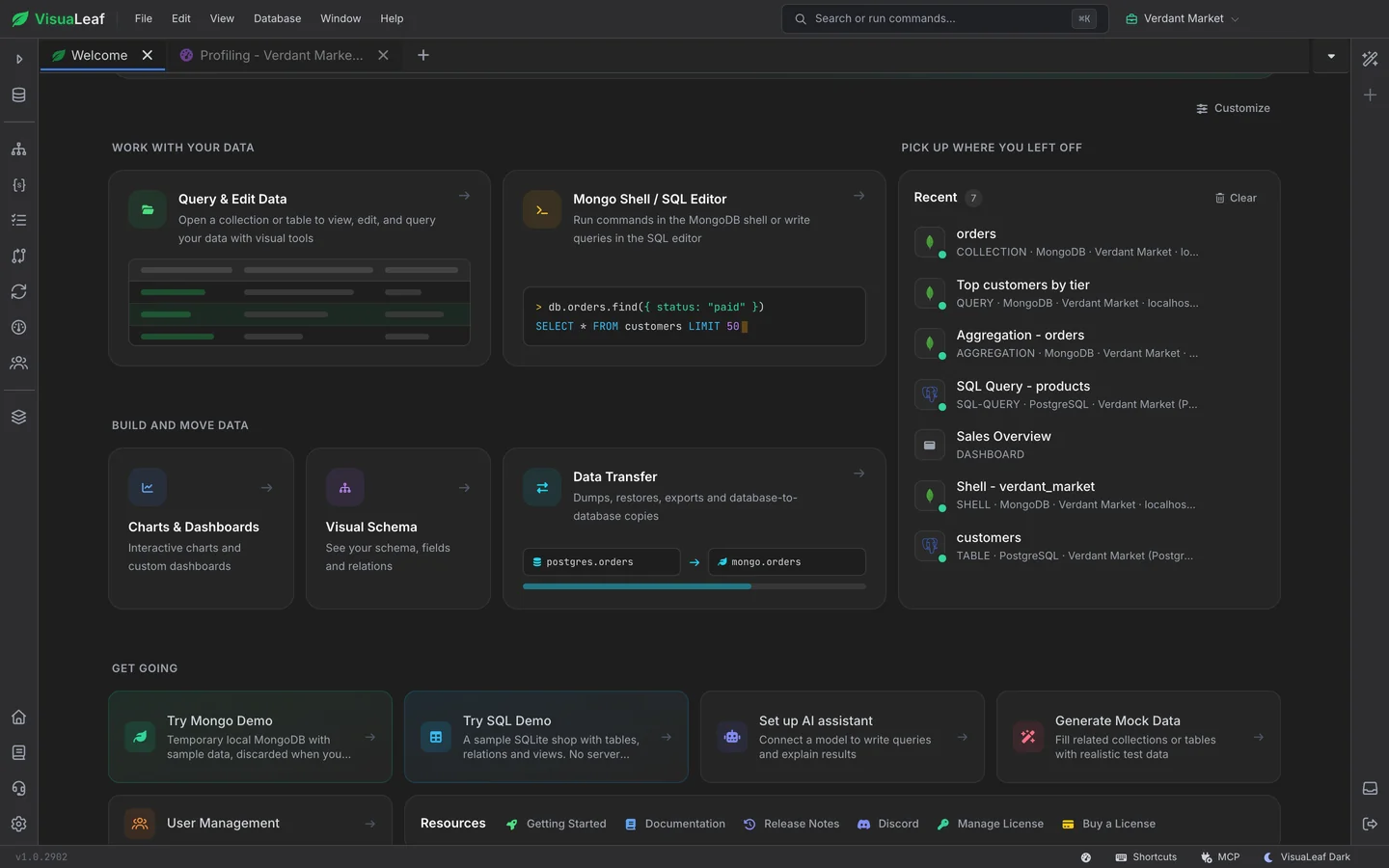
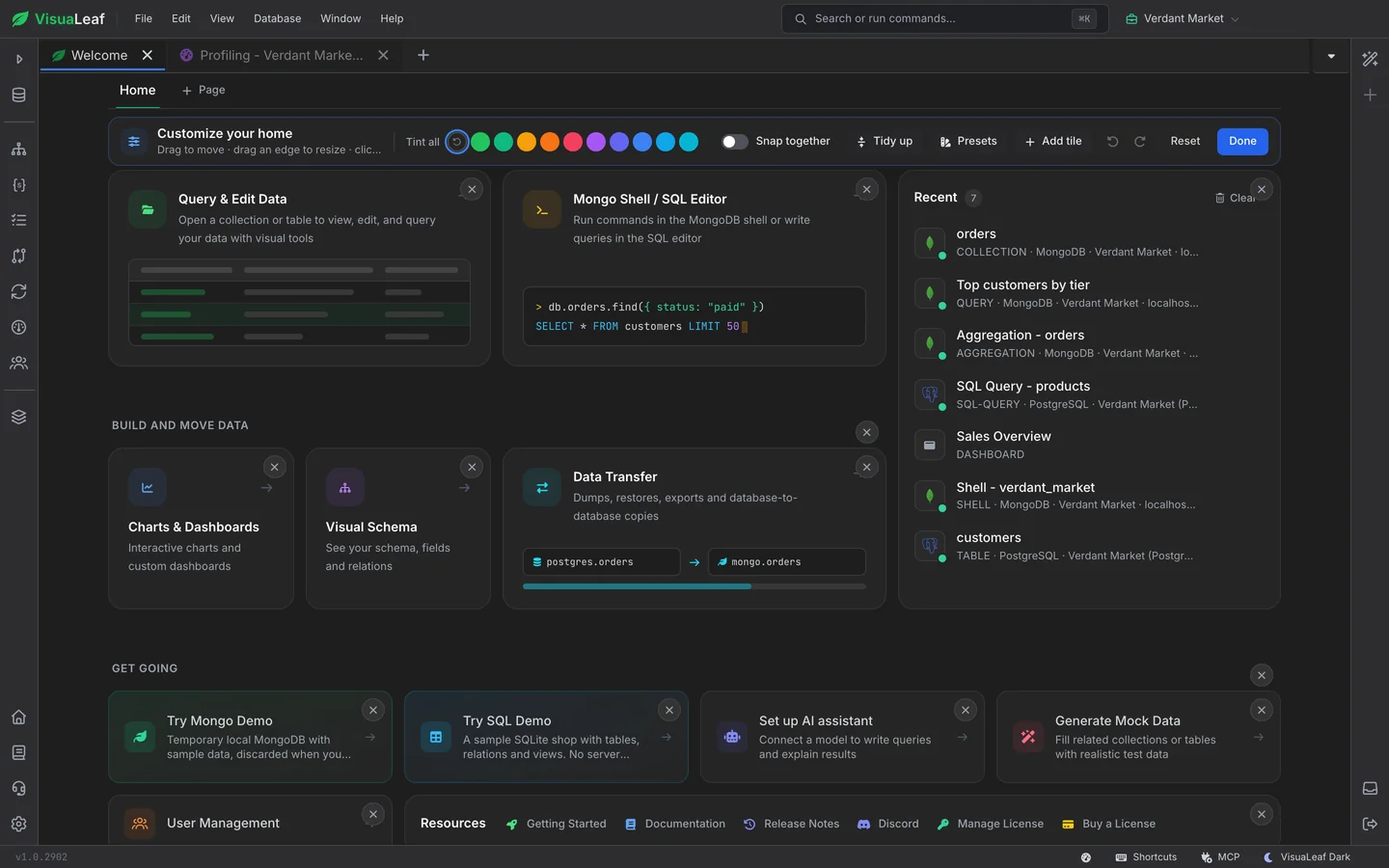
Click Customize and every tile on your home page can be dragged to a new spot, stretched from any edge or removed. Add tiles from a catalogue of more than thirty: shortcuts to every tool, Recent tabs, Recent Connections, Favorites, a live chart or a whole dashboard. Undo and redo cover every change, and Tidy up closes the gaps in one click.

The VisuaLeaf database GUI home page in Customize mode, with the toolbar on top and a remove button on every tile

Nine Presets to Start From

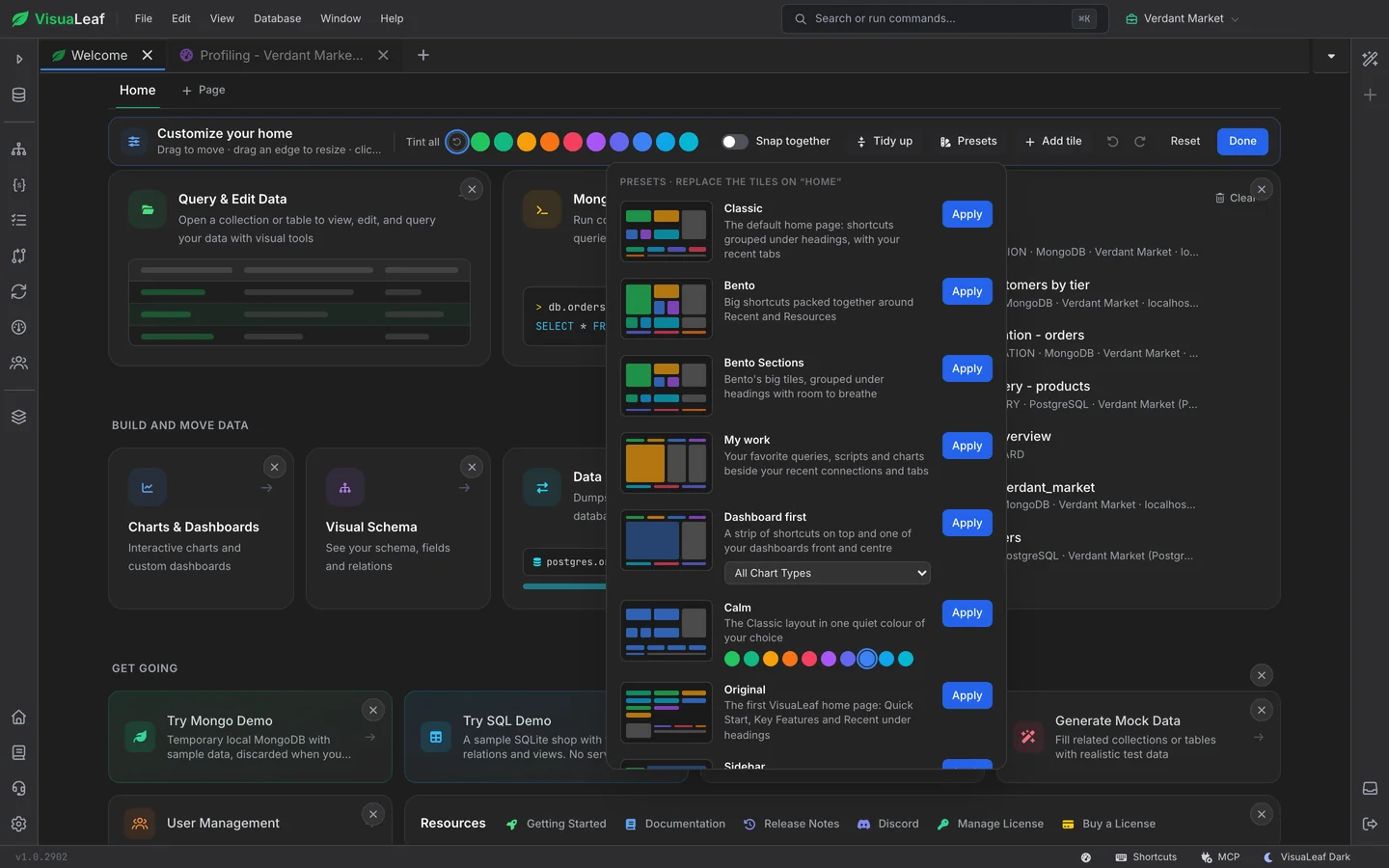
Not sure where to begin? Pick a preset and the page rearranges itself. Classic groups shortcuts under headings, Bento packs big tiles together, Dashboard first puts a dashboard in the middle, Focus keeps things calm and centred. Each preset has a little picture of its layout, so you know what you are getting before you apply it.

The Presets menu listing Classic, Bento, Bento Sections, My work, Dashboard first and Calm, each with a thumbnail of its layout

Bento: Big Shortcuts, Packed Tight

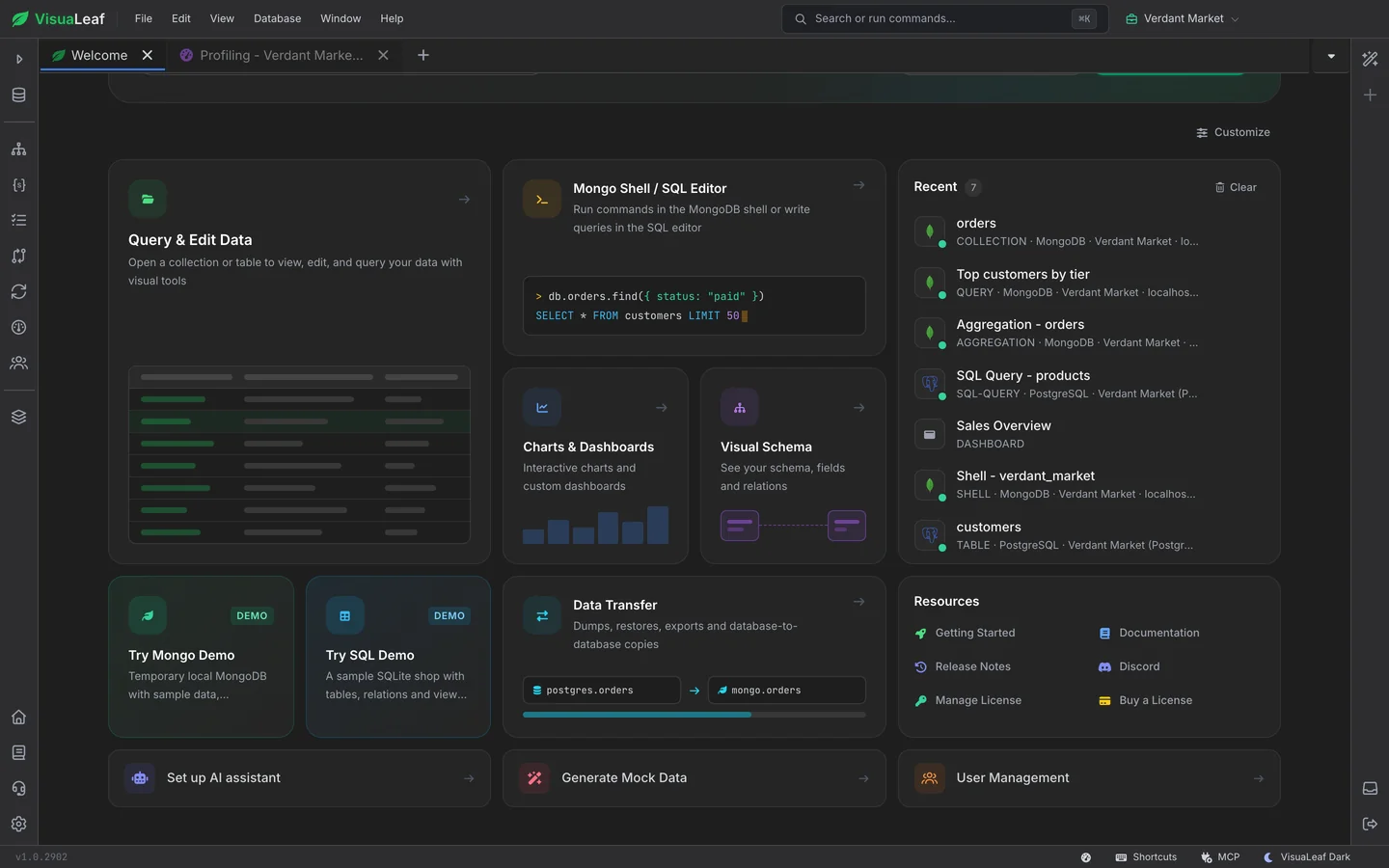
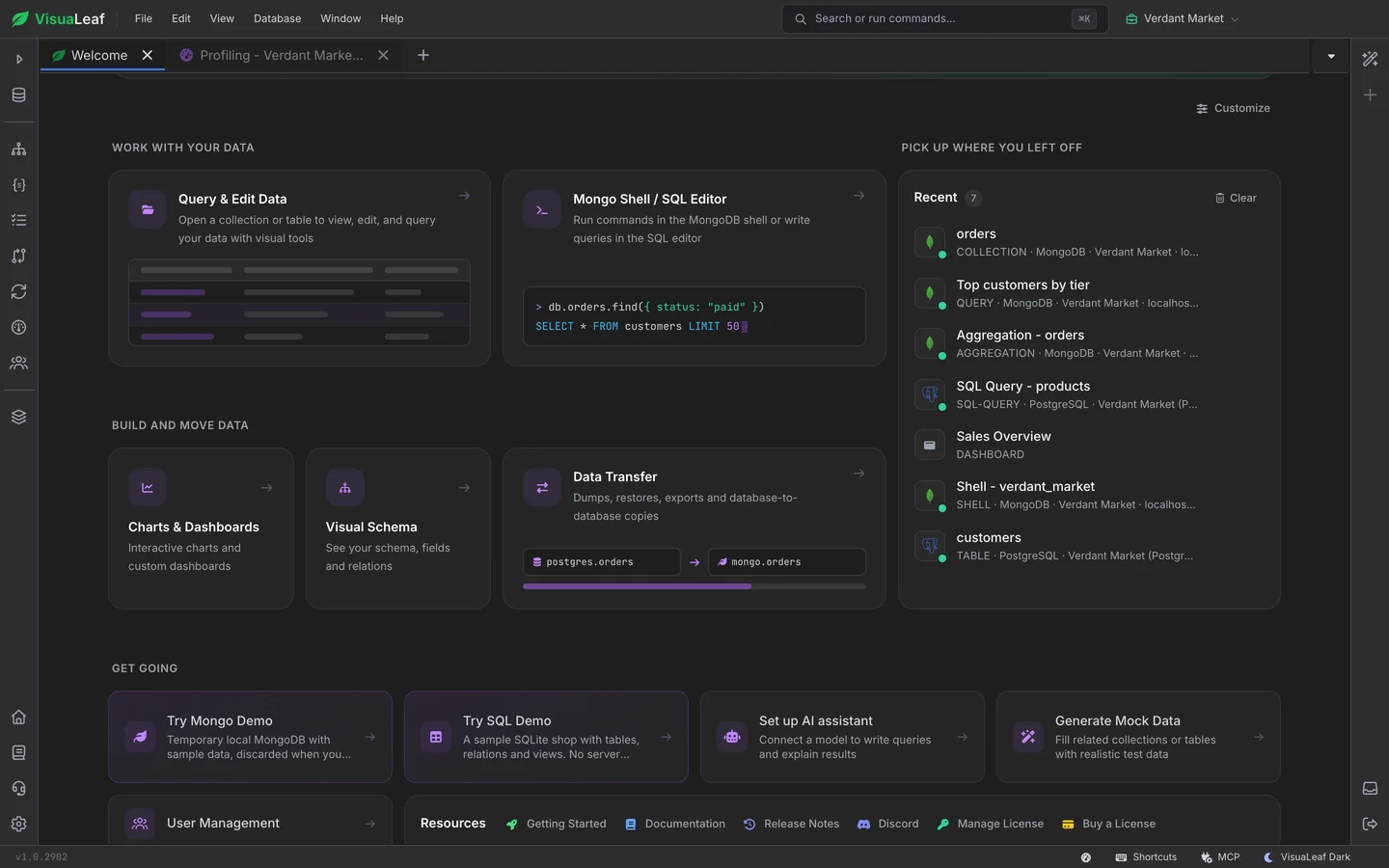
Bento turns your most-used database tools into large tiles with little previews of what they open: a grid for your data, a shell prompt, a bar chart, a schema diagram. Recent tabs and Resources sit on the right, one click away.

The Bento preset, with large preview tiles for Query and Edit Data, the shell, charts and schema next to the Recent list

Your Dashboard, Front and Centre

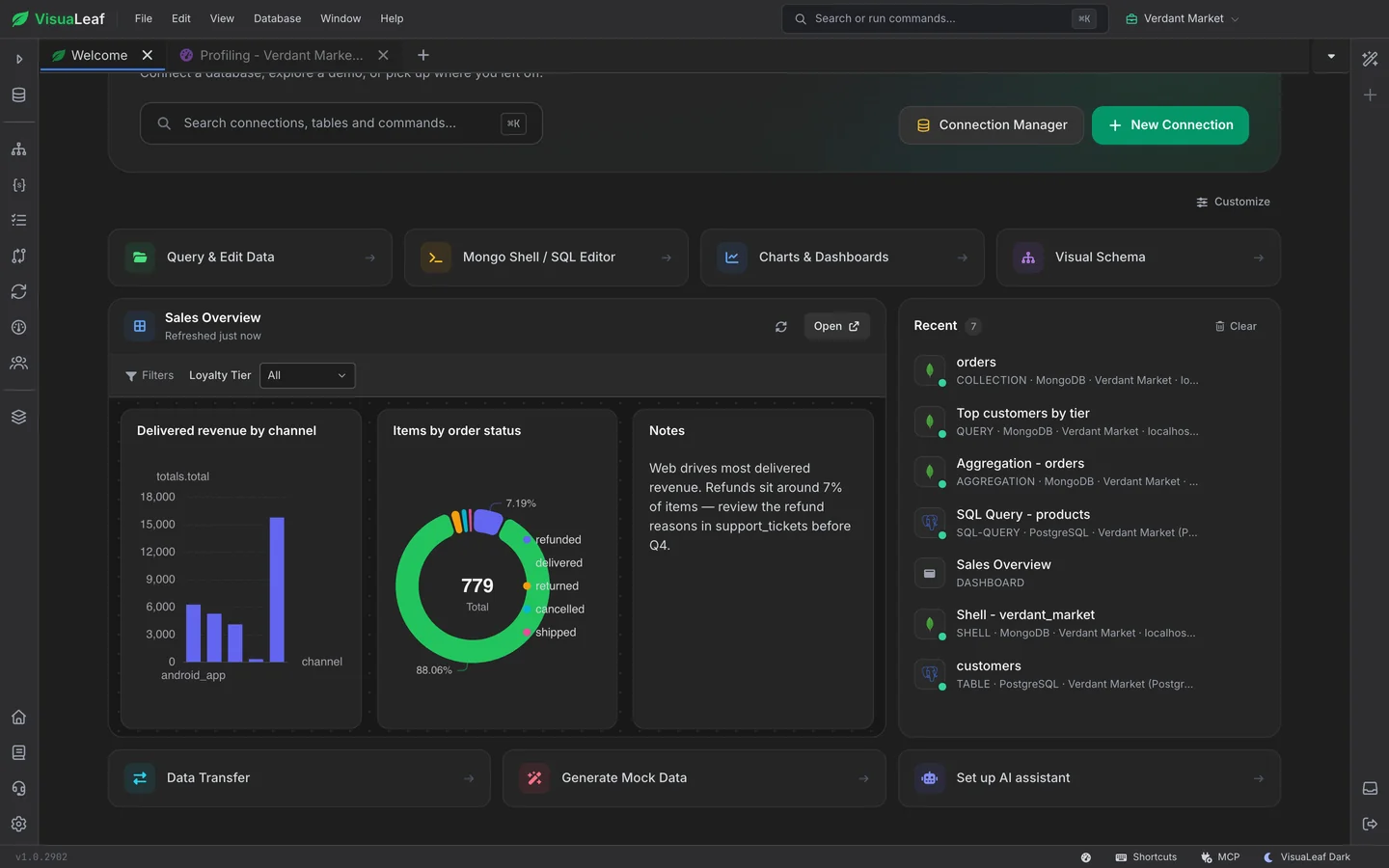
Put a live dashboard right on your home page. Dashboard first shows the one you pick under a strip of shortcuts, with its filters working and a Refresh button, so the numbers you check every morning are there the moment you open your database client.

The Dashboard first preset, with the Sales Overview dashboard and its charts on the home page beside Recent

Shortcuts Down the Side

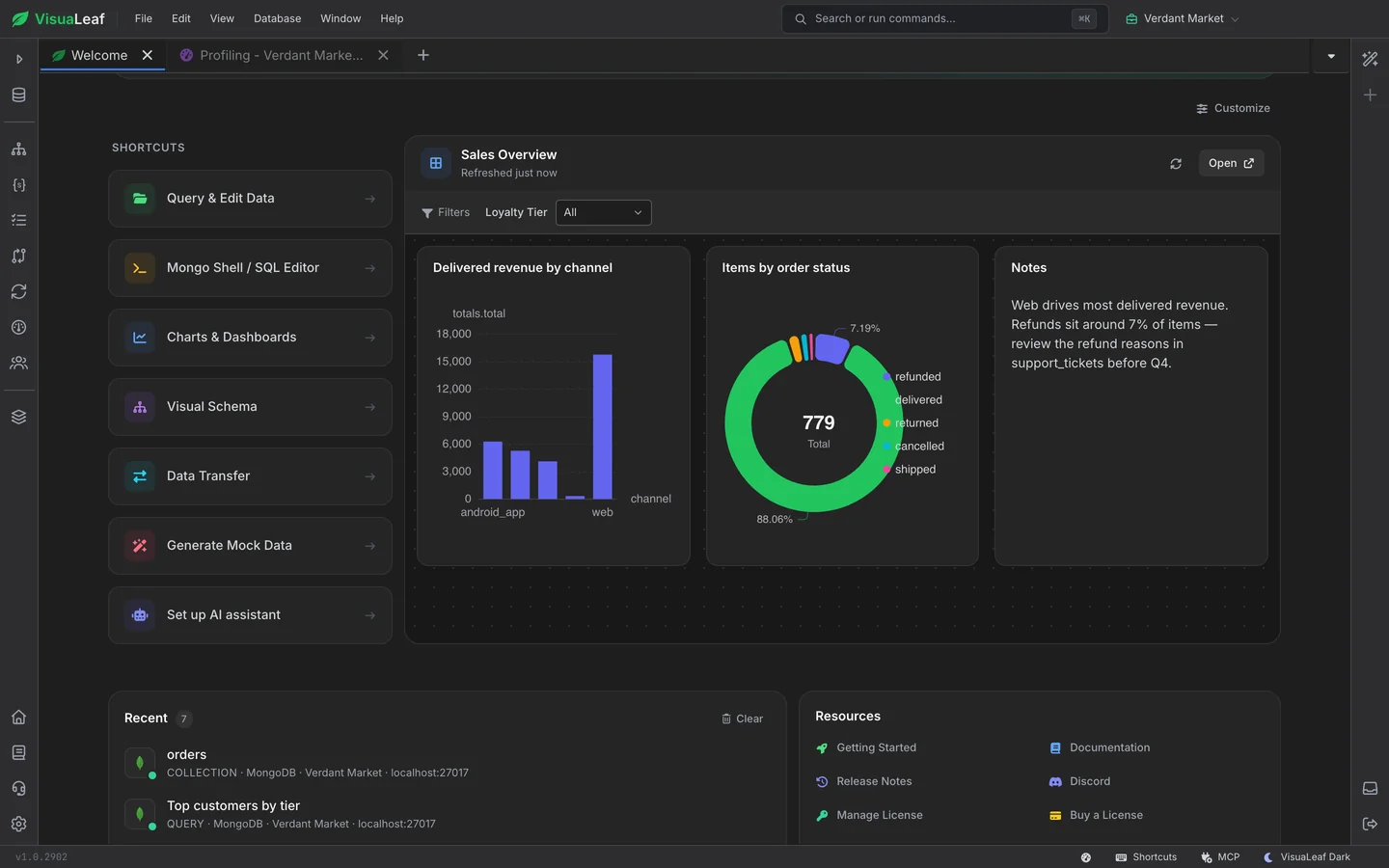
Prefer a sidebar? The Sidebar preset lines your shortcuts up on the left and gives the rest of the page to a dashboard, with Recent and Resources underneath.

The Sidebar preset, with shortcuts in a column on the left and a dashboard filling the rest of the page

One Colour, or Many

Every tile can have its own colour, from ten. Or use Tint all to give the whole page one colour, the way the Calm preset does. Want more than one home? Add pages as tabs, one for each project or mood. Your layout follows you to every window, and changes in one show up in the others.

The Classic layout tinted purple, with every tile icon and preview in one colour

Frequently Asked Questions

Can I customize the start page of my database client?

Yes. In VisuaLeaf, click Customize on the home page to move, resize, recolour, add and remove tiles, or pick one of nine presets. Undo and redo cover every change.

Which databases does the home page work with?

All of them. The home page is part of the VisuaLeaf database GUI, so its shortcuts, Recent list and Favorites work with MongoDB, PostgreSQL, MySQL, MariaDB, SQL Server, SQLite, Oracle, Redis and the rest of the more than 40 databases VisuaLeaf connects to.

Can I put a dashboard on my home page?

Yes. Add a Dashboard tile, or apply the Dashboard first or Sidebar preset, and pick one of your saved dashboards. Its charts and filters work right on the home page.

Is the customizable home page free?

Yes. Customizing the home page is included in the free Community Edition of VisuaLeaf.

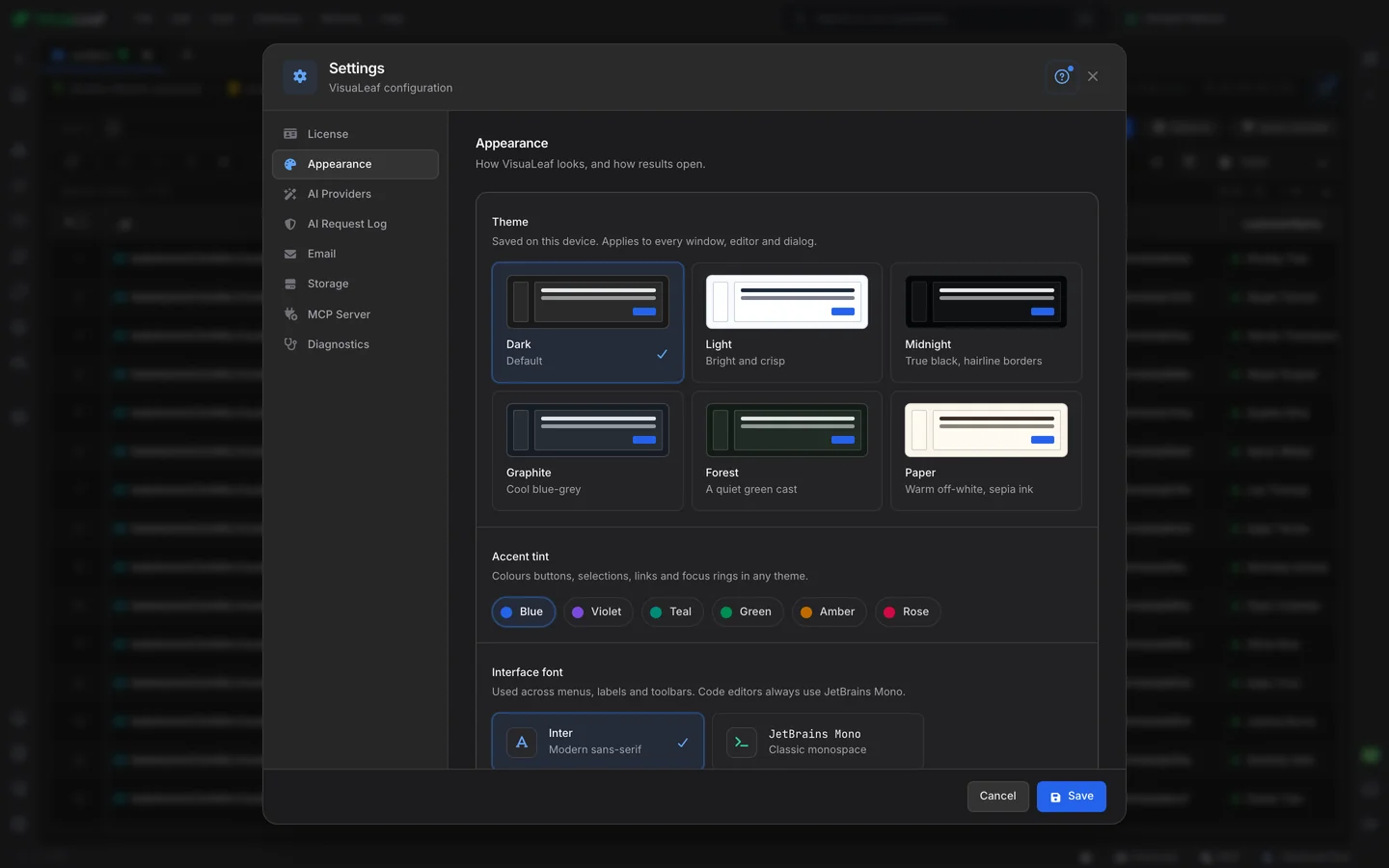
The VisuaLeaf theme picker

Themes

Six looks and six accent colours for the whole app, from true-black Midnight to warm Paper.

A dashboard pinned to the VisuaLeaf home page

Charts & Dashboards

Build the dashboards you pin to your home page, from MongoDB and SQL data.

Ready to make it yours?

Get started free with our Community Edition. Includes a 14-day trial of Pro features.

macOS Windows Linux