Get Started Free

The Real App, Not a Video

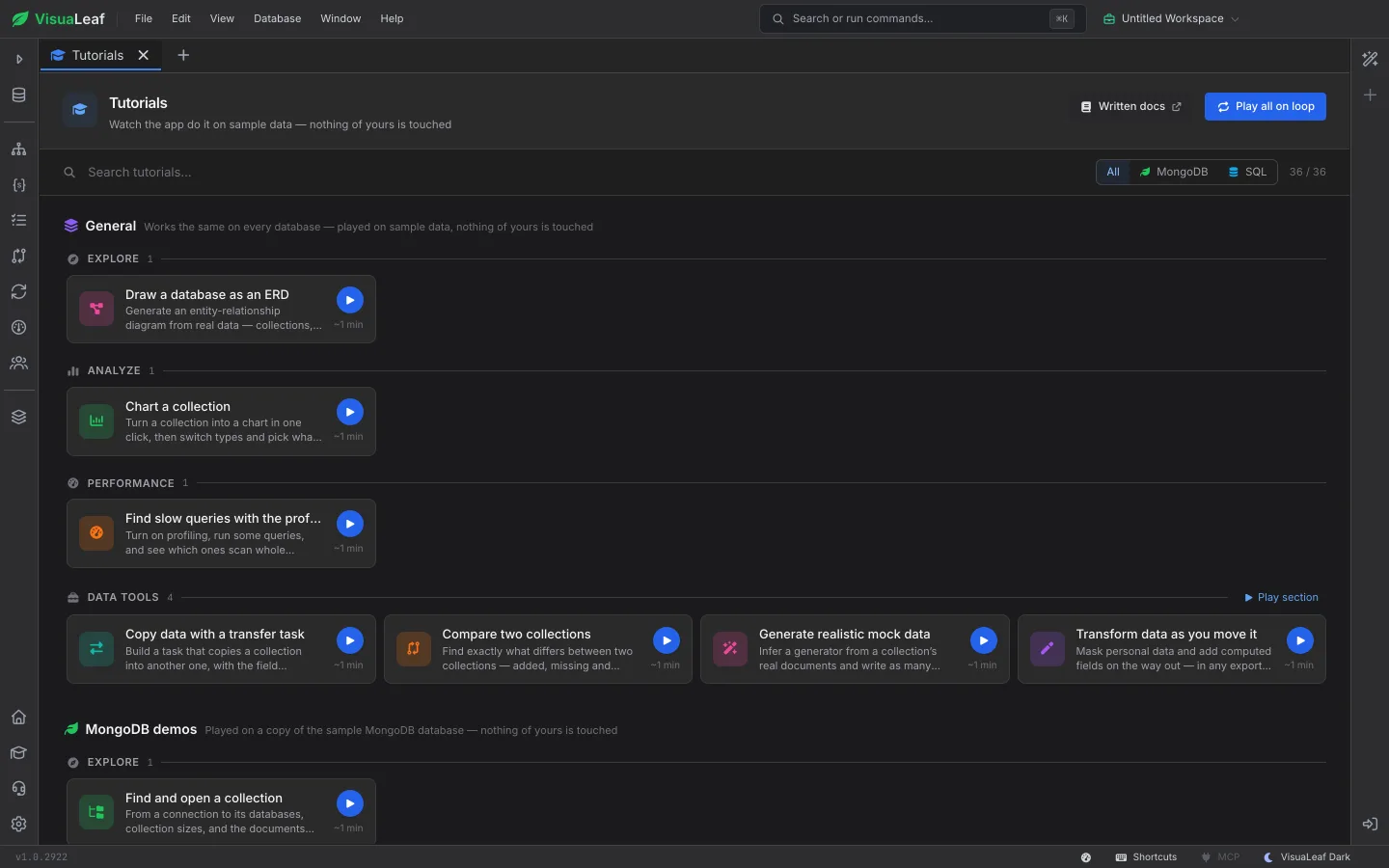
Every tutorial plays inside VisuaLeaf itself. A cursor moves across the real screens, opens menus, types queries and runs them, while a caption at the bottom says what is happening and why. Because it is the app you already have open, what you watch is exactly what you will click.

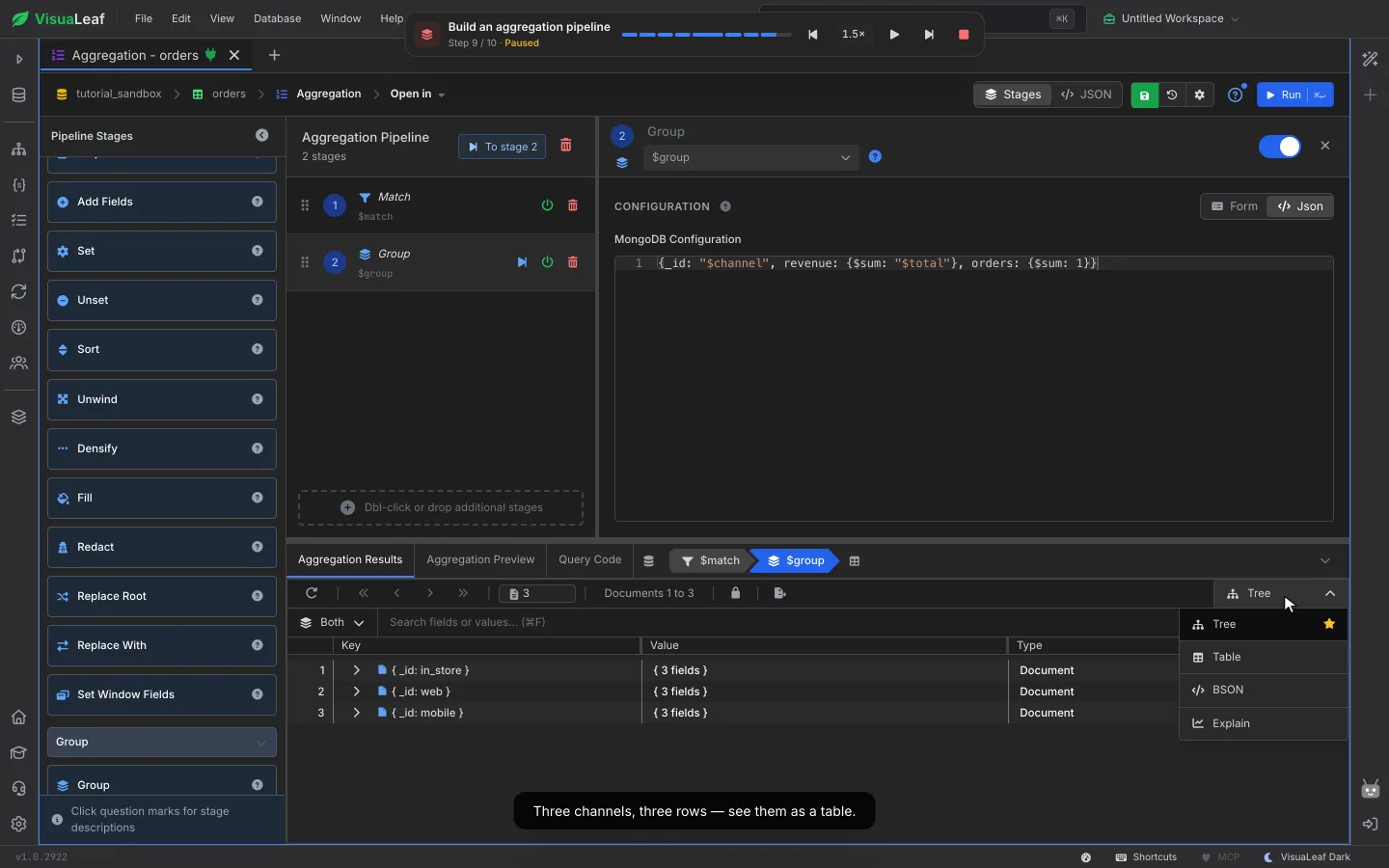
A tutorial building a MongoDB aggregation pipeline, paused on the results with the caption “Three channels, three rows — see them as a table.”

MongoDB and SQL, Side by Side

There are tutorials for both sides of your work. On MongoDB: filter documents, rename and add fields, batch updates, aggregation pipelines, charts and explain plans. On SQL: edit rows, run the SQL editor, build joins in the Query Builder, read an explain plan, add an index or a column. Plus the tools that work on every database, like data transfer, compare and mock data.

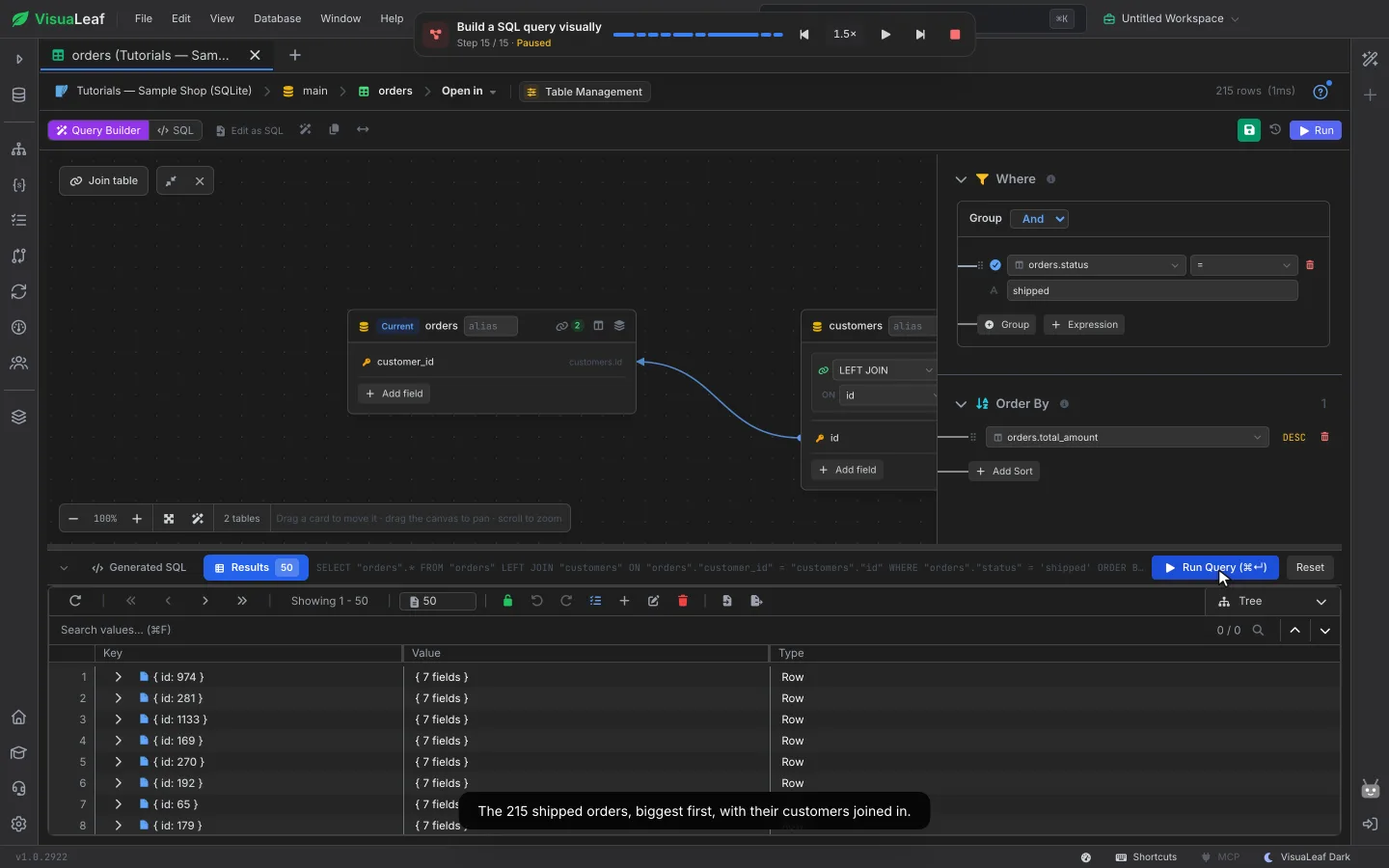
The SQL tutorial for the visual Query Builder, showing orders joined to customers and the 215 shipped orders it returned

Ask “How Do I…” With ⌘K

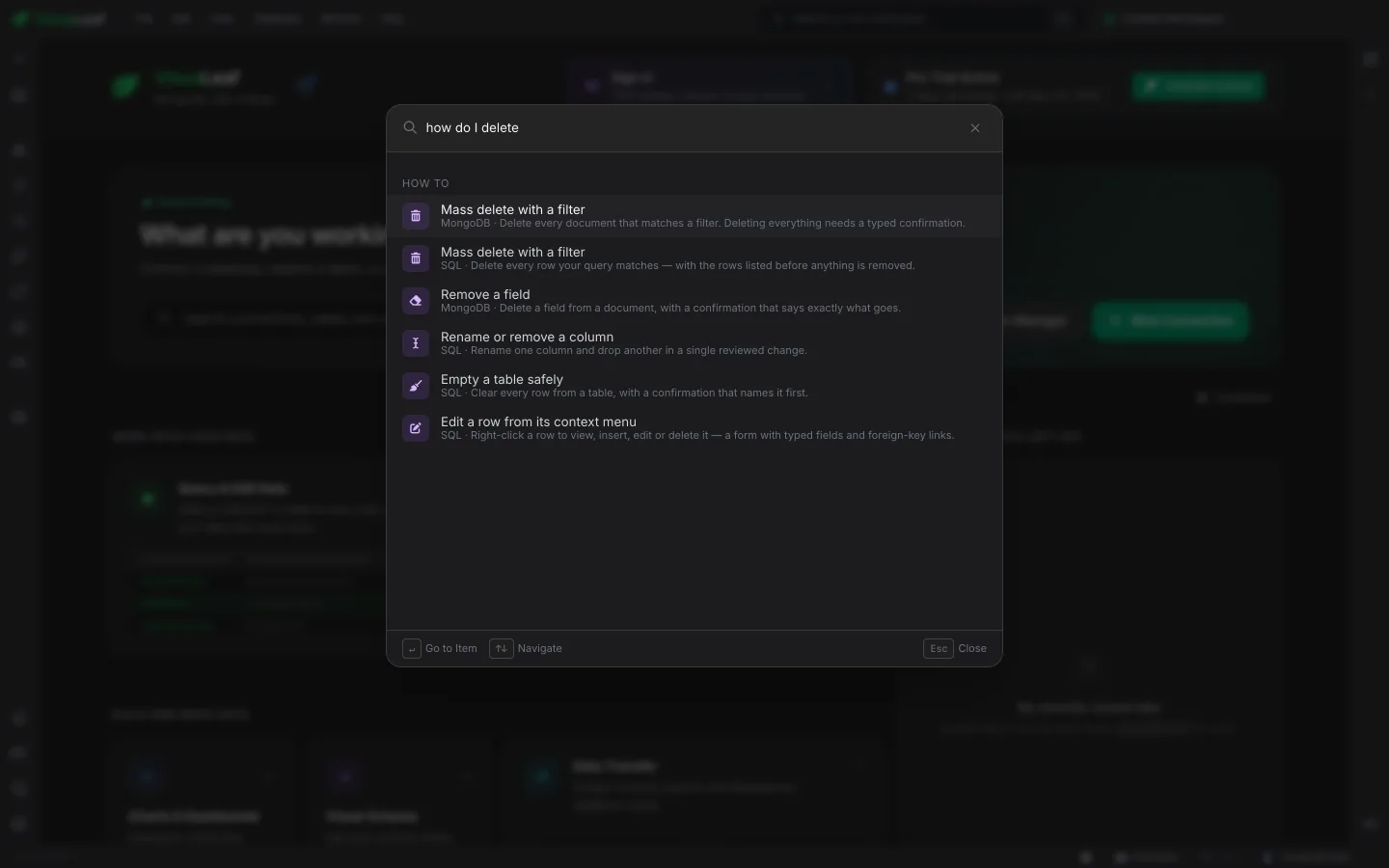
Press ⌘K (Ctrl+K on Windows and Linux) and type what you want to do. The How to results list the tutorials that match, for MongoDB and SQL, and Enter starts one right away. No searching through docs in another window.

The VisuaLeaf command palette with “how do I delete” typed in, listing tutorials such as Mass delete with a filter and Empty a table safely

Help Right Where You Are

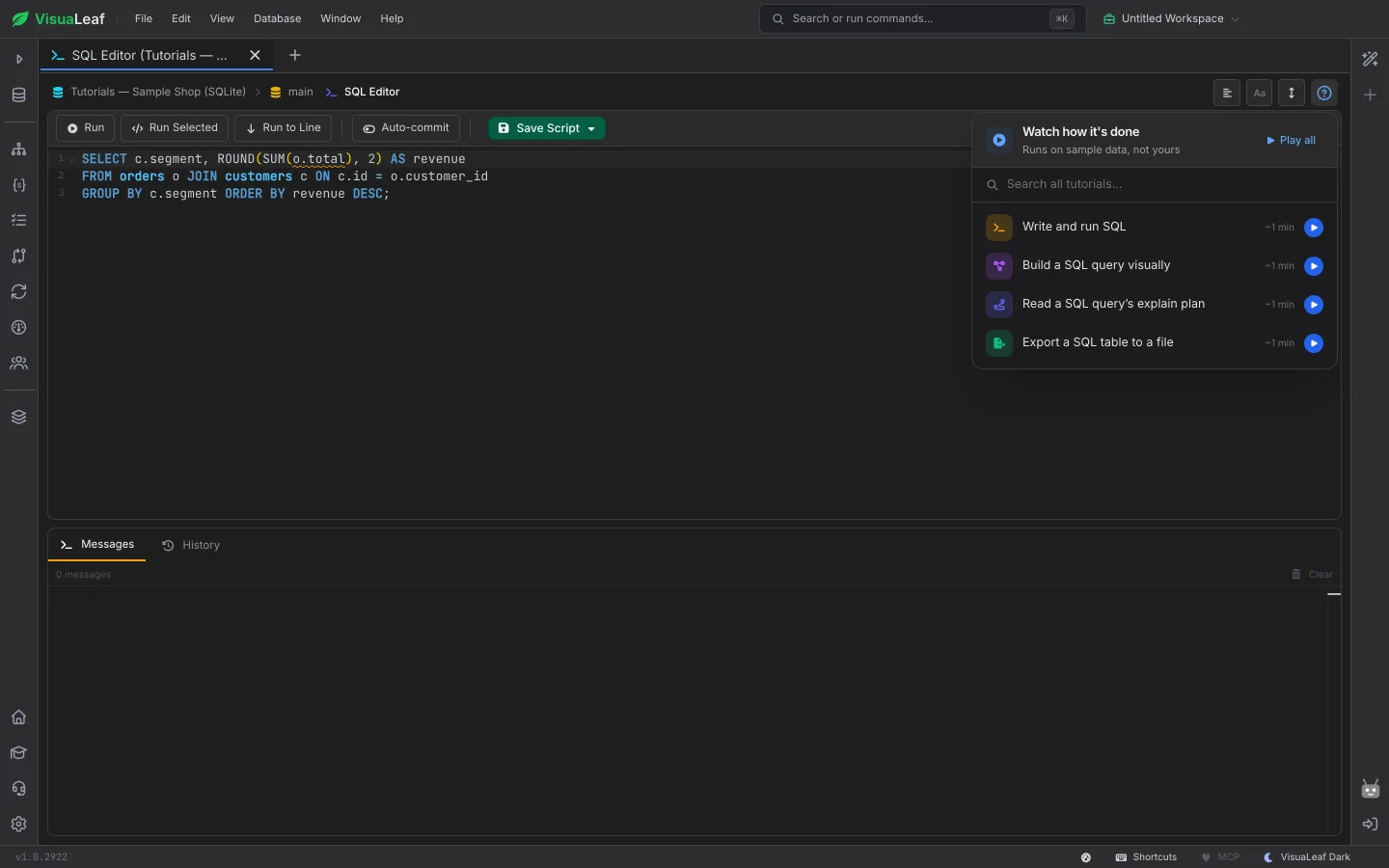
Click the ? button on a screen and it lists the tutorials for that screen. In the SQL editor you get writing and running SQL, the Query Builder, explain plans and exports. Play one, play them all in a row, or search every tutorial from the same menu.

The ? menu open in the SQL editor, listing Write and run SQL, Build a SQL query visually, Read a SQL query’s explain plan and Export a SQL table to a file

Pause, Rewind, Speed Up

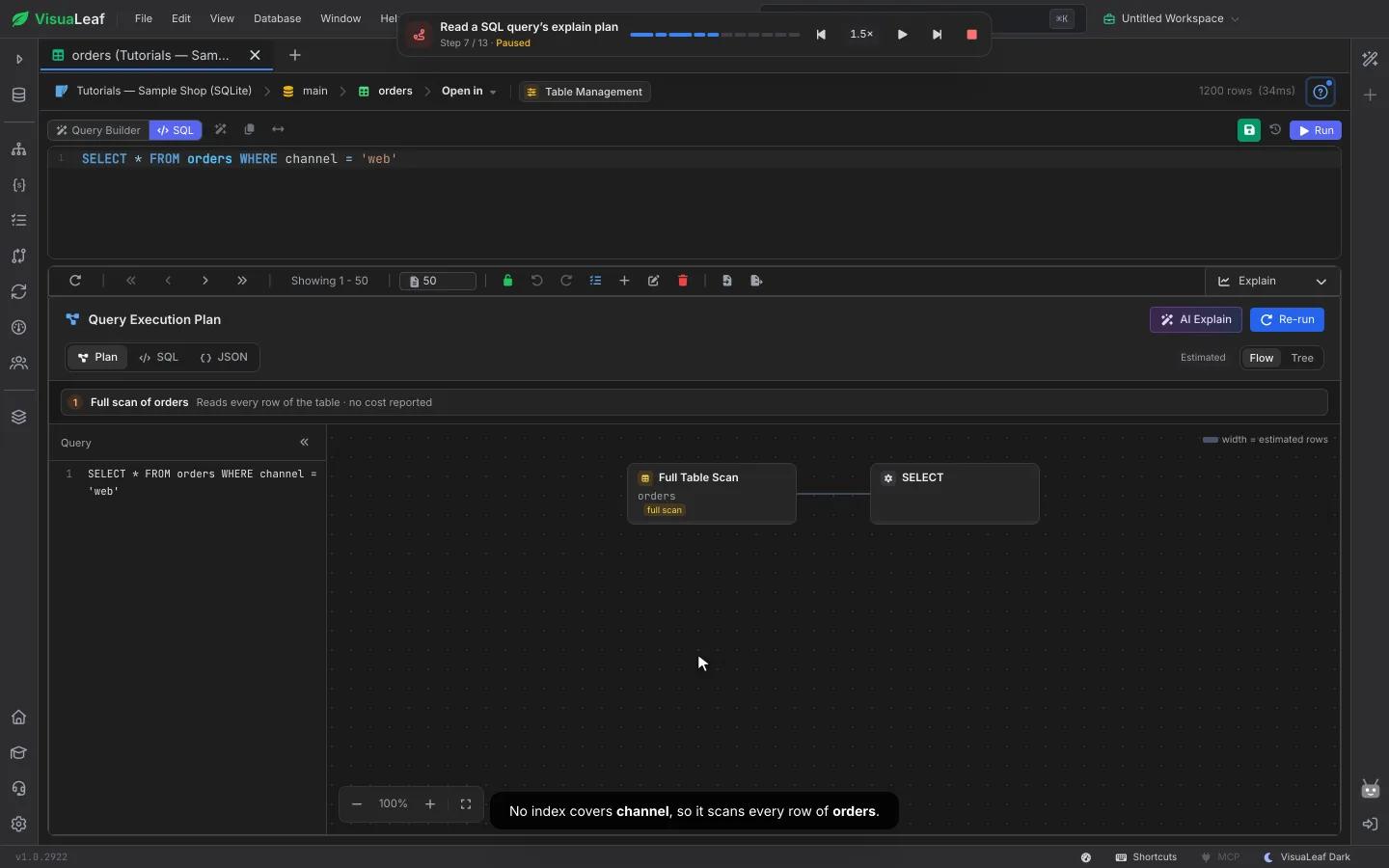
A small control bar sits at the top while a tutorial plays. Pause on any step, jump back to the part you missed or skip ahead, and play at 0.75×, 1×, 1.5× or 2×. The bar shows each part of the tutorial, so you can see how far along you are. Want them all? Play all on loop runs every tutorial one after another.

A SQL explain-plan tutorial paused at step 7 of 13, with the control bar at the top and the caption “No index covers channel, so it scans every row of orders.”

Safe to Watch, Every Time

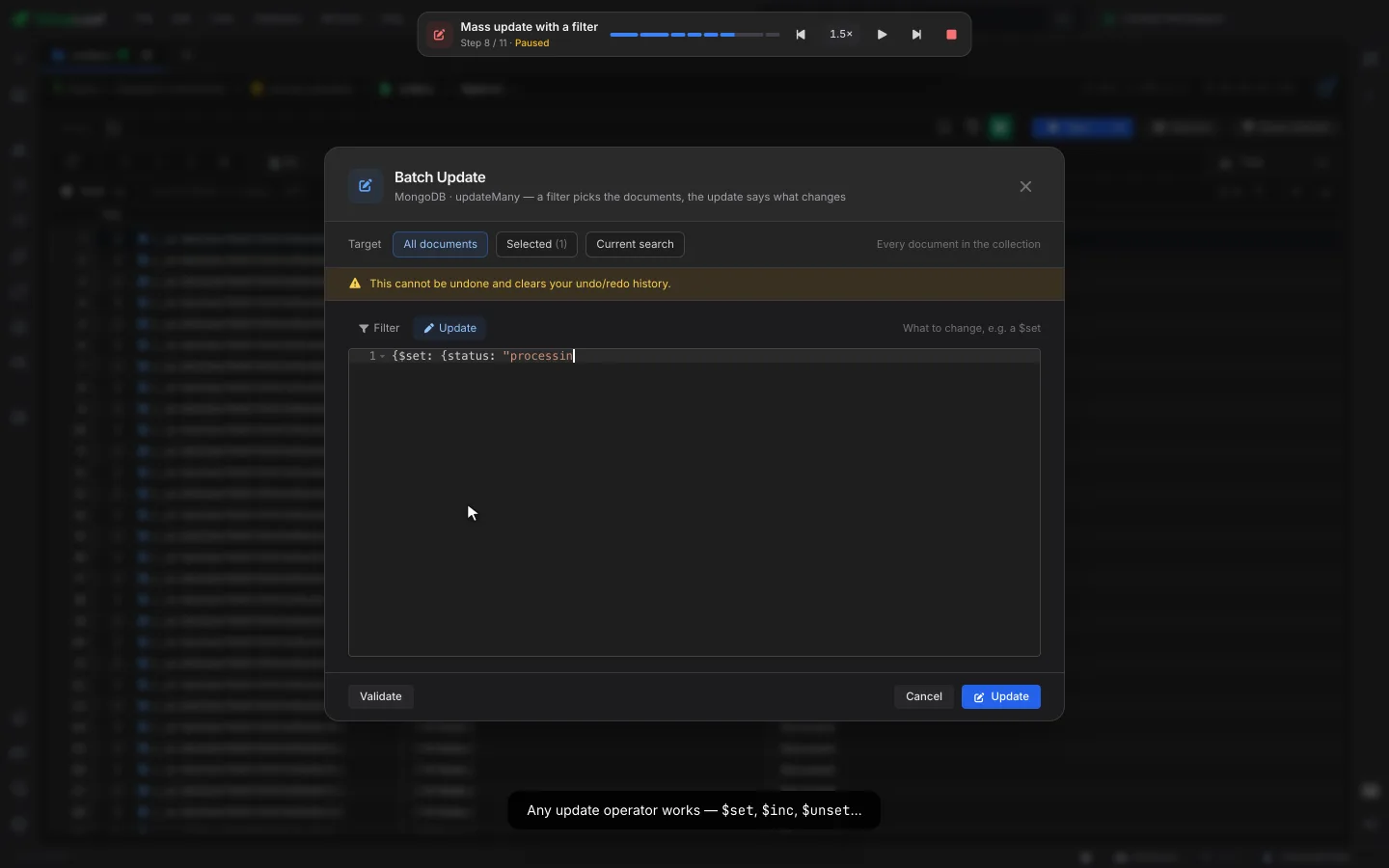
Tutorials never touch your data. They play on their own sample MongoDB database and sample SQLite shop, which are reset before every play, so even the batch update and delete tutorials change sample rows only. Tutorials that export stop before writing a file to your disk. Close a tutorial at any time and you are back where you were.

The Batch Update tutorial typing a $set update into the dialog, with the caption “Any update operator works — $set, $inc, $unset…”

Frequently Asked Questions

Are the tutorials videos?

No. Each tutorial plays in the app itself: a cursor moves, clicks and types on real screens, with a caption explaining each step. What you see is exactly what you will click.

Will a tutorial change my data?

No. Tutorials run on their own sample MongoDB database and sample SQLite shop, which are reset before each play. Your connections and data are never touched, and the export tutorials stop before writing a file.

How do I find a tutorial?

Open Help → Tutorials for the full list, press ⌘K (Ctrl+K on Windows and Linux) and type "how do I…", or click the ? button on the screen you are working in to see the tutorials for that screen.

Which plans include the tutorials?

Every plan, including the free Community Edition. A tutorial can show a Pro feature while it plays, so you can see it before you decide.

Visual Query Builder in VisuaLeaf

Visual Query Builder

Build MongoDB and SQL queries by picking fields, operators and values, the way the tutorials show.

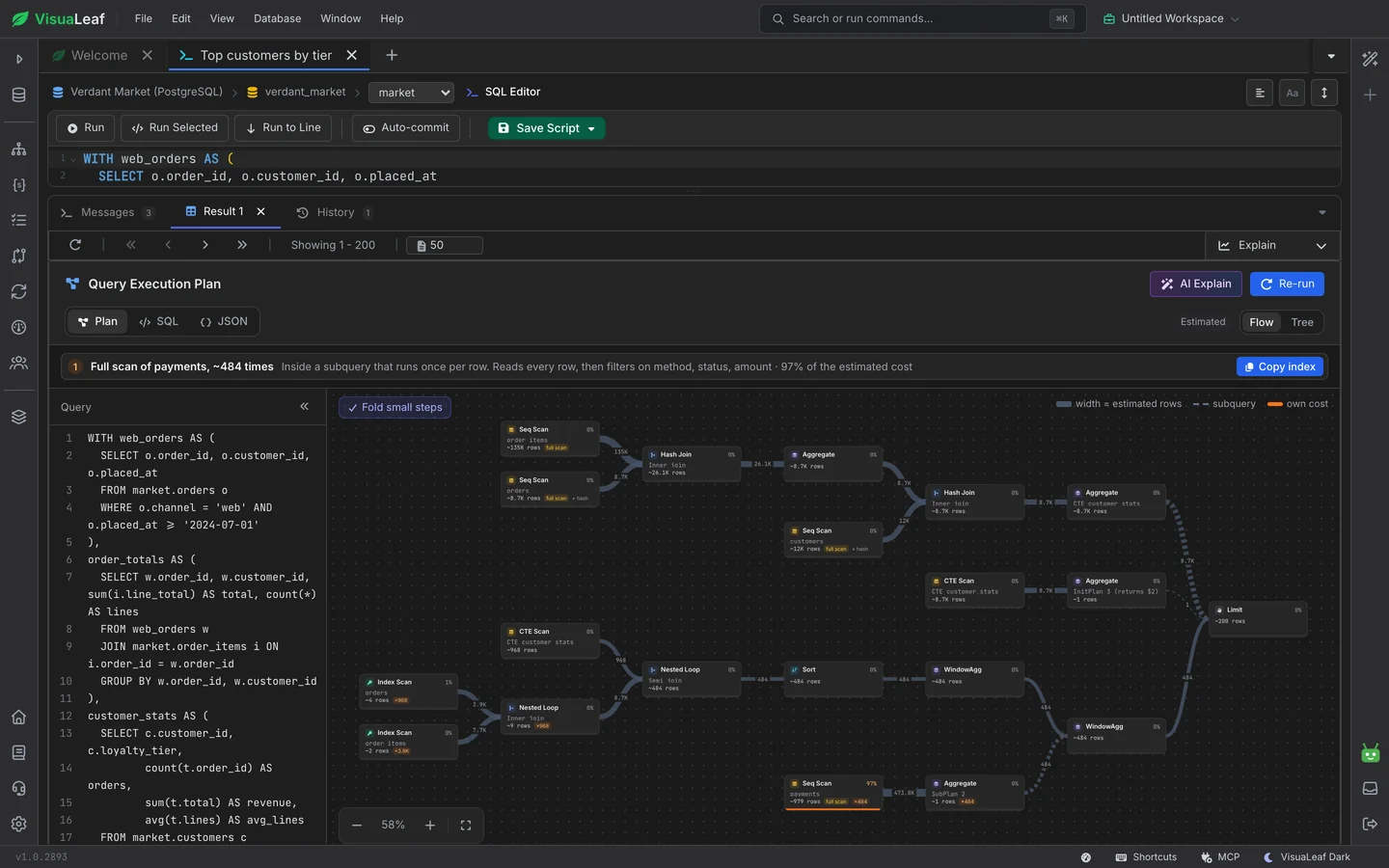
Explain Plans in VisuaLeaf

Explain Plans

See how a query runs as a flow, and which index would make it faster.

Ready to see it for yourself?

Get started free with our Community Edition. Includes a 14-day trial of Pro features.

macOS Windows Linux