MongoDB $expr Explained: Compare Two Fields in the Same Document
MongoDB $expr lets you compare two fields in the same document. See how it works, where it goes wrong with null values, and how it uses indexes.


$expr compares two fields in the same document.Most MongoDB filters compare a field with a value you type: status is "active", price is greater than 10.
The question I had this week was different. I wanted the products that are running low, and "low" is not one number. Every product in our demo store has its own reorder point, stored right next to the stock count. So the value I needed to compare against was another field in the same document.
That is what $expr is for. It lets you use aggregation expressions inside a normal find(), which means one field can be compared with another, and you can do a bit of math on the way.
The data
For the examples I used the products collection from verdant_market, a demo online grocery store we keep for screenshots. It has 1,117 products. A trimmed document looks like this:
{
  sku: "VM-10001",
  name: "Saltbox Honeycrisp Apples 3 lb",
  category: "Produce",
  pricing: {
    price: Decimal128("2.59"),
    cost: Decimal128("2.01"),
    compareAtPrice: null
  },
  inventory: {
    onHand: 745,
    reserved: 144,
    reorderPoint: 28
  }
}
So there are 745 bags of apples on the shelf, 144 of them are already promised to open orders, and someone should reorder when the count drops to 28.
I opened the collection in VisuaLeaf's Table View first and expanded inventory, mostly to see the three numbers side by side before writing anything.
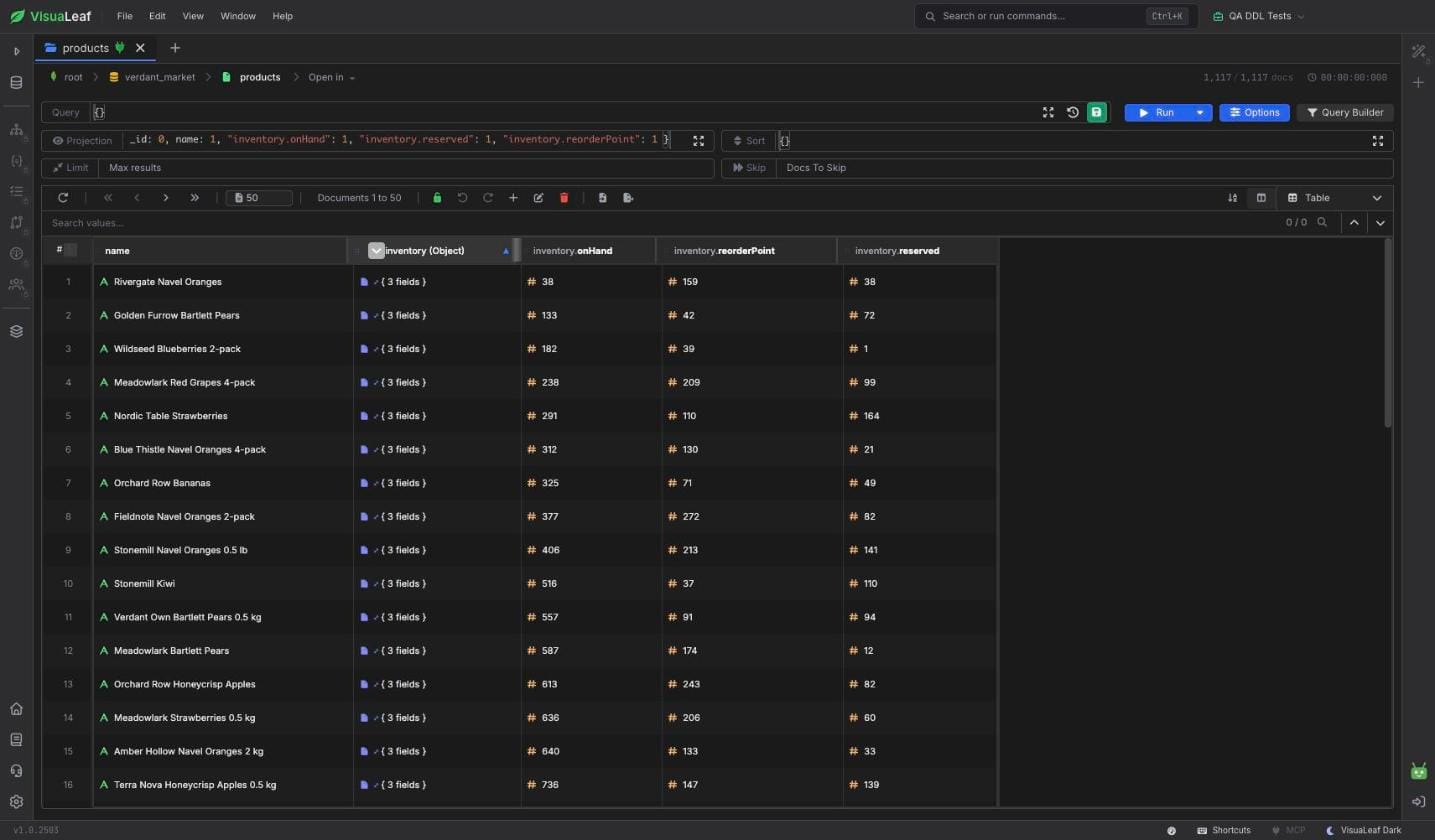
products collection with the inventory fields expanded.The query I tried first
My first attempt was the one that looks obvious:
db.products.find({
  "inventory.onHand": { $lte: "$inventory.reorderPoint" }
})
It ran without an error and returned 0 documents.
In a regular filter, "$inventory.reorderPoint" is not a field reference. It is a string that happens to start with a dollar sign, so MongoDB compares every onHand number with that piece of text. Numbers and strings never match in that comparison, so you get an empty result and no hint about why. I would have preferred an error.
Comparing the two fields with $expr
Here is the version that works:
db.products.find({
  $expr: {
    $lte: ["$inventory.onHand", "$inventory.reorderPoint"]
  }
})
This query means: Find the products where the stock on hand is less than or equal to the reorder point.
The comparison moves inside $expr, and the operator takes an array with the left and right side instead of a field: value pair. Inside $expr, a string that starts with $ is read as "the value of this field". Outside of it, as we just saw, it is only text.
On this dataset it returned 70 products.
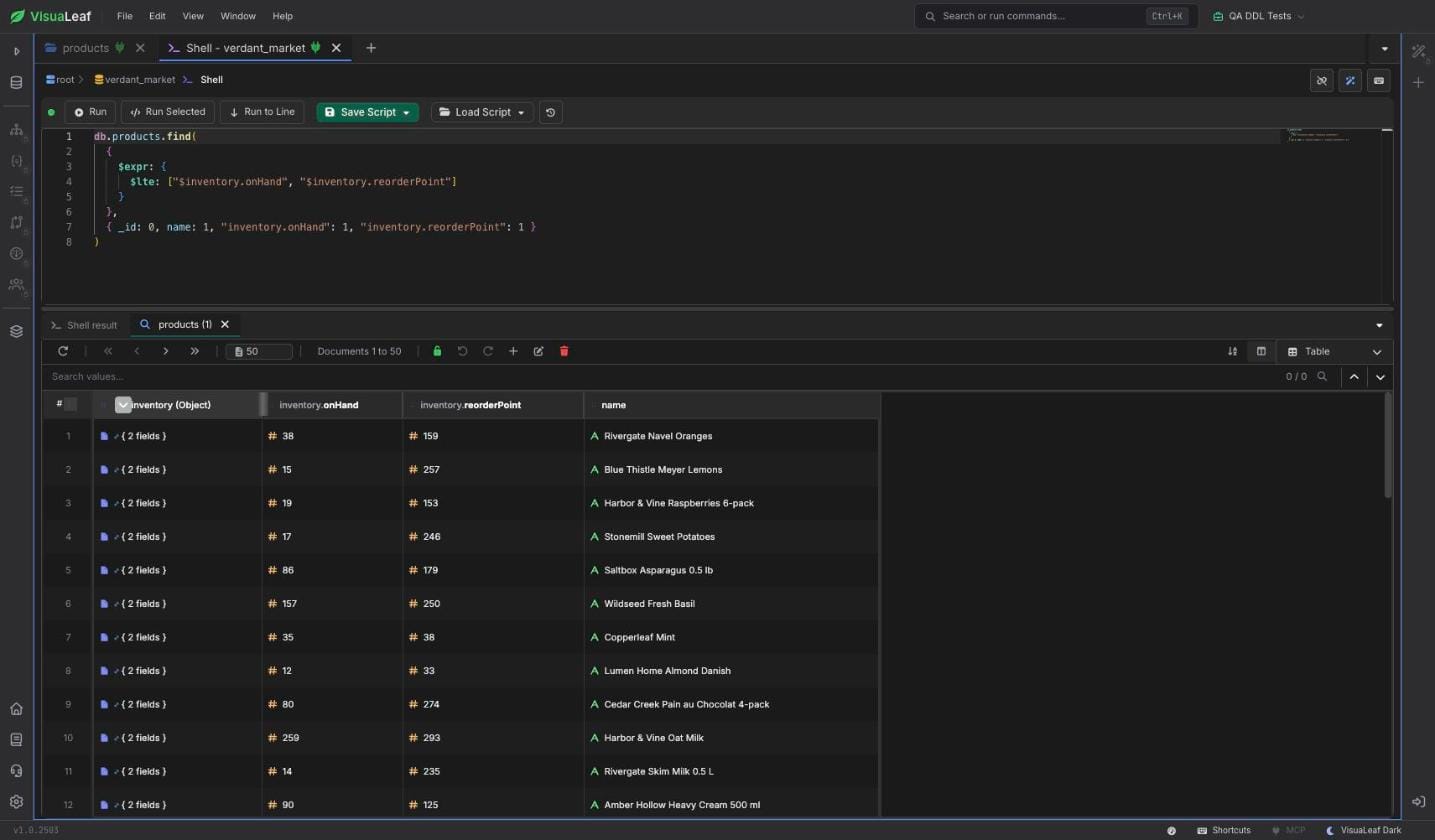
$expr.Doing math inside the comparison
Because $expr takes any aggregation expression, either side can be calculated.
The first thing I checked was margin. The store wants every product priced at least 25% above cost:
db.products.find({
  $expr: {
    $lt: [
      "$pricing.price",
      { $multiply: ["$pricing.cost", 1.25] }
    ]
  }
})
That returned 77 products. One detail I was not sure about before running it: price and cost are Decimal128, and 1.25 is a regular double. MongoDB handles the mix. $multiply returns a Decimal128 (for the apples, 2.5125), so I did not need any $toDecimal conversion.
The second check turned out to be more useful than the first query. Stock on the shelf is not the same as stock you can sell, because some of it is already reserved. So I compared the available amount instead:
db.products.find({
  $expr: {
    $lt: [
      { $subtract: ["$inventory.onHand", "$inventory.reserved"] },
      "$inventory.reorderPoint"
    ]
  }
})
Find the products where onHand minus reserved is below the reorder point.
That is 116 products, 46 more than the first query found. Meadowlark Red Grapes is a good example. It has 238 on hand and a reorder point of 209, so the first query skips it. But 99 are reserved, which leaves 139 that can actually be sold.
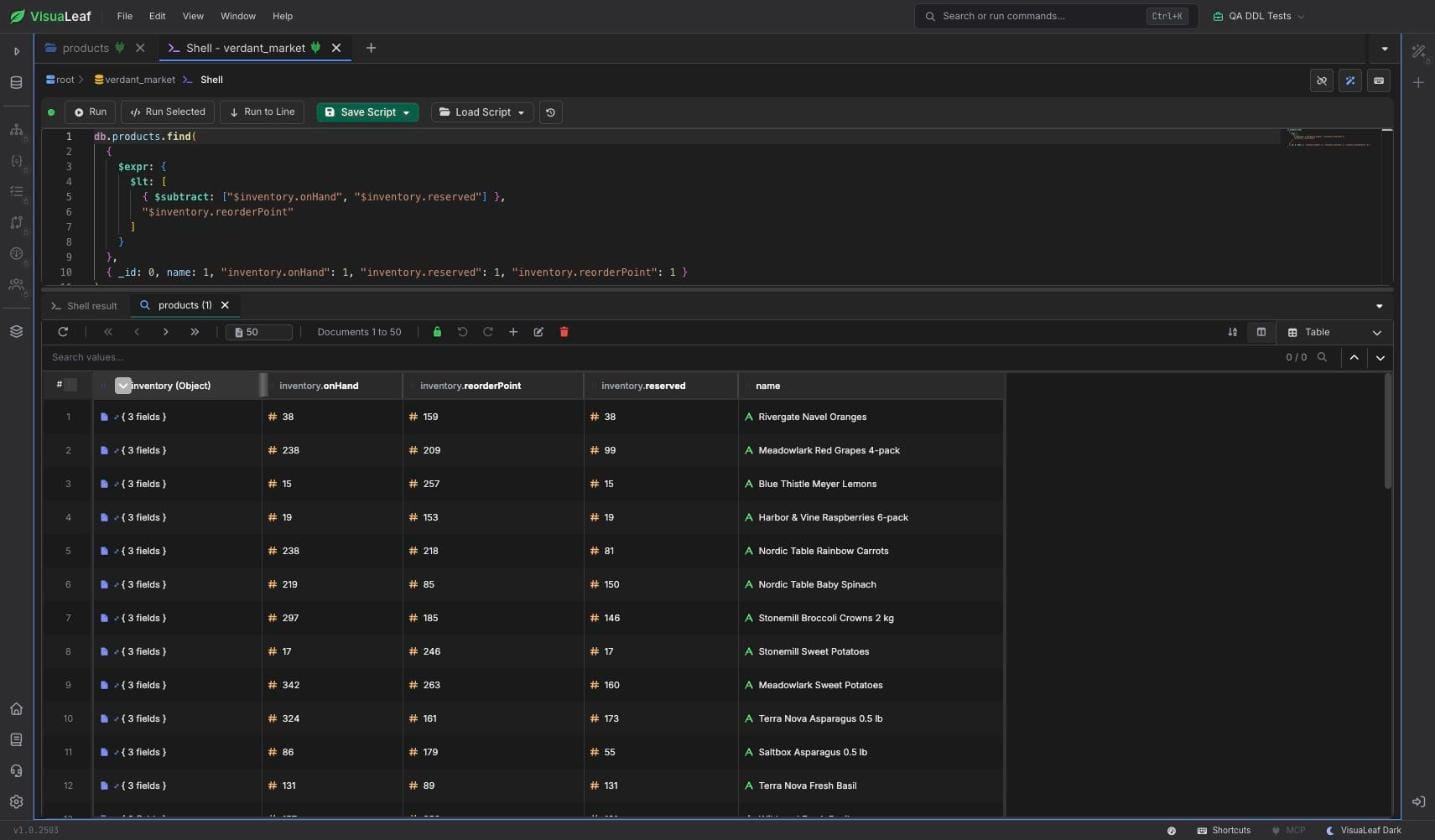
$expr before comparing it.The null problem that cost me ten minutes
This is the part I would have missed if I had not looked at the count.
Some products have a compareAtPrice. That is the old "was" price that a shop shows crossed out next to the current one. If it is ever lower than the current price, the product page looks broken, so I wanted to check for that:
db.products.find({
  $expr: { $lt: ["$pricing.compareAtPrice", "$pricing.price"] }
})
It returned 879 products. That is almost 80% of the catalog, which did not sound right for demo data that was generated to be clean.
It was not a data problem. Only 238 products have a compareAtPrice at all. For the other 879 the field is null, and inside an expression null sorts before every number. So null < 2.59 is true, and every product without a "was" price matched.
Adding a check for the missing value fixed it:
db.products.find({
  $expr: {
    $and: [
      { $ne: ["$pricing.compareAtPrice", null] },
      { $lt: ["$pricing.compareAtPrice", "$pricing.price"] }
    ]
  }
})
The result is 0. All 238 "was" prices are higher than the current price, which is what you would expect.
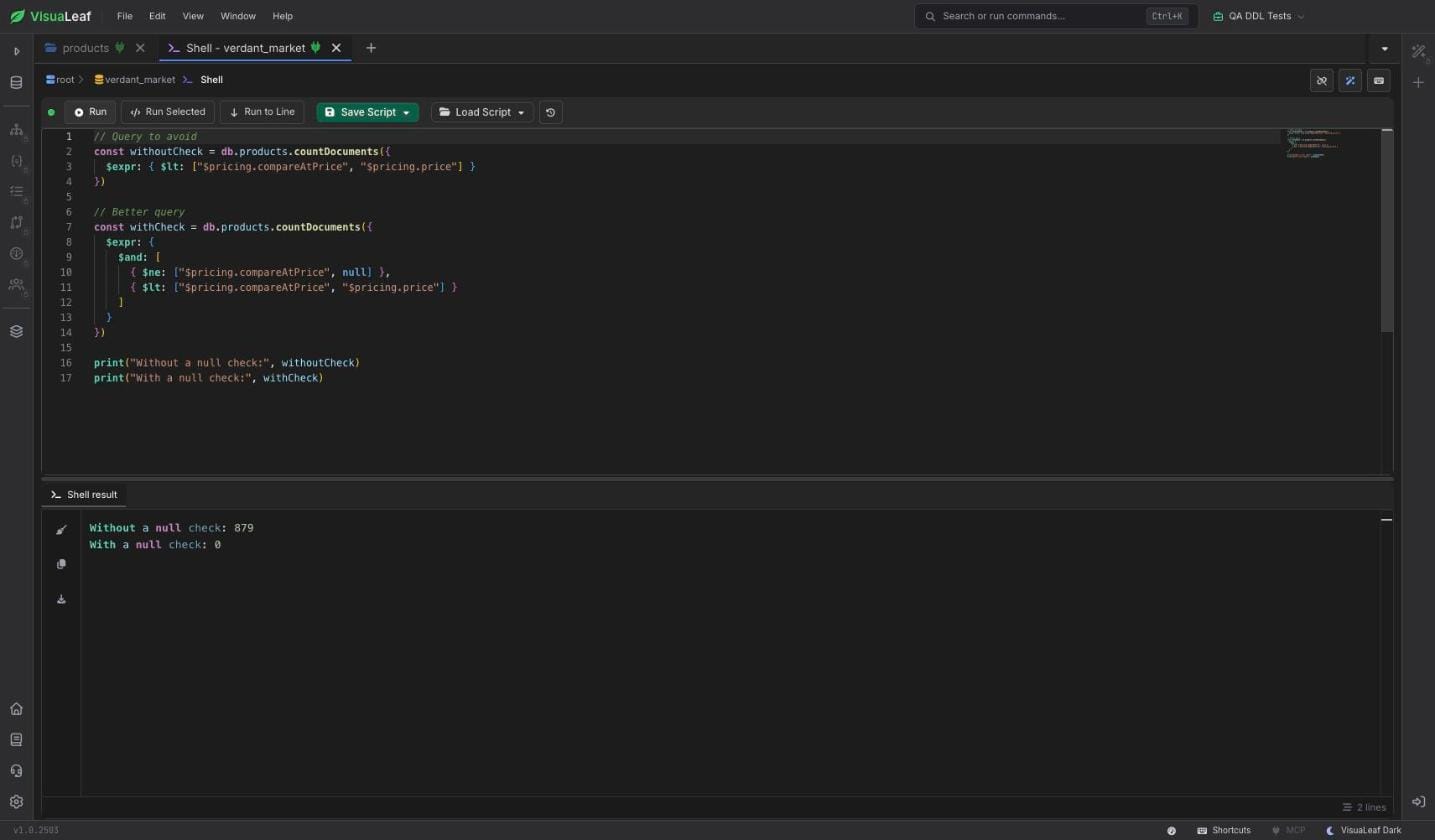
null check.The dollar sign has the same kind of trap. If you write "inventory.onHand" without the $ inside $expr, MongoDB compares the literal string again, and the query quietly returns nothing. So when a $expr query returns 0, I check the dollar signs first. When it returns far too many, I check for fields that can be null or missing.
Mixing $expr with a normal filter, and what it does to indexes
$expr can sit next to ordinary conditions in the same query. Both have to match:
db.products.find({
  category: "Produce",
  $expr: {
    $lte: ["$inventory.onHand", "$inventory.reorderPoint"]
  }
})
That narrows the list to 7 produce items.
I ran explain("executionStats") on both versions because I wanted to know whether $expr could use an index here. On its own, it could not. The plan was a COLLSCAN, and MongoDB read all 1,117 documents to return 70. That makes sense, since an index on one field cannot know what the other field holds.
With category: "Produce" added, the planner used the existing { category, subcategory, salesRank } index for the category part. It read 201 documents and applied $expr only to those.
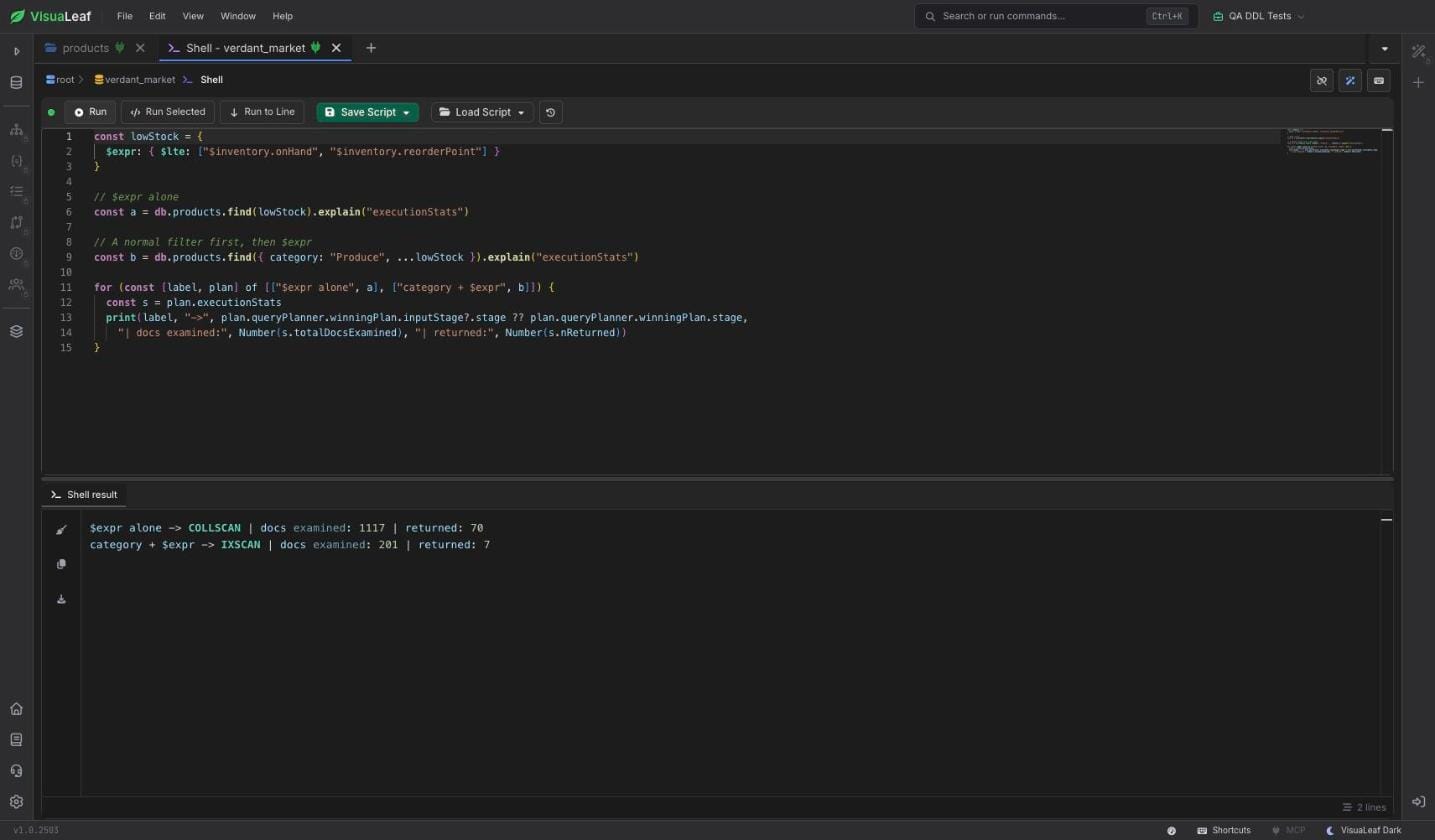
$expr query examines.With 1,117 documents, neither version is slow, and these numbers only describe this dataset. On a collection with millions of documents, though, reading one category instead of the whole collection starts to matter. If you can narrow the query with a normal, indexable condition, it is worth doing.
When I would reach for it
I use $expr when the answer depends on two values in the same document: stock against a reorder point, price against cost, a shipped date against a promised date, spend against a budget. If you are comparing a field with a fixed value, a normal filter is shorter and easier on indexes, so there is no reason to wrap it in $expr.
Conclusion
$expr looks a little strange at first, mostly because of the arrays and the dollar signs, but there is not much more to it than "this side compared with that side".
What surprised me while writing this was not the syntax. It was how quietly the wrong versions fail. The plain filter and the missing $ both return 0 with no error, and the null case returns too much. Checking the count against what you expect caught all three.
You can also build these comparisons in VisuaLeaf's Query Builder if you would rather pick the fields than type the brackets. I will show that in the next article.

Download VisuaLeaf Community Edition and work with MongoDB visually.
FAQ
What is $expr in MongoDB?
$expr is a query operator that lets you use aggregation expressions inside a normal find() filter. People mostly use it to compare two fields in the same document.
Can $expr use an index?
Not when it compares two fields, since MongoDB has to read each document to know both values. A normal condition next to it, such as category: "Produce", can still use an index and cut down how many documents $expr has to check.
Why does my $expr query return 0 documents?
Check the field paths. Without the leading $, MongoDB treats the path as a string, and the comparison never matches.
Why does my $expr query return too many documents?
Usually because of null or missing fields. Inside an expression they sort before numbers, so a "less than" comparison matches them. Add a $ne: [..., null] check.
Can I use $expr in an aggregation pipeline?
Yes. The same $expr works inside a $match stage, and it is also how $lookup pipelines compare fields from two collections.
What is the difference between $expr and $where?
Both can compare fields, but $where runs JavaScript for every document. It is slower, and MongoDB 8.0 deprecated server-side JavaScript, including $where. $expr uses the built-in aggregation operators.
References
- MongoDB Manual:
$expr - MongoDB Manual: Aggregation Expression Operators
- MongoDB Manual: Comparison/Sort Order