How to rename a field in MongoDB
Rename a field in every MongoDB document with $rename, including nested fields, plus the workaround for fields inside arrays, which $rename can't reach.
Quick Answer
Use updateMany with the $rename operator. An empty filter renames the field in every document that has it:
db.users.updateMany({}, { $rename: { fname: 'firstName' } })Documents without fname are matched but left unchanged, so modifiedCount tells you how many were actually renamed.
Rename a field in every document
$rename takes an object of { oldName: newName } pairs, so you can rename several fields in one pass:
db.users.updateMany(
  { fname: { $exists: true } },
  { $rename: { fname: 'firstName', lname: 'lastName' } }
)
// { acknowledged: true, matchedCount: 2, modifiedCount: 2, ... }
The $exists filter isn't required, but it keeps matchedCount honest and lets MongoDB use an index on fname if you have one. To rename the field in a single document, use updateOne with a filter on its _id.
In VisuaLeaf
Rename a field in VisuaLeaf
For a single document, right-click the field in VisuaLeaf's Tree View and choose Rename Field. It applies $rename to that document and keeps the value. Like other edits in the Collection View, it goes into the undo history, so Ctrl/⌘+Z takes it back.
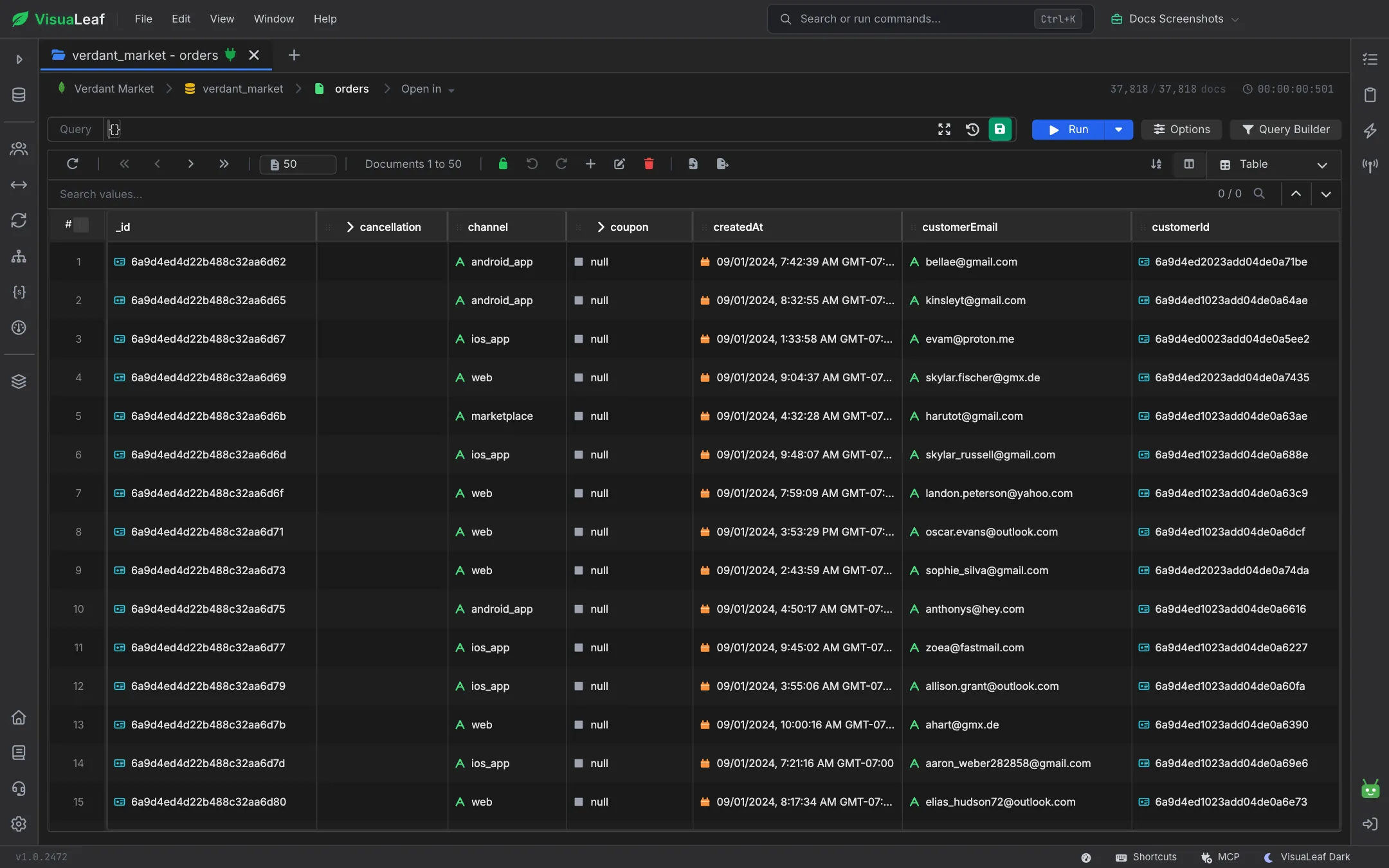
For a whole collection, use Open shell here from the collection. It opens a MongoDB Shell tab already pointed at that collection, ready for the updateMany from this guide. Before and after the run, Table View makes the result easy to check. Each field name becomes a column, so the old and new names sit side by side. Documents that still have the old field, or that have both names (the collision case in the findings above), stand out when you sort by either column. See the Collection Activity docs.
Rename a nested field
Use dot notation on both sides. The new path can stay inside the same subdocument or move the value somewhere else entirely:
// rename inside the subdocument
db.users.updateMany({}, { $rename: { 'address.zip': 'address.postalCode' } })

// move a nested value to the top level
db.users.updateMany({}, { $rename: { 'address.postalCode': 'zip' } })
Moving a value out leaves the parent behind. After the second command, documents keep an empty address: {} if zip was its only field. Remove it with $unset if you don't want it.
Fields inside arrays: use a pipeline update
$rename doesn't work on fields inside array elements. Trying it fails with:
db.users.updateMany({}, { $rename: { 'tags.t': 'tags.label' } })
// MongoServerError: cannot use the part (tags of tags.t) to traverse the element
Use an update with an aggregation pipeline instead. This version renames t to label in every element and keeps all the other fields, so you don't have to list them:
db.users.updateMany(
  { 'tags.t': { $exists: true } },
  [{
    $set: {
      tags: {
        $map: {
          input: '$tags',
          in: {
            $unsetField: {
              field: 't',
              input: { $mergeObjects: ['$$this', { label: '$$this.t' }] }
            }
          }
        }
      }
    }
  }]
)
// [{ t: 'a', color: 'red', extra: 1 }, { t: 'b' }]
// -> [{ color: 'red', extra: 1, label: 'a' }, { label: 'b' }]
$unsetField needs MongoDB 5.0 or later. On older servers, build the element by hand in in and list every field you want to keep.
From Node.js and Python
const result = await db.collection('users').updateMany(
  { fname: { $exists: true } },
  { $rename: { fname: 'firstName' } }
)
console.log(result.modifiedCount)
result = db.users.update_many(
{"fname": {"$exists": True}},
{"$rename": {"fname": "firstName"}},
)
print(result.modified_count)What we found testing this
- Check for collisions before you run it. Because
$renamesilently overwrites an existing field, count the documents that have both names first. In our test data, one document already hadfirstName, and the rename would have destroyed its value:db.users.countDocuments({ fname: { $exists: true }, firstName: { $exists: true } }) // 1 - Missing parents are created for you. Renaming
fnameto'profile.name.first'built{ profile: { name: { first: 'y' } } }from nothing. If a parent exists but isn't an object, it fails:Cannot create field 'c' in element {b: "s"}. - Documents without the field count as matched, not modified. We got
matchedCount: 1, modifiedCount: 0, so compare the two numbers to see how many documents actually changed. - The error messages, so you can search them:
| You tried | MongoDB 7.0 says |
|---|---|
'items.sku' (field inside an array) | cannot use the part (items of items.sku) to traverse the element |
'items.$[].sku' | The source field for $rename may not be dynamic |
last → 'last.inner' | The source and target field for $rename must not be on the same path |
last → last | The source and target field for $rename must differ |
Gotchas
| Situation | What happens |
|---|---|
| The new name already exists in the document | It is overwritten. { a: 1, b: 2 } renamed a → b becomes { b: 1 }, and the old b is gone. |
Renaming _id | Rejected: _id is immutable. Copy the documents into a new collection instead. |
| Field order | The renamed field moves to the end of the document. This only matters if your code relies on field order. |
| Indexes | An index on the old name is not renamed. Create one on the new name, then drop the old one. |
| Application code | Old app instances still read and write the old name. Deploy code that reads both names first, then rename. |
On a large collection, run the rename in batches or during low traffic. It rewrites every matching document, which generates a lot of oplog traffic on a replica set. For more patterns like this, see bulk updates with mongosh scripting.
Frequently Asked Questions
Does $rename work on documents that don't have the field?
Yes, they are simply left unchanged. They still count in matchedCount, so filter with { field: { $exists: true } } if you want accurate numbers.
Can I rename a field inside an array in MongoDB?
Not with $rename, and not with $[] either. Use a pipeline update: $map over the array with $mergeObjects to add the new name and $unsetField to drop the old one.
Can I undo a rename?
Run the same $rename in the opposite direction. If the new name overwrote an existing field, that overwritten value is gone, so check for collisions before you run it.
Does renaming a field update the indexes on it?
No. Create an index on the new field name, then drop the index on the old one.