How to create a user in PostgreSQL
Create a PostgreSQL user with a password, give it database access, and learn CREATE USER vs CREATE ROLE, createuser and the PostgreSQL 15 change.
Quick Answer
Connect as a superuser (or a role with CREATEROLE) and run:
CREATE USER app_user WITH PASSWORD 'choose-a-strong-password';The user can log in now, but can't read your tables yet. Grant access next, as shown below.
CREATE USER vs CREATE ROLE
PostgreSQL has only roles. CREATE USER is the same as CREATE ROLE with LOGIN added:
CREATE USER app_user WITH PASSWORD 'secret';
-- is exactly the same as
CREATE ROLE app_user WITH LOGIN PASSWORD 'secret';
Use CREATE ROLE without LOGIN for groups: a role that holds permissions, which you then grant to real users. You can see the difference in \du:
 Role name  |                         Attributes
------------+------------------------------------------------------------
 app_user   |
 readonly   | Cannot login
 postgres   | Superuser, Create role, Create DB, Replication, Bypass RLS
In VisuaLeaf
Create the user in a form
- Open the connection with a role that can create roles and click User Management in the activity bar. If your account can't manage users, an amber banner says so and shows the username you're connected as.
- On the Users tab, click Create User. The form takes the name, password, valid-until date and the SUPERUSER, CREATEROLE and CREATEDB flags, and you can assign roles in the same step.
- Expand the new user's row to check its role memberships and grants, with a WITH GRANT chip where it applies.
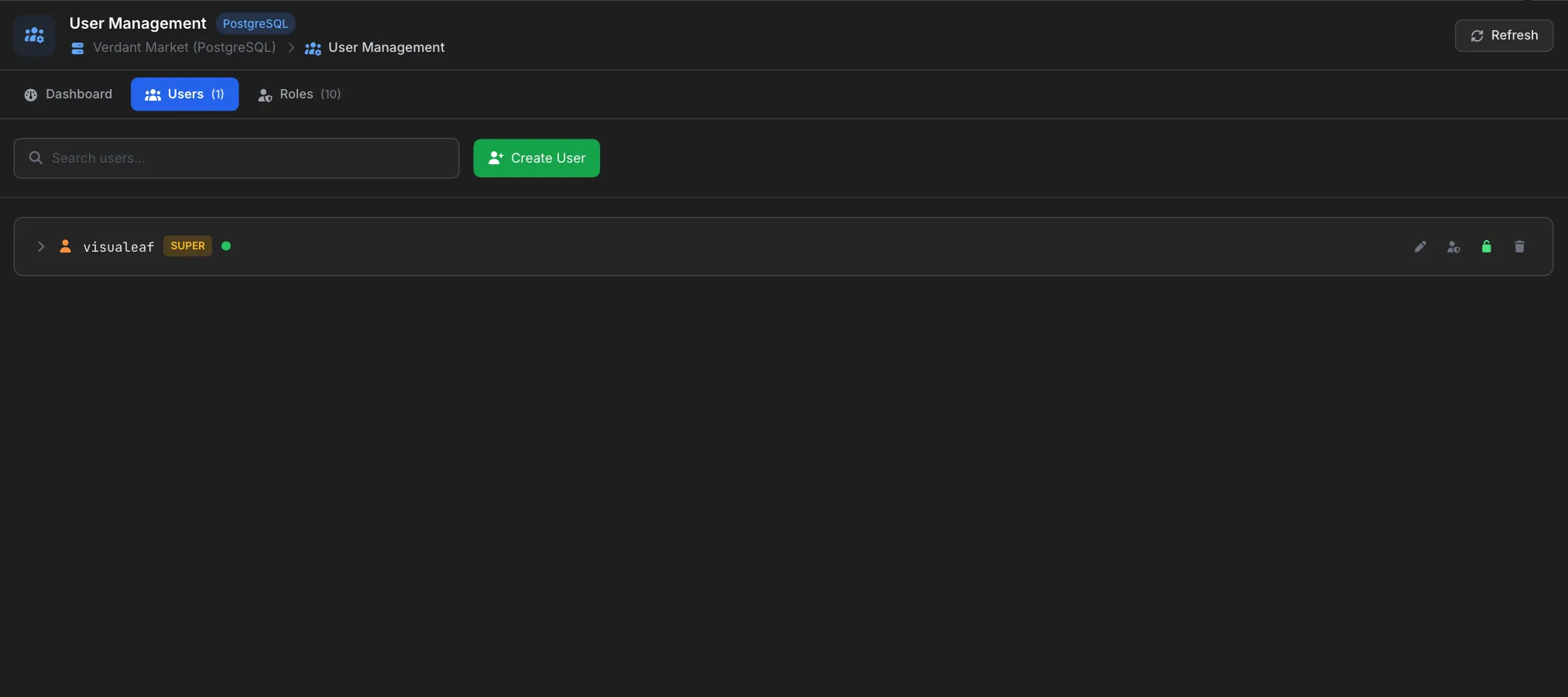
That one list replaces reading \du for attributes and \dp for grants. See SQL User Management.
Give the user access to a database
A new user can connect to most databases (the PUBLIC pseudo-role has CONNECT by default) but has no rights on your tables. A typical read-write app user needs four grants, run while connected to the target database:
GRANT CONNECT ON DATABASE shop TO app_user;
GRANT USAGE ON SCHEMA public TO app_user;
GRANT SELECT, INSERT, UPDATE, DELETE ON ALL TABLES IN SCHEMA public TO app_user;
GRANT USAGE, SELECT ON ALL SEQUENCES IN SCHEMA public TO app_user;
ON ALL TABLES only covers tables that exist right now. For tables created later, add default privileges. The grant privileges guide covers this in detail.
PostgreSQL 15 and later: ordinary users can no longer create tables in the public schema. If the user should run migrations, either make it the database owner or grant CREATE ON SCHEMA public. GRANT ALL PRIVILEGES ON DATABASE does not do this; it only covers connecting, creating schemas and temporary tables.
Useful options when creating a user
| Option | Effect |
|---|---|
LOGIN / NOLOGIN | Whether the role can connect. CREATE USER implies LOGIN. |
PASSWORD '...' | Sets the password. Stored as a SCRAM-SHA-256 hash by default on PostgreSQL 14+. |
CREATEDB | Can create databases. Useful for a developer or a CI user. |
CREATEROLE | Can create roles, and on PostgreSQL 16+ manage only the ones it created. |
VALID UNTIL '2027-01-01' | The password stops working after this date. |
CONNECTION LIMIT 10 | Caps concurrent connections for this role. |
IN ROLE readonly | Adds the new user to an existing group role. |
SUPERUSER | Bypasses every permission check. Avoid for application users. |
CREATE USER ci_user WITH PASSWORD 'secret' CREATEDB CONNECTION LIMIT 5 VALID UNTIL '2027-01-01';From the command line: createuser
The createuser program ships with PostgreSQL and wraps CREATE ROLE. --pwprompt asks for the password so it never appears in your shell history:
createuser -U postgres --pwprompt app_user
createuser -U postgres --createdb --pwprompt dev_user
Add -e to print the SQL it sends. On Linux installs where only the postgres OS user can connect, run it as that user: sudo -u postgres createuser --pwprompt app_user.
What we found testing this
We ran each of these on PostgreSQL 16 as a superuser and as a non-superuser with CREATEROLE:
createuser --pwpromptnever sends your password. With-eyou can see it hash the password first and send only the SCRAM verifier:
Pressing Enter at both prompts creates the user with no password, with onlyCREATE ROLE app_user PASSWORD 'SCRAM-SHA-256$4096:UiizrFq...' NOSUPERUSER NOCREATEDB NOCREATEROLE INHERIT LOGIN NOREPLICATION NOBYPASSRLS;NOTICE: empty string is not a valid password, clearing passwordas a warning.- A new user in a new database hits this on its first migration (PostgreSQL 15+):
ERROR: permission denied for schema public. CREATEROLEis much weaker in PostgreSQL 16. A non-superuser can only change roles it created (or holdsADMINon). Changing anyone else's password fails with:
It also can't create a superuser (ERROR: permission denied to alter role DETAIL: To change another role's password, the current user must have the CREATEROLE attribute and the ADMIN option on the role.Only roles with the SUPERUSER attribute may create roles with the SUPERUSER attribute.).- Creating a role makes you its admin, but not a member who can use it. In
pg_auth_membersthe creator getsadmin_option = t,inherit_option = fandset_option = f. WithALTER ROLE mgr SET createrole_self_grant = 'set, inherit', each role mgr creates gets a second membership row with both options on, so mgr can act as it.
A read-only user
For reporting tools and analysts, PostgreSQL 14 added the predefined role pg_read_all_data, which can read every table, view and sequence in every schema, including ones created later:
CREATE USER analyst WITH PASSWORD 'secret';
GRANT pg_read_all_data TO analyst;
On older versions, or to limit access to one schema, grant USAGE on the schema and SELECT on its tables, plus default privileges for future tables.
Check that it worked
SELECT rolname, rolcanlogin, rolcreatedb, rolvaliduntil
FROM pg_roles
WHERE rolname = 'app_user';

SELECT has_table_privilege('app_user', 'public.orders', 'SELECT');
If the user can't log in, the cause is usually pg_hba.conf: it controls which users can connect from which hosts and with which authentication method, separately from the role itself.
Frequently Asked Questions
What is the difference between CREATE USER and CREATE ROLE in PostgreSQL?
None, except that CREATE USER adds LOGIN by default. Both create a role. Use CREATE ROLE without LOGIN for group roles that only hold permissions.
Why can my new user not create tables in the public schema?
Since PostgreSQL 15, only the database owner can create objects in public by default. Grant CREATE ON SCHEMA public to the user, or make it the database owner.
Does GRANT ALL PRIVILEGES ON DATABASE give access to tables?
No. Database privileges are only CONNECT, CREATE (schemas) and TEMPORARY. Table access is granted per schema and per table.
How do I list users in PostgreSQL?
Run \du in psql, or SELECT rolname FROM pg_roles from any client.
Why does the new user get "password authentication failed"?
Either the password is wrong, or pg_hba.conf requires a different method or doesn't allow that user from that host. Check pg_hba.conf and reload the server after editing it.