Fix PostgreSQL "Connection refused"
Fix "Connection refused. Is the server running on that host and accepting TCP/IP connections?": server down, wrong port, Docker or firewall.
Quick Answer
Nothing is accepting connections at that host and port. Check, in order, that PostgreSQL is running, that it is on the port you are using, and that it listens on that address:
pg_isready -h localhost -p 5432        # "no response" = nothing there
sudo systemctl status postgresql       # Linux; on macOS: brew services list
If the server is up, the cause is the port, listen_addresses, Docker port mapping or a firewall. Each is covered below.
What the error means
psql: error: connection to server at "localhost" (127.0.0.1), port 5432 failed: Connection refused
	Is the server running on that host and accepting TCP/IP connections?
"Refused" is a fast, definite answer from the target machine's operating system: nothing is listening on that port. It is different from a timeout, which means packets are being dropped on the way (a firewall or the wrong IP), and from an authentication error, which means you reached PostgreSQL and it said no.
| Message | Meaning |
|---|---|
| Connection refused | Reached the host; no process listens on that port |
| Connection timed out | Packets dropped; firewall, security group or wrong address |
| No such file or directory (socket) | Local socket connection; server not running or on another port |
| password authentication failed | Reached PostgreSQL; credentials rejected |
In VisuaLeaf
Find the step that refuses the connection
- Create the connection and click Test Connection before you save it. Network connectivity, authentication, TLS and database access are checked as separate steps, so a refused port fails at the first one and you know the password isn't the problem yet.
- For Postgres in Docker, put the host port you published in the connection's port field, not the container's 5432 if you mapped it elsewhere.
- For a server you can only reach through a bastion host, fill in the SSH tab (host, port, username, and a password or private key) instead of changing
listen_addresses.
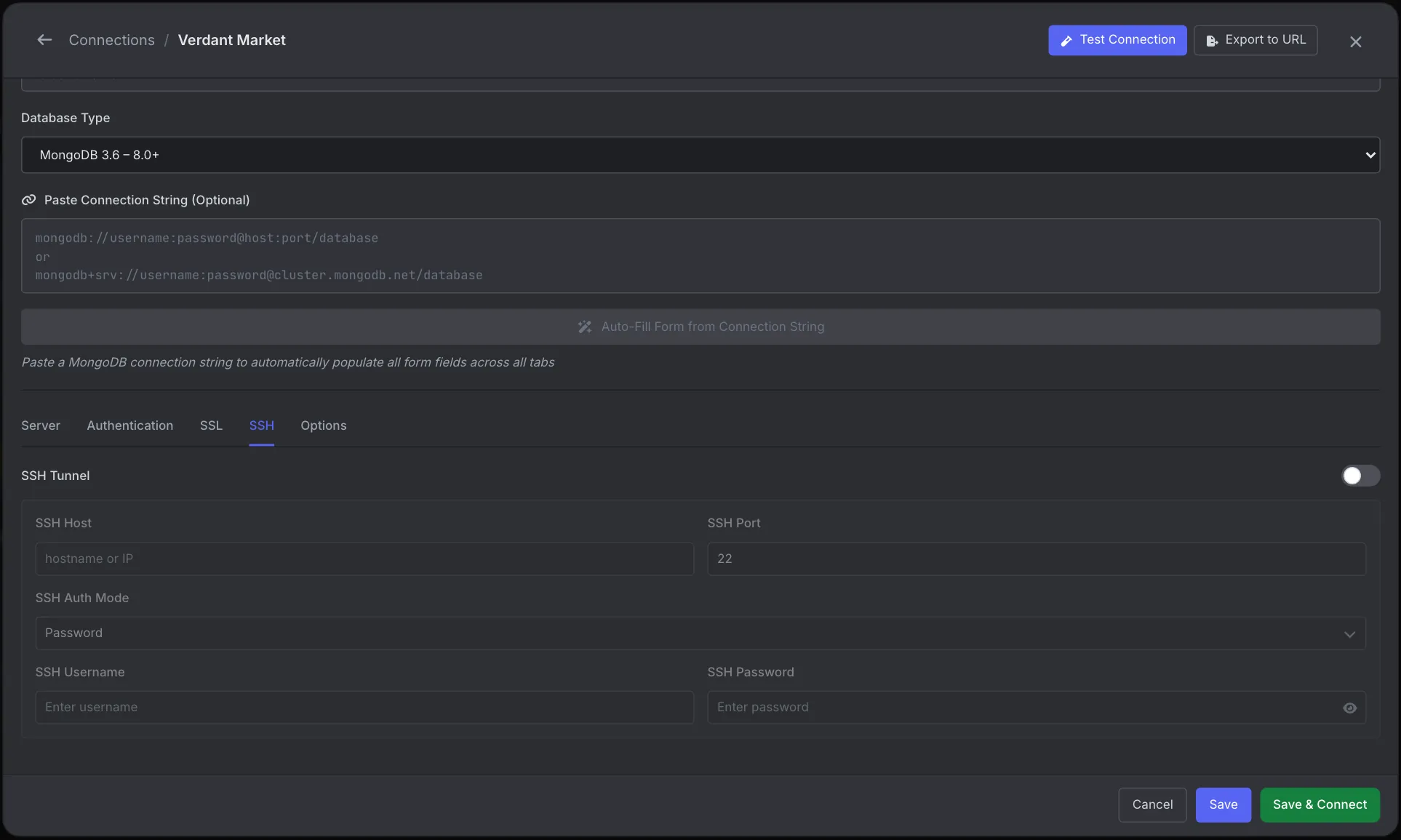
See the Connection Manager docs.
1. The server is not running
# Linux (systemd)
sudo systemctl status postgresql
sudo systemctl start postgresql

# macOS (Homebrew)
brew services list
brew services start postgresql@16

# Docker
docker ps -a --filter ancestor=postgres
If it won't start, the reason is in the log: journalctl -u postgresql, the Homebrew log in $(brew --prefix)/var/log/, or docker logs <container>. Common reasons are a full disk, a data directory with the wrong owner, and a stale postmaster.pid left after a crash.
2. It is running on a different port
If a second version was installed, it may be on 5433 or higher. Find out what is actually listening:
lsof -nP -iTCP -sTCP:LISTEN | grep postgres     # macOS
ss -ltnp | grep postgres                        # Linux
Then connect on that port: psql -h localhost -p 5433. Once you are in, SHOW port; confirms it.
3. It only listens on localhost
Connecting from another machine or container is refused when the server only listens on the loopback interface. Many packages ship with listen_addresses = 'localhost'.
SHOW listen_addresses;                       -- localhost
ALTER SYSTEM SET listen_addresses = '*';     -- or a specific IP
This setting needs a restart, not a reload. Then add a line to pg_hba.conf for the client's network, or the next error you see will be no pg_hba.conf entry for host:
host all all 10.0.0.0/24 scram-sha-2564. Docker: wrong host or missing port mapping
Most Docker cases come down to which side of the container you connect from:
- From your machine: the container must publish the port (
-p 5432:5432, orports:in Compose). Without it,localhost:5432on the host is refused. - From another container:
localhostmeans that container itself. Use the service name as the host (host=db) and the container port (5432) on a shared network. - Right after start: PostgreSQL takes a few seconds to initialize on first run, and apps that connect too early fail, though usually not with "refused" (see the findings below). Add a healthcheck with
pg_isreadyanddepends_on: condition: service_healthy.
services:
  db:
    image: postgres:16
    environment:
      POSTGRES_PASSWORD: secret
    ports:
      - "5432:5432"
    healthcheck:
      test: ["CMD-SHELL", "pg_isready -U postgres"]
      interval: 2s
      retries: 15
  app:
    depends_on:
      db:
        condition: service_healthy
    environment:
      DATABASE_URL: postgresql://postgres:secret@db:5432/postgres
5. localhost resolves to IPv6
localhost can resolve to both ::1 and 127.0.0.1, and clients try both. If the server listens on only one of them, you can get a refusal for one address and a different result for the other. Connect to 127.0.0.1 explicitly to rule this out.
For a remote server, also check the firewall and cloud security group. A blocked port usually times out, but some firewalls actively reject, which looks identical to "refused".
What we saw when we tested it
1. Each client words it differently, and one hides the message. We pointed each client at localhost on a port with nothing listening:
| Client | What it reported |
|---|---|
| node-postgres (Node 22) | An AggregateError with code: 'ECONNREFUSED' and an empty message. The detail is in err.errors: connect ECONNREFUSED ::1:5432 and connect ECONNREFUSED 127.0.0.1:5432. |
| node-postgres to 127.0.0.1 | A plain Error: connect ECONNREFUSED 127.0.0.1:5432 |
| psycopg2 / psql | Two blocks, one per address: connection to server at "localhost" (::1), port 5432 failed: Connection refused, then the same for 127.0.0.1 |
| psycopg 3 | could not receive data from server: Connection refused, followed by Multiple connection attempts failed. All failures were: and one line per address |
If your Node logs show a blank error, log err.code and err.errors, not just err.message.
2. A wrong port over the Unix socket isn't "refused". The socket file's name includes the port (/var/run/postgresql/.s.PGSQL.5432), so psql -p 5433 with no -h looks for a file that doesn't exist and says connection to server on socket "/var/run/postgresql/.s.PGSQL.5433" failed: No such file or directory.
3. While a Docker container is booting, you get resets, not refusals. We started postgres:16 with a published port and connected from node-postgres every 100 ms. Docker Desktop's port proxy accepts the TCP connection before PostgreSQL is ready, so the first attempts failed with read ECONNRESET (at 6 ms) and Connection terminated unexpectedly (at 110 ms). The first successful query came at about 1.15 s. If your app logs those two errors only at startup, it's a startup race, and the healthcheck above fixes it.
Frequently Asked Questions
How do I check if PostgreSQL is running?
Run pg_isready -h localhost -p 5432. It prints "accepting connections" when the server is up and "no response" when nothing is listening. systemctl status postgresql or brew services list show the service state.
What does "Is the server running locally and accepting connections on that socket" mean?
The same problem over a Unix socket instead of TCP: psql looked for the socket file for that port and it isn't there. The server is stopped, or it runs on a different port or socket directory.
Why can I connect locally but not from another machine?
listen_addresses is set to localhost, pg_hba.conf has no host line for the remote address, or a firewall blocks port 5432.
Why is my Node.js ECONNREFUSED error message empty?
When the host is localhost, Node tries both ::1 and 127.0.0.1 and node-postgres throws an AggregateError whose message is empty. The individual errors are in err.errors, and err.code is still ECONNREFUSED.
Why does my app get ECONNREFUSED in Docker Compose?
It is connecting to localhost, which inside a container means itself. Use the database service name as the host, and wait for the database healthcheck before starting the app.