MongoDB find() Query Examples for Beginners - Filter, Sort, Limit
Learn MongoDB find() queries with simple examples for filtering, sorting, limiting results, and returning only the fields you need.


find() query examples are shown with the shell, collection tree, and Visual Query Builder in VisuaLeaf.When you use MongoDB, most of the time you are asking one simple thing:
“Give me the documents that match this.”
This is what find() does.
It searches through a collection and finds the documents that fit your filter.
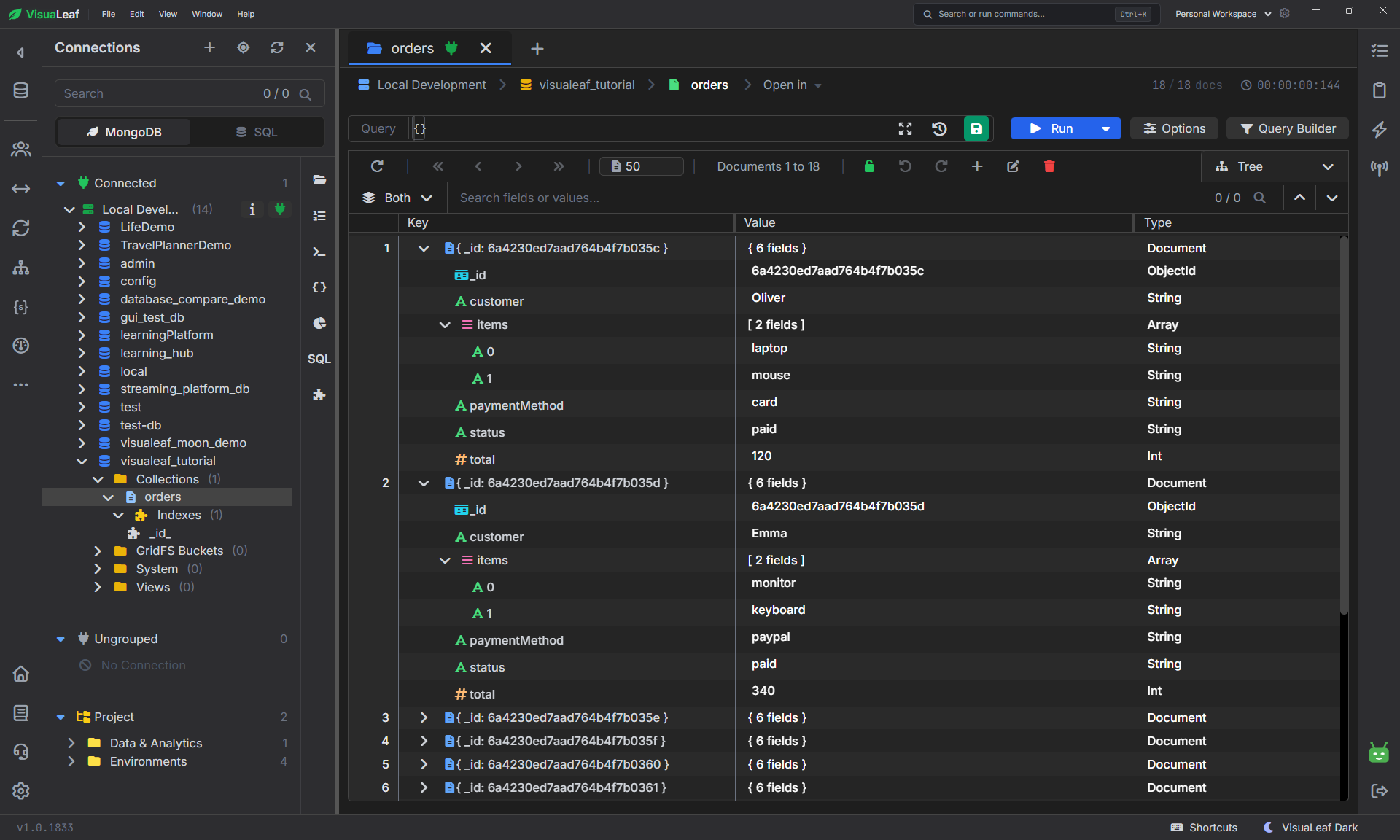
Let’s take an example with the orders collection.
It could look like this:
{
  customer: "Oliver",
  status: "paid",
  total: 120,
  paymentMethod: "card",
  items: ["laptop", "mouse"]
}
Nothing complicated here.
It is just one order. Oliver paid $120 using her credit card for a laptop and a mouse.
Let’s now see how you can ask MongoDB about the data.
Before writing any query, it helps to quickly look at the collection itself.
In VisuaLeaf, the Tree View makes it easy to explore the orders collection and see what fields each document contains.
That way, before you even write find(), you already have a clear picture of the data you are working with.
Show All Documents
The simplest query is this:
db.orders.find({})
This query means:
Return all orders for me.
Since there is an empty {}, no rule was added.
There is nothing to filter in MongoDB, so it will return all data from the orders collection.
It is fine during testing, but not really in a live database environment.
Find Orders by Status
What if we wanted to look for paid orders only?
db.orders.find({ status: "paid" })
What that means is:
Find the orders that have status equal to paid.
MongoDB checks each document.
If the order has:
status: "paid"
Then it is selected.
Otherwise, if the status is "pending" or "cancelled", it is ignored.
This is the fundamental concept of MongoDB filtering.
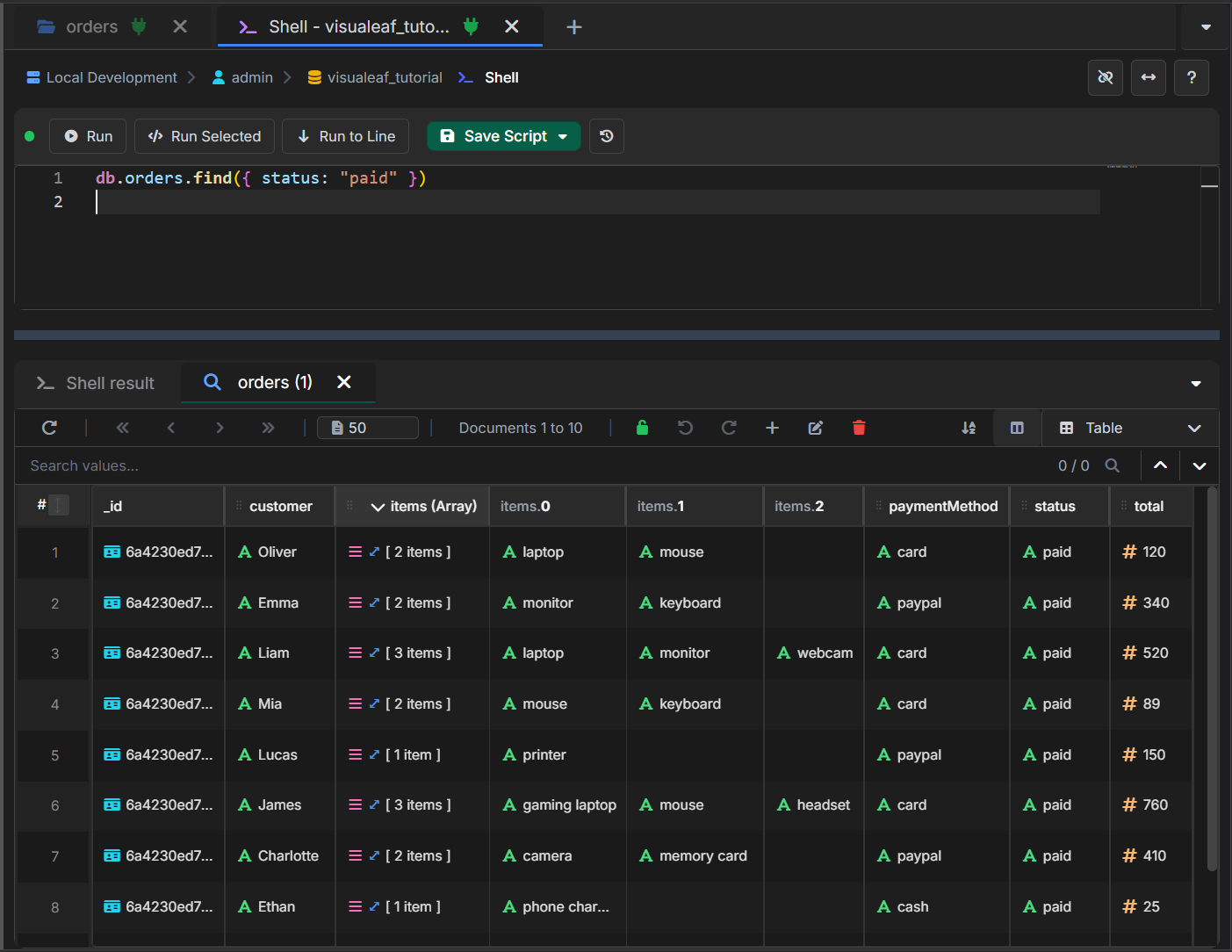
If you run this query in the VisuaLeaf shell, you can immediately see the matching documents.
This is one of the easiest ways to understand what find() does: you write a simple filter, run it, and MongoDB returns only the documents that match it.
Find Orders with Two Conditions
And here’s an example request for orders that are paid and paid by card.
db.orders.find({
  status: "paid",
  paymentMethod: "card"
})
What does this mean?
Show orders which have status "paid" and payment method "card".
Both conditions must apply.
Which means the results won’t include all paid orders.
Only paid orders that are paid by card.
The easy way to remember this:
Two fields in the same filter = AND
Find Orders Greater Than a Number
Sometimes we do not need to match exact values.
We can find orders where the total is more than 120.
db.orders.find({
  total: { $gt: 120 }
})
$gt stands for greater than.
That means:
Find orders where the value of total is greater than 120.
Some important operators include:
$gt   greater than
$gte  greater than or equal
$lt   less than
$lte  less than or equal
$ne   not equal
For example:
db.orders.find({
  total: { $lt: 50 }
})
That means:
Find orders where the value of total is less than 50.
Find Orders with More Than One Accepted Value
Suppose we have two types of payment accepted: card and PayPal.
We can use $in.
db.orders.find({
  paymentMethod: { $in: ["card", "paypal"] }
})
It means that:
Give me all orders that have payment method card or PayPal.
The $in operator can be used when one property needs to be checked against multiple values.
Example:
db.orders.find({
  status: { $in: ["paid", "processing"] }
})
It means that:
Give me all orders that are paid or in process.
Sort the Results
A filter determines which documents will be returned to you.
But ordering determines the order in which they appear.
For instance,
db.orders.find({ status: "paid" }).sort({ total: -1 })
Which means:
Please provide the paid orders and start with the ones with the highest totals.
As we can see, -1 means descending order.
Which means, higher numbers appear first.
If we used 1, lower numbers would appear first.
For instance,
db.orders.find({ status: "paid" }).sort({ total: 1 })
Which means:
Please provide the paid orders and start with the ones with the lowest totals.
Limit the Results
Often, you do not need to see all results that match your search.
All you need is to see a few results.
db.orders.find({ status: "paid" }).limit(5)
What this means is:
Please show only 5 paid orders.
You may also add sort and limit together.
db.orders.find({ status: "paid" })
  .sort({ total: -1 })
  .limit(5)
What this means is:
I want to see the top 5 paid orders by total.
Your search becomes very meaningful.
You no longer get all paid orders.
You get only the top 5.
Return Only Needed Fields
In general, when running find() command, MongoDB retrieves the whole document from the collection.
However, sometimes you need only some fields of the document.
db.orders.find(
  { status: "paid" },
  { customer: 1, total: 1, _id: 0 }
)
Here, the first block represents the filter criteria,
{ status: "paid" }
and the second one specifies the fields needed to be retrieved by MongoDB:
{ customer: 1, total: 1, _id: 0 }
If the field value is equal to 1, it will be included in the output._id: 0 indicates that you do not need the _id field in the output.
Thus, your output will look like this:
{
  customer: "Oliver",
  total: 120
}
One Query With All the Parts
Here we bring everything together.
db.orders.find(
  {
    status: "paid",
    total: { $gt: 120 },
    paymentMethod: { $in: ["card", "paypal"] }
  },
  {
    customer: 1,
    total: 1,
    paymentMethod: 1,
    _id: 0
  }
).sort({ total: -1 }).limit(5)
At first glance, it seems longer.
But here is how you read it normally:
Show me orders that are paid, have a total of more than 120, and have a paymentMethod of card or PayPal. Return the customer, total, and paymentMethod. Sort by descending total and limit to five results.
That is all there is to it.
The query is no magic.
It is just a question with some extra detail.
Why Does It Seem Like MongoDB Queries Are Difficult?
It seems like that because the queries use brackets within brackets.
The logic itself, however, is simple.
Firstly, choose the collection:
db.orders
Then ask to return the documents:
.find()
And then put the filter:
{ status: "paid" }
That is:
db.orders.find({ status: "paid" })
Just asks to find the orders that have the status paid.
Once you treat the MongoDB queries as regular questions, everything becomes easier.
Building MongoDB Queries Visually
Writing MongoDB queries by hand is important.
But when a query has more parts, it can be easier to build it step by step.
For example, our final query does a few things at once:
status equals paid
total greater than 120
paymentMethod is card or paypal
return only a few fields
sort by total
limit the results to 5
That is not hard, but it is easy to miss a bracket or forget one part.
In VisuaLeaf, you can build the same query visually.
You add the filters one by one, choose the fields you want to see, set the sort order, and limit the results.
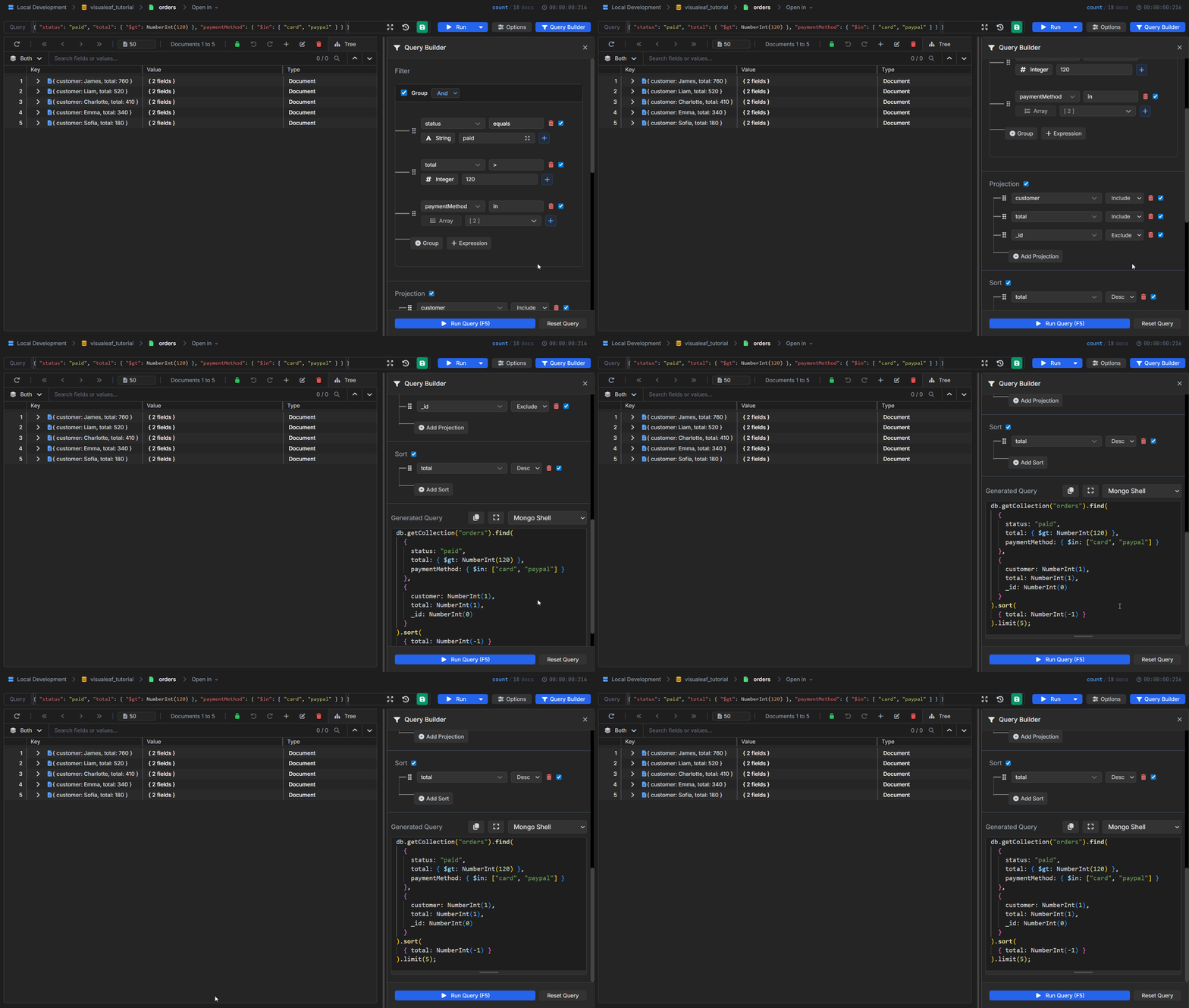
The same MongoDB query built visually in VisuaLeaf, with filters, selected fields, sorting, and limit.
The nice part is that you can see the result while building the query.
So instead of writing the full query from scratch and hoping it works, you can build it slowly, check the output, and then use the generated MongoDB query when you need it.
This is especially helpful when you are still learning MongoDB, or when you open a collection after some time and do not remember all the field names.
Final Note
A MongoDB query is simply a question that you ask of your database.
This:
db.orders.find({ status: "paid" })
means:
What orders are paid?
This:
db.orders.find({ total: { $gt: 120 } })
translates to:
What orders are greater than 120?
Start small.
Add a condition at a time.
Check the output.
Only then do you add any sorting, limiting, or field projection.
That is the simplest way to understand find() queries in MongoDB.

Try VisuaLeaf today!