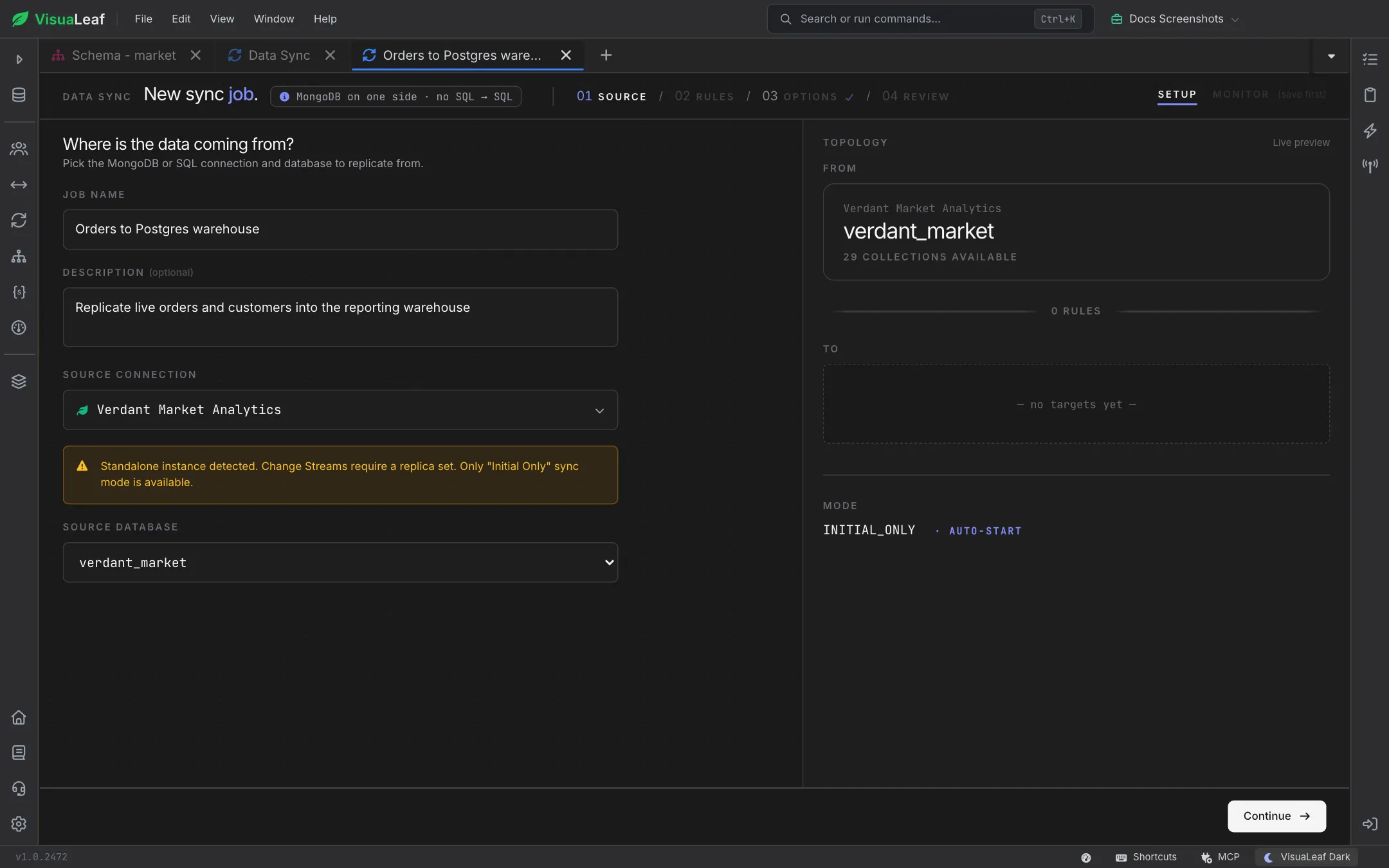
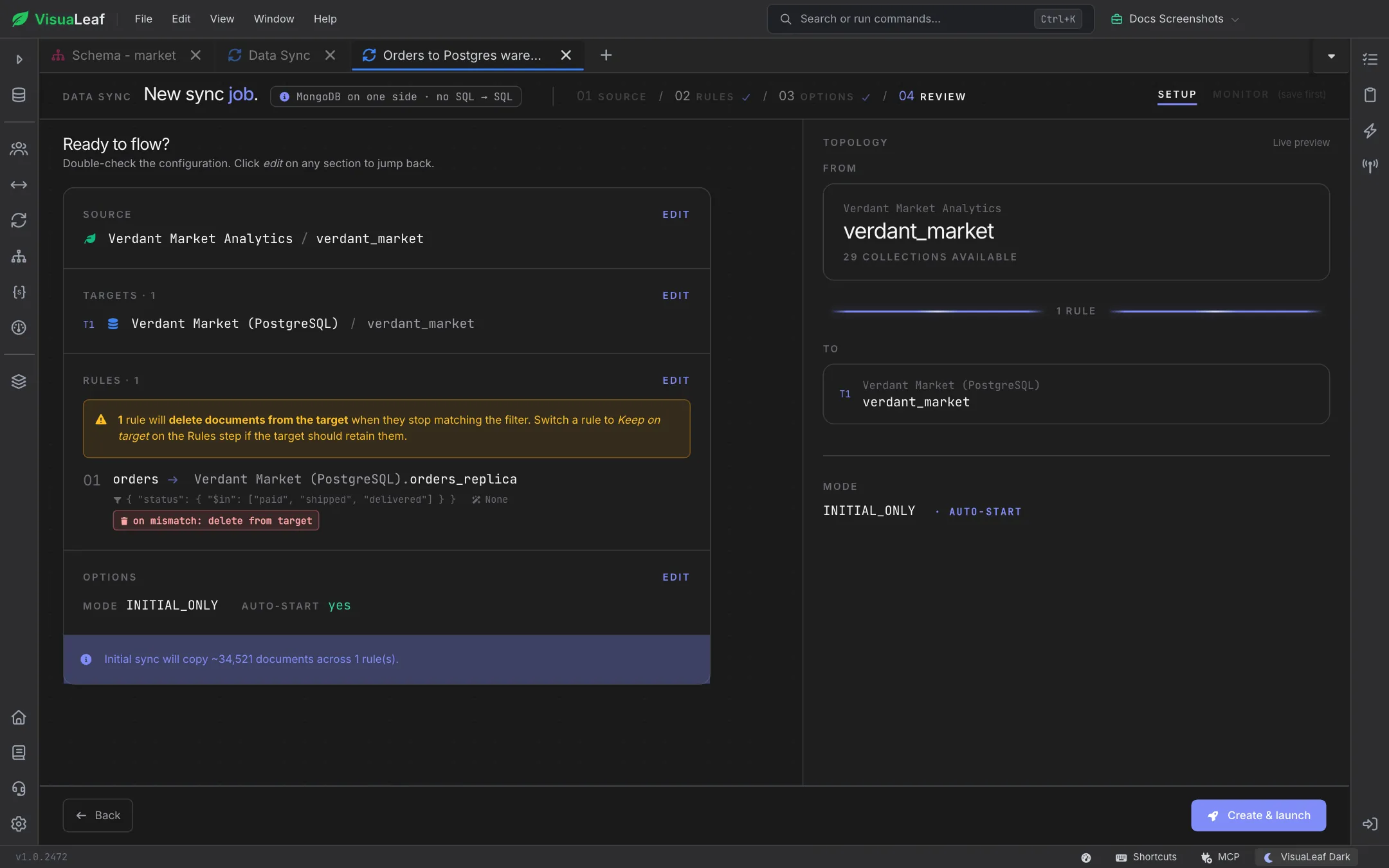
MongoSync moves data wherever you need it. Copy a collection from your local machine to Atlas, keep development, staging, and production in sync, or migrate an entire database between clusters. Select exactly what to move, preview every change with a safe dry-run, and let scheduled jobs keep environments aligned automatically.
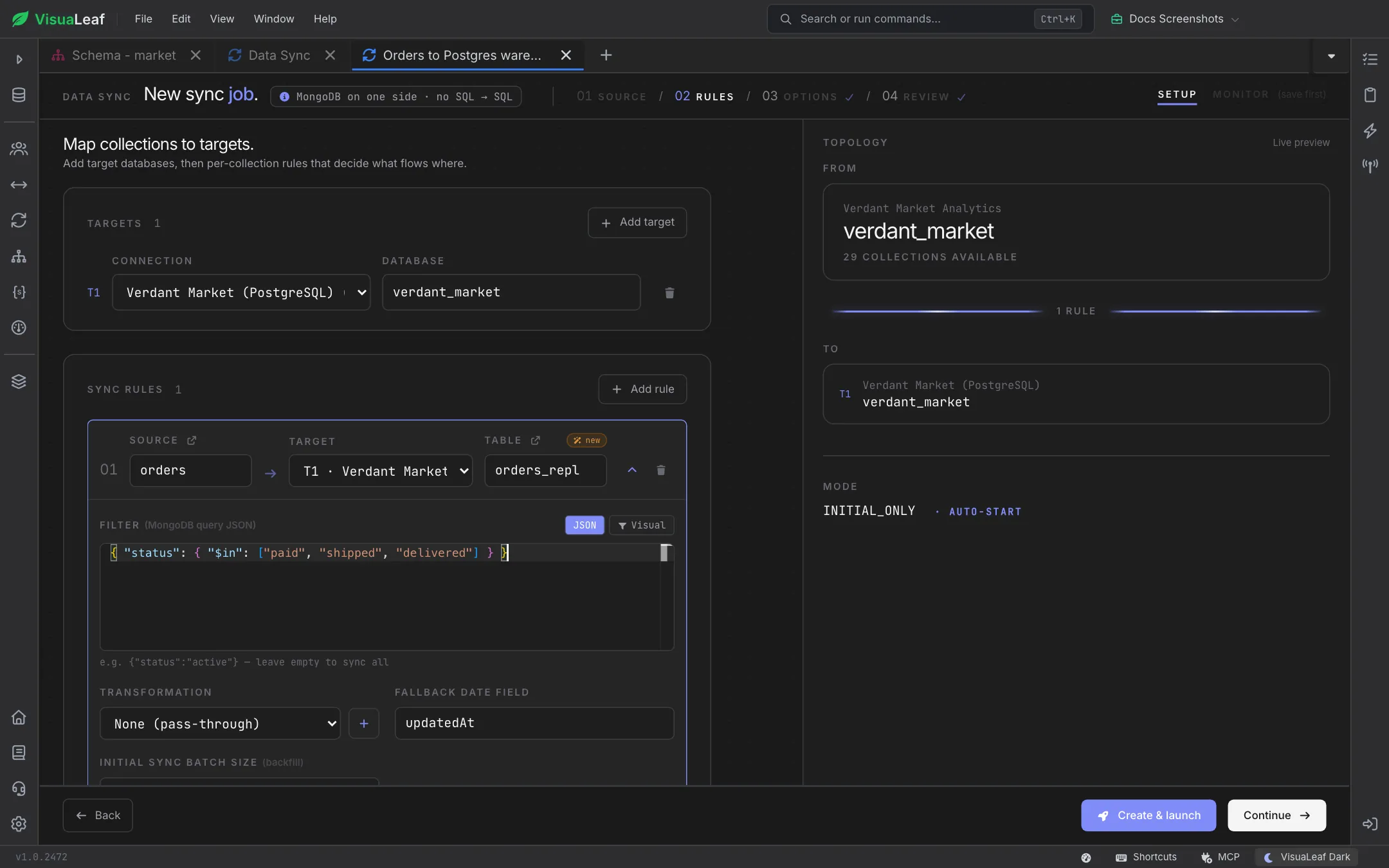
Move data across the boundaries that usually slow you down. Pick a source and a destination from your saved connections—local to Atlas, one cluster to another, or across databases—and MongoSync copies collections, indexes, and documents in one guided flow. Map source collections to new names or merge into existing ones without ever leaving the app.
You rarely need to move everything. Choose exactly which databases and collections to include, apply a query filter to sync only the documents that match, and decide how conflicts are handled—insert new, upsert on match, or skip existing. Keep sensitive fields out and copy just the slice of data your target environment needs.
Reshape your data as it moves. Point MongoSync at a collection and it auto-detects every field—nested paths and BSON types included—so a 45-field document maps itself in one click, no schema wrangling required. From there, fine-tune anything: cast types on the fly, add value scripts to compute or transform fields in flight, and choose per-field how they land with map modes like IF_EXISTS. Save a mapping once and reuse it across every sync.
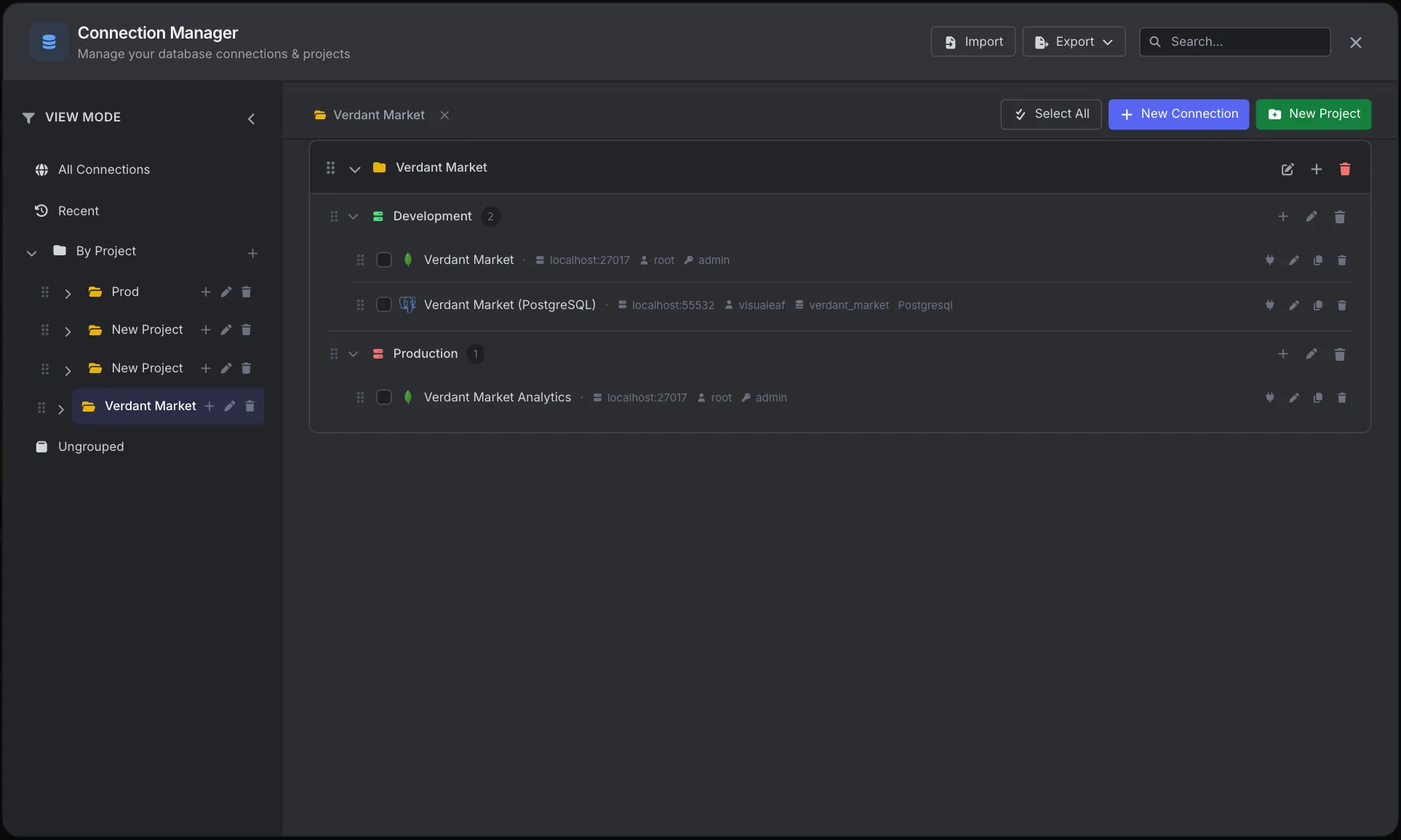
MongoSync moves data between the connections you already manage. Save profiles for local, remote, and Atlas databases, organize them by project and environment, and switch between source and destination in a single click when setting up a sync.
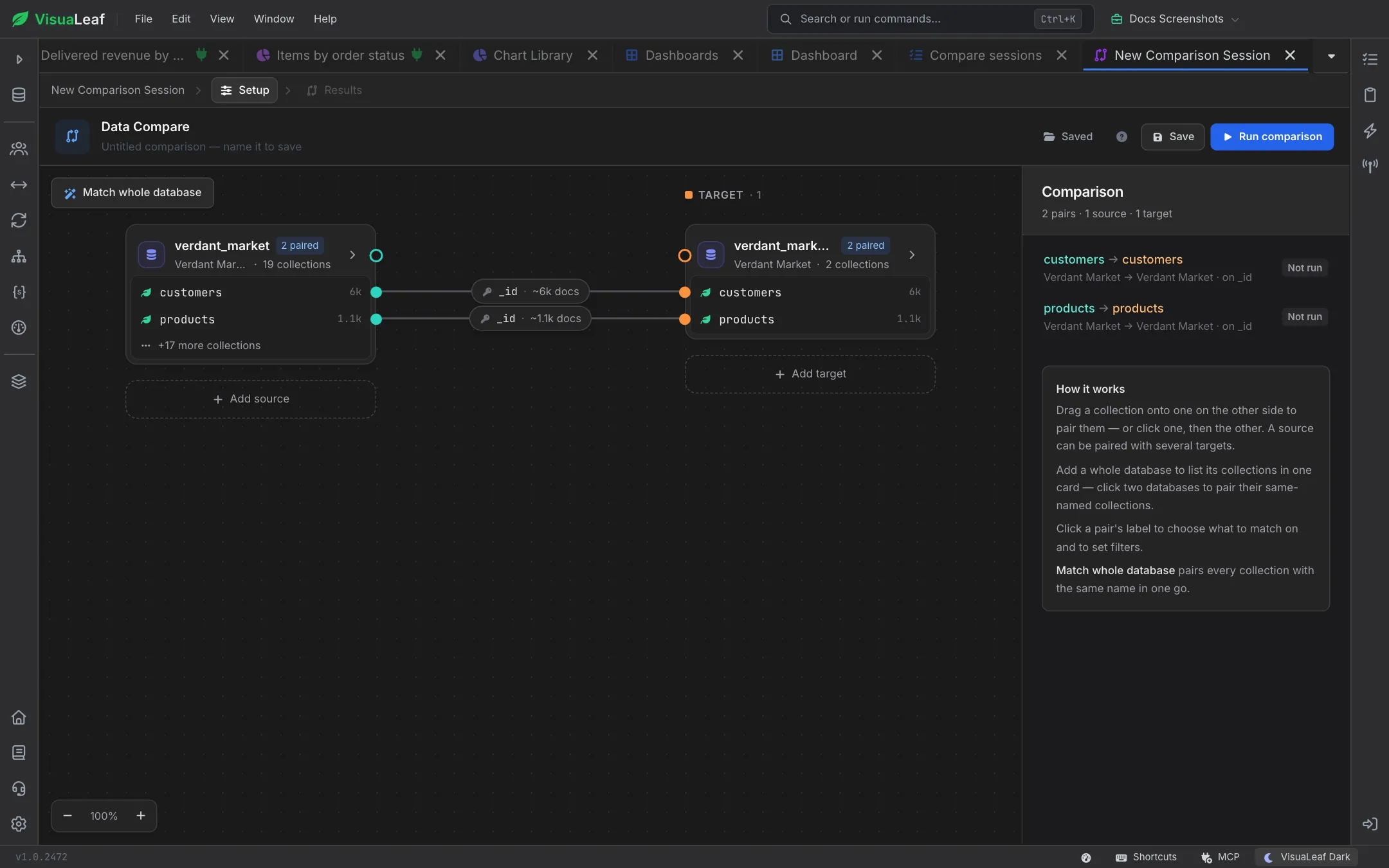
Verify a sync before and after it runs. Collection Compare shows a document-level diff between two collections or environments, so you can confirm exactly what changed and prove that source and destination match once MongoSync finishes.
Check out the documentation to explore all the details about MongoSync and discover more VisuaLeaf features.
Read the DocumentationGet started free with our Community Edition. Includes a 14-day trial of Pro features.