How to Copy and Sync a MongoDB Collection to PostgreSQL
Learn how to copy a MongoDB collection to PostgreSQL, map nested fields to JSONB, and keep inserts, updates, and deletes in sync.


I tested a MongoDB-to-PostgreSQL sync with a visits collection.
At first, I thought the hard part would be the sync itself. It was not. The harder part was making PostgreSQL understand the MongoDB document shape.
MongoDB lets one document contain strings, dates, nested objects, arrays, and an _id. PostgreSQL wants fixed columns, clear data types, and a primary key.
So before running the sync, I had to decide what the PostgreSQL table should look like.
For this test, I used VisuaLeaf Mongo Sync.
I used it because I wanted to set up the workflow visually: source collection, target PostgreSQL table, field mapping, and sync status. I still had to create the PostgreSQL table and check the mapping carefully, but I didn't have to write a custom sync script.
Source Collection
The source was:
database_compare_demo.visits
Each MongoDB document had simple fields like:
_idvisitIdstatusvisitDatevisitReason
It also had nested fields:
patientdoctorsymptomsprescriptionsinvoicelabResultsvisitDetailsvitalsclinic
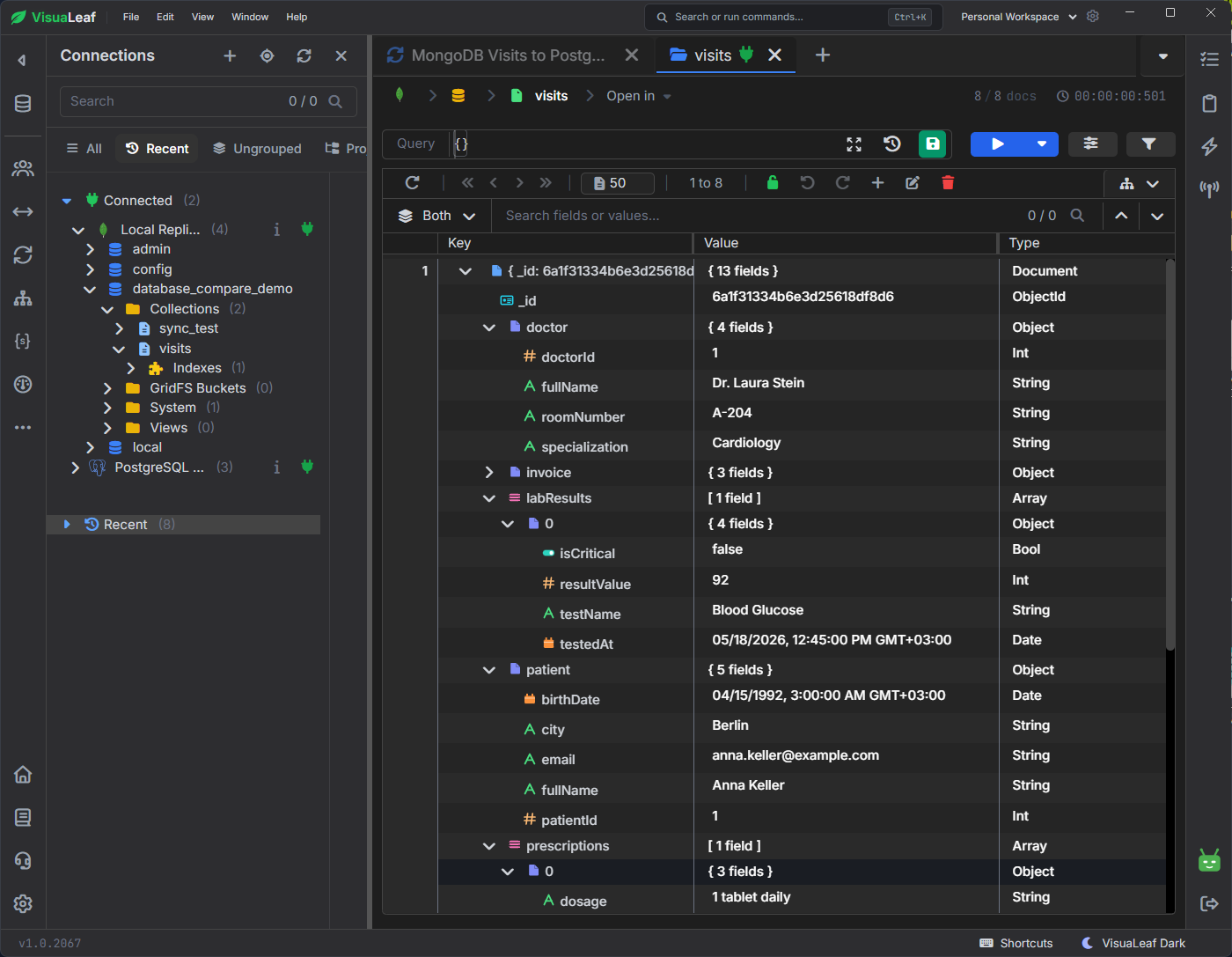
visits collection with nested patient, doctor, lab results, and vitals data.This is where the mapping matters. If you try to force every nested MongoDB field into separate SQL columns too early, the setup gets messy fast.
For this test, I used a PostgreSQL landing table.
PostgreSQL Table
I created one table:
CREATE TABLE public.mongo_visits_sync (
    mongo_id TEXT PRIMARY KEY,
    "visit_id" TEXT,
    status TEXT,
    "visit_date" TIMESTAMPTZ,
    "visit_reason" TEXT,

    patient JSONB,
    doctor JSONB,
    symptoms JSONB,
    prescriptions JSONB,
    invoice JSONB,
    "lab_results" JSONB,
    "visit_details" JSONB,
    vitals JSONB,
    clinic JSONB
);
I kept the simple fields as normal columns.
I stored the nested MongoDB objects and arrays as JSONB.
This was easier to test, and it kept the original document structure instead of flattening everything too early.
Why mongo_id Is Important
The PostgreSQL table needs a primary key.
In this setup, MongoDB _id maps to PostgreSQL mongo_id.
_id -> mongo_id
Without this, the sync cannot safely update existing rows.
One error I hit was:
SQL target has no key columns — cannot upsert idempotently
That means PostgreSQL did not have a usable key for the sync job.
The fix was to create mongo_id as the primary key and map MongoDB _id to it.
Field Mapping and Data Types
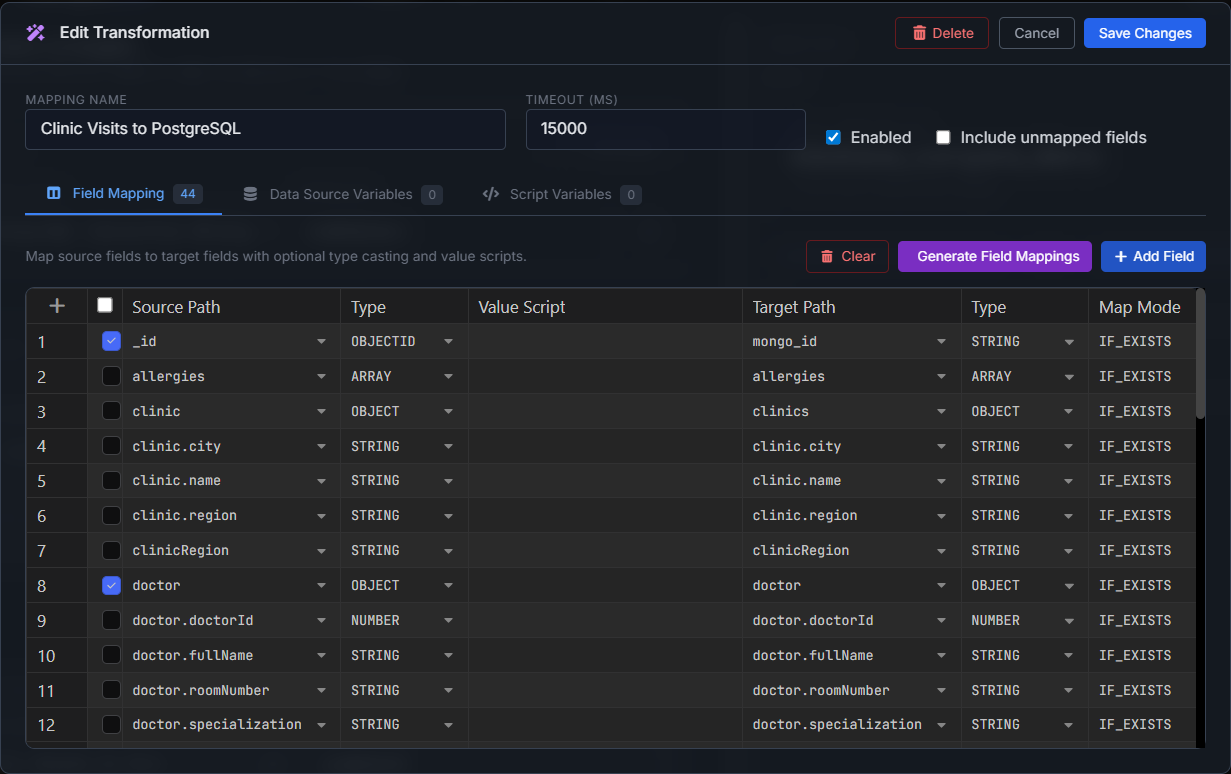
In VisuaLeaf, the mapping shows the MongoDB fields with simple source types like String, Object, and Array.
That matters because not every MongoDB field should become a normal text column in PostgreSQL.
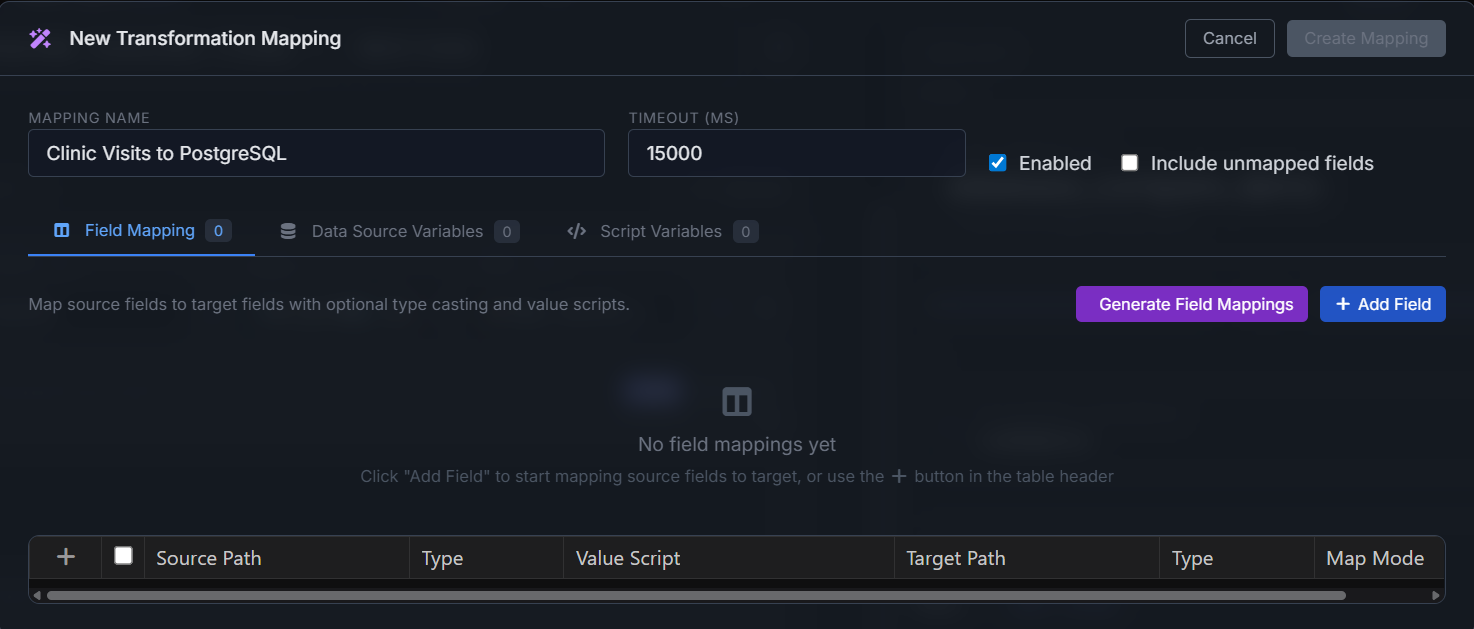
For this test, I used this logic:
| MongoDB field | Type shown in VisuaLeaf | PostgreSQL column | PostgreSQL type |
|---|---|---|---|
_id |
String | mongo_id |
TEXT |
visitId |
String | visit_id |
TEXT |
status |
String | status |
TEXT |
visitDate |
String / Date | visit_date |
TIMESTAMPTZ |
visitReason |
String | visit_reason |
TEXT |
patient |
Object | patient |
JSONB |
doctor |
Object | doctor |
JSONB |
symptoms |
Array | symptoms |
JSONB |
prescriptions |
Array | prescriptions |
JSONB |
invoice |
Object | invoice |
JSONB |
labResults |
Array / Object | lab_results |
JSONB |
visitDetails |
Object | visit_details |
JSONB |
vitals |
Object | vitals |
JSONB |
clinic |
Object | clinic |
JSONB |
The Error I Had With Column Names
At first, my PostgreSQL table used names like:
lab_results
visit_details
visit_reason
But the sync tried to insert into:
labResults
visitDetails
visitReason
So PostgreSQL returned this error:
ERROR: column "labResults" of relation "mongo_visits_sync" does not exist
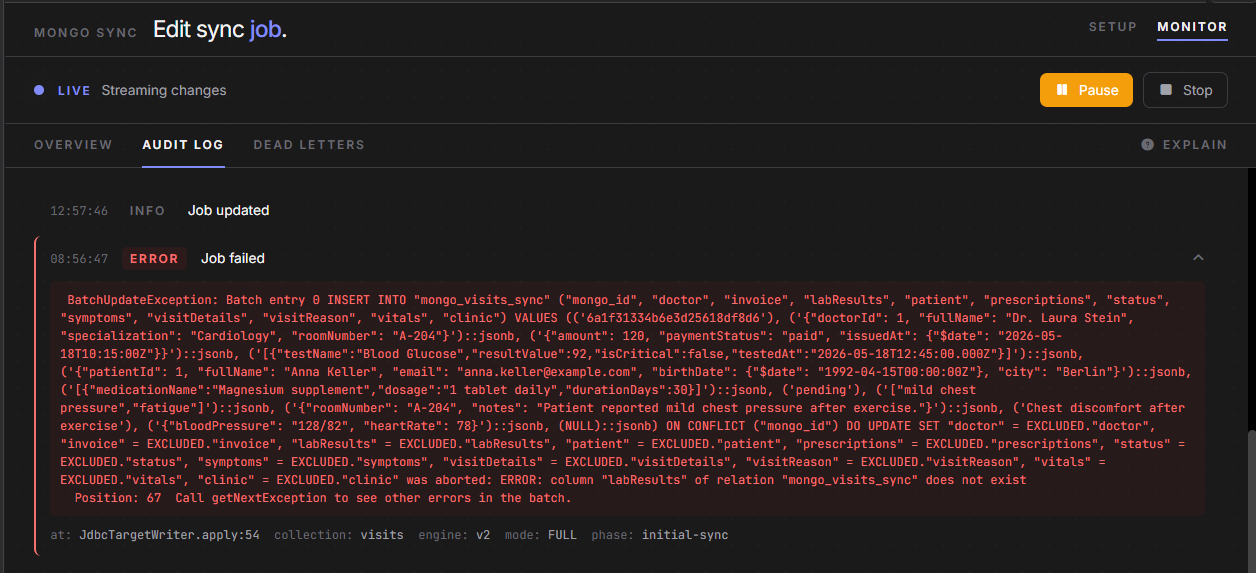
labResults did not match the PostgreSQL column lab_results.The problem was not PostgreSQL. The problem was the mismatch between the mapping and the real column names.
You can fix this in two ways:
- Keep snake_case in PostgreSQL and map each field manually.
- Use quoted camelCase column names in PostgreSQL.
For the successful sync, I kept the PostgreSQL columns in snake_case and mapped each MongoDB field to the corresponding column manually.
Sync Setup
The source MongoDB database was a replica set.
That matters because continuous sync uses MongoDB change streams. Change streams work with replica sets and sharded clusters, not standalone MongoDB.
The setup was:
| Setting | Value |
|---|---|
| Source | MongoDB replica set |
| Database | database_compare_demo |
| Collection | visits |
| Target | PostgreSQL |
| Target table | mongo_visits_sync |
| Sync mode | Full sync |
| Filter | None |
| Mapping | Manual |
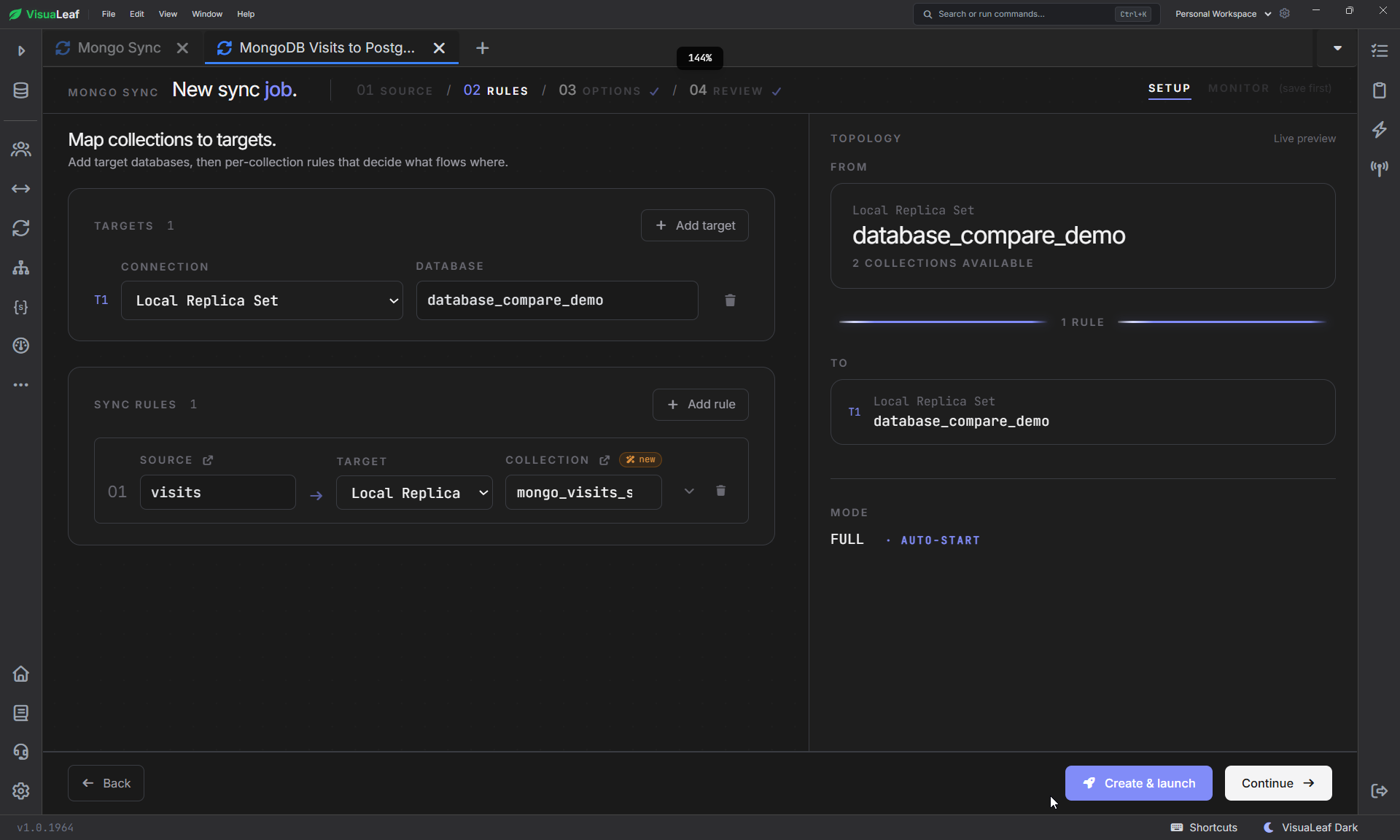
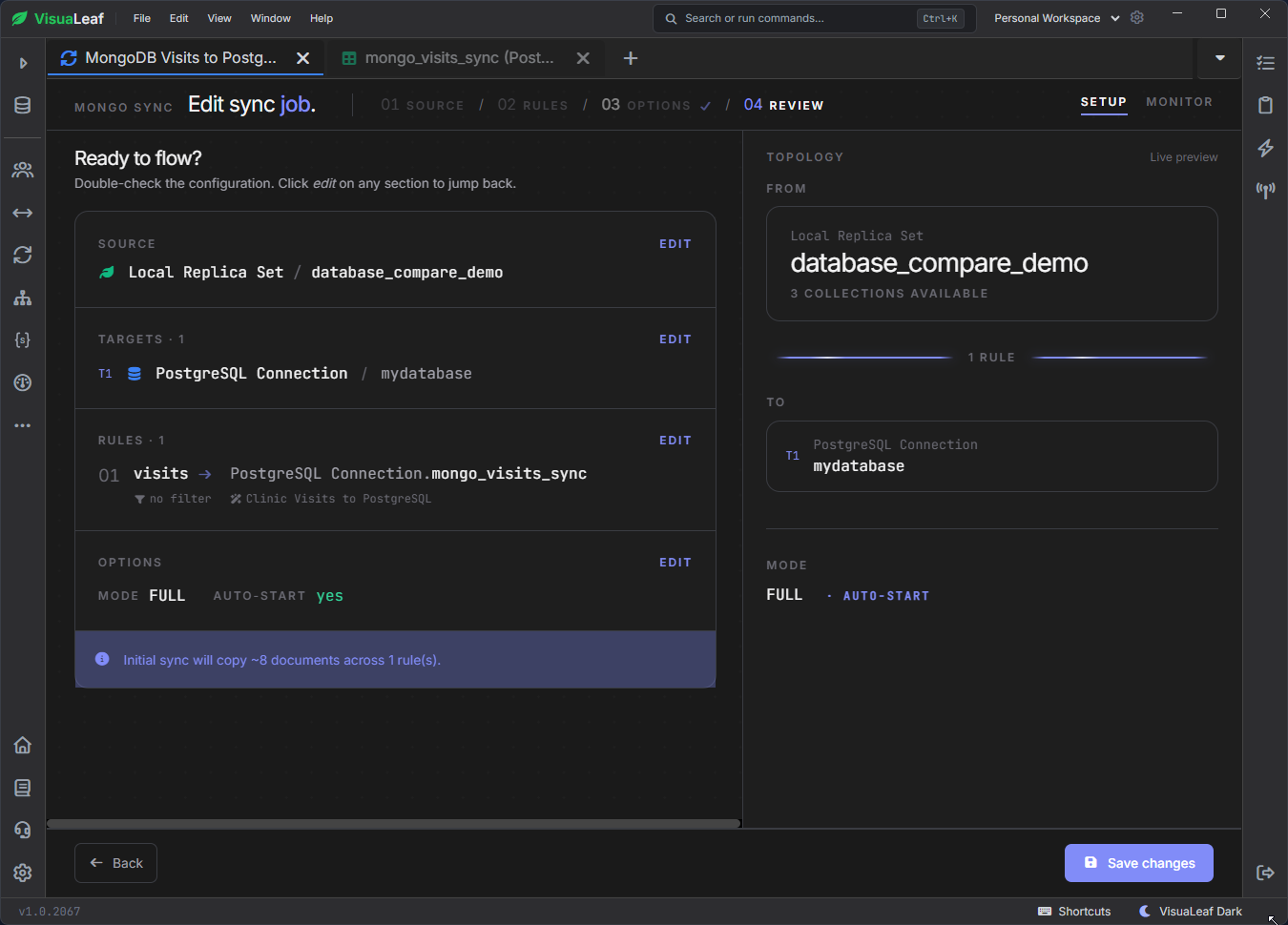
visits collection to the PostgreSQL target table.I used Full sync because I wanted the first copy and the later changes.
Checking the Initial Copy
After running the sync, I checked the row count:
SELECT COUNT(*) AS synced_rows
FROM public.mongo_visits_sync;
Then I checked a few fields:
SELECT
    "visit_id",
    status,
    "visit_date",
    patient ->> 'fullName' AS patient_name,
    doctor ->> 'fullName' AS doctor_name
FROM public.mongo_visits_sync;
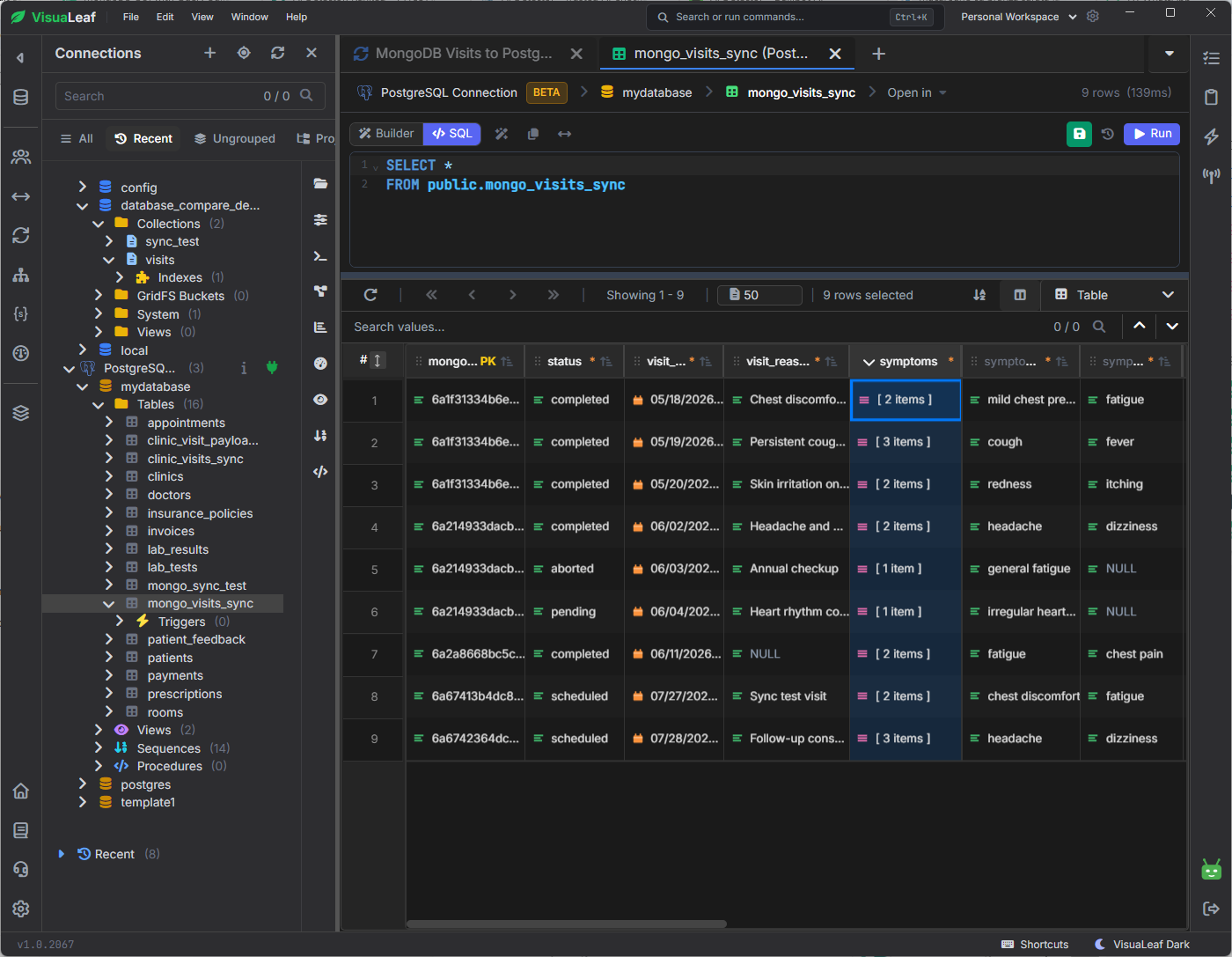
This confirmed that normal fields were copied into columns, and nested values were still queryable from JSONB.
Testing Insert, Update, and Delete
The first copy is not enough to prove the sync works.
So I tested changes from MongoDB too.
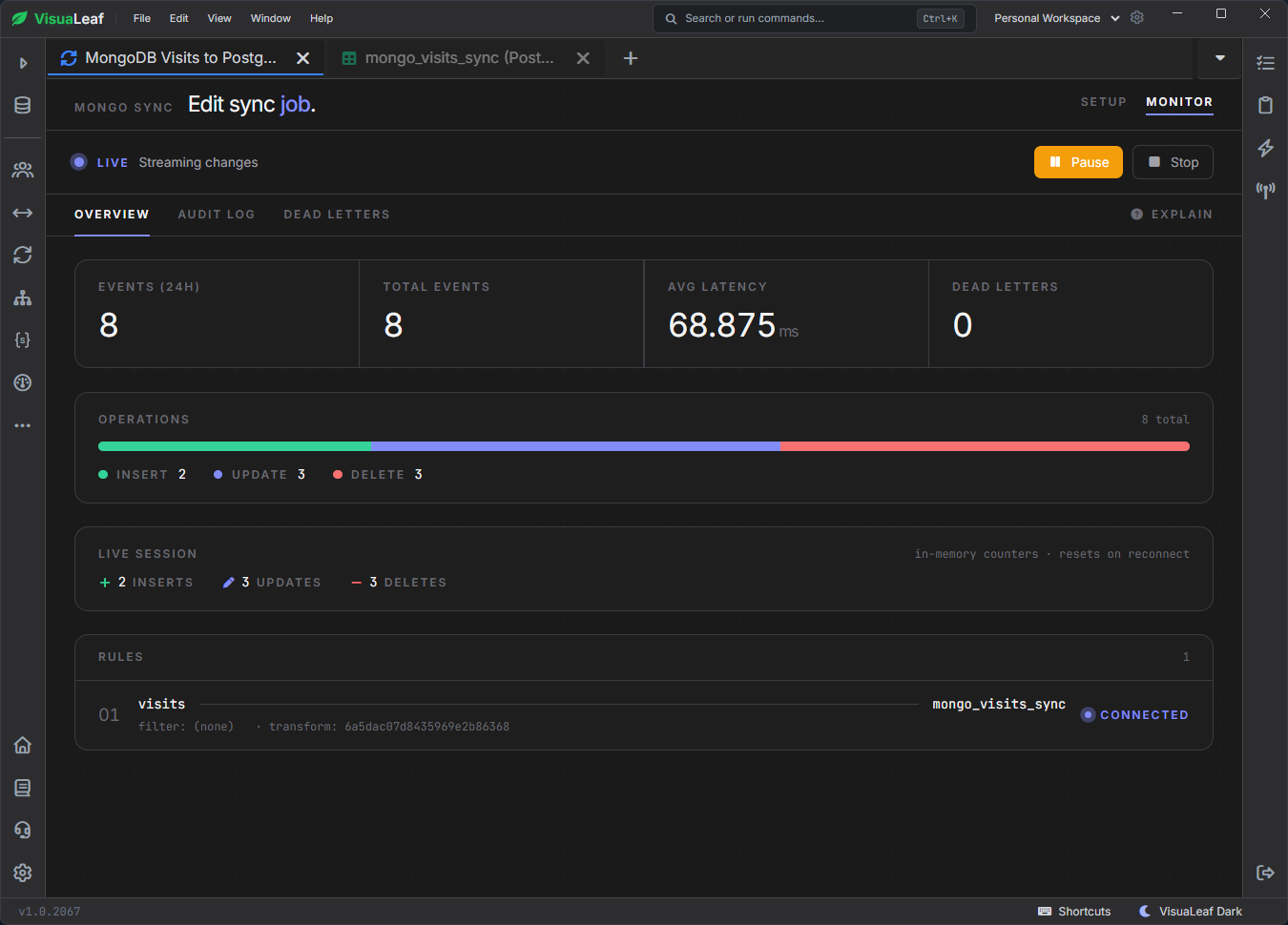
For the update test, I used:
db.visits.updateOne(
  { visitId: "VIS-SYNC-TEST" },
  {
    $set: {
      status: "completed",
      "visitDetails.notes": "Updated after initial sync"
    }
  }
);
Then I checked PostgreSQL:
SELECT
    "visit_id",
    status,
    "visit_details" ->> 'notes' AS notes
FROM public.mongo_visits_sync
WHERE "visit_id" = 'VIS-SYNC-TEST';
The updated status and note appeared in Postgres.
I also tested insert and delete. The new document appeared in PostgreSQL, and the deleted document was removed from the table.
For a first version, one PostgreSQL landing table is usually easier than trying to normalize everything. After the data is synced, you can decide whether some fields should move into separate SQL tables.
Conclusion
The landing-table approach worked well for this test: regular MongoDB fields became PostgreSQL columns, while nested objects and arrays stayed queryable JSONB.
The main problems were not with the sync itself. They were the missing primary key and the mismatch between MongoDB field names and PostgreSQL column names. Once I corrected those, inserts, updates, and deletes were reflected in PostgreSQL without a custom sync script.