Studio 3T Alternative for MongoDB Queries and Aggregations
Looking for a Studio 3T alternative? VisuaLeaf helps you query data, build aggregation pipelines, explore JSON schema, and work with MongoDB more visually.


If you use MongoDB and want a GUI tool to help you work faster, Studio 3T is often one of the first tools you’ll hear about.
It has a strong reputation for a reason. It brings together a lot of features in one place and can handle everything from querying and aggregations to broader data tasks.
But after a while, you may start asking yourself something else:
What if I want a different way to work with MongoDB?
Not every task needs a heavy workflow.
Sometimes you just want to explore the data, build something quickly, and move on.
That’s often when people start looking for an alternative, not necessarily one with more features, but one with a different perspective: more visual, easier to follow, and more comfortable for everyday work.
That’s where VisuaLeaf takes a different approach.
What Makes a MongoDB Tool Truly Useful?
In the early stages, practically any GUI for MongoDB is sufficient.
You connect, explore collections, run some queries, and it all just works.
But as your data becomes larger, other factors begin to become important:
| Feature | Why it matters |
|---|---|
| Querying experience | You should be able to build queries quickly without friction |
| Aggregation support | Pipelines can become hard to read and maintain |
| Schema visibility | Understanding structure is not always obvious in MongoDB |
| Data exploration | Working with nested documents should stay clear |
| Charts and dashboards | Visual results help you understand and share insights |
| Environment management | Switching between databases should be safe and clear |
| Compare and sync | Tracking differences between environments saves time |
| Performance | Speed affects how fast you can iterate |
| Automation | Repetitive tasks shouldn’t be manual every time |
| Database tools | Indexes, validation, and management matter in real projects |
These are the same aspects we looked at when comparing VisuaLeaf with other tools, including its role as a MongoDB Compass Alternative.
The Reason VisuaLeaf Feels Like a Simpler Alternative
VisuaLeaf focuses on something slightly different.
Not only by increasing functionality, but also by streamlining common processes.
Querying Without the Friction
Not everyone works the same way.
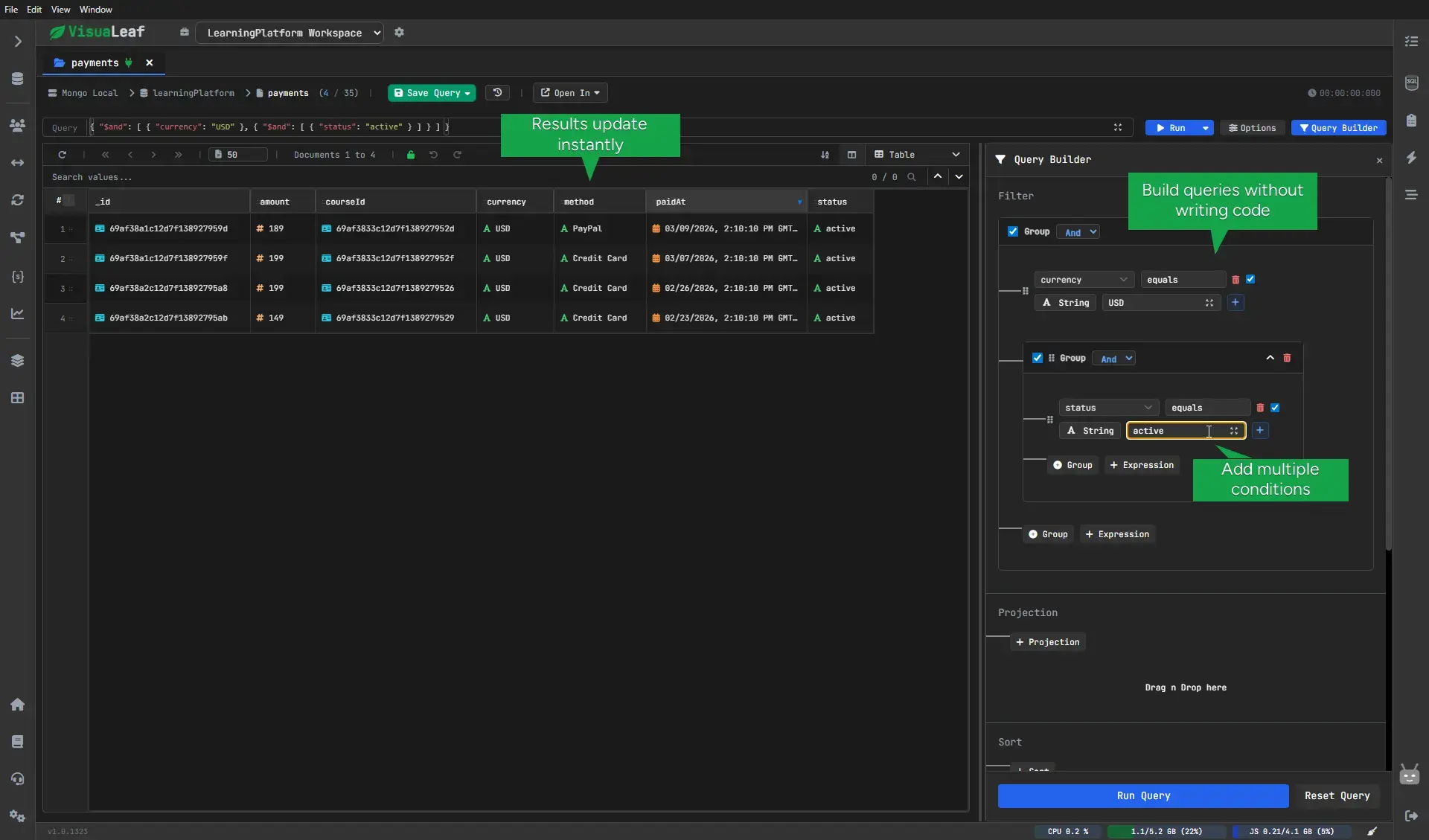
Sometimes, you'd rather craft queries by hand. Other times, particularly when the criteria become complicated, writing queries visually comes more quickly.
VisuaLeaf lets you build queries visually, combine conditions, group logic with AND/OR, and still see the generated query behind it.
If you feel like writing queries directly in the MongoDB Shell, that's perfectly okay too.
What is important is being flexible enough to find out which one will work best for you.
Build Aggregation Pipelines More Easily
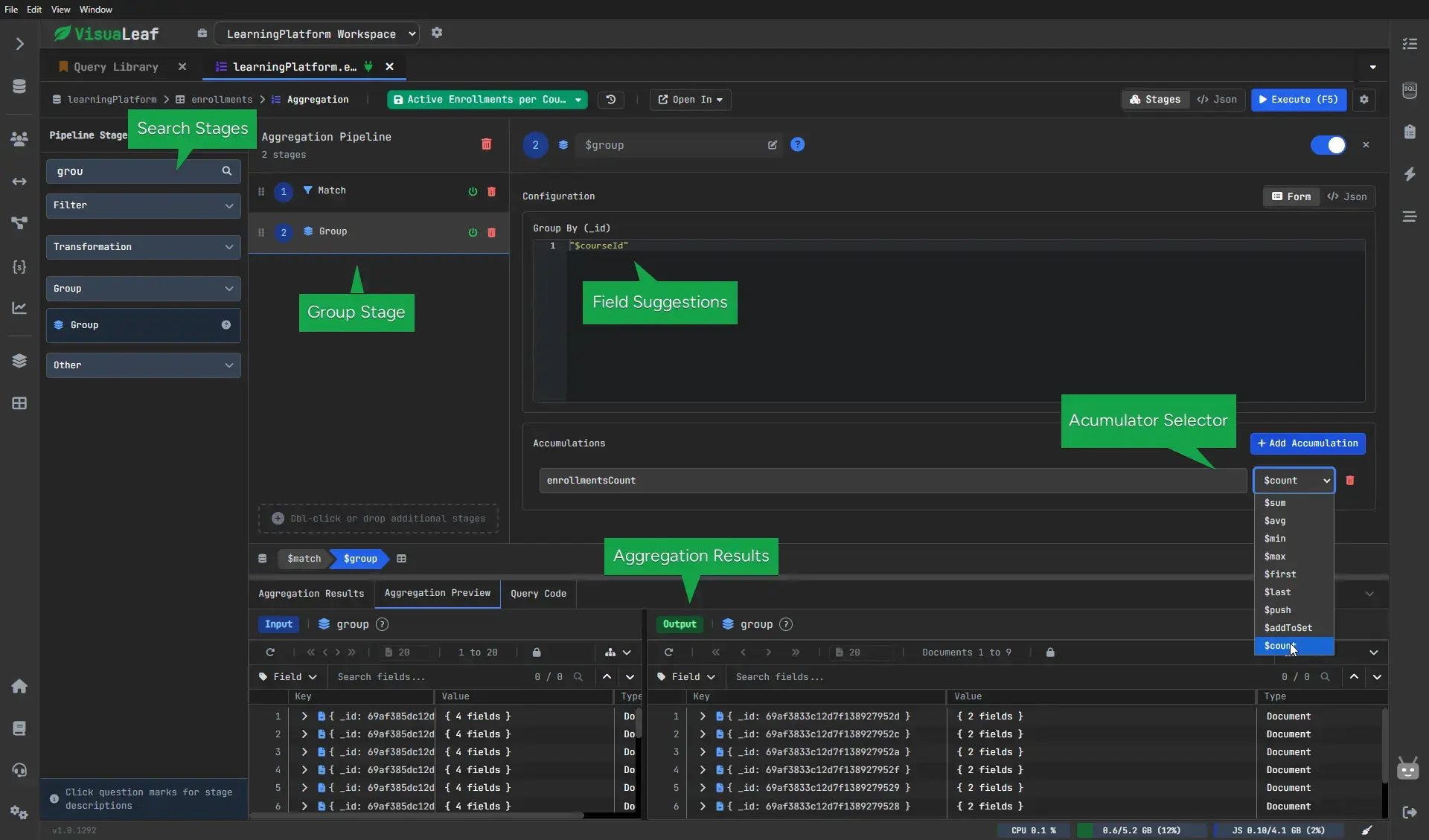
Aggregations are highly useful, but they can easily become hard to comprehend.
When several stages have been added, you tend to spend more time analyzing the pipeline rather than building it.
VisuaLeaf provides a solution to this problem by enabling you to create pipelines through visualization, where each stage has an output displayed for you.
In this way, you do not have to rely on mental effort in understanding the process.
Work With Your Data Through the MongoDB Shell
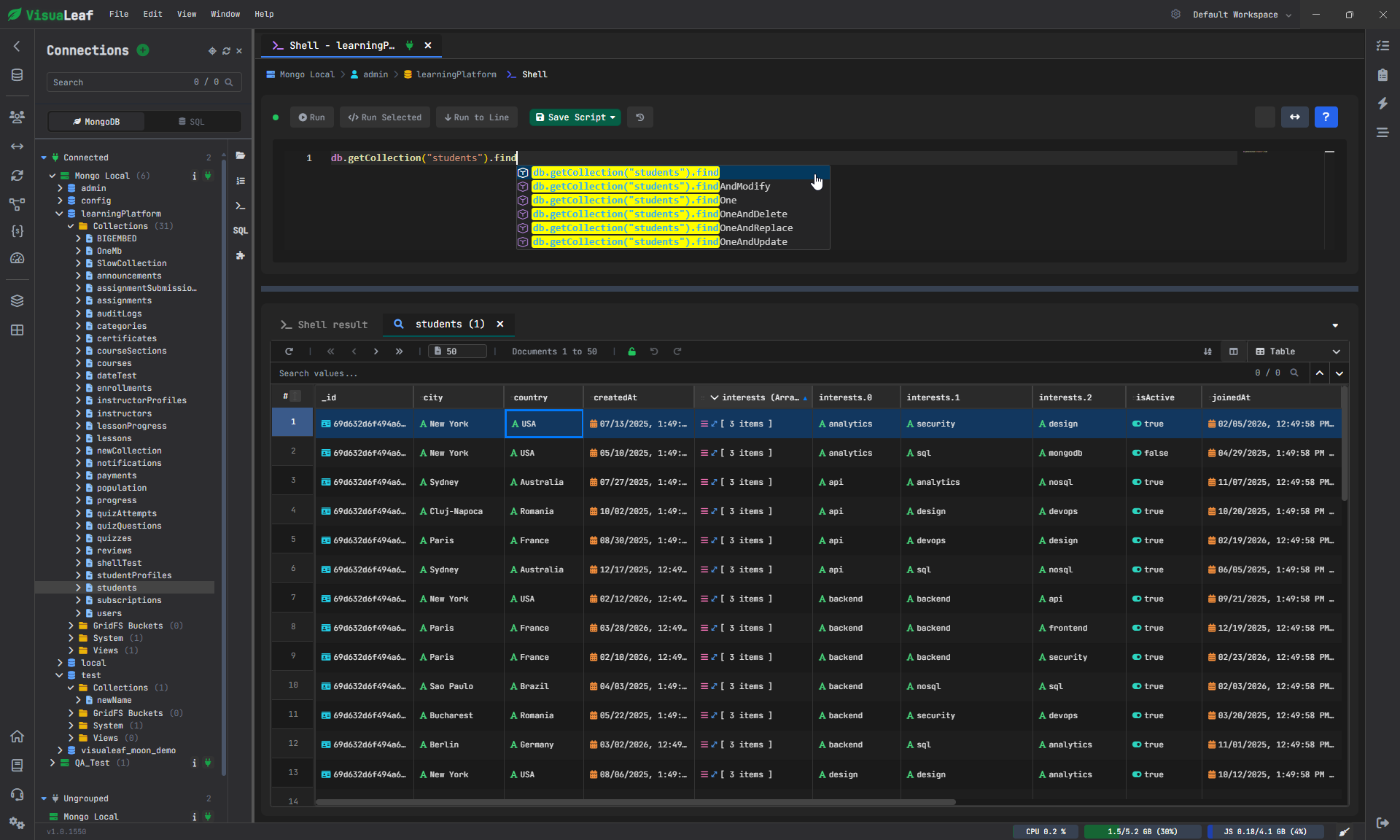
Another common way to work with MongoDB is through the shell.
It gives you a direct way to query data, run aggregations, and make updates without leaving the workspace.
That speed is part of the reason many people still like working this way.
But in practice, writing the command is only part of the job.
You also need to understand the results, check whether the data looks right, and sometimes fix small issues on the spot.
That’s where it helps when the shell is not isolated, but connected to a clearer and more visual way of working with your data.
Visualize Structure Without Making Assumptions
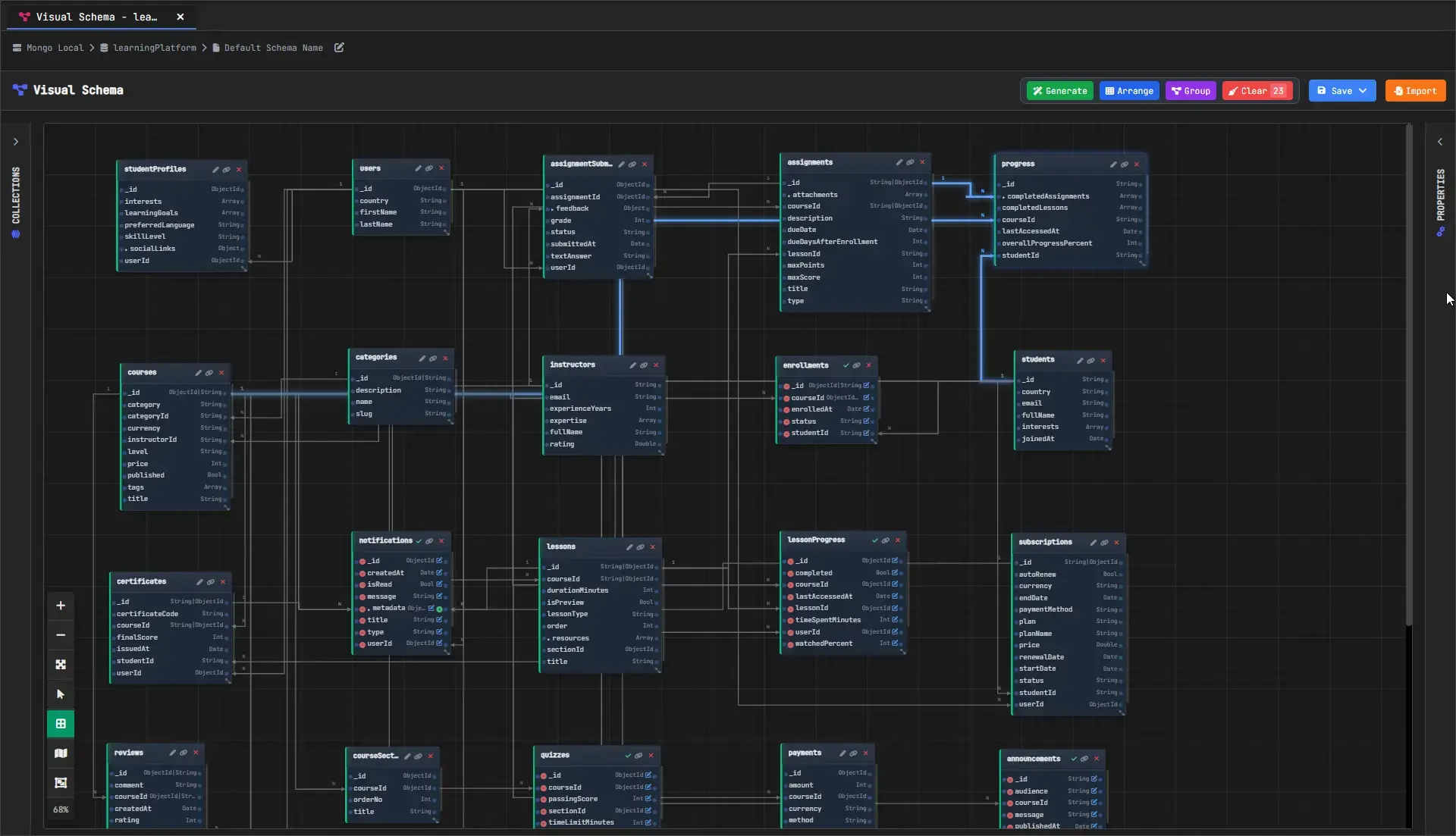
Structure in MongoDB isn’t enforced in the way it is in relational databases.
This implies that knowing the structure of the data takes time, particularly in big projects.
With VisuaLeaf, visualizing collections, fields, and connections within a diagram is easy.
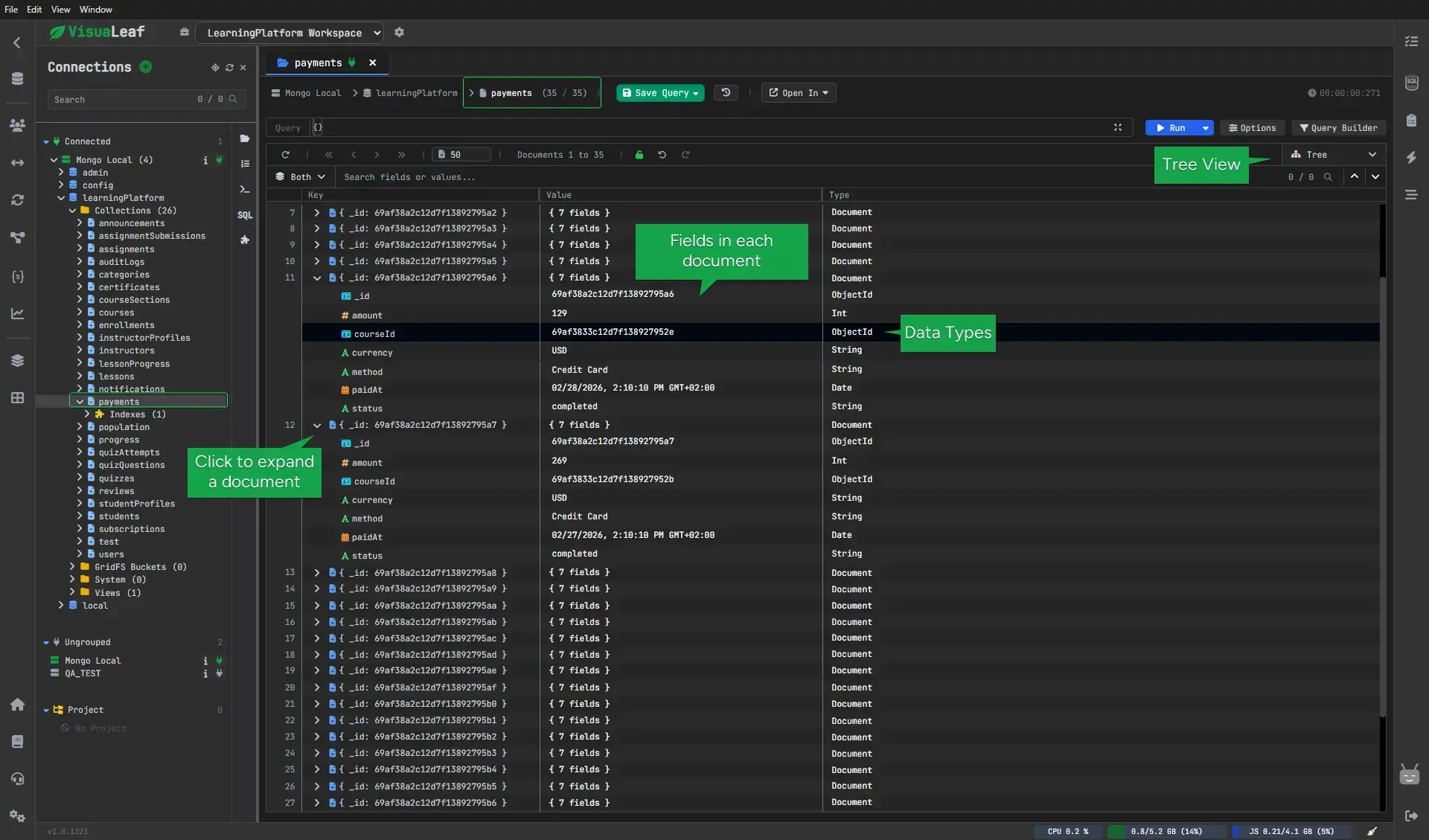
Working With Data Without Getting Lost
Nested documents are good, but they can also be confusing at times as well.
You click on a document, open a field here, move to a collection there, and suddenly you are disoriented.
That’s when VisuaLeaf’s approach to exploring data comes in handy.
The performance issue also becomes important at this stage.
According to the post in Reddit, someone ran tests on multiple MongoDB tools, using 50 documents weighing about 10 MB each.
With this dataset, VisuaLeaf showed results in 5 seconds, compared to 9 seconds taken by Studio 3T.
Results like these can vary depending on hardware and configuration, but they show how performance differences start to become noticeable with larger datasets.
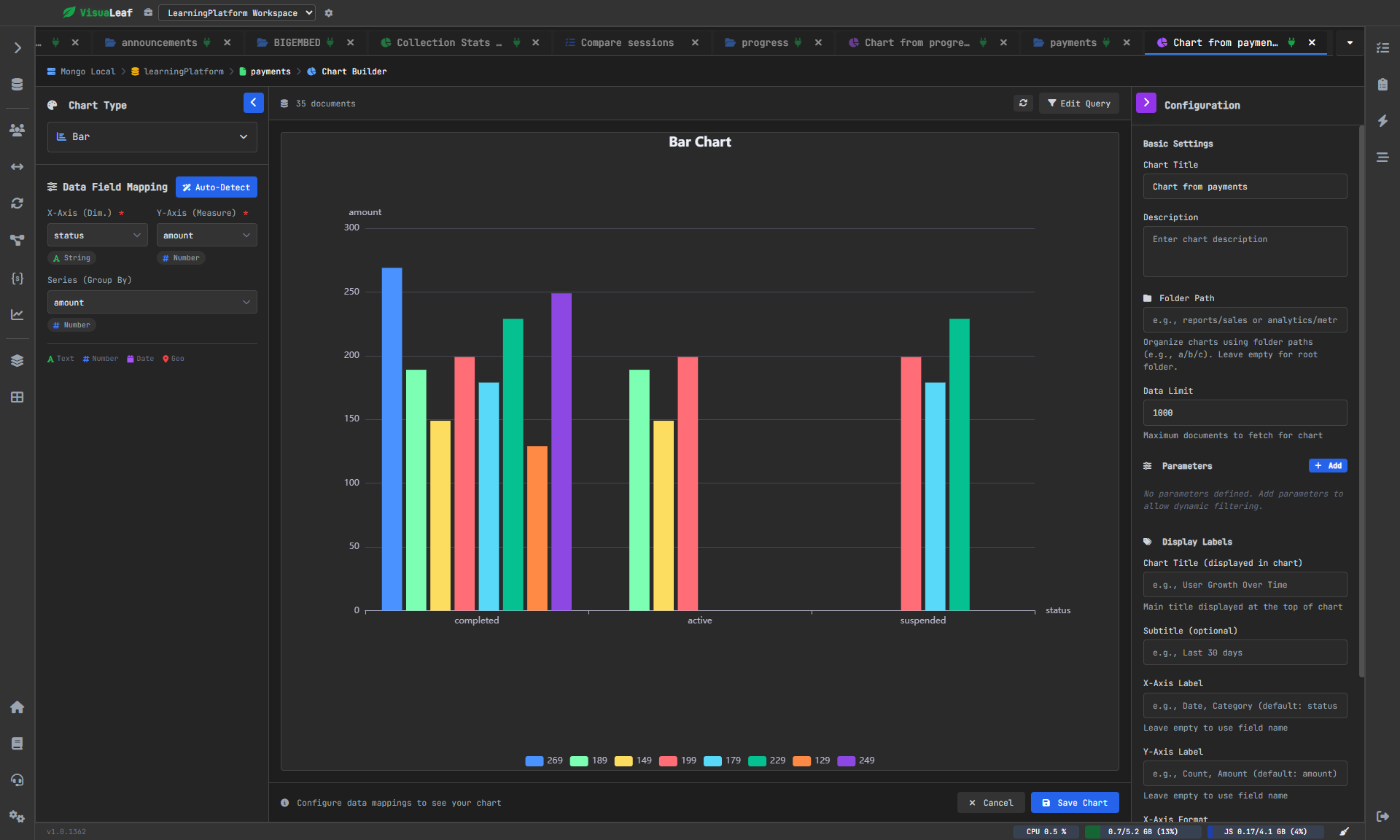
From Data to Chart, in One Step
Typically, most software is limited to showing the result of a query.
But VisuaLeaf does not limit itself there.
You are able to take that result and create a chart or dashboard using it without exporting data elsewhere.
This simplifies identifying trends and communicating insights based on the database.
Controlling Your Environment
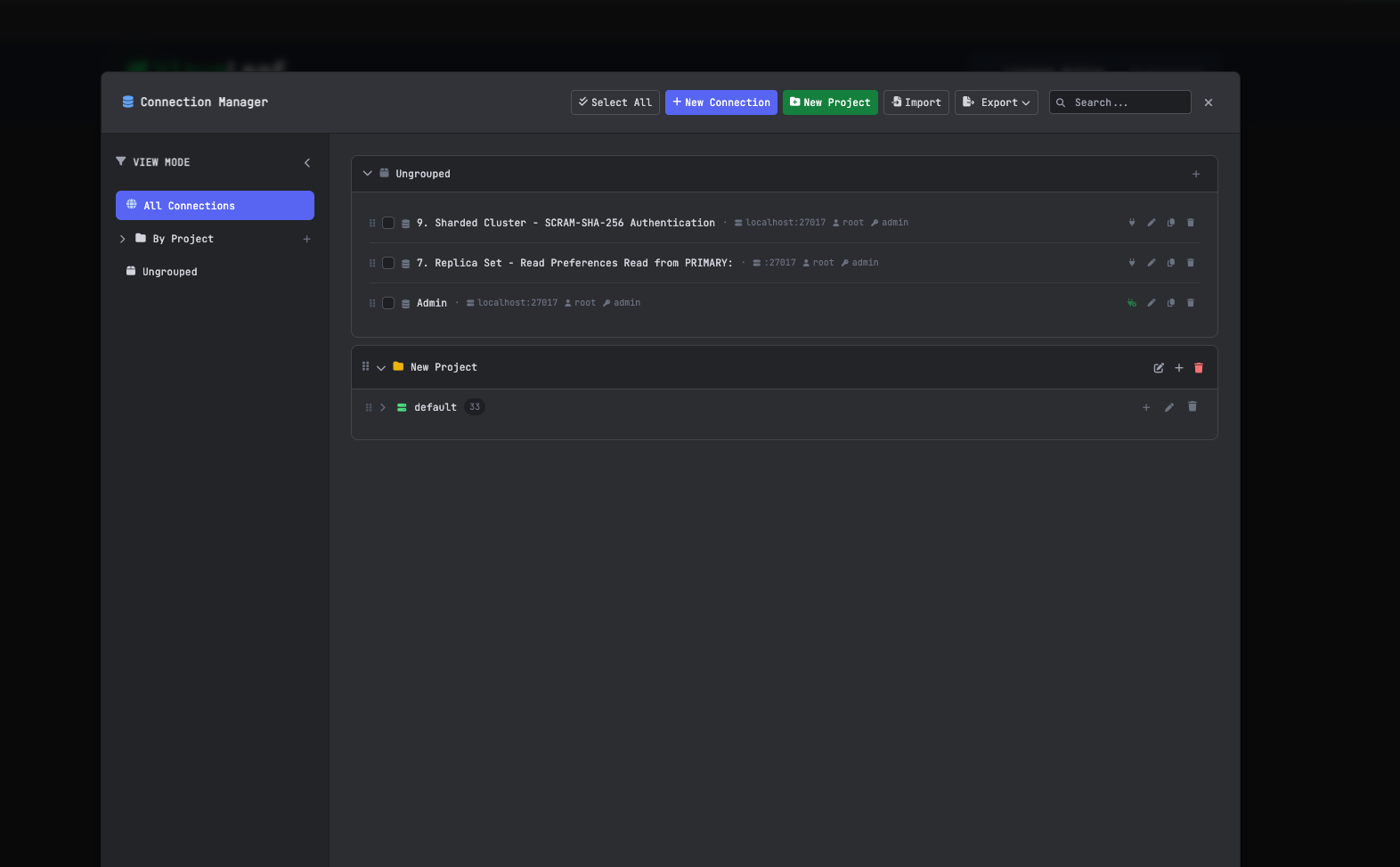
It’s almost impossible not to work with more than one environment in any project.
Between local, staging, and production environments, there is room for error when changing from one to another.
VisuaLeaf makes sure that you manage your environments effectively.
Comparing Without Manual Analysis
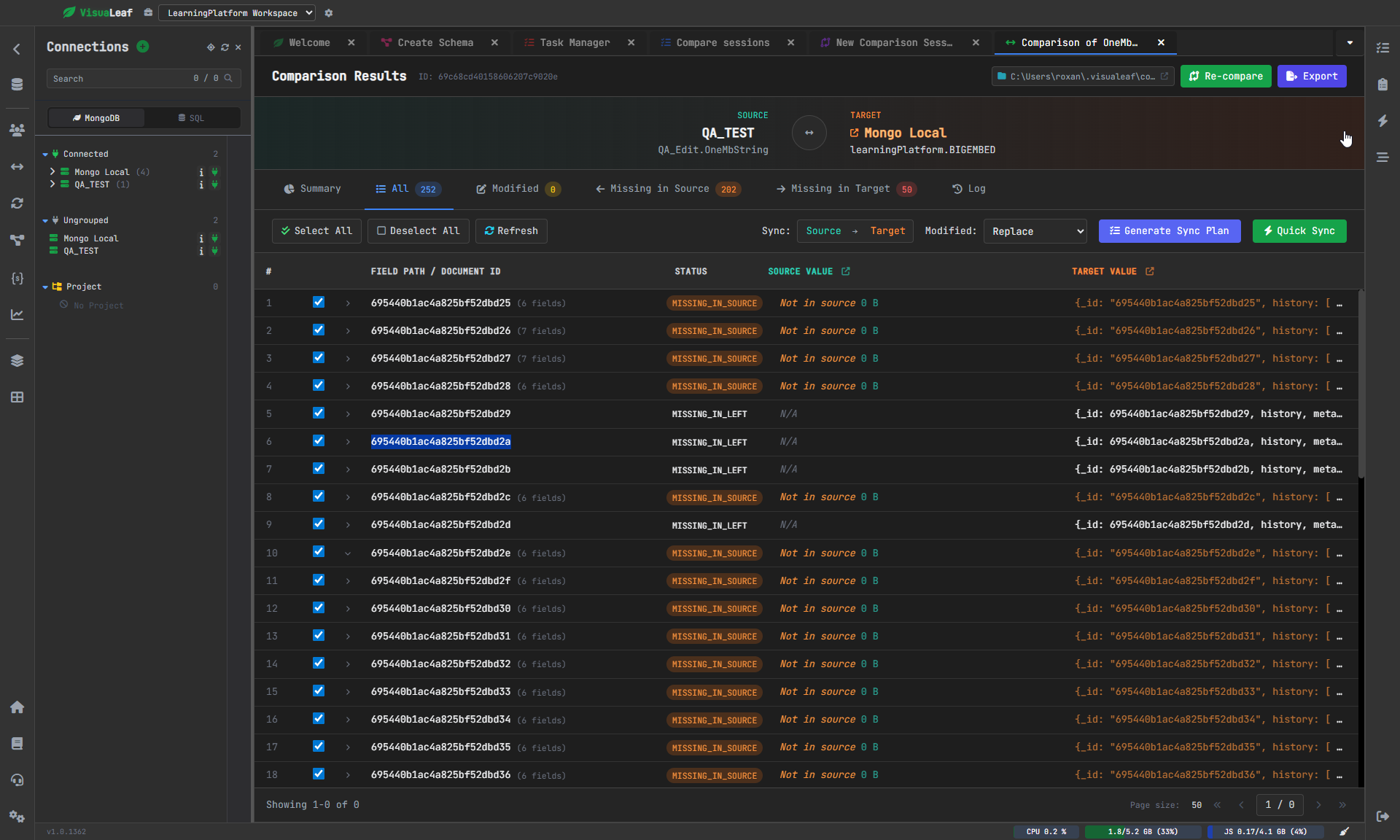
As your dataset changes, you usually have to perform comparisons between sets or environments.
Comparing manually is tedious and unreliable.
With VisuaLeaf, you can compare sets and find out what has been modified, allowing you to know what to update.
Reduced Switching of Tools
Sometimes in work processes, there is need for switching from one view or one tool to another to get things done.
One queries here, another aggregates there, then another exports somewhere else.
With VisuaLeaf, everything is integrated in one place.
VisuaLeaf Is Designed for Users Who
VisuaLeaf is an ideal solution for those who seek a more visual and intuitive interface for using MongoDB.
You will enjoy working with this MongoDB tool if you:
- like constructing queries visually or changing between methods
- use aggregation pipelines and struggle with understanding them
- wish to grasp the structure of your database quickly
- want to build graphs/dashboards without exporting your data elsewhere
- operate in various environments and don’t want to make any mistakes
Conclusion
Studio 3T is an incredibly versatile and robust tool for managing MongoDB.
However, sometimes the sheer amount of functionalities could be too much for simple routine operations.
On the other hand, VisuaLeaf provides you with the ability to do everything smoothly without any complications, such as creating queries, browsing through data, and using the database as you wish.
If you want to try it out yourself, you can experiment with the playground, use the free Community Edition, or try the full version for 14 days.
Different subscription options are provided for your convenience.