MongoDB Shell with Visual Output: A Faster Way to Run and Explore Queries
Working in the MongoDB shell doesn’t have to mean raw JSON only. See how visual output can make queries easier to understand and faster to debug.


One of the quickest ways to interact with your data is using the MongoDB shell.
You can write queries, perform aggregations, and even make updates all in one place.
db.courses.find().limit(10)
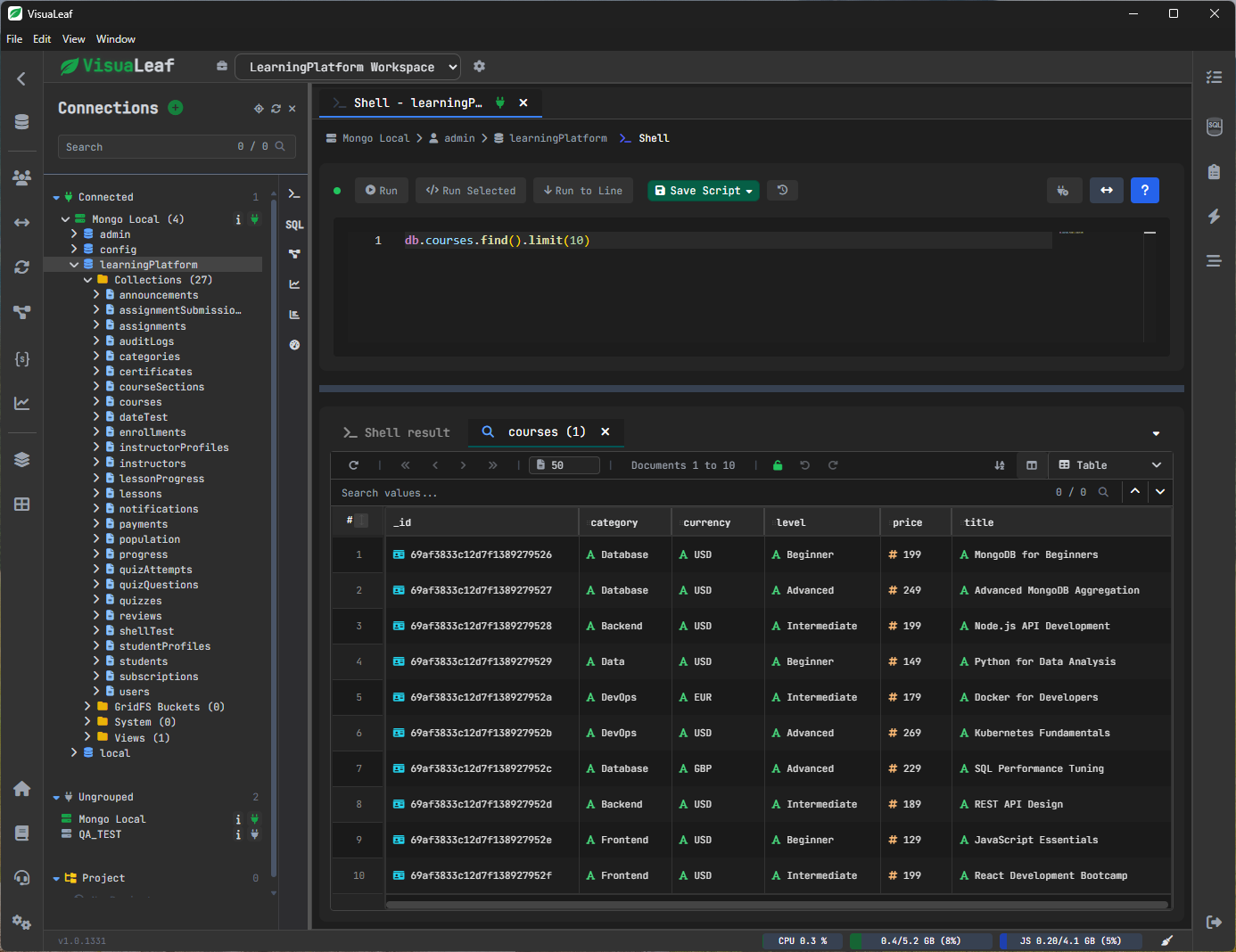
Quick, easy, and powerful.
But in real life, there’s more to doing this than just writing queries.
You need to:
- understand the results
- check if the data is correct
- fix small mistakes
And this is where experience can really come in handy.
A Better Way to Write MongoDB Queries
You can write MongoDB queries inside VisuaLeaf just as you normally do.
At the same time, you get help as you type.
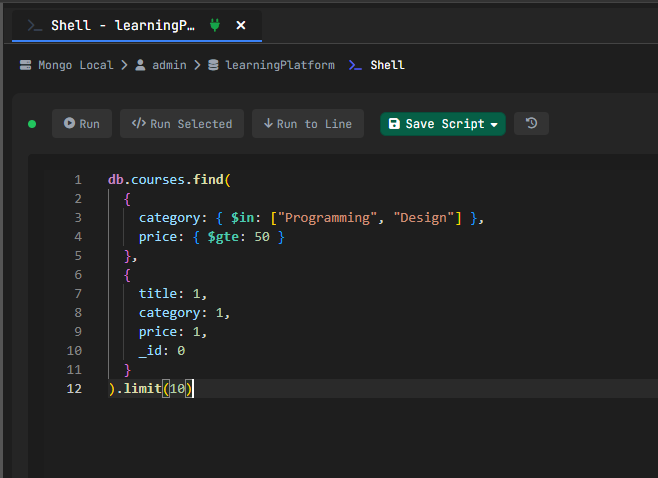
Syntax Highlighting
Reading queries is easier because:
- keywords are highlighted
- fields and values are separated
- the structure is easier to follow
You don’t need to “parse” all that in your head.
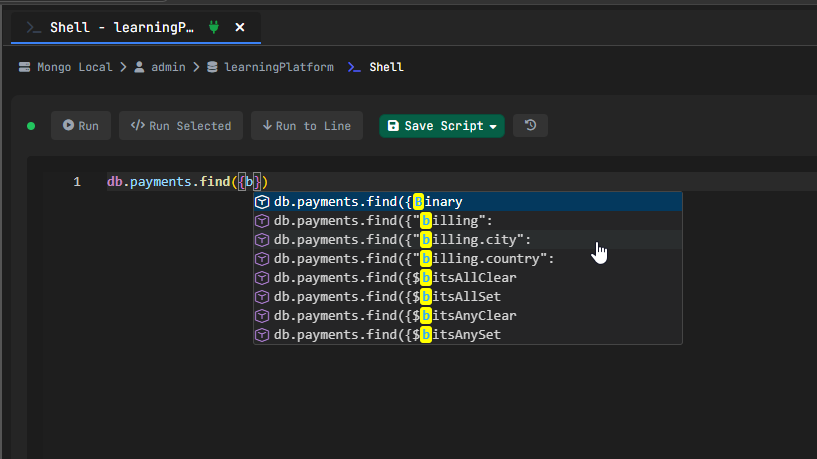
Auto-Completion
As you type, you get suggestions for:
- collections
- fields
- operators
This lets you:
- type faster
- avoid typos
- make fewer mistakes
You don’t need to guess field names; you can select them.
Running Queries Is Only Half of the Work
After running a query, the real work starts.
You need to understand the result.
Tree View - Explore Your Data Without Getting Lost
If your data is nested:
- only expand the fields that you need
- go step by step
- do not scroll through everything
This makes complex data much easier to understand.
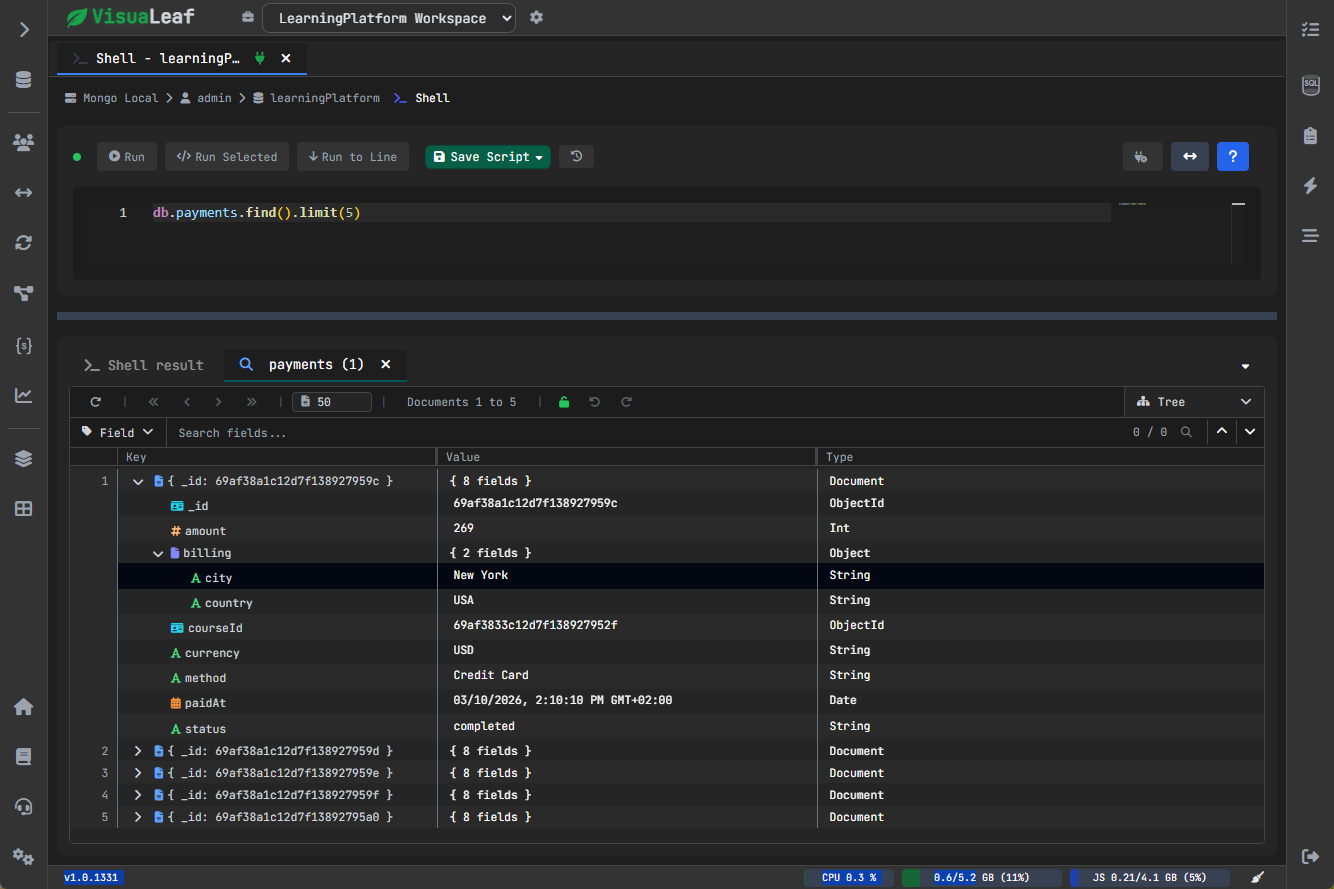
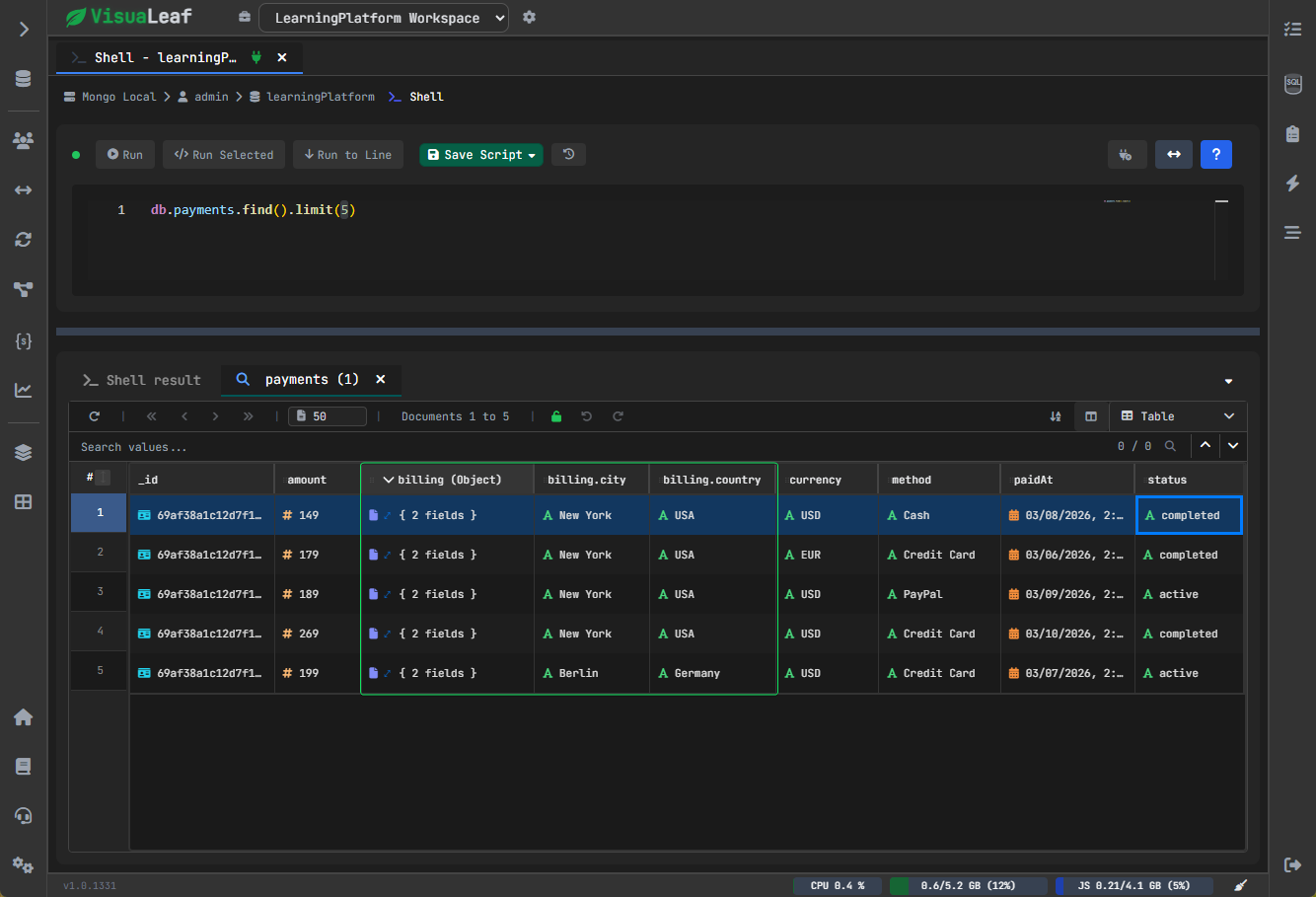
Table View - Quickly Scan Your Results
If your data is just for validation:
- each document becomes a row
- each field becomes a column
- makes it easy to compare values
Edit Data Directly from Results
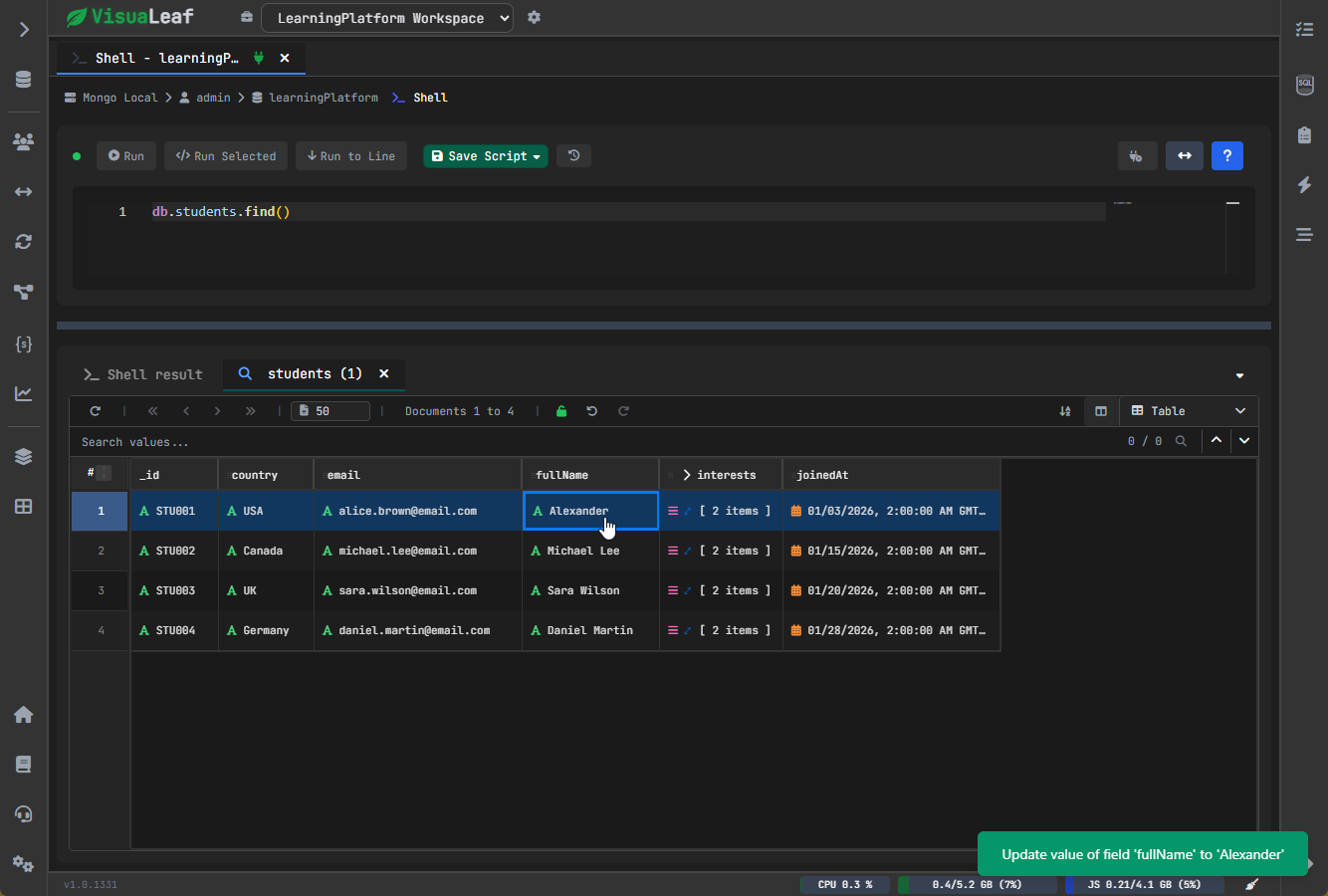
This is one of the most useful parts.
If you notice a small mistake in your data, you don’t need to write another query — you can fix it directly from the results.
For example, if you see: AlexandYr
Instead of : Alexander
You can edit the data directly from the results, without writing an update query.
A More Natural Workflow
In practice, this changes how you work.
Instead of switching between multiple steps, you can:
- Write a query
- Run it instantly
- Explore the results
- Notice an error
- Fix it directly
You can do everything in the same place.
You do not need to move around different parts of the tool to verify the data.
Everything is connected.
Conclusion
The MongoDB shell is already powerful.
But to use it efficiently, you must think about more than just executing queries.
With:
- better query writing support
- reduced typing errors
- better exploration of query results
- direct data editing capabilities
you can think less about the tool, and more about your data.
You still get the speed of MongoDB queries.
But you get better understanding while working with them.
Try It Yourself
The best way to understand the difference is to try it.
Download VisuaLeaf and run a few queries on your own data.
Explore the results, switch views, and make a quick edit -> all in one place.
Once you experience it, it’s hard to go back to a plain shell.