
VisuaLeaf as a MongoDB Compass Alternative
Looking for a better way to work with MongoDB than Compass? Discover how a modern visual tool can simplify queries, aggregation pipelines, and schema exploration.
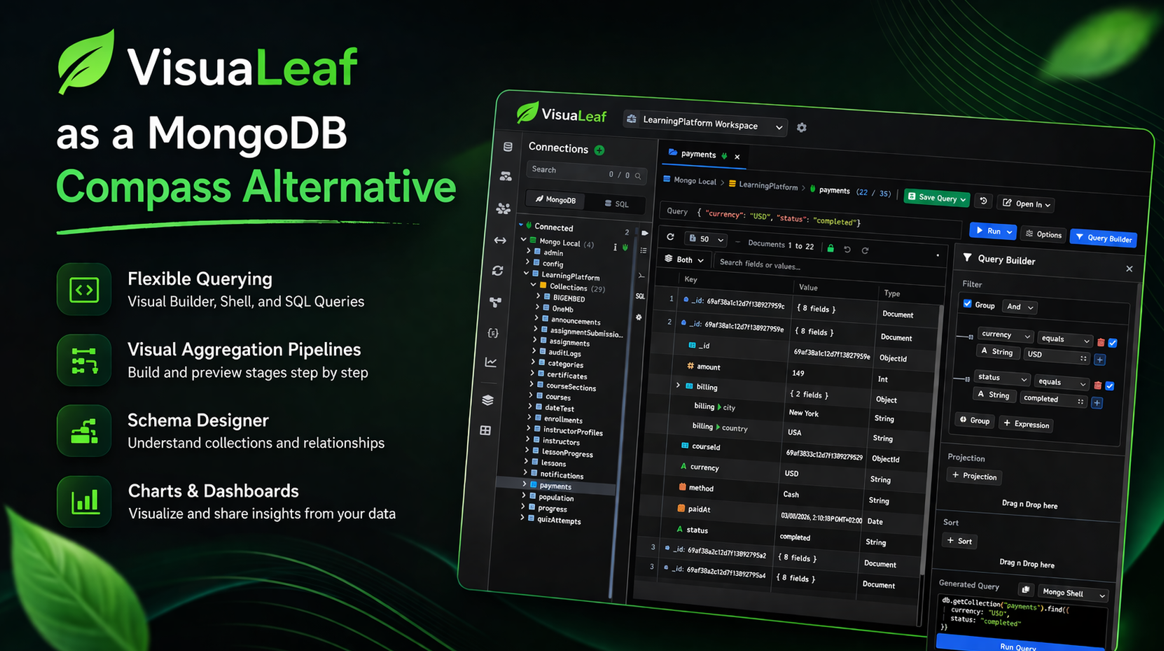
If you spend some time working with MongoDB, you will inevitably reach a point where collection browsing is no longer enough.
At first, everything is fine. You connect, open your collections, run your queries, and look at your data. But as your data grows, so does your need for more control, more clarity, and something faster.
And so, you start looking for a MongoDB Compass alternative. Not because Compass is bad, but because you need something more than just a browser.
What Makes a Great MongoDB GUI?
A great MongoDB GUI is not just one that connects to your database. It’s one that actually helps you work with your data as things get more complex.
A few things start to matter:
| Feature area | Why it matters |
|---|---|
| Querying experience | You should be able to query data in a way that feels natural |
| Aggregation support | Pipelines can get hard to build and follow |
| Schema visibility | MongoDB structure is not always easy to understand |
| Data exploration | Browsing nested documents should feel simple |
| Charts and dashboards | Visual results are easier to understand and share |
| Work across environments | Switch safely between local, staging, and production without mistakes |
| Compare and sync | Understand differences between collections and keep data in sync |
| Performance insights | Spot slow queries and improve performance with better indexing |
| Automation | Run exports, imports, and migrations without repeating manual steps |
| Database management | Indexes, JSON Schema, and other tools matter in real projects |
These are the things that separate a simple collection browser from a tool that actually supports your workflow.
Why VisuaLeaf Feels Like a Strong Alternative
VisuaLeaf isn't just a place where you open collections. It’s built to give you a more visual way to work with your data, your queries, and how everything connects.
Querying feels more flexible
Not everyone works the same way.
Some people prefer visual queries. Others prefer working in a shell. And some come from SQL and want something familiar before switching fully to MongoDB.
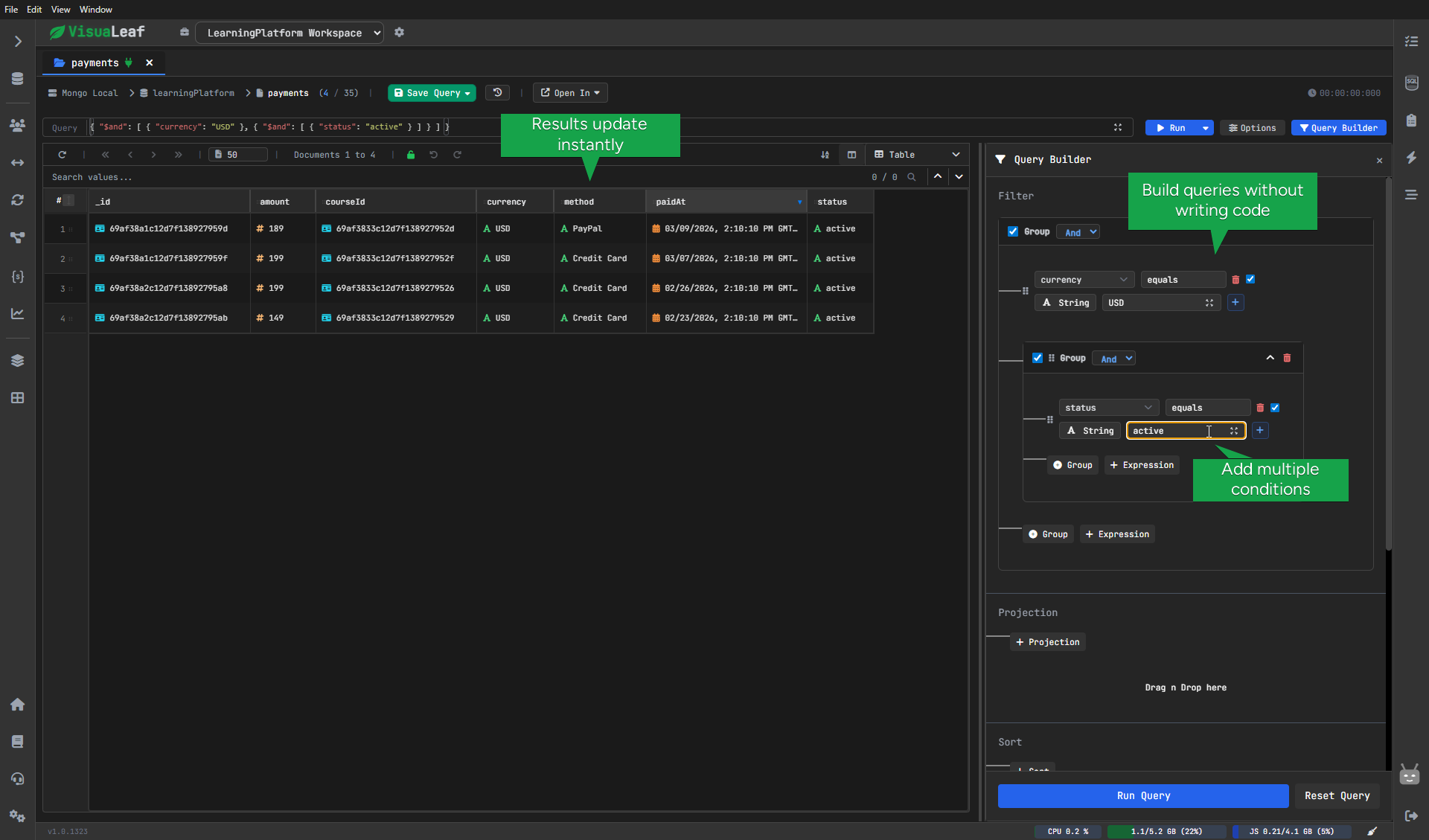
VisuaLeaf supports all of these. You can use a visual query builder, run commands in the MongoDB shell, or write SQL-style queries.
That makes it easier to switch depending on what you need, without changing tools.
Aggregations are easier to follow
Aggregation pipelines are powerful, but they can get messy quickly.
After a few stages, it becomes harder to follow what’s happening, and you spend more time reading the pipeline than building it.
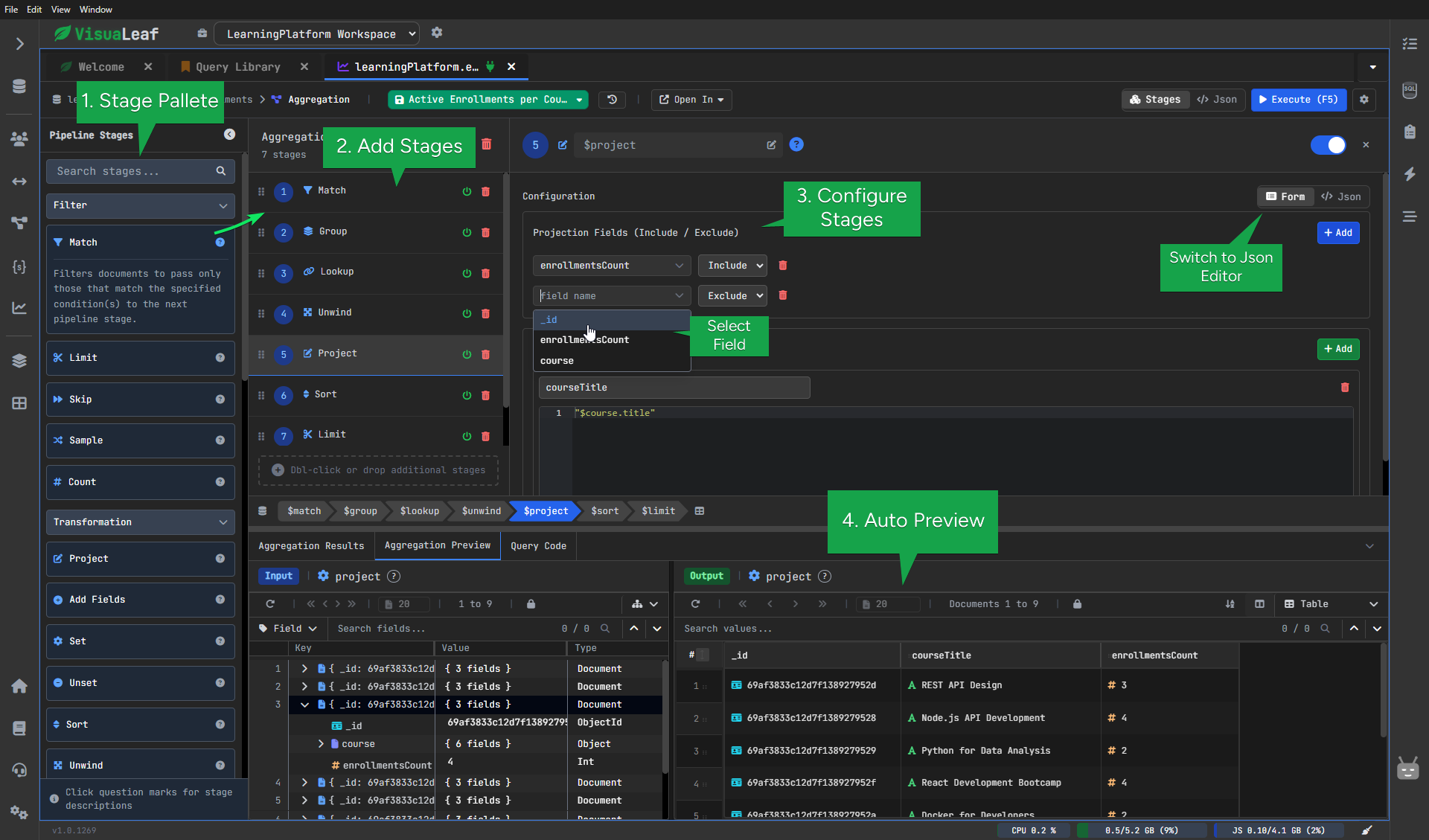
VisuaLeaf helps by letting you build pipelines visually, add stages with drag and drop, and preview results step by step.
This makes it much easier to understand what each stage is doing as you go.
Schema is easier to understand
One of the hardest parts of working with MongoDB is understanding how the data is structured.
As projects grow, you need to see how collections relate, how fields are nested, and how everything connects. This becomes even more important when working with a database you didn’t design yourself.
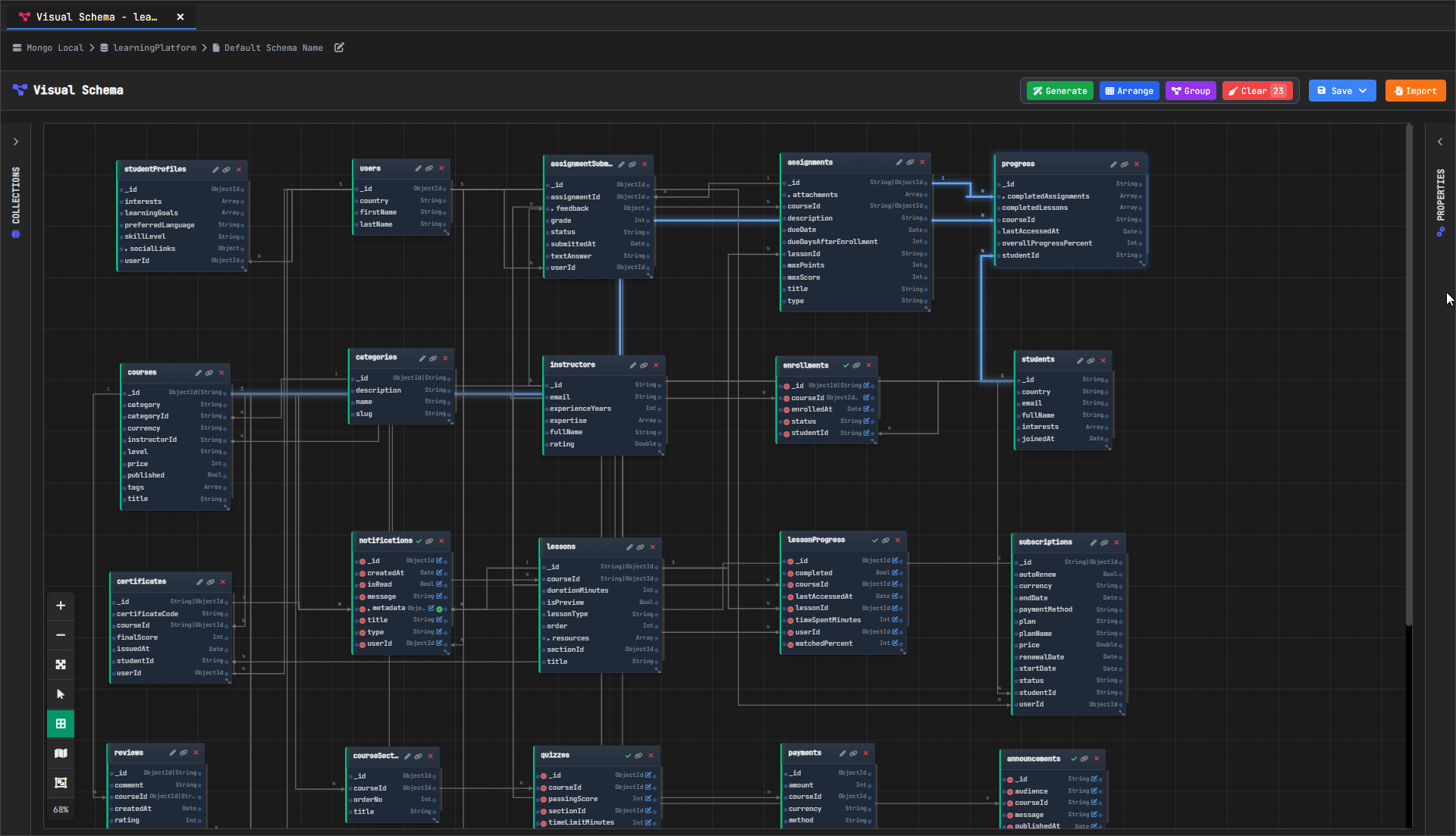
VisuaLeaf helps with this through its Schema Designer, where you can visualize collections, fields, and relationships instead of trying to piece everything together from raw documents.
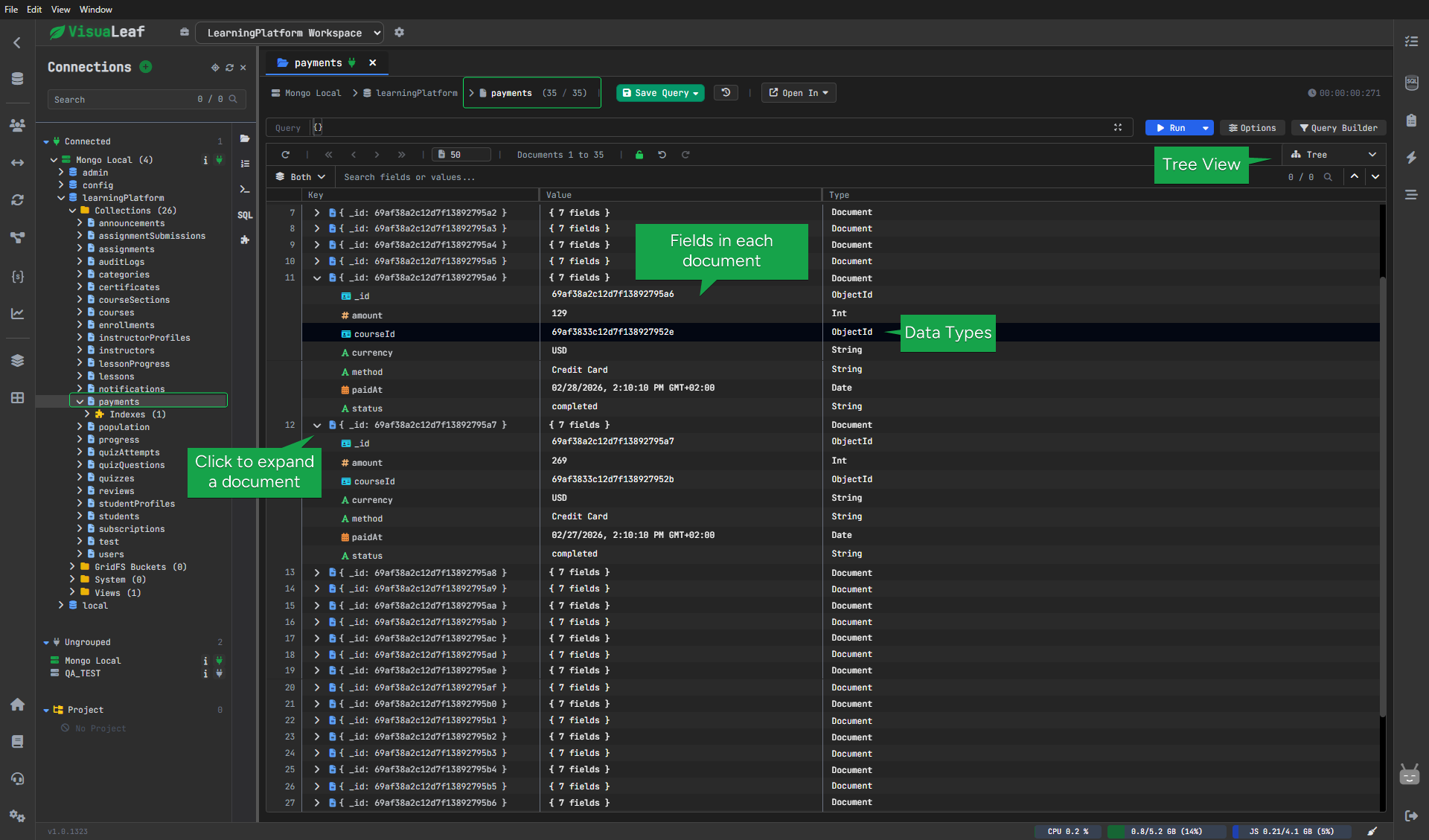
Exploring data is smoother
Working with nested documents can quickly become confusing.
You open a document, expand fields, switch collections… and after a few steps, it’s easy to lose track.
VisuaLeaf makes this easier by offering a structured way to explore collections, with clear views of nested fields and faster navigation between data.
It goes beyond simply displaying query results
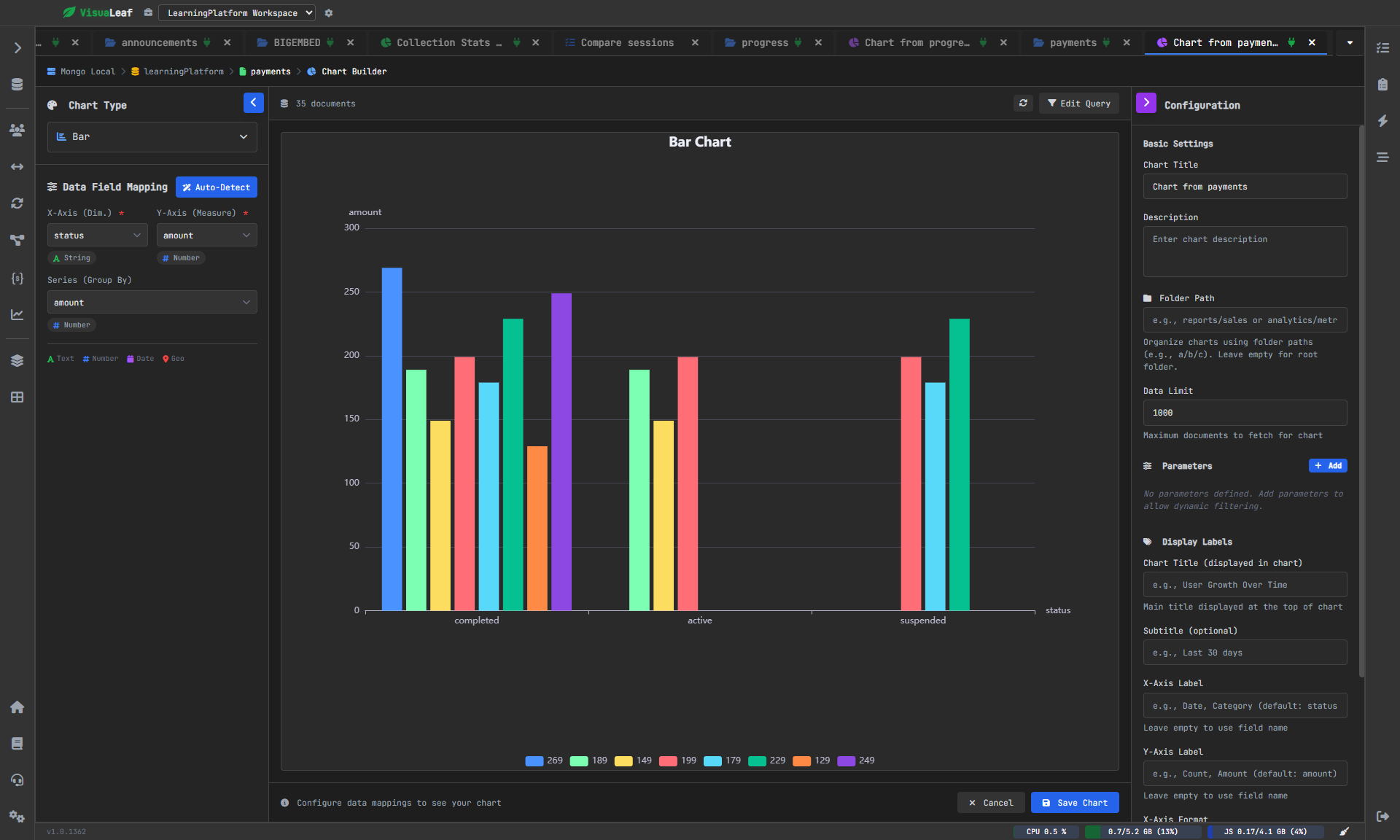
Most MongoDB tools stop at showing query results.
VisuaLeaf goes further by letting you turn those results into charts and dashboards.
You can quickly create visualizations from your queries, which makes it easier to spot patterns and explain results without exporting data to another tool.
Work safely across environments
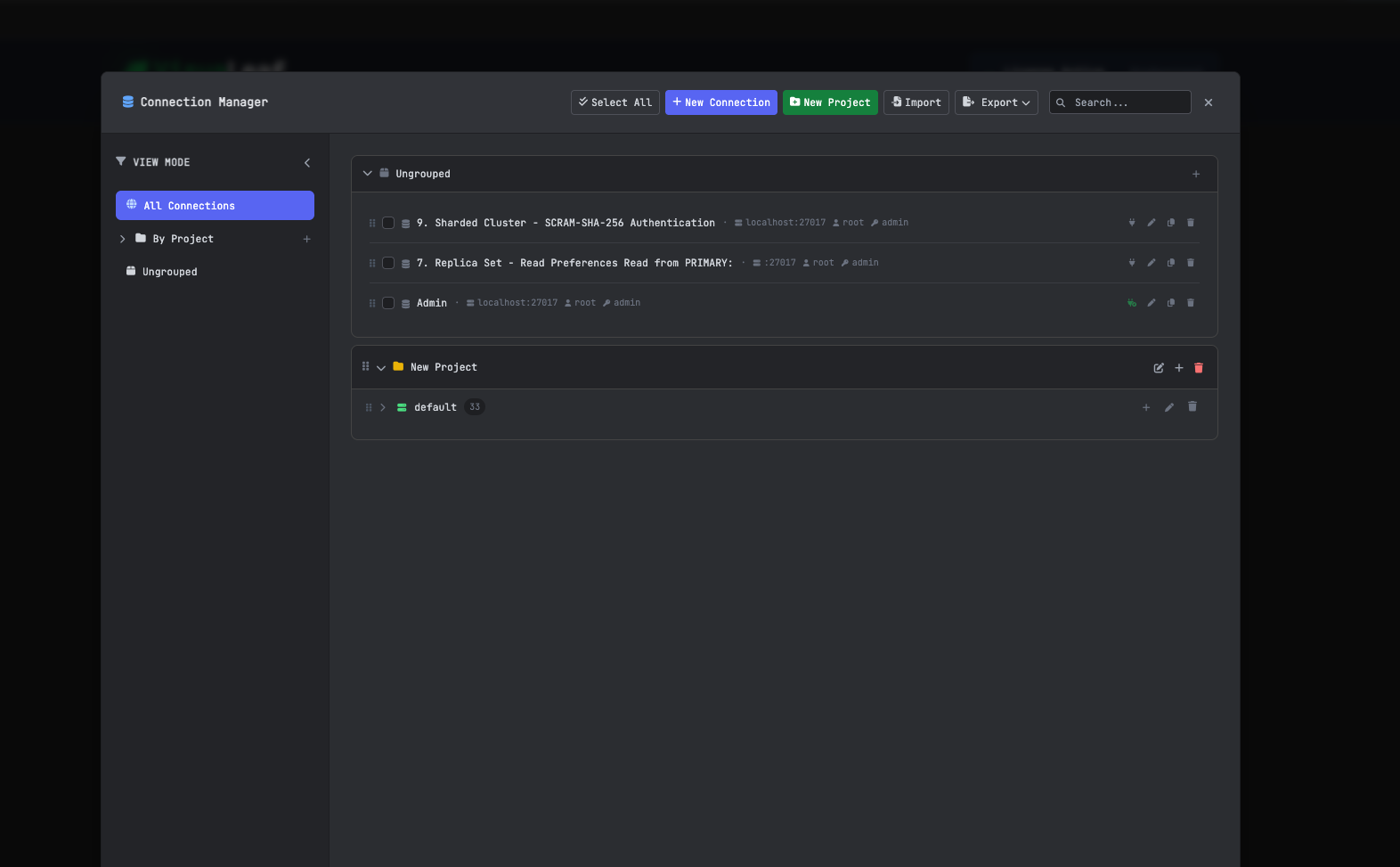
In real projects, you rarely work with just one database.
You switch between local, staging, and production, and mistakes can happen easily.
VisuaLeaf helps you organize connections clearly, so you always know where you are working and reduce the risk of running something in the wrong place.
Compare and sync collections
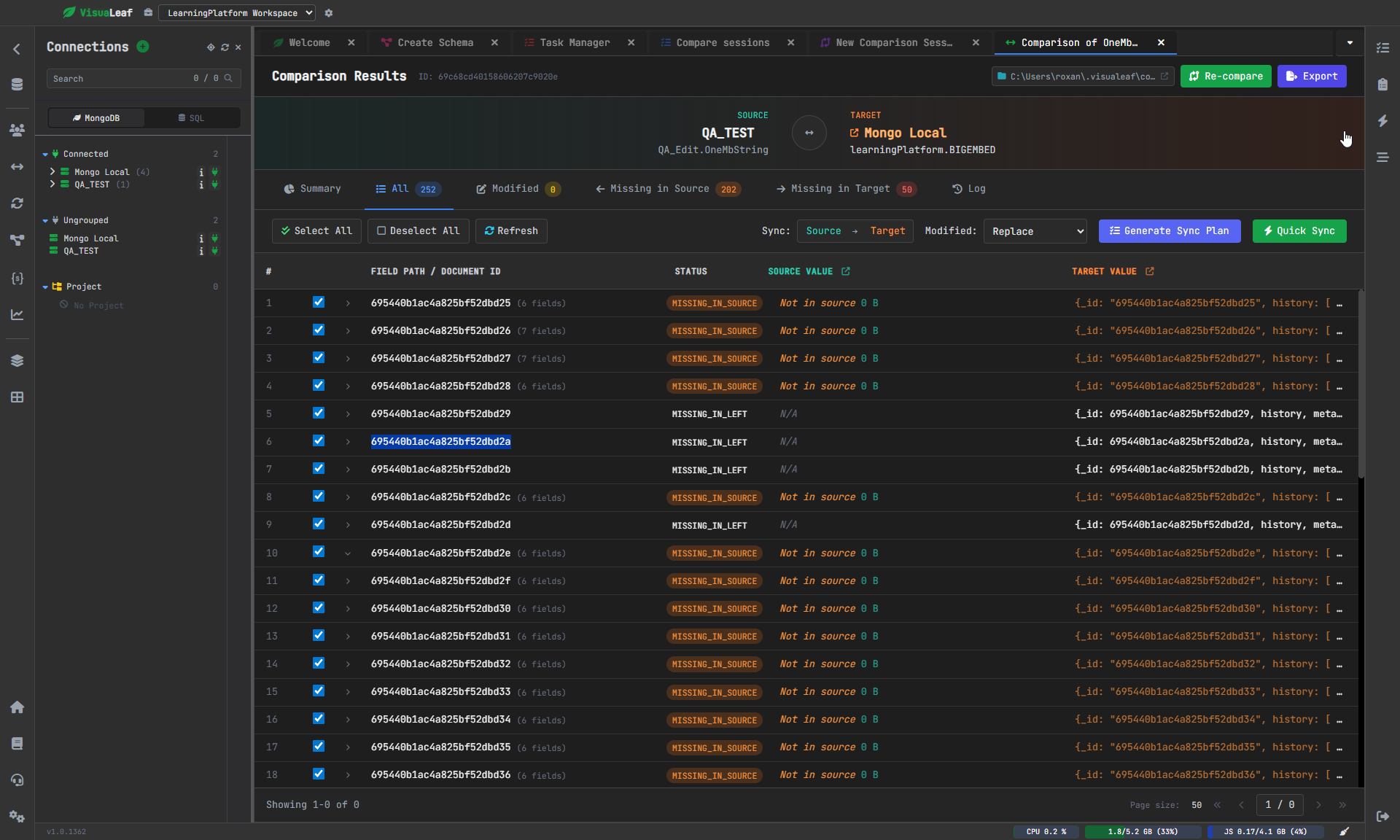
As your data evolves, you often need to check what changed between environments.
VisuaLeaf lets you compare collections, see differences, and decide what needs to be updated.
This saves a lot of time compared to manually checking data.
Improve performance with profiling
At some point, performance becomes important.
VisuaLeaf includes tools that help you spot slow queries and understand where improvements are needed.
This makes it easier to optimize your database without guessing.
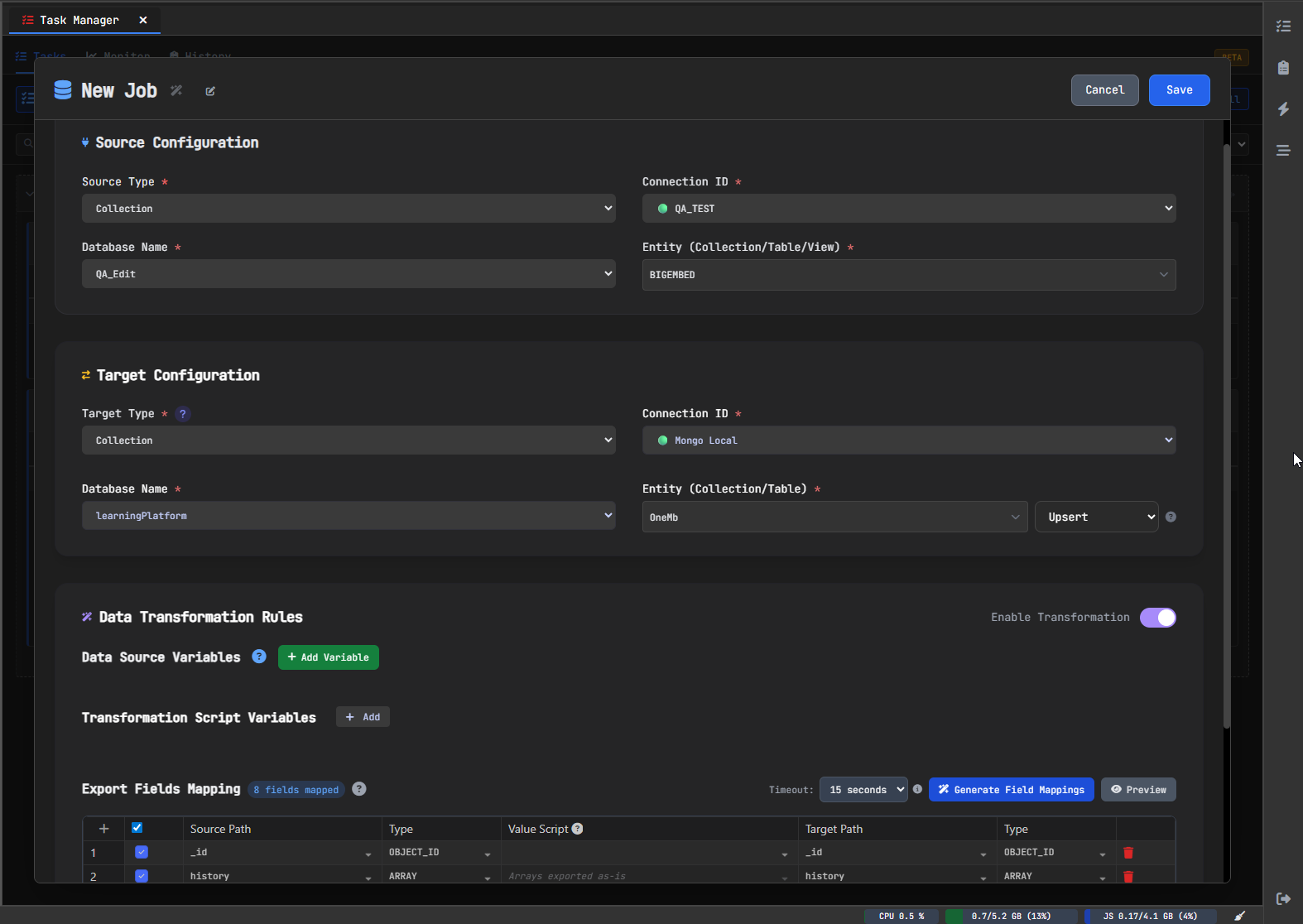
Automate tasks and migrations
Many database tasks are repetitive.
Exports, imports, migrations — you end up doing the same things again and again.
VisuaLeaf helps you manage these tasks so they can be repeated more easily, instead of doing everything manually each time.
It also goes beyond the basics
As your project grows, your needs change.
You start working with indexes, validating schemas, and managing more complex setups.
VisuaLeaf includes these as part of the workflow, making it more useful in real projects, not just simple data exploration.
Who VisuaLeaf Is Best For
VisuaLeaf is a good fit for people who need something more than just a MongoDB browser.
It works well for developers who want flexibility in how they query data, and for anyone who uses aggregation pipelines and wants a clearer way to build them.
It’s also useful for teams or growing projects where understanding structure and managing data becomes more important.
Conclusion
MongoDB Compass is a good starting point. But as your work becomes more complex, you may need something that gives you more clarity and a more visual way to work with your data.
VisuaLeaf brings querying, aggregations, schema visualization, and data exploration together in one place, making everyday work easier to follow.
If you want to try it, you can start with the demo playground, use the free Community Edition, or test the full features with a 14-day free trial.
There are also Basic and Professional plans, depending on what you need.
Comments ()