MongoDB Index Types Explained: Single, Compound, Text, and TTL
Learn the main MongoDB index types with simple examples: single field, compound, text, and TTL indexes, plus when each one should be used.


MongoDB queries may be well written, and yet perform badly.
Usually, the problem is not the query itself. It is the number of documents MongoDB has to scan before finding the ones you need.
200 orders will not make you notice it, but 50,000 orders will.
That’s where indexes help a lot.
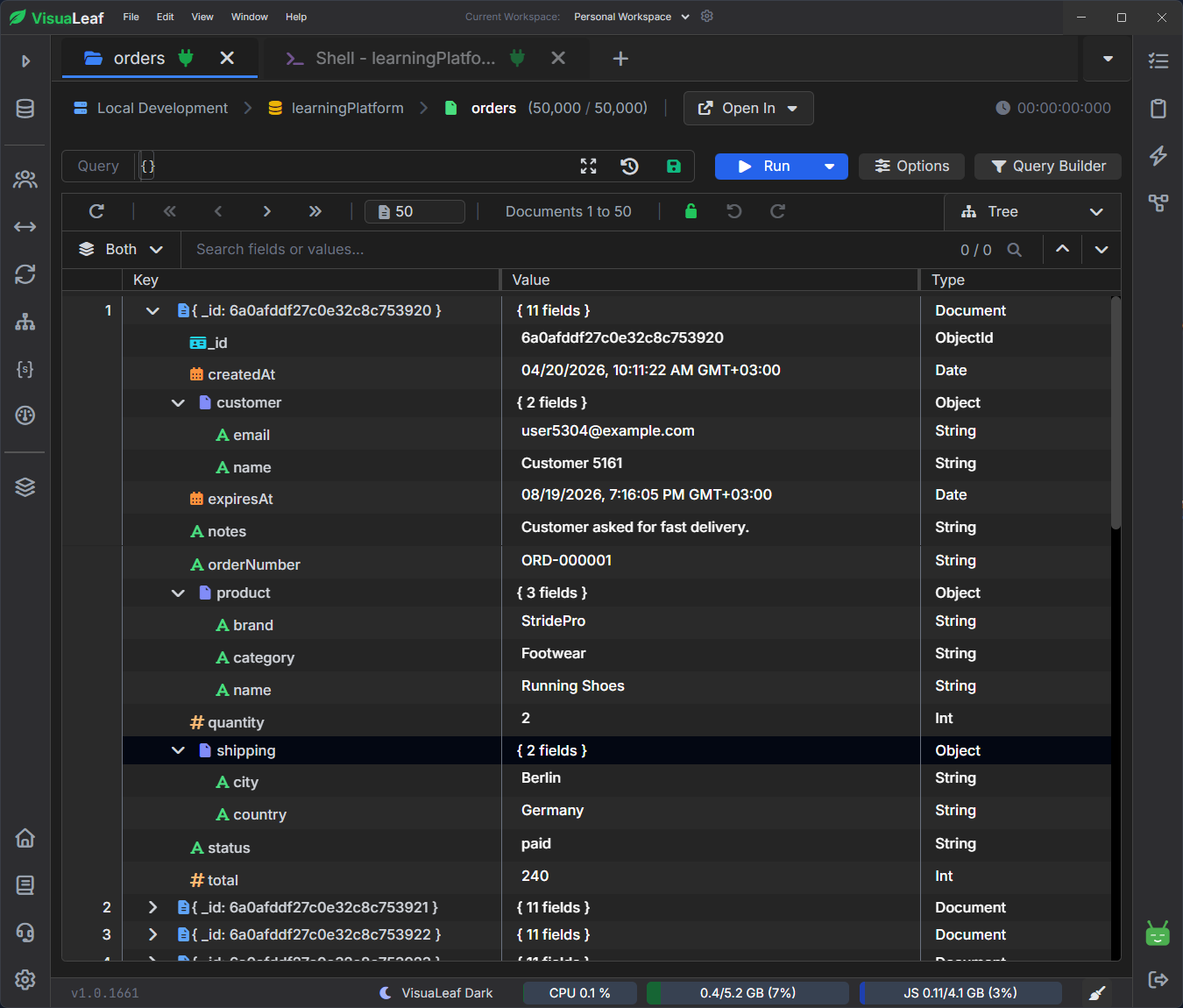
For the examples, I’ll use one simple orders collection from a sports equipment shop, with customer, product, shipping, date, and note fields.
What Is an Index in MongoDB?
Think about a big sports store.
If you need football shoes, you go directly to the football section. You do not walk through bicycles, ski equipment, yoga mats, and tennis rackets first.
A MongoDB index works similarly.
It gives MongoDB a faster path to the documents it needs, rather than checking the entire collection from the beginning.
For the examples below, we will use a simple orders document from a sports equipment store:
{
  _id: ObjectId("..."),
  orderNumber: "ORD-000001",
  customer: {
    name: "Customer 5161",
    email: "user5304@example.com"
  },
  product: {
    name: "Running Shoes",
    category: "Footwear",
    brand: "StridePro"
  },
  quantity: 2,
  total: 240,
  status: "paid",
  shipping: {
    country: "Germany",
    city: "Berlin"
  },
  createdAt: ISODate("2026-05-10T10:00:00Z"),
  expiresAt: ISODate("2026-06-10T10:00:00Z"),
  notes: "Customer asked for fast delivery"
}
Single Field Index
A single field index is the simplest type of index.
It uses one field to help MongoDB find matching documents faster.
For example, in our orders collection, each order has a status field:
status: "paid"
If we often search for paid orders, we can create an index in the MongoDB Shell on status:
db.orders.createIndex({ status: 1 })
Note: The 1 means ascending order. It does not refer to the value of the field. You can also use -1 for descending order.
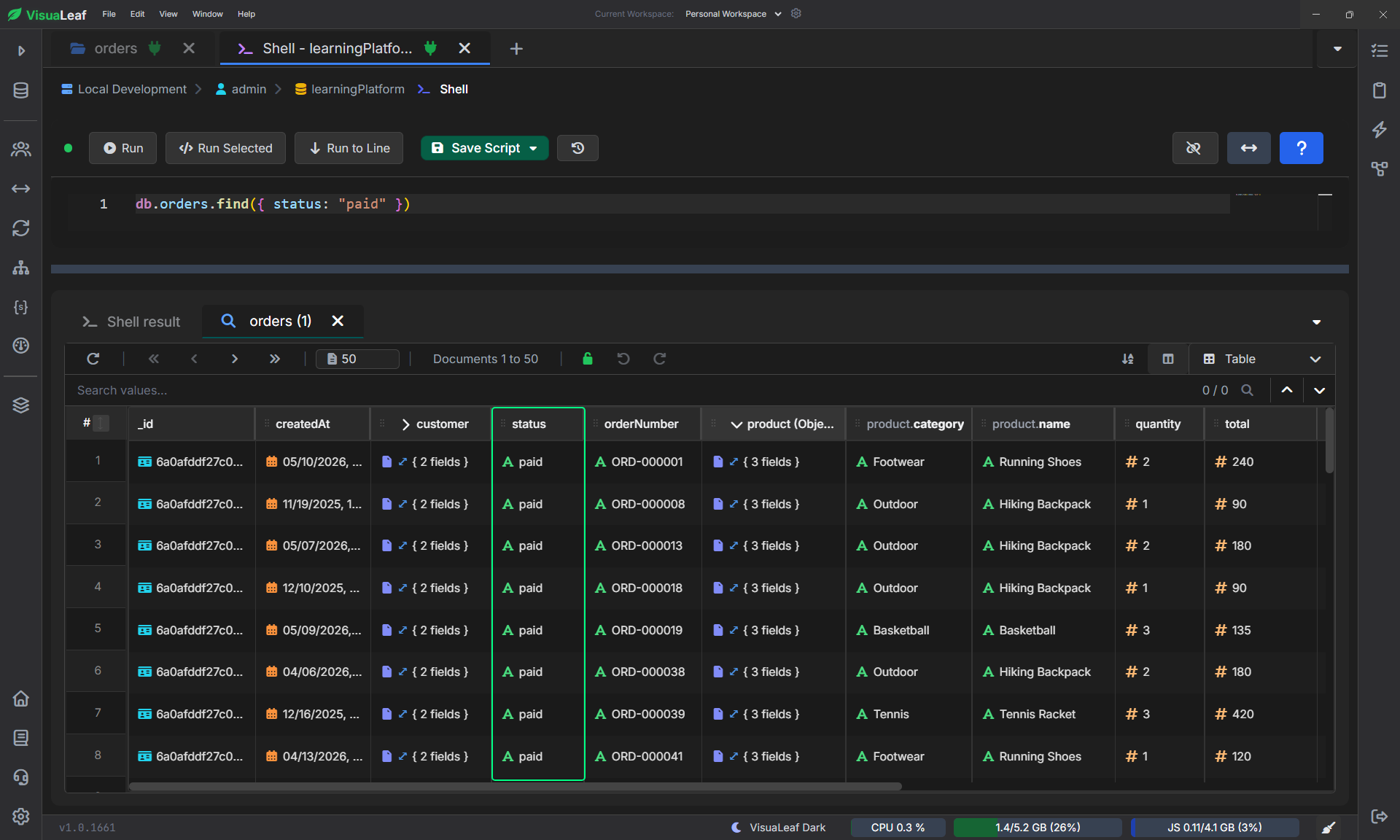
Now this query can use the index:
db.orders.find({ status: "paid" })
Without the index, MongoDB may need to check many orders one by one.
With the index, MongoDB has a faster way to find the orders where status is paid.
Compound Index
A compound index uses multiple fields.
This will help you if your query involves multiple fields.
For instance, the dashboard of your sports shop may display paid orders from newest to oldest.
There are two things MongoDB needs to do in this case.
Firstly, MongoDB has to filter out those documents that have status equal to paid.
Secondly, it needs to sort them according to their createdAt, newest first.
A compound index can help with both.
db.orders.createIndex({ status: 1, createdAt: -1 })
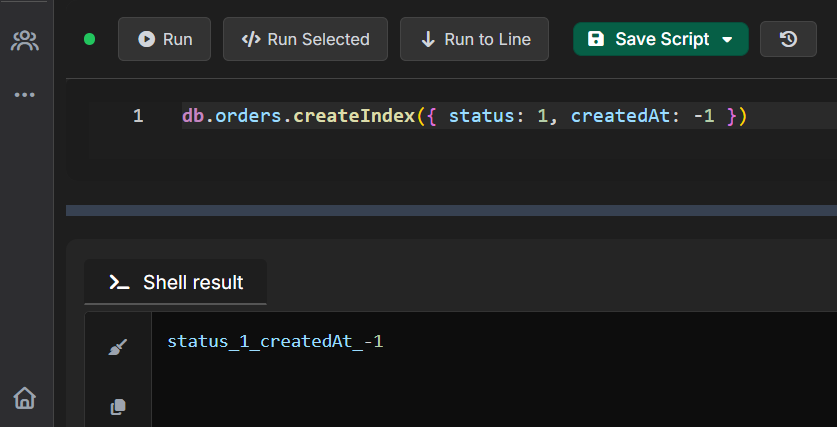
The above compound index sorts status first, followed by createdAt.
And this is important, because compound indexes are scanned from left to right.
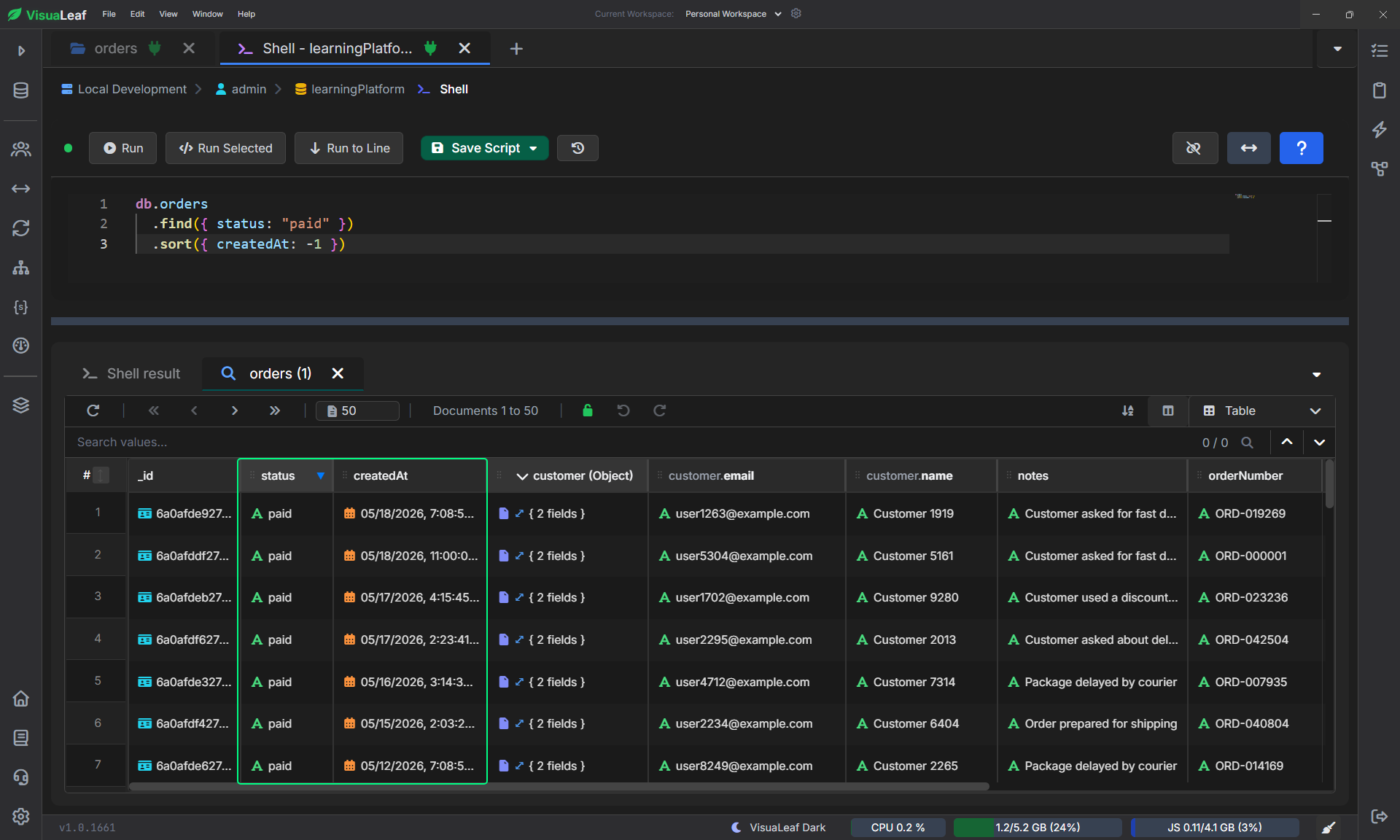
Your query may look something like this:
db.orders
  .find({ status: "paid" })
  .sort({ createdAt: -1 })
Why the order of fields is important
These two indexes are not identical:
db.orders.createIndex({ status: 1, createdAt: -1 }db.orders.createIndex({ createdAt: -1, status: 1 })
The first one suits this query more:
db.orders
  .find({ status: "paid" })
  .sort({ createdAt: -1 })
Since this query starts with status filtering.
The second index may suit another query better, but not this one.
Therefore, before creating a compound index, analyze the query.
Not the collection, the query!
Text Index
A text index is used when you need to search within the text fields.
Our orders collection has a field notes which contains values such as:
notes: "Customer asked for fast delivery"
The support member needs to find orders related to delivery, refund, size change, or damage.
You can create a text index for that:
db.orders.createIndex({
  notes: "text",
  "product.name": "text"
})
This creates one text index for both notes and the nested field product.name.
Now you can search within these text fields:
db.orders.find({
  $text: { $search: "fast delivery" }
})
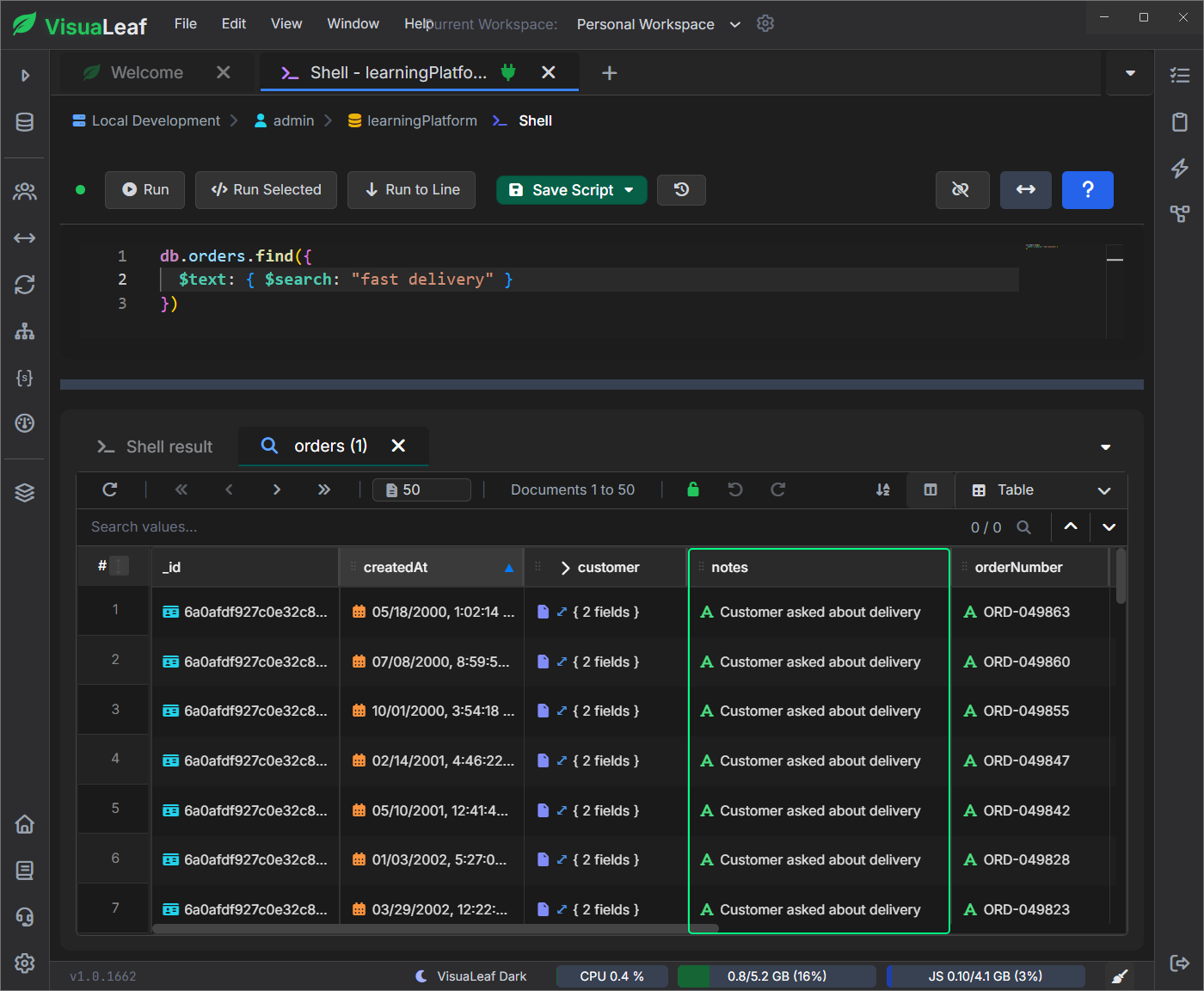
This helps in performing simple keyword searches.
Note: $search: "fast delivery" can match either word. For the exact phrase, use escaped quotes: $search: "\"fast delivery\"".
You can also search by product name.
db.orders.find({
  $text: { $search: "running shoes" }
})
When to use a text index
Use a text index when users search by words, not exact values.
Good examples:
- Search notes for
refund - Search product names for
running shoes - Search support messages for
delivery
Keep it simple, though. A text index is good for basic text search. If you need autocomplete, typo tolerance, synonyms, or advanced ranking, you may need a dedicated search feature.
TTL Index
A TTL index is used when documents should be deleted automatically after a certain time.
TTL means Time To Live.
In our sports shop example, imagine you keep temporary checkout orders. A customer starts an order, reaches the payment step, but never finishes it.
You may not want to keep that temporary order forever.
For this, the document can have an expiresAt field:
expiresAt: ISODate("2026-06-10T10:00:00Z")
Then you create a TTL index:
db.orders.createIndex(
  { expiresAt: 1 },
  { expireAfterSeconds: 0 }
)
This tells MongoDB to remove the document after the time stored in expiresAt has passed.
Unlike the other indexes, a TTL index is not usually created for a search screen. You create it so MongoDB can clean up expired documents automatically.
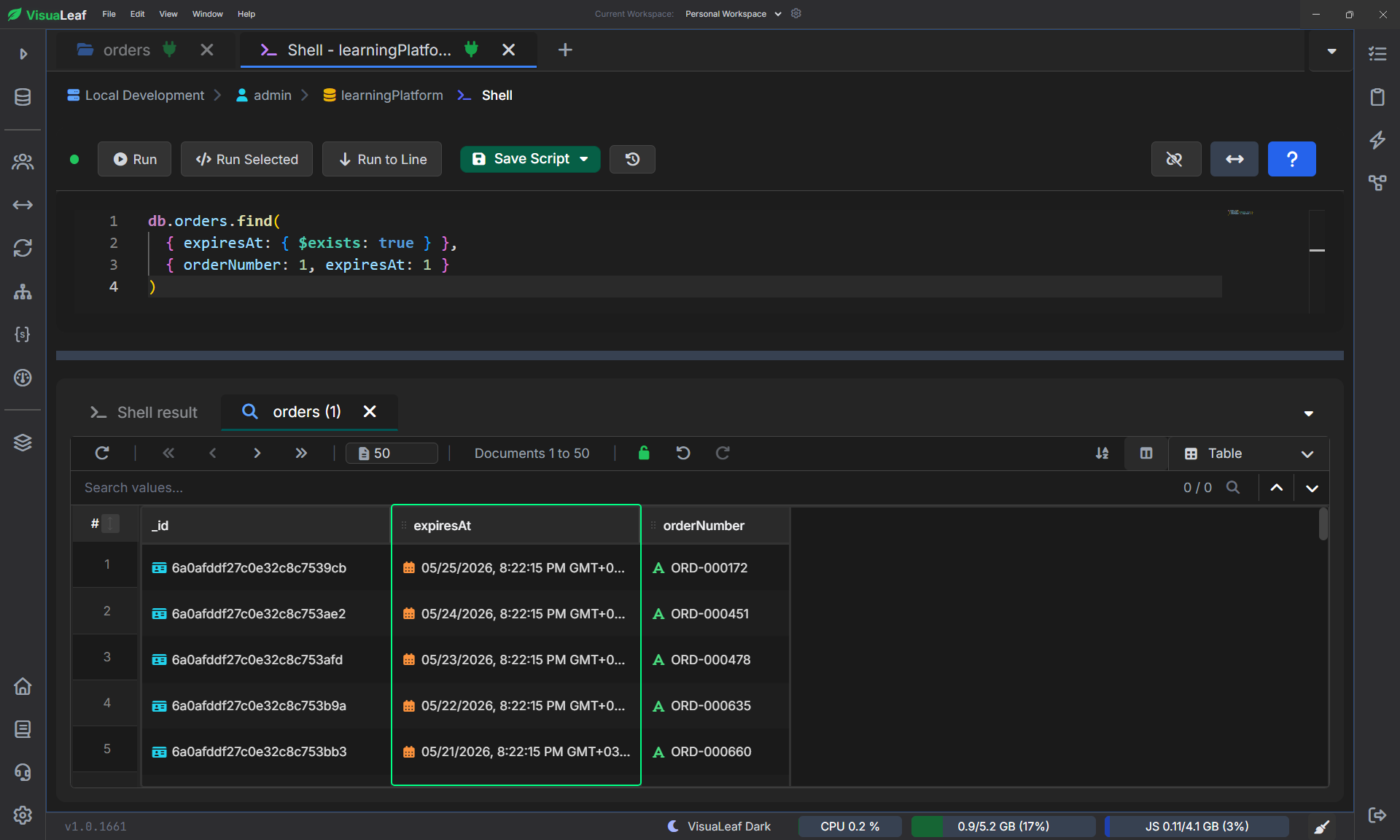
You can still query the field to see which documents have an expiration date:
db.orders.find(
  { expiresAt: { $exists: true } },
  { orderNumber: 1, expiresAt: 1 }
)
But the deletion itself happens in the background. MongoDB checks the TTL index and removes documents after their expiration time passes.
When to use a TTL index
Use a TTL index when data should clean itself up.
Good examples:
- Temporary checkout orders
- Login sessions
- Password reset tokens
- Old logs
One detail matters: a TTL index works on a single date field. Do not design it like a normal compound index.
MongoDB Index Types Comparison
| Index Type | Best Used For | Sports Shop Example |
|---|---|---|
| Single field index | One field used in a query | Find orders by status |
| Compound index | Multiple fields used together | Find paid orders and sort by createdAt |
| Text index | Search inside text | Search notes for fast delivery or products for running shoes |
| TTL index | Delete old documents automatically | Remove expired temporary checkout orders |
Use the Index Manager to See Indexes Visually
After you create indexes, it helps to see them in one place.
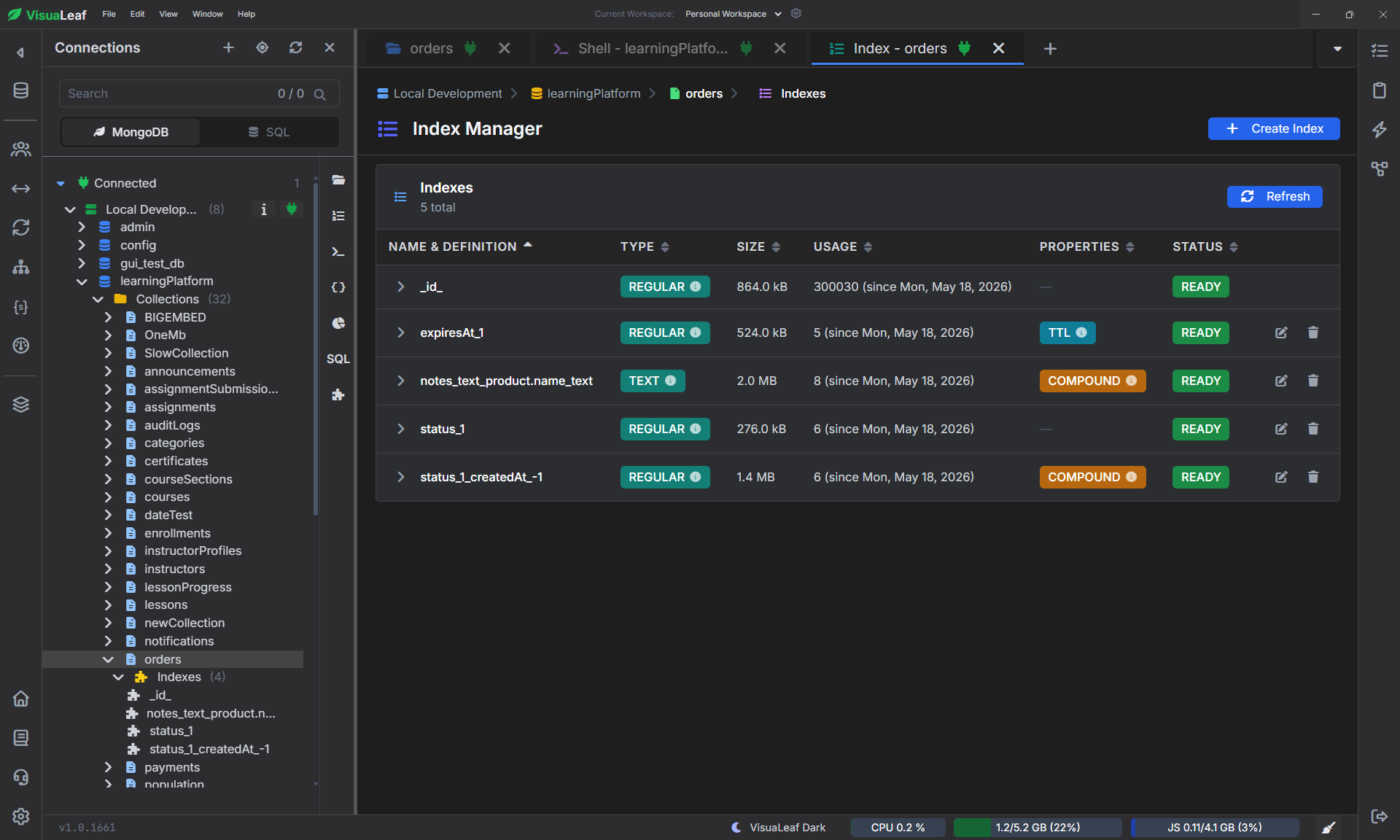
In VisuaLeaf, the Index Manager shows the indexes created on a collection, including their name, type, size, usage, properties, and status.
This makes it easier to check if your collection already has a single field index, compound index, text index, or TTL index without running extra shell commands each time.
Which Index Should You Choose?
Start with the query you want to improve.
If you search by one field, use a single field index.
If you filter and sort using multiple fields, use a compound index.
If users search by words inside text, use a text index.
If documents should expire automatically, use a TTL index.
The main rule is simple: create indexes for the queries your application actually runs, not for every field in the collection.
FAQ
What are MongoDB index types?
MongoDB index types are different ways to organize data so MongoDB can find or manage documents more efficiently. Common examples include single field, compound, text, and TTL indexes.
What is the difference between a single field index and a compound index?
A single field index uses one field, like status. A compound index uses more than one field, like status and createdAt. Use a compound index when your query uses those fields together.
Can MongoDB create indexes on nested fields?
Yes. MongoDB can create indexes on nested fields using dot notation, such as product.name or shipping.country.
When should I use a TTL index in MongoDB?
Use a TTL index when documents should be deleted automatically after a certain time. It is useful for temporary checkout orders, sessions, logs, and reset tokens.
Final Thoughts
MongoDB indexes are not something you create randomly. They should match the queries your application actually runs.
If you want to go deeper, read our guide on optimizing MongoDB query performance with indexes.
You can also use VisuaLeaf to inspect indexes visually and see their type, size, usage, and status in one place.