How to Automate MongoDB Tasks (Exports, Imports, Sync Jobs)
Automating repetitive MongoDB work can save more time than most people expect. In this article, I show how VisuaLeaf Task Manager helps schedule exports, imports, sync jobs, and transformations while keeping everything easier to track and control.


Not all MongoDB jobs are hard to perform because their development is usually not that complicated. However, what makes them frustrating is the constant repetition of their execution.
Export the same collection.
Import the other document into the database.
Transfer the same set of data between environments.
Do the job again the following week and then the next month.
What this means now is that you will have to think of a solution that is not just limited to getting the job done once, but can do it consistently.
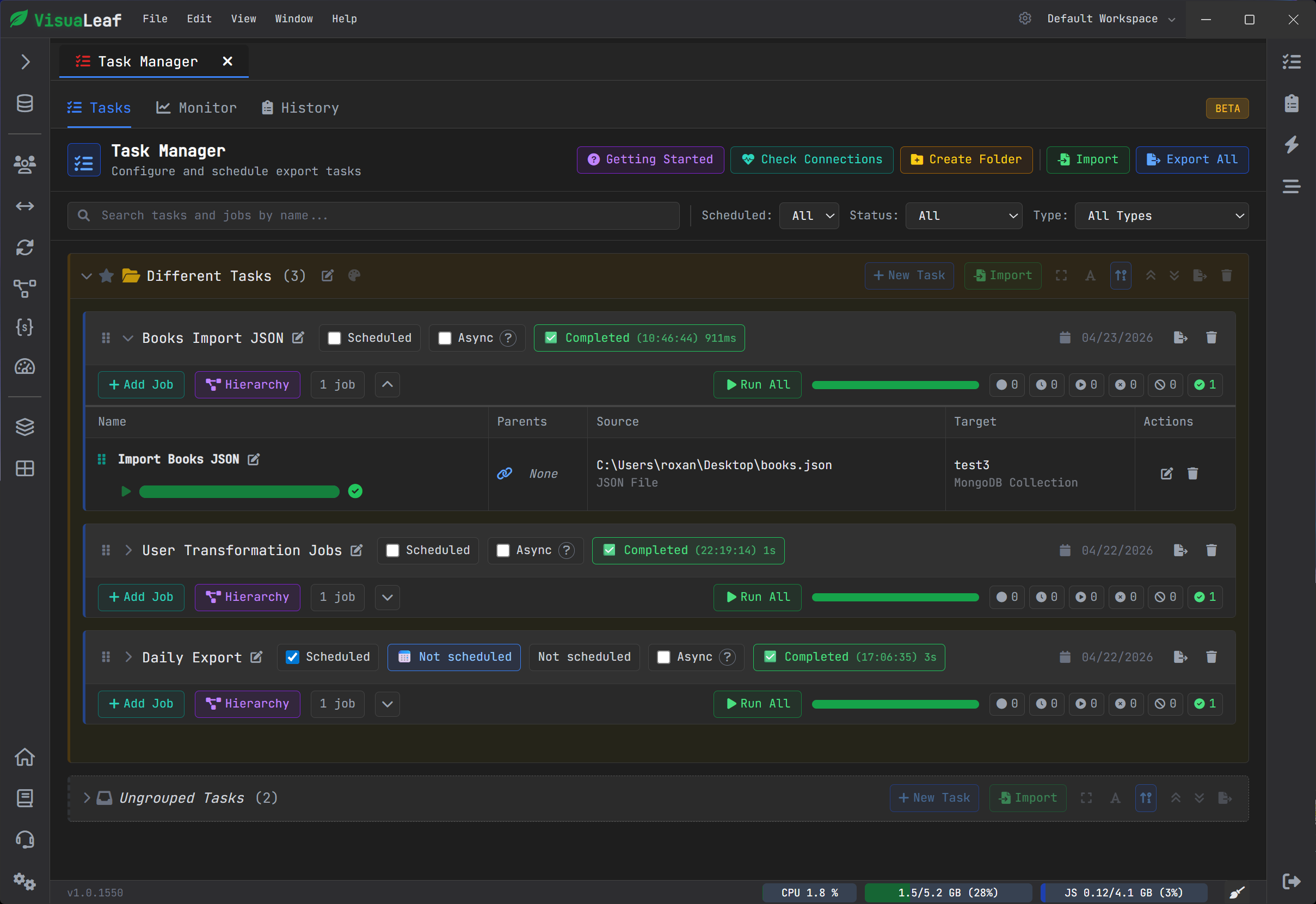
This is exactly what Task Manager in VisuaLeaf allows for. Specifically, it is created to schedule and manage background jobs for exports, imports, sync jobs, and any other recurring database operations.
When manual MongoDB work starts becoming a problem
At first, performing operations manually doesn’t seem like such a big problem.
You open the collection, perform the export/import/synchronization of your file, and continue working.
However, after some time, the very process of doing this starts to create difficulties for you:
- wasting time reinitializing your settings
- making it easy to miss a step
- relying too heavily on your own memory
- inability to track what happened once the operation was performed
- complications with performing the same operations in multiple environments
It is situations such as these that demonstrate the need for automation – not necessarily for the complexity that the latter implies, but simply because any repetitive task should eventually turn into a reusable process.
The way the VisuaLeaf Task Manager works
VisuaLeaf Task Manager is not limited to scheduling a process at a specified time. This functionality is focused on performing repeatable actions on data, making it highly relevant to database operations.
Export, import, and sync operations can be performed with the help of Task Manager; they are executed either once or regularly within certain time intervals ranging from hourly to monthly or even defined by cron expressions.
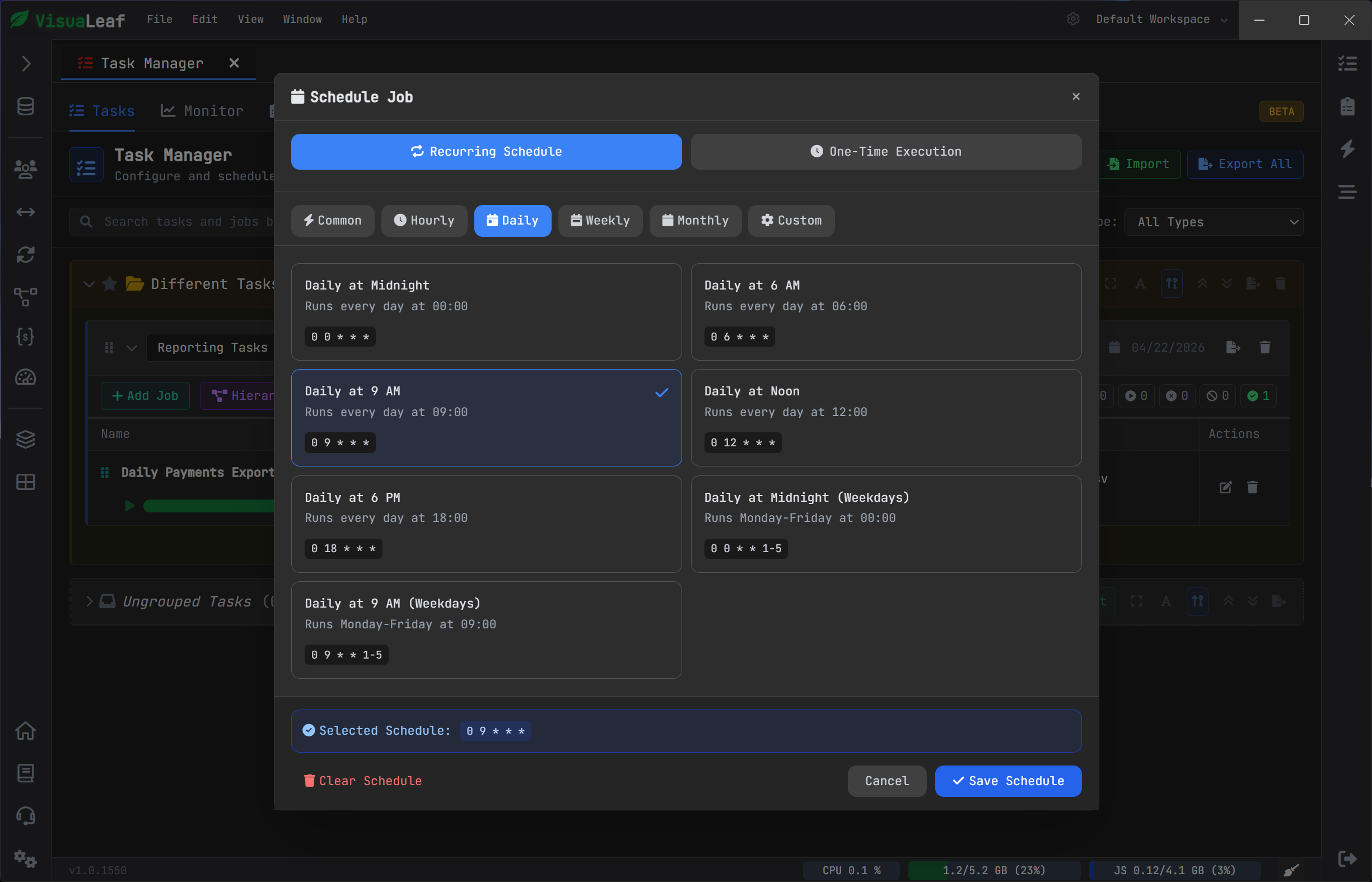
Also, the user will know more about the process itself through access to information about the execution results, such as status, history, execution errors, number of processed and failing records, run time, and execution control tools such as starting, stopping, resuming, editing, duplicating, and deleting.
Why do we need this feature? It makes the scheduler tool a part of the workflow.
An interesting real-world scenario: transferring a collection from one database to another
Another good example illustrating the value of Task Manager would be the process of transferring a collection from one database to another.
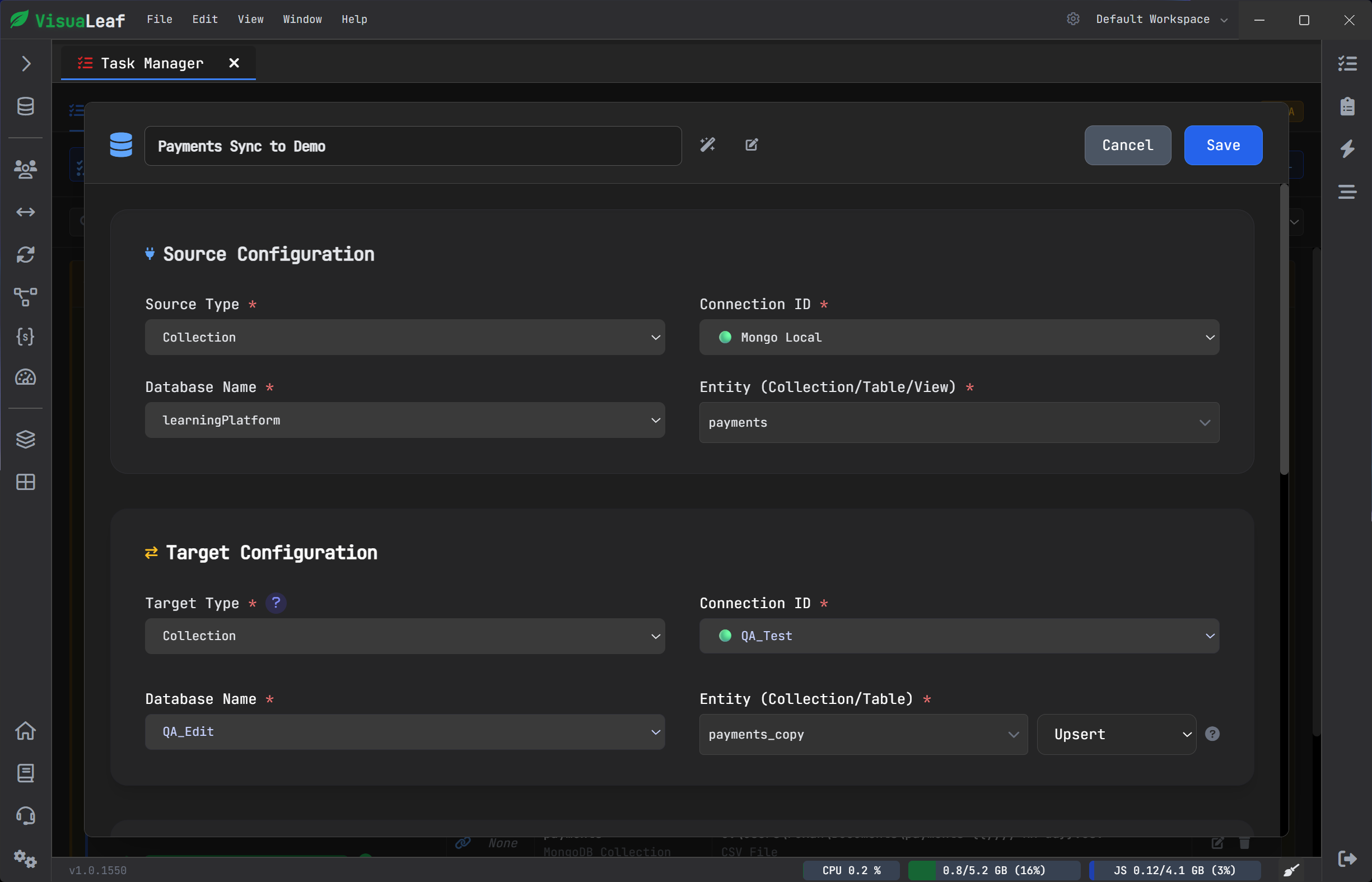
This may be necessary to maintain synchronization between different environments, prepare a new test environment with a replica of production data, and other similar cases. Although the task itself is usually simple, performing such operations manually becomes tedious very quickly.
Task Manager can be applied to address this issue since it allows treating data transfer operations as reusable processes rather than one-time tasks. You will be able to specify the source, target databases, and schedules only once, storing the configuration for further use. Then, you can perform the process repeatedly, make changes, create copies, and analyze results without having to start everything from scratch every single time.
However, Task Manager is useful not only for the migration of collections
Besides the ability to migrate a collection between databases, other operational tasks can be performed on the fly by Task Manager:
Periodic exports
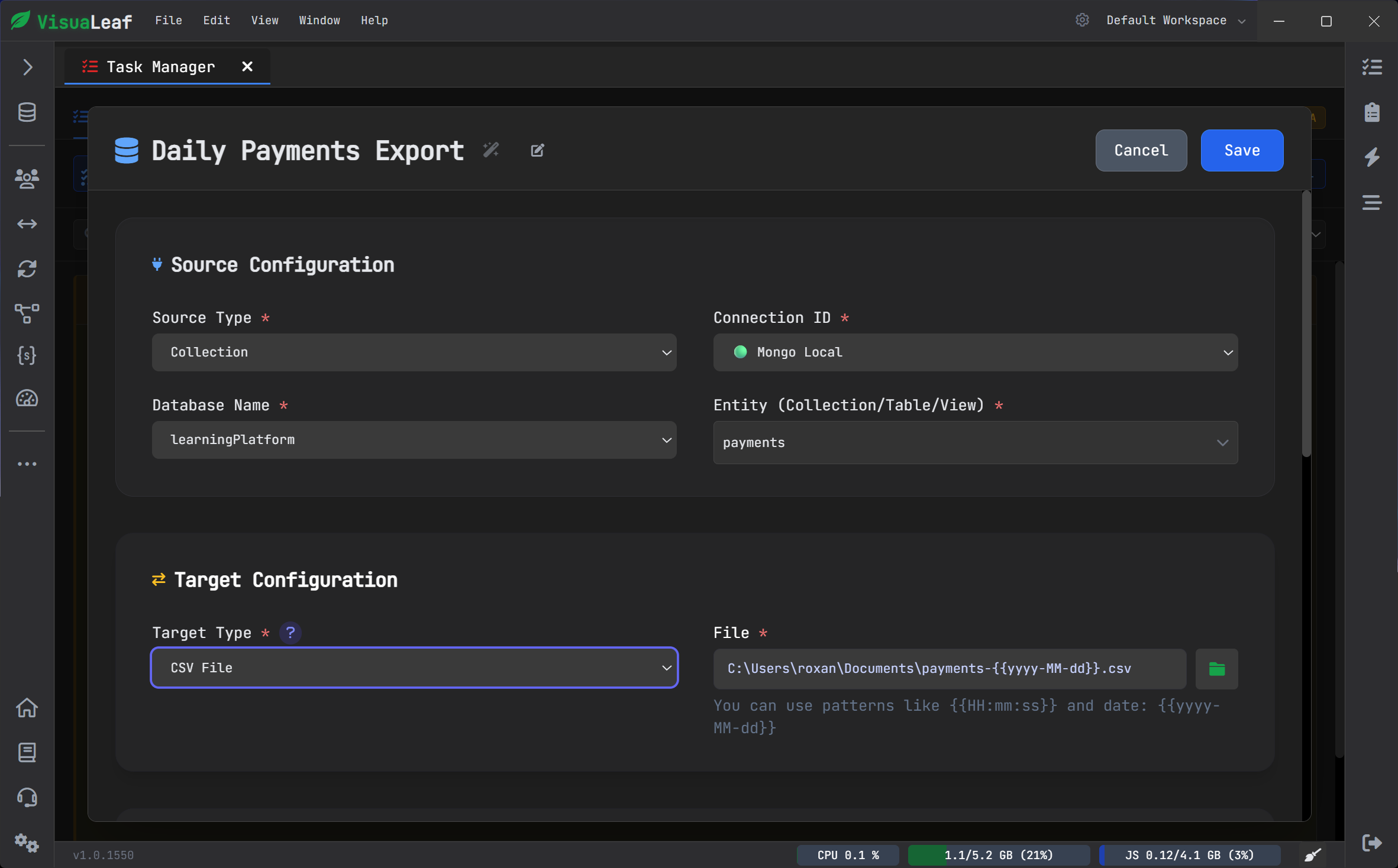
Task Manager offers the possibility of exporting data in formats such as JSON, CSV, BSON, and SQL INSERT commands. That way, it may prove helpful during backups and reporting, during data handoffs or even migrations, if an external application relies either on receiving a file or SQL-like queries as input.
Periodic imports
It also allows importing data in formats such as JSON, CSV, and BSON, including the ability of performing transformations or mappings, and even using the upsert mode, which means updating the document if it already exists, rather than inserting it.
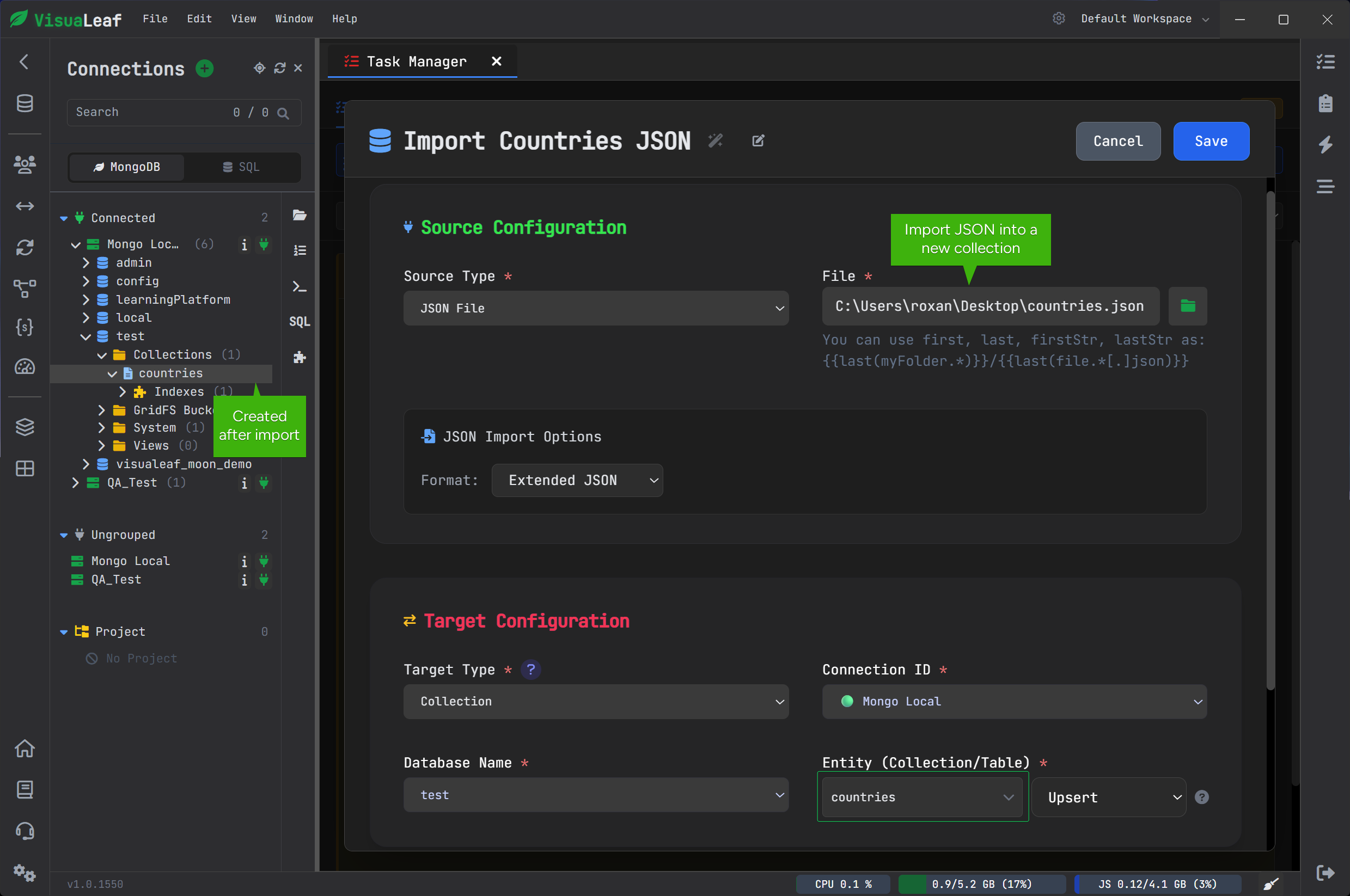
Synchronization workflows
Task Manager may prove extremely useful for periodic synchronization scenarios, particularly for organizations relying on different environments.
The importance of monitoring is on par with scheduling
There is a variety of tools that help you schedule a particular job.
That is not the important thing here.
The real deal is what goes on once the job is started:
- Is it completed?
- Have there been any errors?
- How many documents have been processed?
- Have there been any missed?
- What is the duration of it?
These are the most valuable functions of the feature. Task Manager allows you to track progress, view the execution history, monitor errors, status of tasks, and their stats, thus eliminating the guesswork about what has happened after each run.
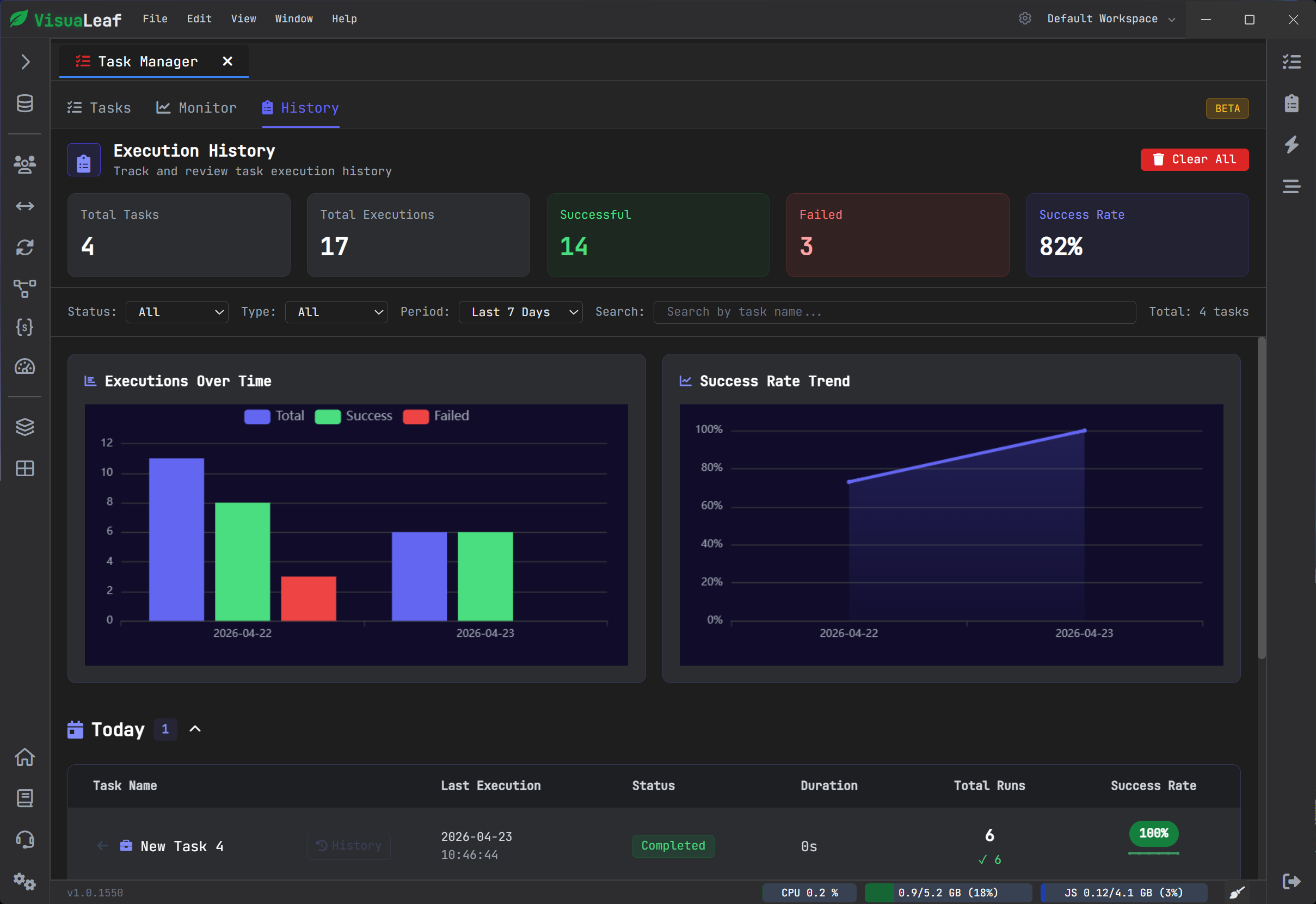
Monitoring becomes an essential part of value here as jobs are being run weekly or even daily.
Another reason this feature is practical: transformations
A more advanced workflow tool will make it possible for you to work with your data while moving it.
Task Manager allows for field mapping, type conversion, filtering, custom JavaScript transformations, and even aggregation pipeline processing before export.
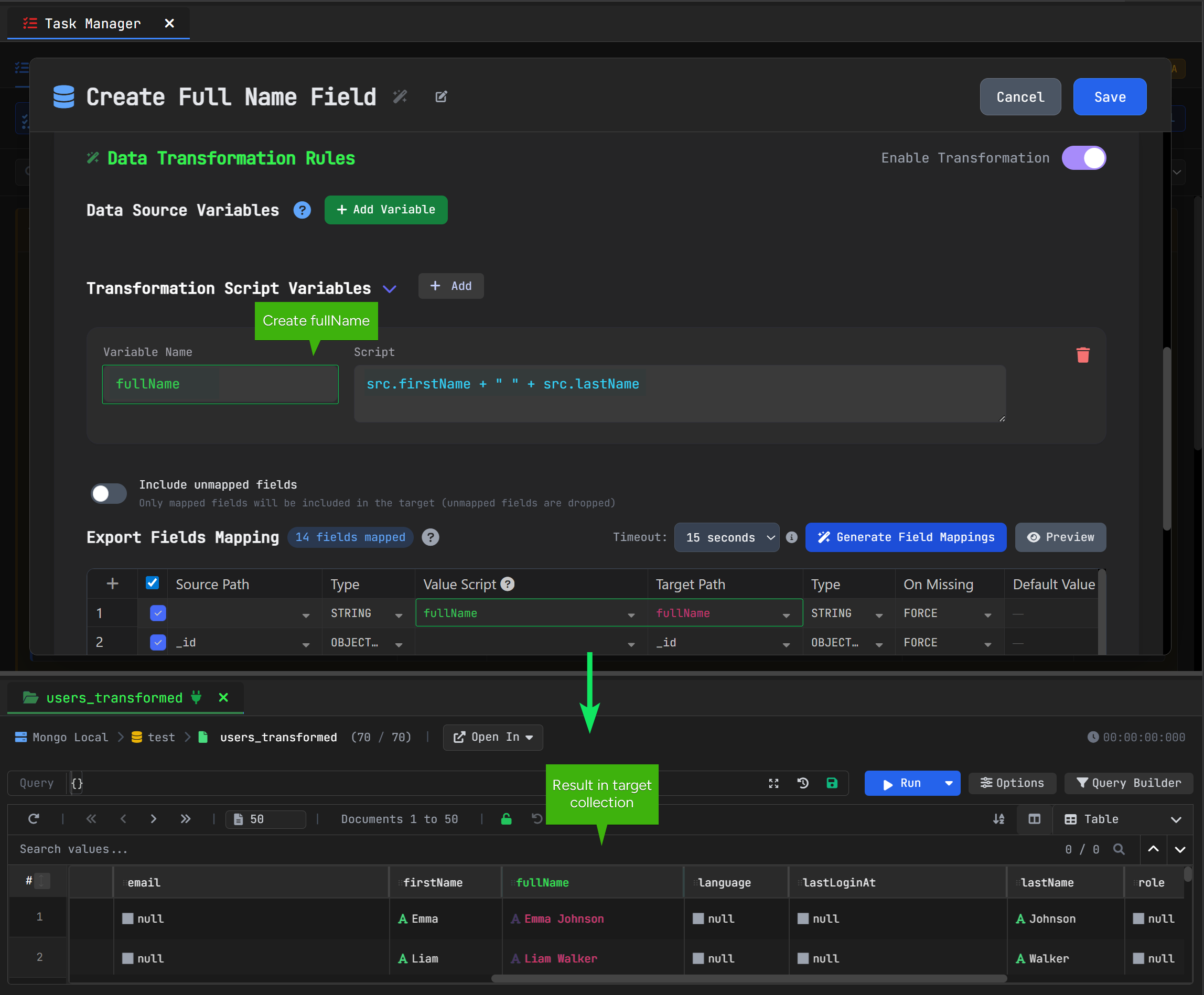
fullName field and previewing the result in the target collection.It is important because actual workflows are not about simply copying a collection. Instead, you often need to:
- rename fields
- change types
- filter out unused records
- do partial exports
- clean data before migration rather than after
And that will save you much trouble later on.
How does this feature grow in value over time
Some features seem useful from the very first moment that you use them.
Task Manager is unique in its nature because it becomes even more useful the more frequently you repeat similar work of a kind.
First-time collection move does not mean that you need Task Manager.
But the fifth one makes you think about its benefits.
By the tenth move, you realize why it is the right thing for managing your MongoDB tasks.
Best practices for setting up recurring tasks
Before turning a job into a recurring task, it is worth testing it manually first. It also makes sense to schedule heavier operations during off-peak hours, monitor the first runs carefully, and use incremental approaches when large datasets are involved.
It makes sense because this demonstrates the actual purpose of Task Manager rather than simply showcasing it.
Who does Task Manager benefit the most?
While the obvious audience for this functionality is the developer community, this is not exclusively so.
Task Manager can be particularly helpful for the following groups:
Teams that collaborate around MongoDB data
For those on the team who find themselves exporting the database as a CSV or JSON file more than once, Task Manager provides an elegant way to eliminate redundancy.
People managing incoming files
If you are working on the import of any files, the process of mapping and transforming the data takes on new importance.
Users who prefer streamlined workflows
Some people can work well within a purely manual framework. Some people would rather automate certain processes, minimize errors, and gain better insight into their operations.
Conclusion
Task Manager is designed to help solve one of the most common challenges encountered when working with MongoDB: performing operations in an automated manner without relying on memory, repetitive actions, or having to reconstruct everything from scratch.
When using VisuaLeaf, the feature enables automation for export, import, synchronization, and migration tasks, yet allows maintaining control over their execution.
That is why it proves useful. Task Manager saves time and effort, yet also makes repeating your MongoDB work easy and controllable.
Try VisuaLeaf
If you would like to try these scenarios for yourself, feel free to download VisuaLeaf at the link below:
External resources
To learn more about the mentioned MongoDB tools and concepts, you might consider these resources: